
Introduction
Welcome to your new Daxiongmao Endoscope Camera. This device is designed for detailed visual inspection in hard-to-reach areas. Featuring a 4.3-inch LCD display, 1080P HD resolution, and IP67 waterproofing, it is suitable for various applications including automotive, plumbing, and home inspections. This manual provides essential information for safe and effective use.
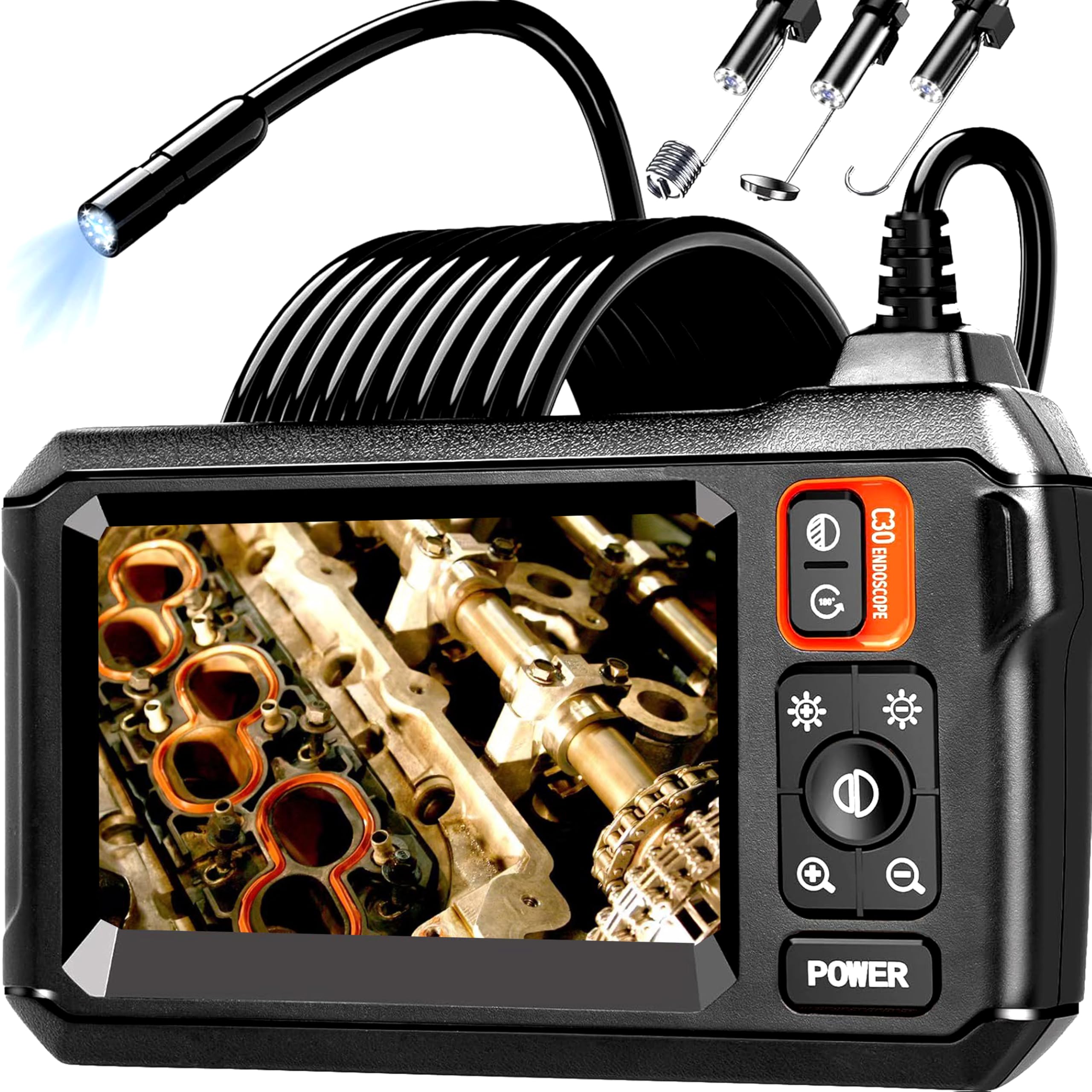
Image: The Daxiongmao Endoscope Camera with its flexible probe and integrated screen.
What's in the Box
Please verify that all items are present in the package:
- 1 x Inspection Camera with Light
- 1 x User Manual
- 1 x Type-C Charging Cable
- 1 x Hook Attachment
- 1 x Magnet Attachment
- 1 x Side Mirror Attachment

Image: All components included in the product packaging.
Product Features
- 4.3-inch LCD Display: View high-definition images in real-time on the integrated color LCD screen. No external device or app is required.
- 1080P HD Resolution: Capture clear and detailed visuals with 1080P HD pixel quality.
- 8 Adjustable LED Lights: Equipped with 8 bright LED lights to illuminate dark inspection areas, with adjustable brightness levels.
- IP67 Waterproof Probe: The camera probe is rated IP67 waterproof, allowing for safe use in wet environments such as pipes and drains.
- 16.5ft Semi-Rigid Cable: The flexible yet stiff cable allows for easy navigation through various spaces while maintaining its shape.
- 2000mAh Battery: Provides approximately 3.5 hours of continuous working time on a full charge.

Image: Close-up of the 4.3-inch LCD display showing a clear image.

Image: Diagram showing the internal components contributing to 1080P HD image quality.

Image: The camera probe submerged in water, highlighting its IP67 waterproof rating and LED lights.
Setup Guide
Charging the Device
Before initial use, ensure the endoscope camera is fully charged. Connect the provided Type-C charging cable to the device's charging port and then to a standard household charger (5V 1A, not included). Avoid using fast charging adapters to prevent potential battery overheating and damage. The battery indicator on the screen will show charging status.

Image: The endoscope camera being charged via its Type-C port.
Attaching Accessories
The endoscope includes a hook, magnet, and side mirror attachment. These accessories can be affixed to the camera probe for specialized tasks.
- Select the desired accessory (hook, magnet, or side mirror).
- Carefully align the accessory with the tip of the camera probe.
- Gently push and secure the accessory onto the probe until it clicks into place. Ensure it is firmly attached before use.

Image: The hook, magnet, and side mirror attachments for the endoscope camera.
Operating Instructions
Power On/Off
To power on the device, press and hold the POWER button located on the control panel until the screen illuminates. To power off, press and hold the POWER button again until the screen turns off.
Adjusting LED Lights
The camera probe features 8 adjustable LED lights. Press the light adjustment button (often indicated by a sun or lightbulb icon) on the control panel to cycle through different brightness levels. Adjust the brightness to achieve optimal visibility in your inspection area.
Viewing the Display
The 4.3-inch IPS color display provides a live feed from the camera. Position the screen for comfortable viewing during your inspection. The display does not require connection to a smartphone, Wi-Fi, or any additional applications.
Navigating with the Probe
Carefully insert the semi-rigid camera cable into the area you wish to inspect. The cable's design allows it to be guided through tight spaces and around corners. Maintain the optimal focal distance of 1.5 to 5 inches (3.81-12.7 cm) from the object for the clearest image.

Image: Examples of the endoscope camera in use for automotive, vent, and plumbing inspections.
Maintenance
Cleaning the Camera Probe
After each use, especially when exposed to dirt, dust, or liquids, gently wipe the camera probe and lens with a soft, lint-free, damp cloth. Ensure no residue remains on the lens to maintain image clarity. Do not use harsh chemicals or abrasive materials.
Storage
Store the endoscope camera and all its accessories in a cool, dry place, away from direct sunlight, extreme temperatures, and high humidity. Keep it in its original packaging or a protective case to prevent damage.
Battery Care
To maximize the lifespan of the built-in battery, avoid frequent deep discharges. Recharge the device when the battery indicator shows low power. If storing for an extended period, charge the battery to approximately 50% every few months.
Troubleshooting
No Power
- Ensure the device is fully charged. Connect it to a 5V 1A charger and allow sufficient charging time (approximately 3 hours).
- Press and hold the POWER button for a few seconds to ensure it is properly activated.
Blurry Image
- Check the camera lens for any dirt, dust, or moisture and clean it gently with a soft cloth.
- Ensure the object being inspected is within the optimal focal distance of 1.5 to 5 inches (3.81-12.7 cm) from the camera lens.
- Adjust the LED light brightness to improve visibility in dark areas.
LED Lights Not Working
- Verify that the device is powered on.
- Press the light adjustment button to cycle through brightness levels and ensure the lights are not set to off or minimum brightness.
Specifications
| Feature | Specification |
|---|---|
| Model Number | C30-16.5FT |
| Screen Size | 4.3 Inches |
| Video Capture Resolution | 1080p |
| Effective Still Resolution | 1080 Pixels |
| Water Resistance Level | IP67 Waterproof |
| Macro Focus Range | 1.5 - 5 inches (3.81-12.7 cm) |
| Battery Average Life | 3.5 Hours |
| Connectivity Technology | USB (Type-C) |
| Light Source | 8 Adjustable LED Lights |
| Cable Length | 16.5ft |
| Viewfinder Type | LCD screen |
| Audio Recording | No |
Warranty and Support
This Daxiongmao Endoscope Camera is covered by a 180-day warranty from the date of purchase. This warranty covers manufacturing defects and ensures the product functions as intended under normal use.
Additionally, the product is eligible for a refund or replacement within 30 days of purchase, in accordance with standard return policies.
For technical support, warranty claims, or any questions regarding your device, please contact Daxiongmao customer service through your retailer or the official brand channels. Please have your purchase information and model number (C30-16.5FT) ready when contacting support.