1. Introduction
Thank you for choosing the Soul OPENEAR PLUS Bone Conduction Headphones. These open-ear earbuds are designed to provide a unique audio experience while maintaining awareness of your surroundings, making them ideal for sports and outdoor activities. Featuring a 14mm driver and Bluetooth 5.2 technology, they offer powerful sound and a stable, comfortable fit. This manual will guide you through the setup, operation, and maintenance of your new headphones.

The Soul OPENEAR PLUS headphones, showcasing their sleek, ergonomic design.
Product Overview Video
An official overview video demonstrating the key features and design of the Soul OPENEAR PLUS Earbuds.
2. What's in the Box
Upon opening your Soul OPENEAR PLUS package, you should find the following items:
- Soul OPENEAR PLUS Bone Conduction Headphones
- USB-C Charging Cable
3. Setup
3.1 Charging the Headphones
Before first use, fully charge your Soul OPENEAR PLUS headphones. A full charge provides up to 7 hours of playtime.
- Locate the USB-C charging port on your headphones.
- Connect the provided USB-C cable to the charging port on the headphones.
- Connect the other end of the USB-C cable to a compatible USB power source (e.g., wall adapter, computer USB port).
- The LED indicator on the headphones will show the charging status. It will typically turn off or change color once fully charged.

The Soul OPENEAR PLUS headphones connected to a USB-C charging cable, highlighting the 7-hour battery life per single charge.
3.2 Bluetooth Pairing
To connect your headphones to a device:
- Ensure the headphones are charged and powered off.
- Press and hold the power button on the headphones until the LED indicator flashes, indicating pairing mode.
- On your device (smartphone, tablet, computer), enable Bluetooth and search for available devices.
- Select "Soul OPENEAR PLUS" from the list of found devices.
- Once connected, the LED indicator will change, and you may hear an audible confirmation.
4. Operating Instructions
4.1 Power On/Off
- Power On: Press and hold the power button for approximately 3 seconds until the LED indicator lights up.
- Power Off: Press and hold the power button for approximately 5 seconds until the LED indicator turns off.
4.2 Controls
The Soul OPENEAR PLUS headphones can be controlled via an associated app for advanced settings and functions. Basic controls for playback and calls are typically located on the headphone unit itself.
4.3 Open-Ear Design for Safety
The open-ear design of these headphones allows you to hear your surroundings while enjoying audio. This feature is crucial for safety during outdoor activities like running, cycling, or hiking, as it keeps you aware of traffic and other environmental sounds.

The open-ear design of the headphones ensures situational awareness, ideal for active users.
4.4 Stable and Comfortable Fit
The OPENEAR PLUS is designed for an ultra-stable fit that accommodates all ear sizes, ensuring they remain secure during vigorous exercise or outdoor adventures.

The headphones are engineered for a stable fit, suitable for various activities and ear sizes.
4.5 Powerful Air Conduction Sound
Equipped with 14mm drivers, the Soul OPENEAR PLUS delivers powerful air conduction spatial sound, providing a rich audio experience without blocking your ear canals.
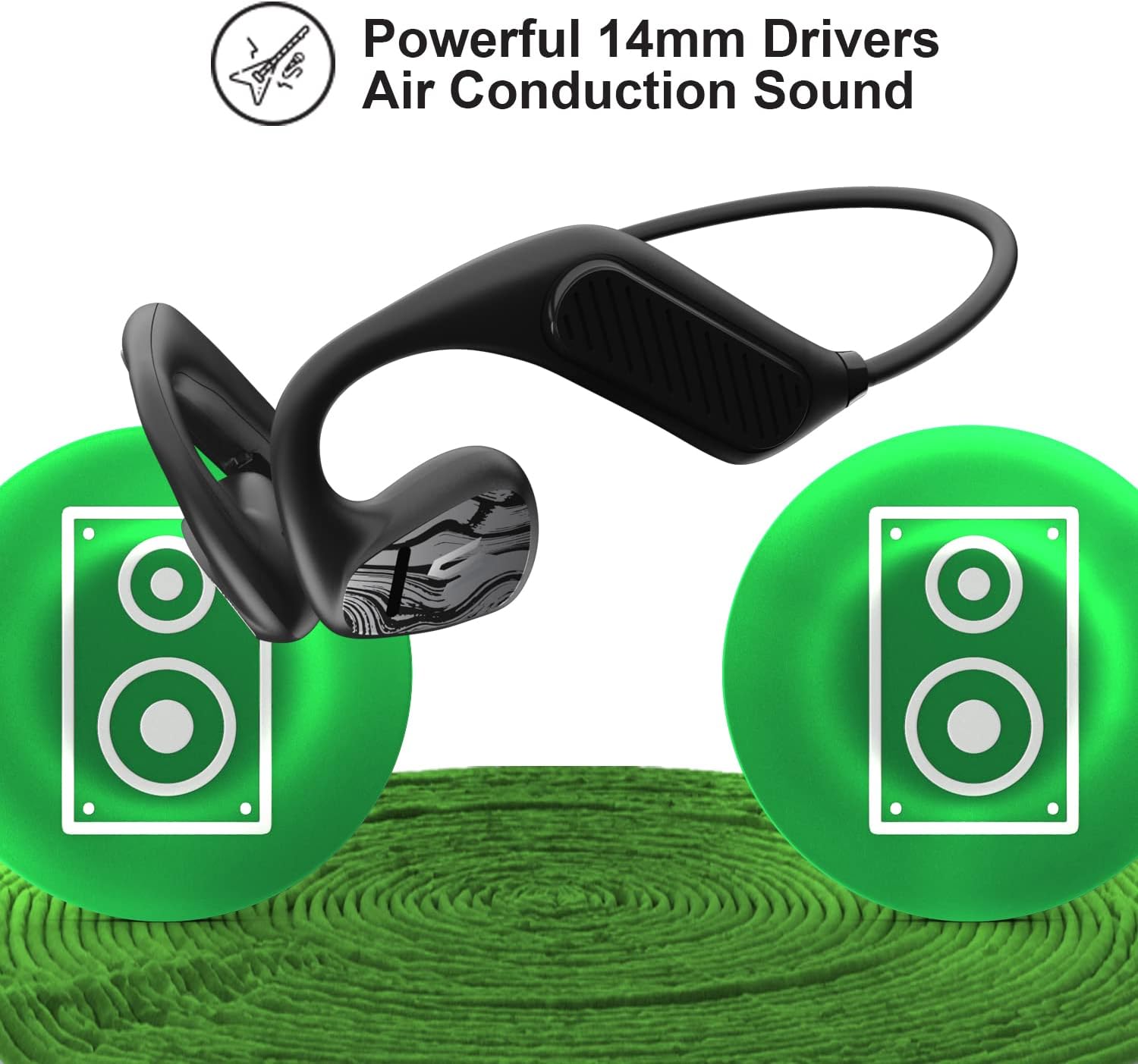
Illustration of the powerful 14mm drivers and air conduction sound technology.
4.6 Ultra Lightweight Design
The headphones feature an ultra-lightweight construction, providing a comfortable, barely-there feel even during extended use.

The lightweight design of the Soul OPENEAR PLUS, depicted with floating feathers to emphasize its minimal weight.
5. Maintenance
5.1 Cleaning and Care
To ensure the longevity of your headphones, regularly wipe them with a soft, dry cloth. Avoid using harsh chemicals or abrasive materials.
5.2 Water Resistance (IPX5)
The Soul OPENEAR PLUS headphones are IPX5 water-resistant, meaning they can withstand sweat and light rain. They are not designed for submersion in water. After exposure to moisture, ensure the charging port is dry before charging.

The headphones are shown with water splashes, illustrating their IPX5 water resistance against sweat and rain.
6. Troubleshooting
If you encounter issues with your Soul OPENEAR PLUS headphones, try the following solutions:
- No Power: Ensure the headphones are fully charged.
- Cannot Pair: Make sure Bluetooth is enabled on your device and the headphones are in pairing mode. Try restarting both devices.
- No Sound: Check the volume levels on both the headphones and your connected device. Ensure the headphones are properly paired.
- Intermittent Connection: Move closer to your connected device to reduce interference. Ensure no physical obstructions are between the headphones and the device.
7. Specifications
| Feature | Detail |
|---|---|
| Model Name | OPENEAR PLUS |
| Connectivity Technology | Wireless |
| Wireless Communication Technology | Bluetooth |
| Bluetooth Version | 5.2 |
| Bluetooth Range | 10 Meters |
| Battery Life | 7 Hours |
| Charging Time | Not specified (implies 7 hours playtime from single charge) |
| Water Resistance Level | IPX5 |
| Audio Driver Type | Dynamic Driver |
| Ear Placement | Open Ear |
| Form Factor | On Ear |
| Material | Plastic |
| Item Weight | 4.2 ounces |
| Product Dimensions | 1.85 x 5.24 x 5.91 inches |
| Control Method | App |
| Frequency Range | 20 Hz - 20,000 Hz |
| Impedance | 16 Ohm |
8. Warranty and Support
For warranty information or technical support, please refer to the official Soul Electronics website or contact their customer service directly. Keep your proof of purchase for any warranty claims.


