
Introduction
Product Overview
The HyperX Cloud Stinger 2 Wireless Gaming Headset offers signature Cloud comfort combined with the freedom of a robust, reliable 2.4GHz wireless connection. Designed to enhance your PC gaming experience, it features DTS Headphone:X Spatial Audio for precise sound localization and immersive audio. With long-lasting battery life and gamer-friendly conveniences like 90° rotating earcups, onboard volume controls, and a swivel-to-mute microphone, this headset is built for extended gaming sessions.
Key Features
- DTS Headphone:X Spatial Audio: Provides accurate 3D audio spatialization and localization for enhanced perception and immersion. An activation code for 2 years of DTS Headphone:X Spatial Audio is included.
- Crisp, Clear In-Game Sound: Equipped with 40mm directional drivers tuned for enhanced bass, delivering impactful and immersive game audio.
- Comfortable Design: Lightweight over-ear design with memory foam earcups ensures comfort during long gaming sessions.
- Improved In-Game Chat Experience: Features a swivel-to-mute microphone for convenient and definitive muting by flipping it up.
- Easy-Access Audio Controls: Onboard controls allow for quick volume adjustments without navigating menus.
- Reliability and Durability: Built with a high-quality, adjustable solid steel slider for long-lasting use and stability.
- Multi-Platform Compatibility: Compatible with PS4, PS5, Xbox, and PC.
What's in the Box

Image: The HyperX Cloud Stinger 2 Wireless Gaming Headset shown with its packaging, including the headset, USB wireless adapter, and charging cable.
Your HyperX Cloud Stinger 2 Wireless Gaming Headset package includes the following items:
- HyperX Cloud Stinger 2 Wireless Gaming Headset
- USB Wireless Adapter (2.4GHz)
- USB-C Charging Cable
- DTS Headphone:X Spatial Audio Activation Code
Setup Guide
Connecting to PC

Image: The HyperX Cloud Stinger 2 Wireless Gaming Headset displayed next to its USB wireless adapter, highlighting the 2.4GHz wireless connectivity.
- Insert the USB Wireless Adapter into an available USB port on your PC.
- Power on your HyperX Cloud Stinger 2 Wireless Gaming Headset by pressing and holding the power button until the LED indicator lights up.
- The headset should automatically pair with the USB adapter. A solid LED on both the headset and adapter indicates a successful connection.
- Ensure the HyperX Cloud Stinger 2 is selected as the default audio input and output device in your operating system's sound settings.
Charging the Headset

Image: The HyperX Cloud Stinger 2 Wireless Gaming Headset with a glowing battery icon, illustrating its long-lasting battery life of up to 20 hours on a single charge.
- Connect the supplied USB-C charging cable to the headset's USB-C port and the other end to a powered USB port (e.g., PC, wall adapter).
- The LED indicator on the headset will show charging status. It typically glows solid when charging and turns off or changes color when fully charged.
- A full charge provides up to 20 hours of battery life.
Operating Instructions
Power On/Off
- To Power On: Press and hold the power button on the headset until the LED indicator lights up.
- To Power Off: Press and hold the power button until the LED indicator turns off.
Audio Controls
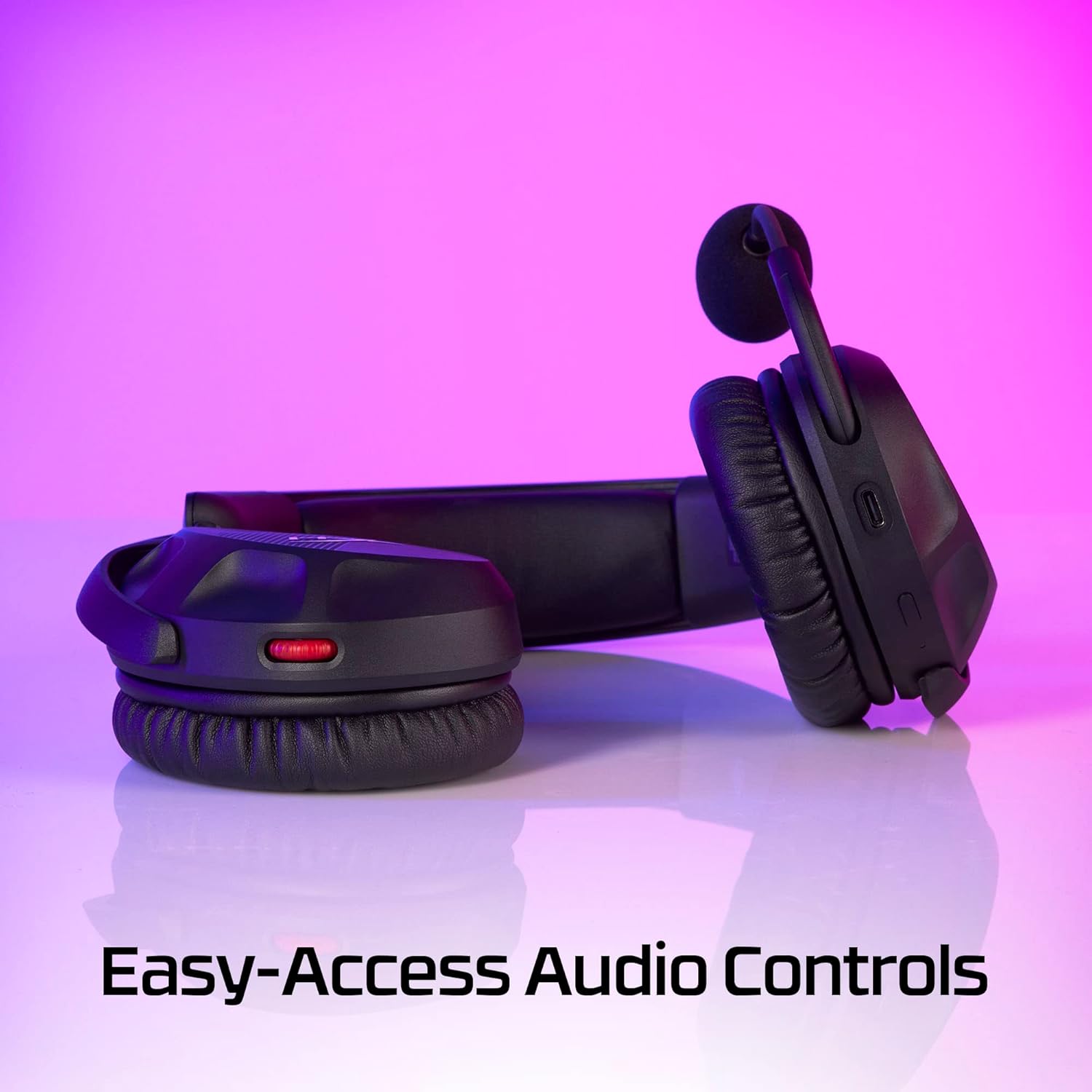
Image: A detailed view of the HyperX Cloud Stinger 2 Wireless Gaming Headset, highlighting the conveniently located audio controls on the earcup.
- Volume Wheel: Rotate the volume wheel located on the earcup up or down to adjust the headset's audio output level.
Microphone Usage
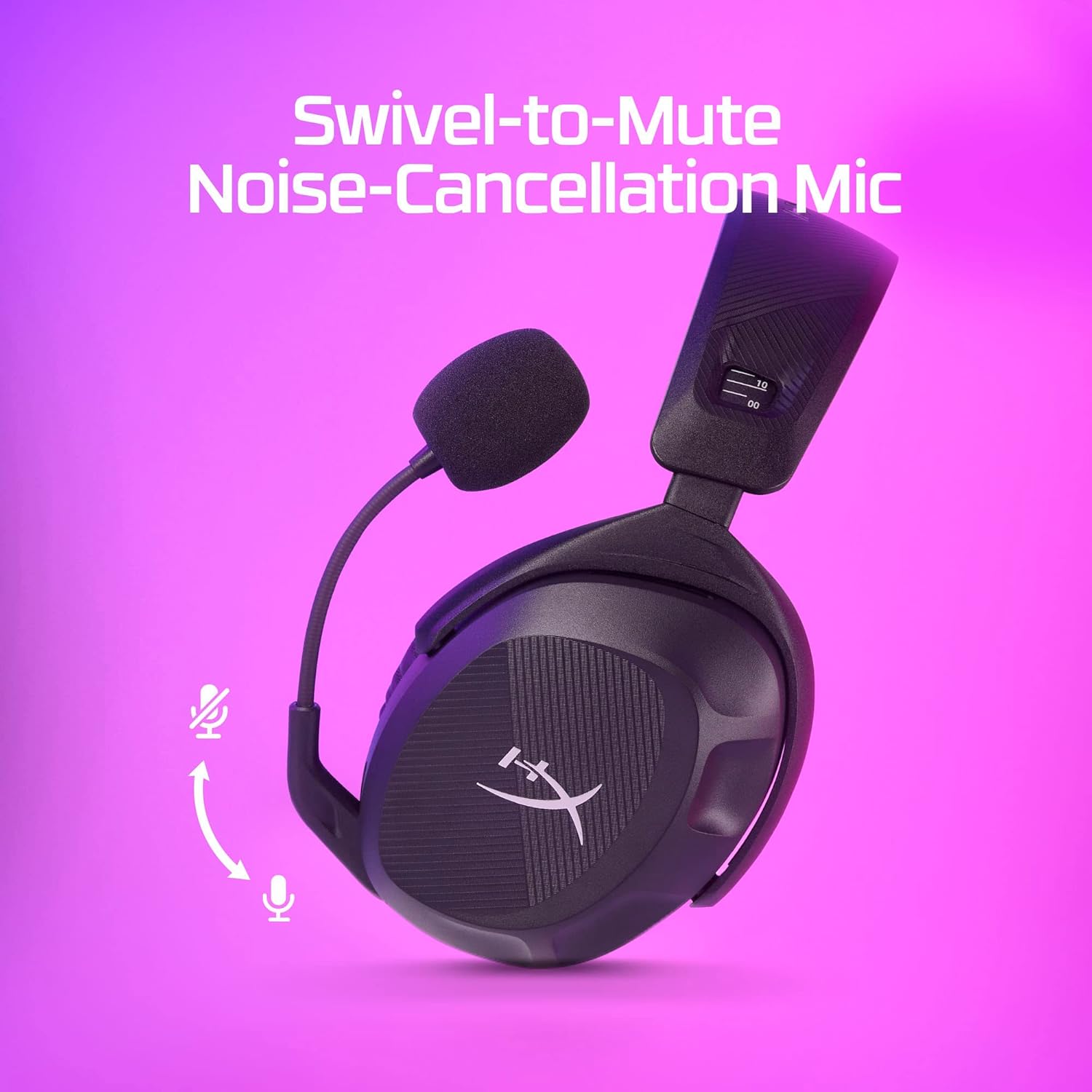
Image: The HyperX Cloud Stinger 2 Wireless Gaming Headset featuring its swivel-to-mute noise-cancelling microphone, demonstrating the upward movement to mute.
- Swivel-to-Mute: To mute the microphone, simply swivel it upwards until it clicks into the vertical position. To unmute, swivel it back down.
- The microphone features noise-cancelling technology to reduce background noise for clearer communication.
DTS Headphone:X Spatial Audio

Image: The HyperX Cloud Stinger 2 Wireless Gaming Headset prominently displaying the DTS Headphone:X Spatial Audio logo, indicating its advanced audio capabilities.
- Use the provided activation code to enable DTS Headphone:X Spatial Audio on your PC.
- Follow the instructions provided with the code to download and install the necessary software.
- This feature provides a virtual 3D audio environment, enhancing your ability to pinpoint in-game sounds and improve immersion.
Maintenance
Cleaning
- Use a soft, dry cloth to wipe down the headset's exterior.
- For earcups, gently wipe with a slightly damp cloth and mild soap if necessary, then dry thoroughly. Avoid excessive moisture.
- Do not use harsh chemicals or abrasive cleaners.
Storage
- Store the headset in a cool, dry place away from direct sunlight and extreme temperatures.
- Avoid placing heavy objects on the headset to prevent damage.
Troubleshooting
No Audio
- Ensure the headset is powered on and fully charged.
- Verify the USB Wireless Adapter is securely plugged into your device.
- Check the volume level on the headset's earcup and your device's operating system.
- Confirm that the HyperX Cloud Stinger 2 is selected as the default playback device in your sound settings.
- Try re-pairing the headset with the USB adapter by powering both off and on.
Microphone Not Working
- Ensure the microphone is swiveled down to the unmute position.
- Check that the HyperX Cloud Stinger 2 is selected as the default recording device in your sound settings.
- Verify microphone privacy settings in your operating system or application.
Connectivity Issues
- Move closer to the USB Wireless Adapter to ensure you are within range (up to 10 meters).
- Avoid sources of strong wireless interference (e.g., Wi-Fi routers, microwaves).
- Try plugging the USB Wireless Adapter into a different USB port.
Specifications
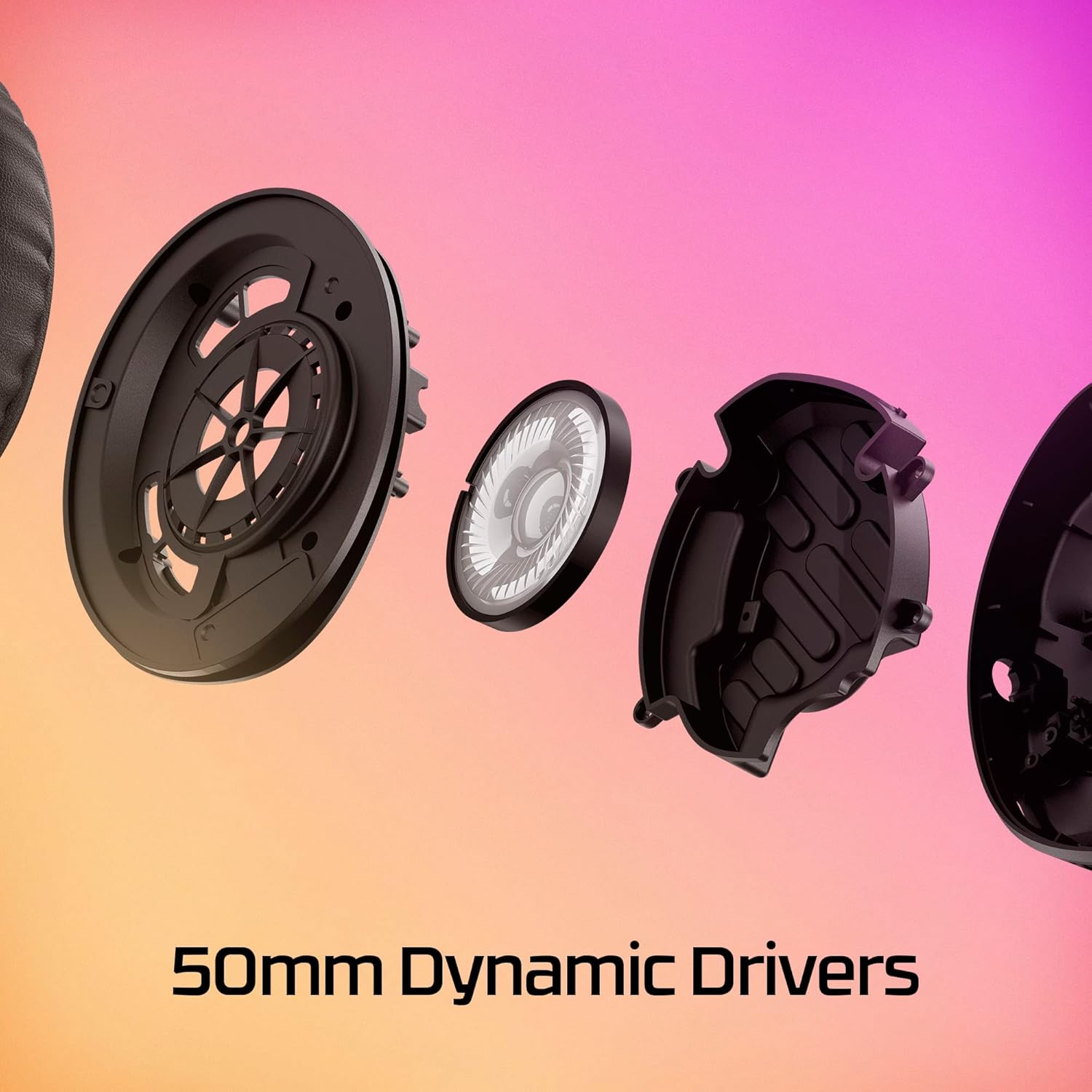
Image: An exploded diagram of the HyperX Cloud Stinger 2 earcup, showcasing its internal components, including the 40mm dynamic drivers.
| Feature | Detail |
|---|---|
| Brand | HyperX |
| Model Name | Stinger 2 Wireless |
| Model Number | 676A2AA-cr |
| Connectivity Technology | Wireless (2.4GHz) |
| Wireless Range | Up to 10 meters |
| Ear Placement | Over Ear |
| Audio Driver Size | 40 Millimeters |
| Frequency Range | 20 Hz - 20,000 Hz |
| Microphone | Noise-Cancelling, Swivel-to-Mute |
| Battery Life | Up to 20 Hours |
| Charging Port | USB-C Port |
| Weight | 0.6 Pounds |
| Compatible Devices | PS4, PS5, Xbox, PC |
Warranty and Support
Warranty Information
This HyperX Cloud Stinger 2 Wireless Gaming Headset comes with a 90-day limited warranty. Please retain your proof of purchase for warranty claims.
Customer Support
For technical assistance, troubleshooting, or warranty inquiries, please visit the official HyperX support website or contact their customer service. Refer to the product packaging or HyperX website for the most current support contact information.
Official Product Video
Video: An official product overview of the HyperX Cloud Stinger 2 Wireless Gaming Headset for PC, demonstrating its features and benefits.