Pureline Crystal Pure Salt System Main PC Board Instruction Manual
Model: Crystal Pure Salt System Main PC Board
Brand: Pureline
Introduction
This manual provides essential information for the installation, operation, and maintenance of the Pureline Crystal Pure Salt System Main PC Board. Please read thoroughly before proceeding to ensure safe and correct usage.
Safety Information
Adhering to safety precautions is crucial when working with electrical components. Failure to do so may result in injury or damage to equipment.
Always disconnect power to the salt system and associated pool equipment at the circuit breaker before attempting any installation, maintenance, or inspection.
Electrical work should only be performed by qualified individuals or under strict supervision if you are experienced in electrical repairs.
Protect the PC board from moisture, direct sunlight, and extreme temperatures. Store it in a dry, cool environment.
Handle the board by its edges to avoid touching sensitive components or circuit traces, which could cause damage from static electricity or oils from your skin.
Product Overview
The Pureline Crystal Pure Salt System Main PC Board is a critical component for the proper functioning of your salt chlorination system. It serves as the central control unit, managing the electrolysis process that generates chlorine for pool sanitation.
This board is designed as a direct replacement for the original main PCB in Pureline Crystal Pure Salt Systems. Common reasons for replacing the original board include damage from electrical surges, lightning strikes, or brownouts.
Figure 1: Front view of the Pureline Crystal Pure Salt System Main PC Board, showing various electronic components, connectors, and large capacitors.
Specifications
Feature
Detail
Model Compatibility
Pureline Crystal Pure Salt Systems
Part Type
Main Printed Circuit Board (PCB)
UPC
810109052806
Manufacturer
Pureline
Installation
Tools Required
Screwdriver set (Phillips and flathead)
Pliers (for disconnecting stubborn connectors)
Digital camera or smartphone (for documenting connections)
Voltage tester (optional, for verifying power disconnection)
Installation Steps
Power Disconnection: Locate the circuit breaker that supplies power to your Pureline Crystal Pure Salt System and turn it OFF. Verify that power is completely disconnected using a voltage tester if available.
Access the Control Panel: Open the control panel housing of your salt system. This typically involves removing screws or releasing latches.
Document Connections: Before disconnecting any wires, take clear photos of all existing connections to the old PC board. Pay close attention to the position and color of each wire and connector. This documentation is crucial for correct reassembly.
Disconnect Old Board: Carefully disconnect all wire harnesses and individual connectors from the old PC board. Once all wires are detached, unmount the old board from its standoffs or mounting points.
Figure 2: Top-down view of the PC board, highlighting various connection points and components. Use this as a reference for re-connecting wires.
Install New Board: Gently place the new Pureline Crystal Pure Salt System Main PC Board into the control panel, aligning it with the mounting points. Secure it with the appropriate fasteners (screws or clips) that were removed from the old board.
Reconnect Wires: Using your documented photos as a guide, carefully reconnect all wire harnesses and individual connectors to the corresponding terminals on the new PC board. Ensure all connections are secure and properly seated.
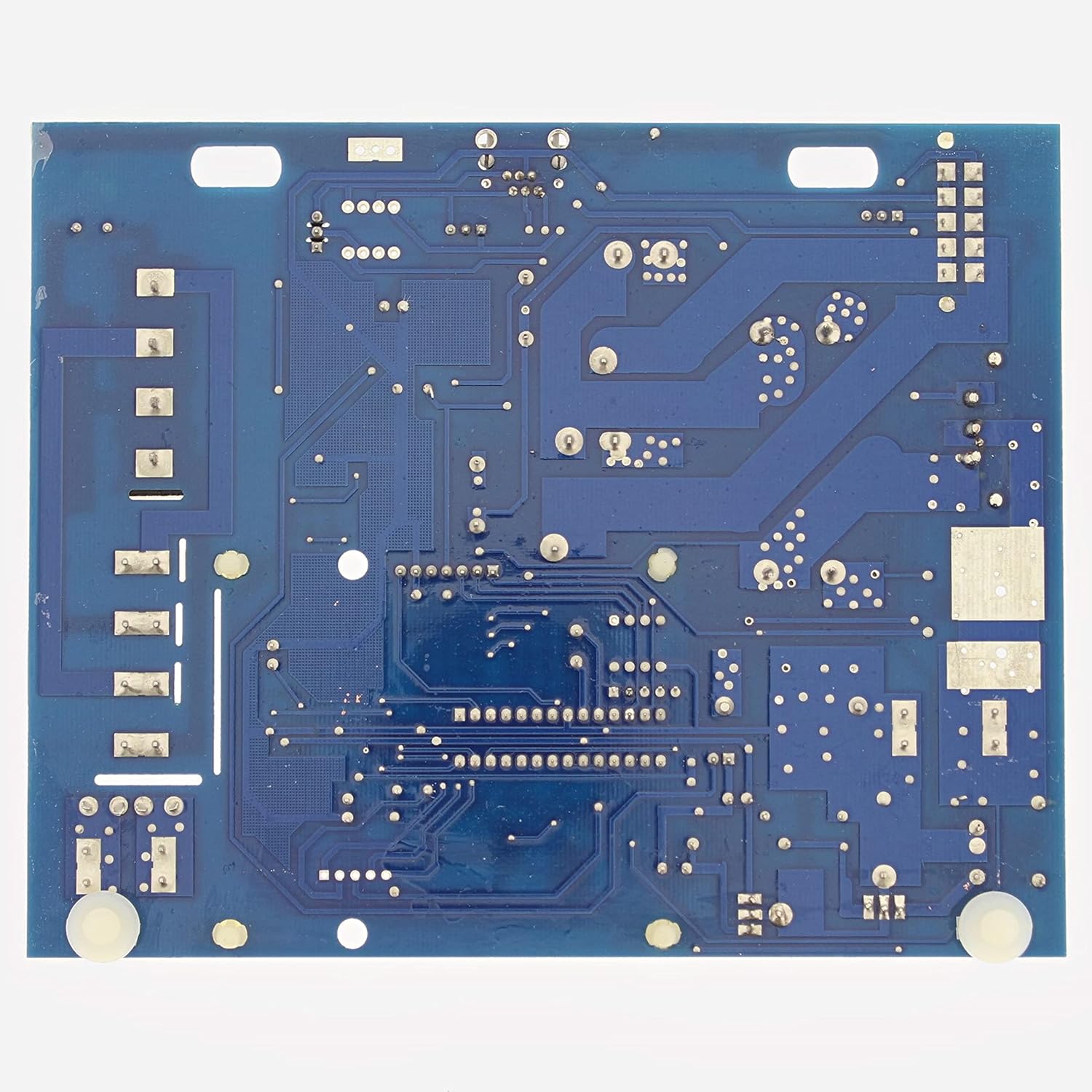
Figure 3: Back view of the PC board, showing the circuit traces and solder points. This view is useful for understanding the board's layout but not directly for installation.
Close Panel: Once all connections are verified and the board is securely mounted, close and secure the control panel housing.
Restore Power: Turn on the power to the salt system at the circuit breaker.
Initial Check: Observe the system for proper power-up and initial operation. Refer to your salt system's main user manual for specific startup procedures and indicator lights.
Operation
The Main PC Board functions as the central processing unit of your Pureline Crystal Pure Salt System. Once correctly installed, its operation is seamlessly integrated with the overall salt chlorinator system. It processes sensor inputs (e.g., salt level, water flow), controls the power supply to the salt cell for chlorine generation, and manages system diagnostics and display outputs.
For detailed operational instructions, including setting chlorine output, understanding display indicators, adjusting system parameters, and responding to alerts, please refer to the complete user manual for your specific Pureline Crystal Pure Salt System model. The PC board facilitates these functions but does not have independent user controls.
Maintenance
The Pureline Crystal Pure Salt System Main PC Board itself requires minimal direct maintenance. However, ensuring the longevity and proper function of the board involves maintaining the overall salt system environment and taking preventative measures:
Environmental Protection: Keep the control panel housing sealed at all times to protect the board from moisture, dust, insects, and other environmental contaminants.
Surge Protection: Consider installing a dedicated surge protector for your pool equipment to prevent damage to the PC board and other components from electrical surges or lightning strikes.
Ventilation: Ensure adequate airflow and ventilation around the control panel to prevent overheating of components, especially during hot weather.
Regular System Checks: Periodically inspect all wiring connections within the control panel for looseness, corrosion, or signs of wear. Address any issues promptly.
Water Chemistry: Maintain proper pool water chemistry, including balanced pH and appropriate salt levels, as this directly impacts the performance and lifespan of the entire salt system, including the PC board.
Troubleshooting
If your Pureline Crystal Pure Salt System is not functioning correctly after replacing the main PC board, consider the following troubleshooting steps:
No Power to System:
Check the circuit breaker for the pool equipment.
Ensure all wire connections to the new PC board are secure and correctly seated according to your installation photos.
System Error Codes/Indicators:
Refer to the error codes or indicators displayed on your salt system's control panel.
Consult the main salt system user manual for specific troubleshooting steps related to those codes.
Incorrect Chlorine Output:
Verify that the salt cell is clean and free of scale buildup.
Ensure pool water chemistry, especially salt levels, is within the recommended range for your system. The PC board relies on accurate sensor inputs for proper operation.
Intermittent Operation:
Inspect for any loose connections or signs of moisture inside the control panel.
Check for any visible damage to the board or its components.
If issues persist after performing these checks, it is recommended to contact Pureline customer support or a qualified pool technician for further assistance.
Warranty and Support
For information regarding the warranty of your Pureline Crystal Pure Salt System Main PC Board, please refer to the documentation provided at the time of purchase or contact Pureline customer support directly. Warranty terms and conditions may vary.
Pureline and Inyo Pools are committed to empowering DIY homeowners with the knowledge to maintain their swimming pools. For additional how-to guides, troubleshooting tips, and articles, visit the official Pureline or Inyo Pools websites.
Contact Information: For technical support or inquiries, please refer to the Pureline official website for the most current contact details, including phone numbers and email addresses.
Related Documents - Crystal Pure Salt System Main PC Board
Pureline Pure Flow Pump Installation and User Guide Comprehensive installation and user guide for the Pureline Pure Flow Pump (PL1600 Series), covering safety, operation, plumbing, electrical requirements, troubleshooting, and warranty.
Pureline Variable Speed Programmable Pump Installation and User's Guide Comprehensive installation, operation, and maintenance guide for the Pureline Variable Speed Programmable Pump, covering safety instructions, features, controls, programming, troubleshooting, and replacement parts.
Pureline Variable Speed Pump Installation and User's Guide Comprehensive installation, operation, maintenance, and troubleshooting guide for the Pureline Variable Speed Pump. Includes safety instructions, parts list, and performance curves.