
BIGASUO KA216
BIGASUO Karaoke Machine KA216 User Manual
Portable Bluetooth Singing PA Speaker System with 2 UHF Wireless Microphones
Introduction
Thank you for choosing the BIGASUO Karaoke Machine KA216. This portable Bluetooth PA speaker system is designed to provide an exceptional audio experience for various occasions, from home parties to outdoor gatherings. Featuring rich deep bass, explosive flashing lights, and two UHF wireless microphones, it offers a comprehensive solution for all your singing and entertainment needs. Please read this manual carefully to ensure proper operation and to fully utilize all features of your new karaoke machine.
What's in the Box
Please check the package contents upon unboxing:
- 1 x Karaoke Speaker
- 2 x UHF Wireless Microphones
- 4 x AA Batteries (for microphones)
- 1 x Power Adapter (2.65m/104.33inch)
- 1 x 3.5mm AUX Cord
- 1 x USB Cable (for PC connection)
- 4 x Foam Microphone Covers
- 1 x User Manual

Image: All items included in the BIGASUO Karaoke Machine KA216 package, neatly laid out.
Key Features
- Excellent Karaoke Sound & Deep Bass: Equipped with 2x20W tweeters and a 30W subwoofer, featuring a professional digital processor (DSP chip) and high-low pitch separation technology for clear sound and strong bass.
- 2 Wireless UHF Microphones: Utilizes UHF technology for stable signal up to 33 feet. Microphones auto-connect and feature 360° sound pickup with advanced intelligent noise reduction.
- Colorful RGB Disco Lights & Explosive Flashing Light: Offers 3 dynamic light modes (Musical Pulse, Half-circle Rotation, Breathing) that sync with your music, creating an engaging atmosphere.
- Multifunctional Stereo System & Wide Compatibility: Features Bluetooth 5.0 for seamless connection. Supports USB, AUX IN, and PC inputs, compatible with various devices like smartphones, tablets, and TVs.
- Portable Outdoor Speaker: Designed with a sturdy handle and a high-capacity 13200mAh rechargeable battery, providing 4-6 hours of playtime, ideal for both indoor and outdoor use.
- Control Panel on Wireless Microphones: Conveniently adjust speaker volume, microphone volume, ECHO, and Beautify Sound levels directly from the microphones.

Image: The BIGASUO Karaoke Machine KA216, showcasing its main unit with integrated lights, two wireless microphones, and a tablet docked for karaoke.

Image: A person carrying the portable karaoke machine, demonstrating its sturdy handle and ease of transport for indoor or outdoor use.
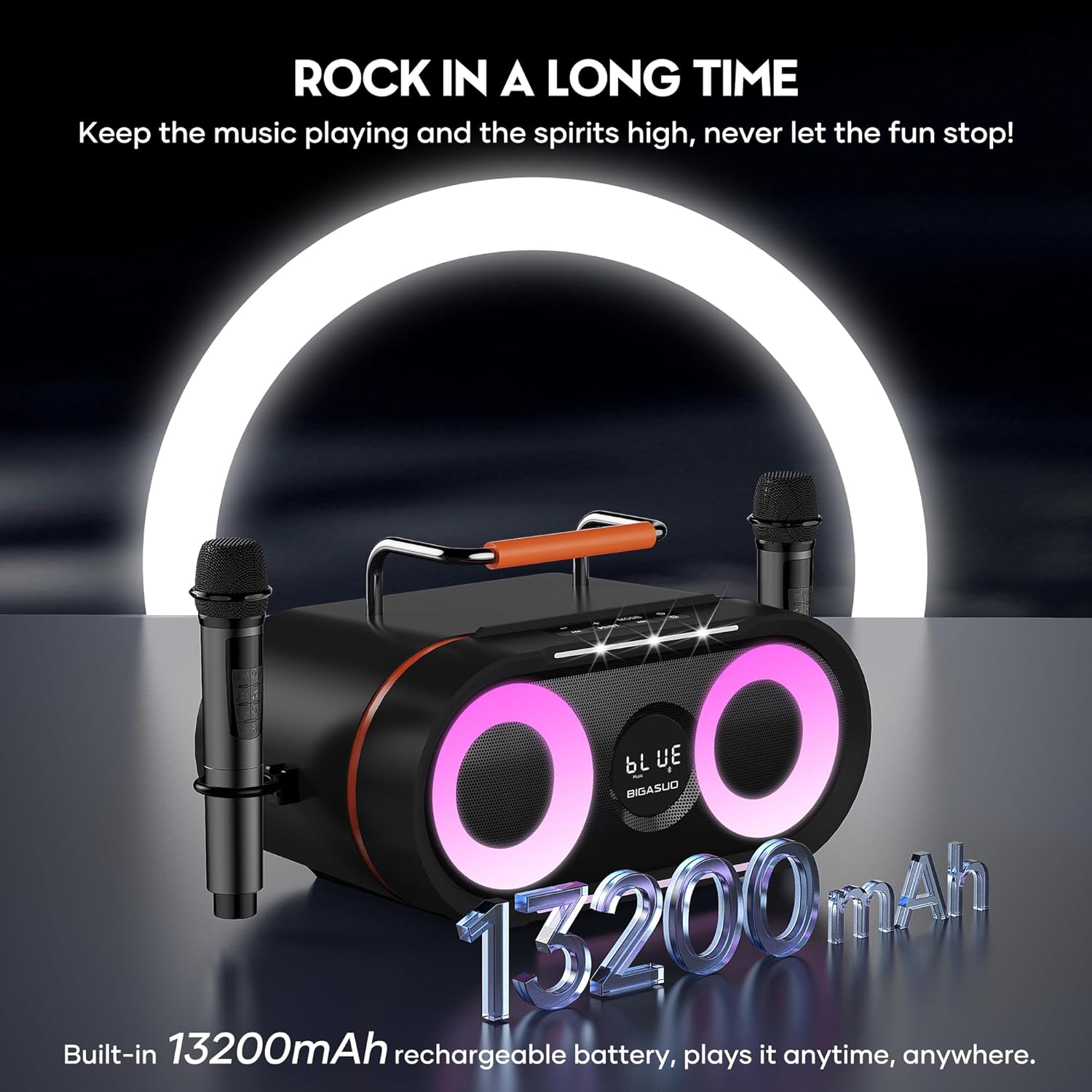
Image: The karaoke machine highlighting its built-in 13200mAh rechargeable battery, ensuring extended playtime.
Setup Guide
- Charge the Speaker: Before first use, fully charge the karaoke speaker using the provided power adapter. The charging indicator will show status.
- Insert Microphone Batteries: Open the battery compartment of each wireless microphone and insert the 2 AA batteries provided.
- Power On: Turn on the main karaoke speaker using the power button. Then, turn on both wireless microphones. They will automatically connect to the speaker.
- Connect Audio Source:
- Bluetooth: Enable Bluetooth on your device (smartphone, tablet, TV) and select "KA216" from the list of available devices.
- AUX: Connect your device to the speaker using the provided 3.5mm AUX cord.
- USB: Insert a USB drive with audio files into the USB port.
- PC: Connect your PC using the USB cable.
- Positioning: For optimal bass effect, consider placing the speaker in an oblique position.

Image: Diagram illustrating various connectivity options for the karaoke machine, including Bluetooth, AUX, and USB, showing connections to a smartphone and a television.
Operating Instructions
Speaker Controls
The main control panel on the speaker allows for basic functions:
- Volume Knob: Adjusts the overall music volume. Note that the volume from your connected device also affects the output.
- Mode Button: Switches between input modes (Bluetooth, AUX, USB, PC).
- LED Light Button: Cycles through or turns off the RGB disco light modes.
- Vocal Cancellation: Attempts to remove vocals from music (functionality may vary).
- Playback Controls: Previous track, Play/Pause, Next track.
Microphone Controls
Each wireless microphone features a control panel for convenient adjustments:
- Microphone Volume: Adjusts the individual microphone's volume.
- ECHO Level: Controls the echo effect on your voice.
- Beautify Sound Level: Enhances vocal quality.
- Power Button: Short press to check battery level.
- A-B Button: Selects the microphone channel.

Image: Close-up of the two wireless microphones, highlighting their 360-degree sound pickup capability and noise reduction features.
Light Effects
The speaker features vibrant RGB disco lights and an explosive flashing light:
- Musical Pulse: Lights pulse from bottom to top.
- Half-circle Rotation: Lights rotate with the rhythm of the music.
- Breathing Cycle: Lights fade in and out.
- All modes sync with the music beat.

Image: The karaoke machine displaying its three light effects and explosive flashing light feature, enhancing a party atmosphere.
Maintenance
- Cleaning: Use a soft, dry cloth to clean the surface of the speaker and microphones. Do not use abrasive cleaners or solvents.
- Storage: When not in use for extended periods, store the device in a cool, dry place away from direct sunlight and extreme temperatures.
- Battery Care: For optimal battery life, avoid fully discharging the speaker's internal battery frequently. Recharge it regularly. Remove AA batteries from microphones if storing for a long time to prevent leakage.
- Microphone Covers: Use the provided foam microphone covers to protect the microphone heads and reduce plosive sounds.
Troubleshooting
| Problem | Possible Cause | Solution |
|---|---|---|
| No sound from speaker. | Speaker is off, volume is too low, or incorrect input mode. | Ensure speaker is powered on. Increase speaker volume and connected device volume. Check and switch to the correct input mode (Bluetooth, AUX, USB). |
| Microphones not connecting or low volume. | Microphones are off, batteries are low, or out of range. | Turn on microphones. Replace AA batteries. Ensure microphones are within 33 feet of the speaker. Adjust microphone volume on the mic itself. |
| Bluetooth connection issues. | Device not in pairing mode, or interference. | Ensure speaker is in Bluetooth mode. Turn off and on Bluetooth on your device. Move closer to the speaker. Disconnect other Bluetooth devices. |
| Lights not working or not syncing. | Light mode is off or not set correctly. | Press the LED Light button on the speaker to cycle through modes or turn them on. |
Specifications
| Feature | Detail |
|---|---|
| Model Number | KA216 |
| Brand | BIGASUO |
| Mounting Type | Floor Standing, Portable |
| Power Source | Battery Powered |
| Connector Type | Aux, USB, Bluetooth |
| Output Wattage | 70 Watts (2x20W tweeters, 30W subwoofer) |
| Number of Channels | 2 |
| Recommended Uses | Indoor/Outdoor |
| Product Dimensions (L x W x H) | 15.8 x 10.4 x 10.3 inches |
| Item Weight | 10.6 ounces (speaker unit) |
| Speaker Battery | 13200mAh Lithium Polymer (included) |
| Microphone Battery | 2 x AA batteries per mic (included) |
| Connectivity Technology | Bluetooth 5.0 |
| Color | Black |
| Compatible Devices | Smartphone, Personal Computer, Tablet, TV |

Image: An exploded view diagram of the speaker's internal components, highlighting the 20W tweeters and 30W subwoofer responsible for its powerful sound.
Warranty & Customer Support
BIGASUO is committed to providing high-quality products and excellent customer service.
- Warranty: Enjoy a 365-day replacement service from the date of purchase.
- Technical Support: Life-time technology support is available for all BIGASUO products.
- Contact Us: If you have any questions, concerns, or require assistance with your product, please do not hesitate to contact BIGASUO customer service. Refer to the contact information provided on the product packaging or the official BIGASUO website.
Related documentsKA216


Ask a question about this manual
Ask about setup, troubleshooting, compatibility, parts, safety, or missing instructions. Manuals+ will review the question and use this page’s manual context to help answer it.