
Lemorele Q5R18L
Contents
Lemorele Wireless HDMI Transmitter and Receiver Kit
Model: Q5R18L
Introduction
Thank you for choosing the Lemorele Wireless HDMI Transmitter and Receiver Kit. This device provides a convenient and efficient solution for wireless transmission of high-definition audio and video signals. Designed for ease of use, it eliminates the need for cumbersome cables, offering flexibility for various applications including home entertainment, business presentations, and educational settings. This manual will guide you through the setup, operation, and maintenance of your new device.
Setup
What's in the Box
- Wireless HDMI Transmitter (TX) x 1
- Wireless HDMI Receiver (RX) x 1
- HDMI Cable x 1
- USB-C Power Cables x 2
- Power Adapter x 1 (with interchangeable plugs)
- User Manual x 1

Figure 1: Package Contents of the Lemorele Wireless HDMI Kit.
Connecting the Transmitter (TX)
Connect the transmitter to the HDMI output port of your source device (e.g., laptop, PC, gaming console). If your source device's HDMI port does not provide sufficient power, connect one of the supplied USB-C power cables from a 5V2A USB power source (like the included power adapter) to the transmitter's USB-C power port.
Connecting the Receiver (RX)
Connect the receiver to the HDMI input port of your display device (e.g., TV, projector, monitor) using the provided HDMI cable. The receiver requires external power. Connect the second USB-C power cable from the supplied power adapter to the receiver's USB-C power port.
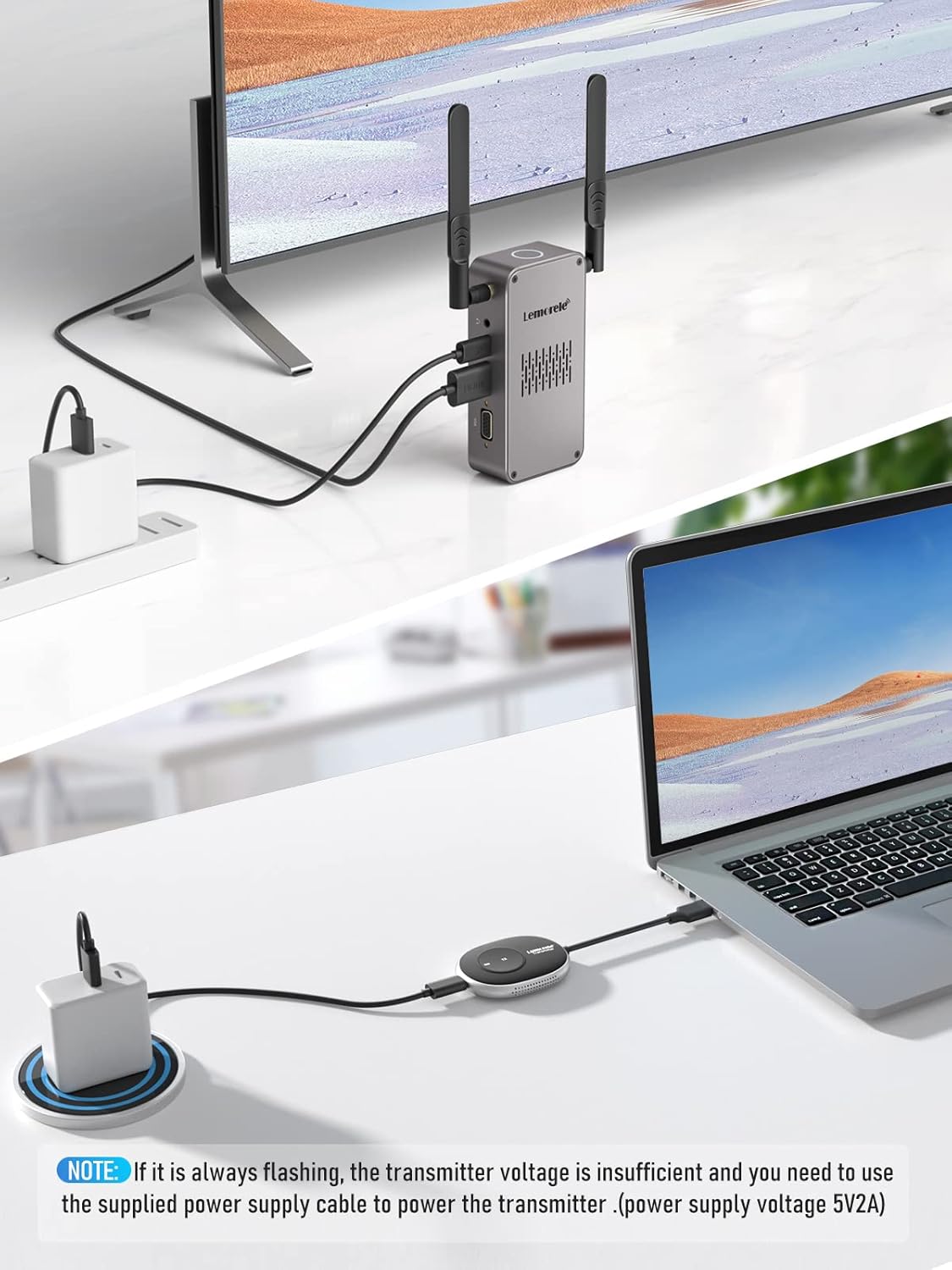
Figure 2: Basic connection setup for the Lemorele Wireless HDMI Kit. Note: If the transmitter indicator light is flashing, ensure it is powered by the supplied 5V2A power cable.

Figure 3: Receiver (RX) Port Diagram.

Figure 4: Transmitter (TX) Port Diagram.
Operating Instructions
Basic Operation (Plug and Play)
The Lemorele Wireless HDMI Kit is designed for plug-and-play functionality. Once both the transmitter and receiver are connected and powered, they will automatically pair and establish a connection. No additional drivers or software installation is required.

Figure 5: Plug and Play operation for instant streaming.
Stable Wireless Transmission
The system utilizes dual-band 5G/2.4G frequency for fast and stable signal transmission, minimizing delay to approximately 0.05 seconds. This ensures a smooth viewing experience without noticeable lag or dropped frames, suitable for various applications including video streaming and presentations.
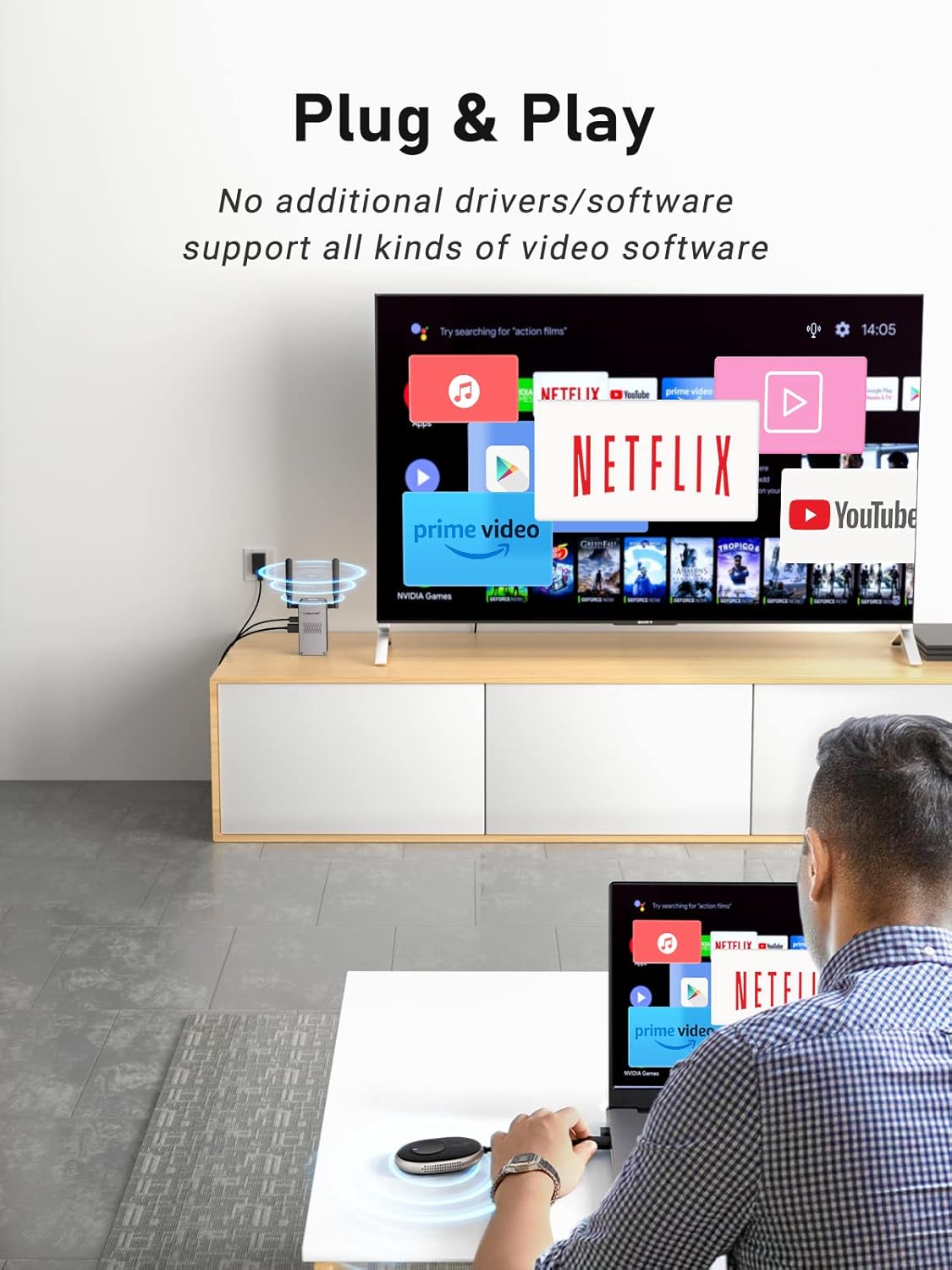
Figure 6: Stable wireless transmission in a professional setting.
Multi-Point Free Switching
The receiver can be paired with up to 8 transmitters from the Lemorele brand. This feature allows for seamless switching between multiple source devices connected to different transmitters, making it ideal for environments where multiple users need to share a single display, such as conference rooms or classrooms. Simply press the signal projection switch on the desired transmitter to project its content.

Figure 7: Multi-Point Free Switching allows multiple transmitters to share one receiver.
Compatibility
The Lemorele Wireless HDMI Kit offers broad compatibility. It supports streaming from various devices including laptops, PCs, Mac, smartphones (with external HDMI converter if needed), PS4/5, Nintendo Switch, and satellite decoders to HD TVs, projectors, or monitors. It is also compatible with USB-C transmitters, allowing use with devices like MacBook 12-inch, MacBook Pro (2016-2019/M1), and MacBook Air (2018-2020/M1).

Figure 8: Wide compatibility with various devices and applications.
Transmission Distance
The wireless transmission distance can reach up to 50 meters (165 feet) in an unobstructed environment, providing ample range for most home, office, or classroom setups.

Figure 9: Effective transmission range of up to 50 meters.
Maintenance
To ensure the longevity and optimal performance of your Lemorele Wireless HDMI Kit, follow these maintenance guidelines:
- Cleaning: Use a soft, dry cloth to clean the surfaces of the transmitter and receiver. Avoid using liquid cleaners or abrasive materials, as they may damage the device.
- Storage: When not in use for extended periods, store the devices in a cool, dry place away from direct sunlight and extreme temperatures.
- Handling: Handle the devices with care. Avoid dropping them or subjecting them to strong impacts, which can damage internal components.
- Ventilation: Ensure the mesh vents on the receiver are not obstructed to allow for proper heat dissipation.
Troubleshooting
If you encounter issues with your Lemorele Wireless HDMI Kit, please refer to the following common troubleshooting steps:
| Problem | Possible Cause | Solution |
|---|---|---|
| No signal or flickering image | Insufficient power to transmitter; devices not paired; out of range; interference. | Ensure transmitter is powered by 5V2A adapter if its indicator light is flashing. Re-pair devices by restarting both. Reduce distance between TX and RX. Minimize obstacles or sources of interference. |
| Audio but no video, or vice versa | Incorrect display settings; faulty HDMI cable. | Check display input settings. Try a different HDMI cable. Ensure source device's display settings are compatible (e.g., 1080P). |
| Poor video quality or lag | Excessive distance; strong interference; too many obstacles. | Move TX and RX closer. Reduce interference from other wireless devices. Ensure clear line of sight if possible. |
| Transmitter indicator light flashing | Transmitter voltage is insufficient. | Use the supplied 5V2A power supply cable to power the transmitter. |
Specifications
- Brand: Lemorele
- Model Number: Q5R18L
- Color: TX*RX
- Connections: HDMI Wi-Fi, USB, HDMI
- Special Features: Extended transmission range without HDMI cables, USB-C device compatibility, quick and easy setup, stable and fast 5G/2.4G dual-band transmission, wide device compatibility.
- Compatible Devices: Television, PC, Laptop, Projector, Gaming Consoles (PS4/5, Nintendo Switch), Smartphones (with adapter)
- Audio Output Mode: Stereo, Surround Sound
- Surround Sound Channel Configuration: 2-channel (Stereo)
- Video Encoding: H.264
- Transmission Distance: Up to 50 meters (165 feet)
- Signal Latency: Approximately 0.05 seconds
Warranty and Support
Lemorele is committed to providing high-quality products and excellent customer service. While specific warranty details are not provided in this manual, if you encounter any problems with your product, please contact us immediately. Our support team will assist you in resolving any issues as quickly as possible.
For support, please refer to the contact information provided with your purchase or visit the official Lemorele website.
Ask a question about this manual
Ask about setup, troubleshooting, compatibility, parts, safety, or missing instructions. Manuals+ will review the question and use this page’s manual context to help answer it.