
Walimex Pro 23235
Contents
Walimex Pro Rainbow LED RGB 18W Light Stick Instruction Manual
Model: 23235
1. Introduction
Thank you for choosing the Walimex Pro Rainbow LED RGB 18W Light Stick. This versatile and powerful light stick is designed for creative lighting, photography, and video production, offering both RGB and bi-color functions with high color accuracy (CRI and TLCI of 97+). It features intuitive control directly on the device or via the free Walimex Pro Rainbow app for iOS and Android. This manual provides essential information for safe and effective use of your new light stick.

Image 1.1: The Walimex Pro Rainbow LED RGB 18W Light Stick demonstrating its creative lighting capabilities.
2. Safety Instructions
Please read these safety instructions carefully before using the device to prevent damage or injury. Keep this manual for future reference.
- Do not expose the device to water, moisture, or high humidity. It is not waterproof.
- Avoid direct eye exposure to the LED light.
- Do not disassemble or modify the device. Repairs should only be performed by authorized personnel.
- Use only the original power adapter or compatible NP-F batteries.
- Ensure proper ventilation during operation to prevent overheating.
- Keep out of reach of children.
- Disconnect the power supply before cleaning or when not in use for extended periods.
3. Package Contents
Verify that all items listed below are included in your package:
- 1x Walimex Pro Rainbow LED RGB 18W Light Stick
- 1x Handle
- 1x Power Adapter with Plug
- 1x Transport and Storage Bag
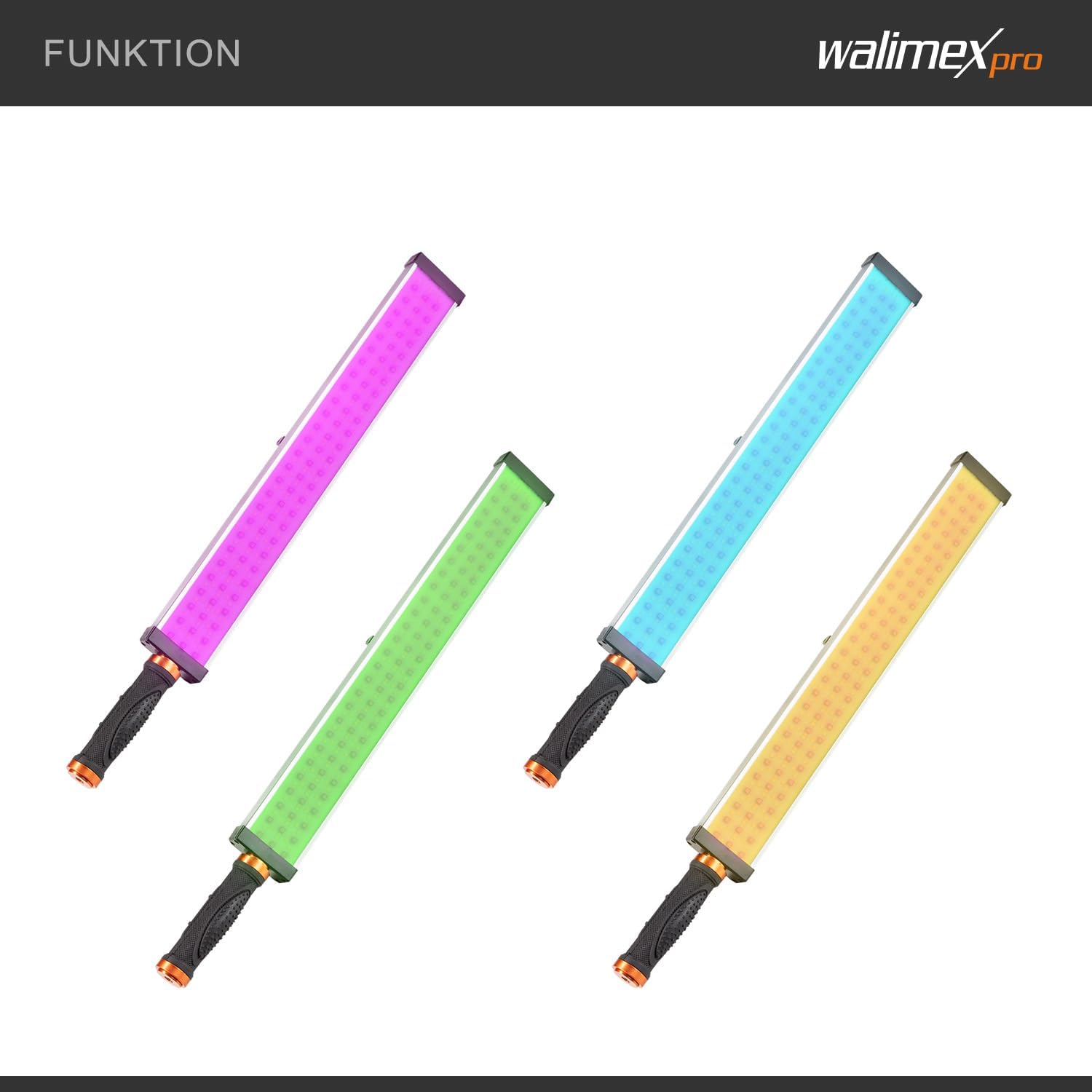
Image 3.1: Overview of the Walimex Pro Rainbow LED RGB 18W Light Stick package contents.
4. Setup
4.1 Powering the Device
The light stick can be powered in two ways:
- AC Power: Connect the included power adapter to the light stick's power input and then to a wall outlet.
- Battery Power: For mobile use, insert two NP-F batteries (not included) into the battery compartments on the light stick. Ensure correct polarity.
4.2 Mounting Options
The light stick offers flexible mounting:
- Tripod Mounting: The light stick features three 1/4" threads for attachment to tripods, light stands, or ball heads.
- Handheld Use: Attach the included rubberized handle to one of the 1/4" threads for comfortable handheld operation.

Image 4.1: Product details illustrating power options, RGB & Bi-Color function, and handle.
5. Operating Instructions
5.1 Basic Operation
Turn on the light stick using the power button. The integrated LCD screen will display current settings.
5.2 App Control (Walimex Pro Rainbow App)
For advanced control and effects, download the free Walimex Pro Rainbow app from the App Store (iOS) or Google Play Store (Android).
- Download and install the Walimex Pro Rainbow App on your smartphone or tablet.
- Ensure Bluetooth is enabled on your device.
- Open the app and follow the on-screen instructions to pair with your Walimex Pro Rainbow LED RGB 18W Light Stick.
- Once connected, you can control various parameters:
- Color Temperature: Adjust from 3200K (warm white) to 5600K (daylight).
- Brightness: Dim the light from 1% to 100%.
- RGB Mode: Select from a full spectrum of colors.
- Special Effects: Access various lighting effects such as police light, strobe, and pulsing.

Image 5.1: Demonstrating various light effects achievable with the Walimex Pro Rainbow LED RGB 18W Light Stick.

Image 5.2: The light stick's function to produce a variety of colors.
6. Maintenance
6.1 Cleaning
To clean the light stick, gently wipe the surface with a soft, dry cloth. Do not use abrasive cleaners or solvents.
6.2 Storage
When not in use, store the light stick in its transport and storage bag in a cool, dry place, away from direct sunlight and extreme temperatures. Remove batteries if storing for extended periods.
7. Troubleshooting
If you encounter issues with your Walimex Pro Rainbow LED RGB 18W Light Stick, refer to the following common problems and solutions:
| Problem | Possible Cause | Solution |
|---|---|---|
| Light stick does not turn on. | No power supply; batteries depleted or incorrectly inserted; power adapter faulty. | Check power adapter connection; replace or recharge NP-F batteries; ensure correct battery polarity. |
| App cannot connect to the light stick. | Bluetooth is off; light stick is off; app not updated; interference. | Ensure Bluetooth is on and the light stick is powered on; restart the app and light stick; check for app updates; move closer to the light stick. |
| Light output is inconsistent or flickering. | Low battery power; faulty connection; device overheating. | Charge or replace batteries; check power cable connection; allow device to cool down. |
8. Specifications
Below are the technical specifications for the Walimex Pro Rainbow LED RGB 18W Light Stick:
| Feature | Detail |
|---|---|
| Brand | Walimex Pro |
| Model Number | 23235 |
| Power | 18W |
| Color Temperature | 3200K - 5600K (Bi-Color) |
| Color Accuracy | CRI 97+, TLCI 97+ |
| Dimming Range | 1% - 100% |
| Connectivity | Bluetooth (App Control) |
| Mounting | 3 x 1/4" threads |
| Power Source | AC Power Adapter or 2x NP-F Batteries (not included) |
| Compatible Devices | Smartphones (iOS, Android), Tablets (iOS, Android), NP-F batteries |
| Dimensions (Light Stick) | Approx. 49.5 cm (length) x 6.2 cm (width) |
| Item Weight | 1.08 kg |
| Color | Black, Silver |

Image 8.1: Physical dimensions and weight of the light stick.
Image 8.2: Compatibility with other Walimex Pro lighting accessories.
9. Warranty and Support
Walimex Pro products are designed for quality and reliability. For warranty information, technical support, or service inquiries, please refer to the official Walimex Pro website or contact your local distributor. Keep your purchase receipt as proof of purchase.
Manufacturer: Walser GmbH
Country of Origin: China
Documents and downloads
Ask a question about this manual
Ask about setup, troubleshooting, compatibility, parts, safety, or missing instructions. Manuals+ will review the question and use this page’s manual context to help answer it.