1. Introduction
This instruction manual provides essential information for the safe and efficient operation, maintenance, and troubleshooting of your Makita MW001GZ 40V MAX XGT Cordless Microwave. Please read this manual thoroughly before using the appliance and retain it for future reference.
The Makita MW001GZ is a portable, battery-powered microwave oven designed for heating food and beverages in various environments where traditional power sources may not be available. It operates on the Makita 40V MAX XGT Lithium-Ion battery system.
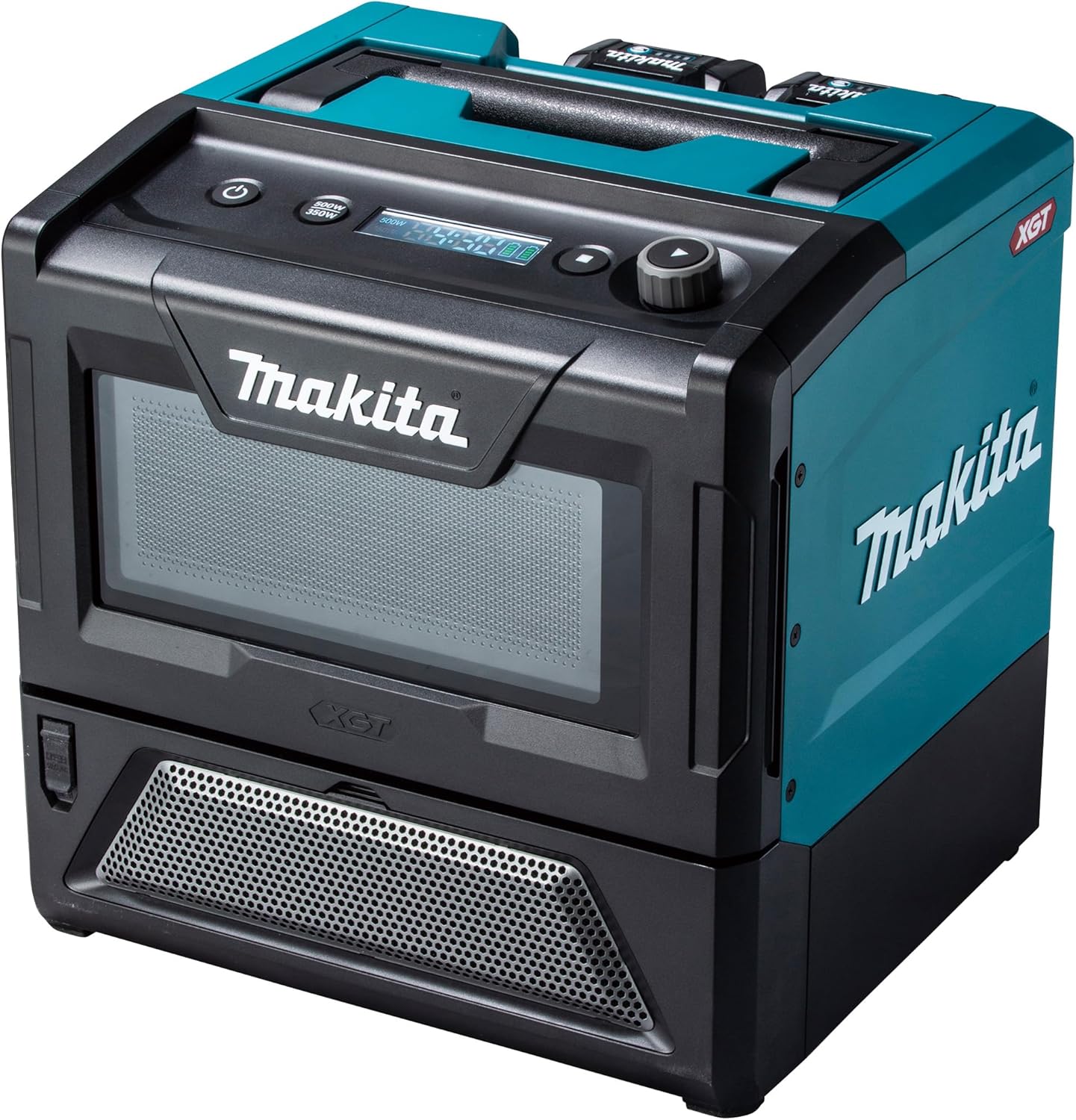
Figure 1.1: Front view of the Makita MW001GZ Cordless Microwave, showcasing its compact design and control panel.
2. Important Safety Instructions
When using electrical appliances, basic safety precautions should always be followed to reduce the risk of fire, electric shock, injury to persons, or exposure to excessive microwave energy.
General Safety
- Read all instructions before using the appliance.
- Do not operate the microwave if it has a damaged cord or plug, if it is not working properly, or if it has been damaged or dropped.
- Do not cover or block any openings on the appliance.
- Do not store this appliance outdoors. Do not use this product near water.
- Do not immerse the appliance in water or other liquids.
- This appliance is designed for heating food and beverages. It is not intended for industrial or laboratory use.
- Ensure proper ventilation around the microwave during operation.
Microwave Specific Safety
- Do not attempt to operate this microwave with the door open as this can result in harmful exposure to microwave energy.
- Do not place any object between the microwave front face and the door or allow soil or cleaner residue to accumulate on sealing surfaces.
- Do not operate the microwave if the door seals or door are damaged.
- Only qualified service personnel should adjust or repair this microwave.
- Do not heat liquids or other foods in sealed containers as they are liable to explode.
- Do not overcook food.
- Clean the microwave regularly and remove any food deposits.
3. Product Components and Features
Familiarize yourself with the various parts of your Makita MW001GZ Cordless Microwave.

Figure 3.1: Internal dimensions of the microwave cavity. The interior measures approximately 255 mm (width) x 241 mm (depth) x 120 mm (height), providing 8 liters of usable space.
- Control Panel: Features an LED display for time and battery capacity, and buttons for power selection and operation.
- Microwave Cavity: 8-liter capacity, designed for easy cleaning without a turntable.
- Heat-Resistant Glass Door: Provides visibility and safety.
- Battery Slots: Two slots for Makita 40V MAX XGT Lithium-Ion batteries (batteries and charger sold separately).
- Carrying Handle: Integrated handle for convenient transport.
- Shoulder Strap Attachment Points: For optional shoulder strap use (shoulder strap not included).
- Dust Resistant Inlet Port: Enhances durability in various environments.
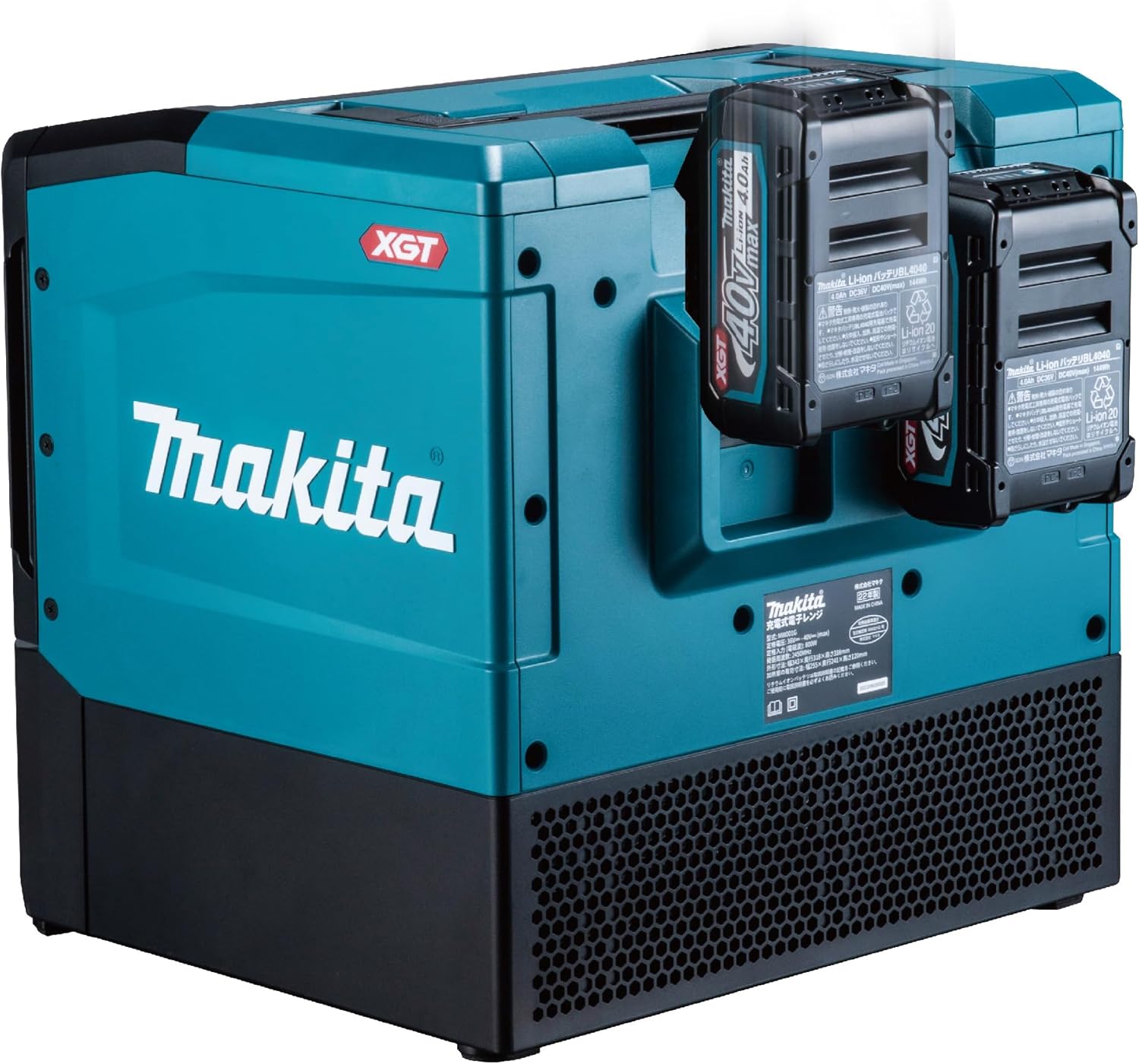
Figure 3.2: Rear view of the microwave, highlighting the two battery slots for extended operation.
4. Setup
Unpacking
- Carefully remove the microwave from its packaging.
- Inspect the appliance for any signs of damage. Do not use if damaged.
- Remove all packing materials, including any protective films or tapes.
Battery Installation
The Makita MW001GZ requires Makita 40V MAX XGT Lithium-Ion batteries for operation. It features two battery slots for extended runtime, though it can operate with a single battery.
- Ensure the microwave is powered off.
- Open the battery compartment cover.
- Align the battery with the battery slot and slide it in until it clicks into place.
- Repeat for the second battery if desired.
- Close the battery compartment cover securely.
Note: Batteries and charger are not included with the microwave and must be purchased separately. Ensure batteries are fully charged before first use.
5. Operating Instructions
Powering On/Off
- To power on, press the Power button on the control panel. The LED display will illuminate.
- To power off, press and hold the Power button until the display turns off.
Placing Food in the Microwave
- Open the microwave door by pulling the handle.
- Place food or beverages in a microwave-safe container inside the cavity.
- Close the door firmly. The microwave will not operate if the door is not securely closed.
Setting Cooking Time and Power
The microwave offers two power modes: 350W and 500W.
- With the microwave powered on, press the Power Mode button to select either 350W or 500W. The selected power will be indicated on the LED display.
- Use the Dial to adjust the cooking time. Time can be set between 10 seconds and 20 minutes. Rotate clockwise to increase time, counter-clockwise to decrease.
- Press the Start button to begin cooking.
Cooking Completion
When the cooking cycle is complete, an audible signal will sound to indicate that the meal is ready. The display will show the remaining time and battery capacity.
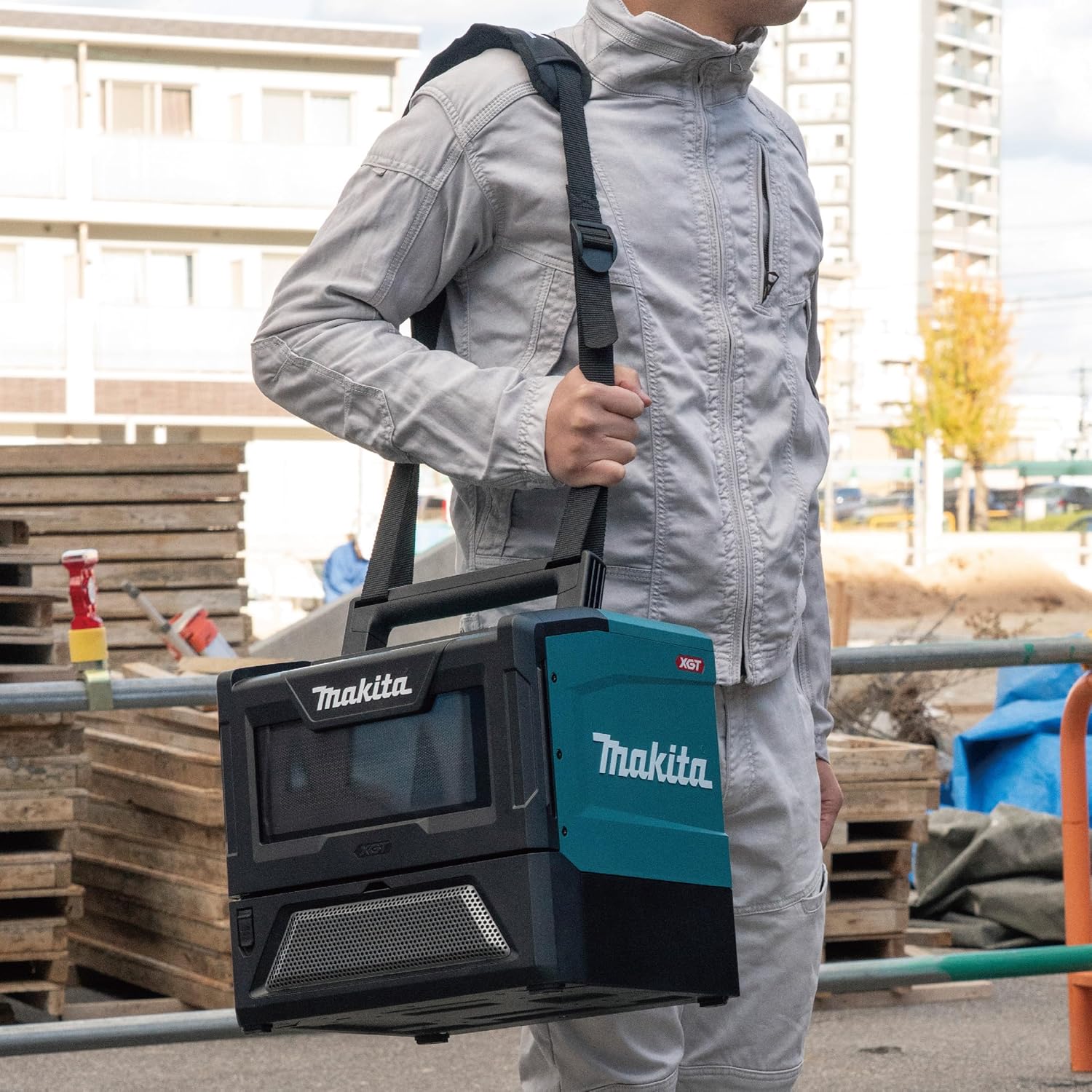
Figure 5.1: The microwave is designed for portability, featuring a large carrying handle and optional shoulder strap attachment points for easy transport.

Figure 5.2: The cordless microwave provides the convenience of heating meals on the go, ideal for various work or outdoor environments.
Automatic Shutdown
The microwave is equipped with an automatic shutdown feature that activates if the appliance is tilted more than 30 degrees during operation, ensuring safety.
6. Maintenance and Care
Regular cleaning and proper maintenance will ensure the longevity and optimal performance of your microwave.
Cleaning the Interior
- Always unplug or remove batteries from the microwave before cleaning.
- Wipe the interior cavity, door seals, and door with a damp cloth and mild detergent after each use.
- Do not use abrasive cleaners, steel wool, or harsh chemicals, as these can damage the surfaces.
- Ensure the interior is completely dry before closing the door or operating the microwave.
Cleaning the Exterior
- Wipe the exterior surfaces with a soft, damp cloth.
- Avoid getting water into the ventilation openings.
Battery Care
- Always use genuine Makita 40V MAX XGT Lithium-Ion batteries and chargers.
- Store batteries in a cool, dry place away from direct sunlight and extreme temperatures.
- Do not store batteries in the microwave for extended periods when not in use.
7. Troubleshooting
If you encounter issues with your Makita MW001GZ, refer to the following table for common problems and solutions.
| Problem | Possible Cause | Solution |
|---|---|---|
| Microwave does not turn on. | Batteries not installed correctly or discharged. | Ensure batteries are fully charged and properly inserted. |
| Microwave does not heat food. | Door not closed properly; incorrect time/power setting; appliance tilted. | Ensure door is securely latched. Verify time and power settings. Ensure microwave is on a stable, level surface. |
| Audible signal sounds but food is not hot. | Insufficient cooking time or power level. | Increase cooking time or select a higher power mode (500W). |
| Display shows an error message. | Internal malfunction or specific error condition. | Refer to the specific error code (if displayed) in a more detailed service manual, or contact Makita customer support. |
If the problem persists after attempting these solutions, contact Makita customer service or an authorized service center for assistance. Do not attempt to repair the appliance yourself.
8. Technical Specifications
| Feature | Specification |
|---|---|
| Model Number | MW001GZ |
| Battery Voltage | 40V MAX (XGT Lithium-Ion) |
| Output Power | 350W / 500W (Two modes) |
| Internal Dimensions (W x D x H) | 255 mm x 241 mm x 120 mm (10.04" x 9.49" x 4.72") |
| Capacity | 8 Liters (1.5 cu-ft) |
| Product Dimensions (L x W x H) | 372 mm x 343 mm x 338 mm (14.65" x 13.5" x 13.31") |
| Product Weight (Tool Only) | 9.5 kg to 12.7 kg (20.9 lbs to 27.9 lbs) (with battery) |
| Adjustable Working Time | 10 seconds to 20 minutes |
| Automatic Shutdown | When tilted >30 degrees |
| Material Type | Stainless Steel (exterior), Glass (interior door) |
| Color | Black/Petrol Blue |
Note: Specifications are subject to change without notice for improvement.

Figure 8.1: Estimated usage time per charge with various Makita 40V MAX XGT batteries at 350W and 500W output modes. For example, two BL4040 batteries provide approximately 21 minutes at 350W or 15 minutes at 500W.
9. Warranty and Support
Makita products are manufactured under strict quality control standards. For information regarding warranty coverage, please refer to the warranty card included with your purchase or visit the official Makita website.
Customer Support
For technical assistance, service, or to locate an authorized service center, please contact Makita customer support through their official channels. When contacting support, please have your model number (MW001GZ) and purchase information readily available.
- Makita Official Website: www.makitatools.com
- Customer Service Contact: Refer to the website for regional contact information.


