
BLACK+DECKER BXAC40006GB
BLACK+DECKER BXAC40006GB Portable 3-in-1 Air Conditioner User Manual
Model: BXAC40006GB
Brand: BLACK+DECKER
1. Product Overview
The BLACK+DECKER BXAC40006GB is a versatile 3-in-1 portable unit designed to provide air conditioning, dehumidifying, and cooling fan functions. With a powerful 9,000 BTU output, it is ideal for cooling rooms up to 18m². It features a user-friendly LED display, two fan speeds, a 24-hour timer, and comes with a convenient remote control for easy operation.
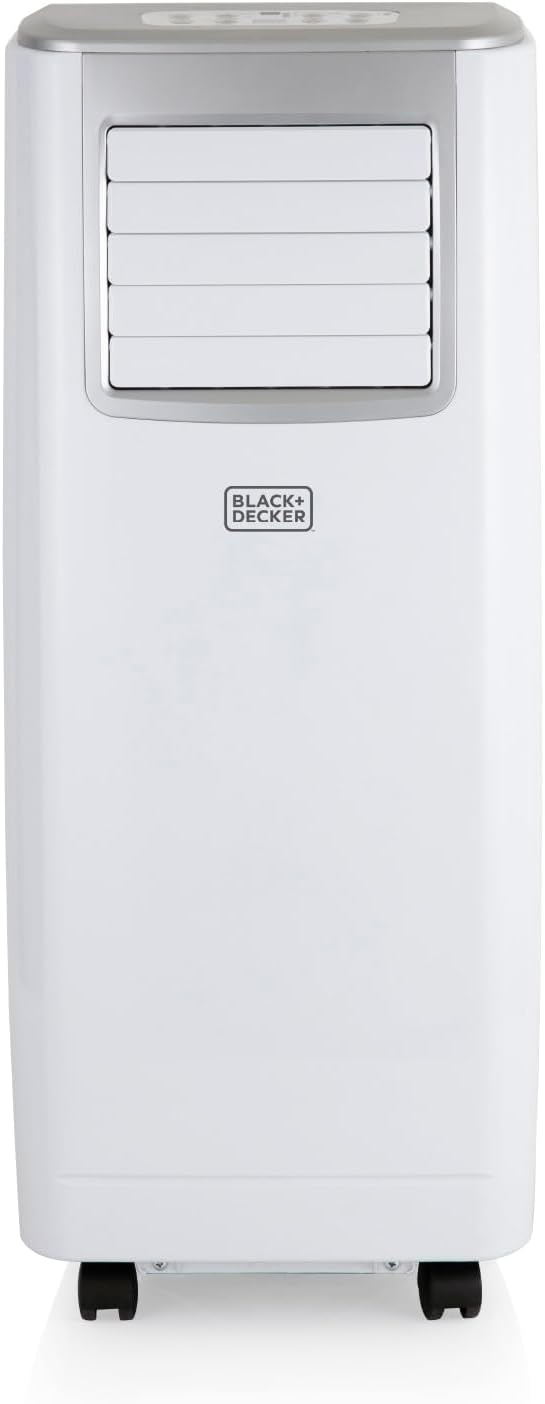
Front view of the BLACK+DECKER BXAC40006GB Portable Air Conditioner.

Key features of the air conditioner, including 3-in-1 functionality, 2.6KW powerful cooling, 24L dehumidifying extraction, digital display with remote control, and a 24-hour timer.

Illustration of the three operating modes: Fan, Air Conditioner, and Dehumidifier.
2. Important Safety Instructions
Please read all instructions carefully before using this appliance and retain for future reference. Always follow basic safety precautions when using electrical appliances to reduce the risk of fire, electric shock, and personal injury.
- Ensure the power supply matches the voltage specified on the rating label.
- Do not operate the unit with a damaged cord or plug.
- Keep the appliance away from flammable materials and heat sources.
- Ensure proper ventilation and do not block air inlets or outlets.
- Do not insert objects into the air vents.
- Always unplug the unit before cleaning or maintenance.
- This appliance is not intended for use by persons (including children) with reduced physical, sensory or mental capabilities, or lack of experience and knowledge, unless they have been given supervision or instruction concerning use of the appliance by a person responsible for their safety.
3. Components and Accessories
The following components are included with your BLACK+DECKER BXAC40006GB Portable Air Conditioner:

All components included with the BLACK+DECKER BXAC40006GB Portable Air Conditioner.
- Air Conditioner Unit
- Remote Control
- Instruction Manual
- Hose Adaptor
- Exhaust Hose
- Sash Window Kit
- Casement Window Kit
- Window Kit Adaptor
- Drainage Tube
4. Setup and Installation
4.1 Placement
Place the air conditioner on a flat, stable surface, ensuring there is at least 30cm of clear space around the unit for proper airflow. Avoid placing it near heat sources or in direct sunlight.

Proper placement ensures optimal airflow and cooling efficiency.
4.2 Exhaust Hose Installation
- Attach the hose adaptor to one end of the exhaust hose.
- Connect the other end of the exhaust hose to the air outlet on the back of the unit.
- Extend the exhaust hose to the nearest window or ventilation opening, ensuring it is as straight as possible to maximize efficiency.
4.3 Window Kit Installation
Use the provided window kit (sash or casement) to seal the window opening around the exhaust hose, preventing hot air from re-entering the room.
4.4 Drainage Setup
For continuous dehumidifying or cooling operation, connect the drainage tube to the continuous drainage port on the unit and direct it into a suitable drain or container.
5. Operating Instructions
5.1 Control Panel and Remote Control
The unit can be operated using the control panel on top of the unit or the included remote control.

Detailed view of the control panel and the included remote control for easy operation.
5.2 Power On/Off
Press the ON/OFF button to turn the unit on or off.
5.3 Mode Selection
Press the MODE button to cycle through the available operating modes:
- Cooling Mode: Provides powerful air conditioning.
- Dehumidifying Mode: Removes excess moisture from the air.
- Fan Mode: Circulates air without cooling.
- Automatic Mode: The unit automatically selects the appropriate mode based on the ambient temperature.
5.4 Temperature Adjustment
In Cooling mode, use the UP or DOWN buttons to adjust the desired temperature between 18°C and 32°C.
5.5 Fan Speed Adjustment
Press the SPEED button to select between low and high fan speeds.
5.6 Timer Function
Press the TIMER button to set a desired time for the unit to automatically turn on or off (up to 24 hours).
5.7 Sleep Mode
Activate Sleep Mode for quieter operation and gradual temperature adjustment during nighttime use. The unit will auto shut-off after 12 hours in this mode.
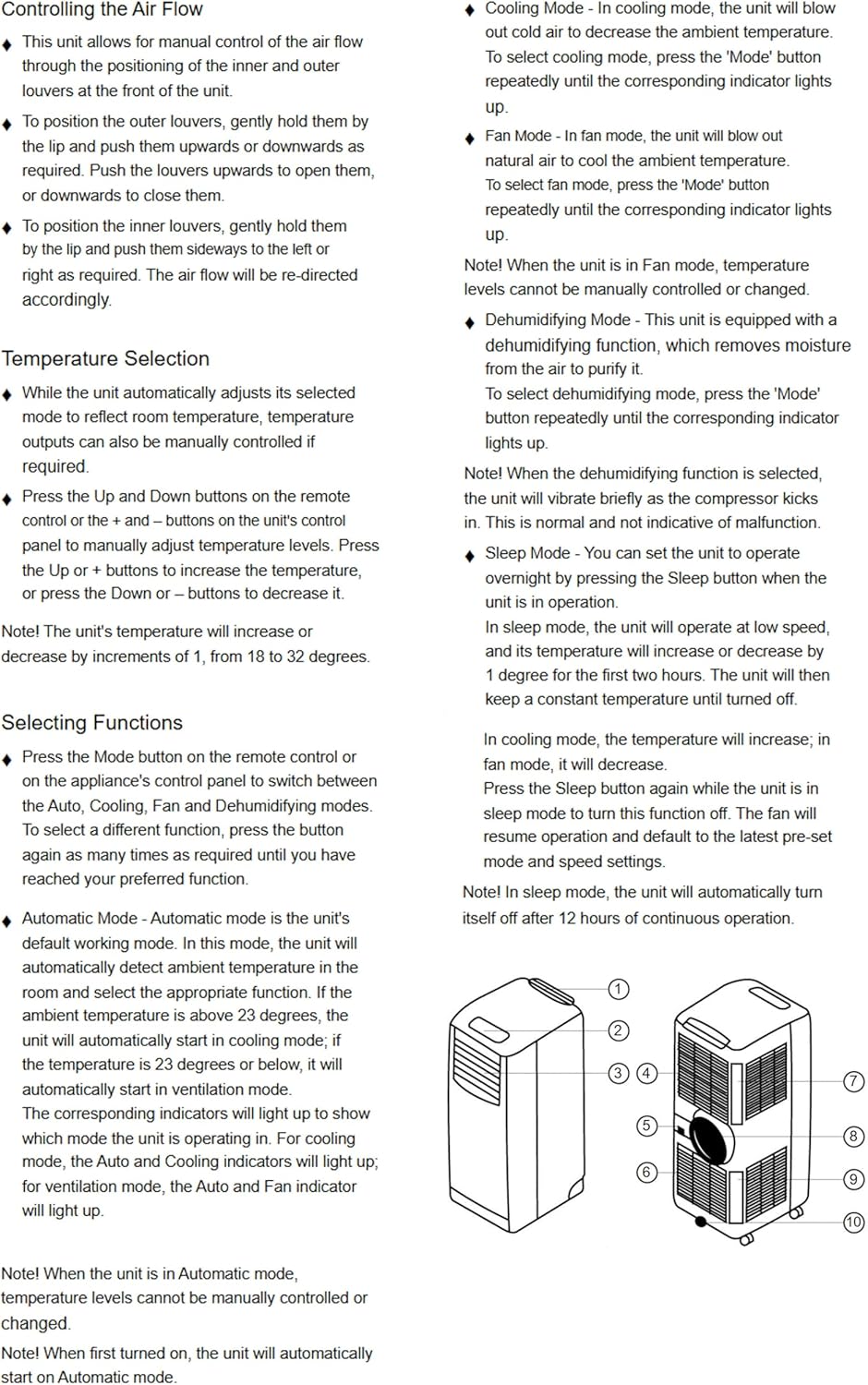
Diagram illustrating air flow control, temperature selection, and function selection as described in the manual.
6. Maintenance
6.1 Cleaning the Unit
Wipe the exterior of the unit with a soft, damp cloth. Do not use harsh chemicals or abrasive cleaners.
6.2 Air Filter Cleaning
Regularly clean the air filter (every two weeks or as needed) to maintain optimal performance. Remove the filter, rinse it under running water, and allow it to air dry completely before reinserting.
6.3 Water Drainage
The unit has a 0.5L water tank and can extract up to 24.8 litres of moisture per day. When the tank is full, the unit will stop operating and indicate that it needs to be drained. For continuous operation, use the provided drainage hose.

The unit extracts moisture, which requires periodic drainage.
7. Troubleshooting
| Problem | Possible Cause | Solution |
|---|---|---|
| Unit does not turn on | No power supply; Power cord not plugged in; Full water tank | Check power connection; Plug in power cord; Empty water tank |
| Unit does not cool effectively | Air filter dirty; Room too large; Doors/windows open; Exhaust hose blocked/bent | Clean air filter; Ensure room size is within limits; Close doors/windows; Straighten exhaust hose |
| Unit is noisy | Unit not on a flat surface; Obstruction in fan | Place on a flat surface; Check for obstructions and remove if safe |
| Water leakage | Drainage plug loose; Drainage hose not properly connected | Secure drainage plug; Reconnect drainage hose properly |
8. Technical Specifications
| Specification | Value |
|---|---|
| Model Number | BXAC40006GB |
| Cooling Capacity | 9,000 BTU |
| Power Source | Corded Electric |
| Voltage | 240 Volts |
| Wattage | 1000 watts |
| Dehumidifying Capacity | Up to 24.8 litres/day |
| Water Tank Capacity | 0.5 litres |
| Noise Level | 49 dB |
| Product Dimensions (D x W x H) | 31.5 x 39.2 x 77 cm |
| Item Weight | 23.8 kg |
| Temperature Range | 18°C - 32°C |
| Suitable Room Size | Up to 18m² |
9. Warranty and Support
This BLACK+DECKER product comes with a 2-year guarantee, which includes a 1-year manufacturer’s guarantee and a 1-year extension, subject to registering the product online.

The product comes with a 2-year guarantee.
For warranty claims, technical support, or further assistance, please visit the official BLACK+DECKER website or contact their customer support directly. Please have your model number and purchase details ready.
Related documentsBXAC40006GB


Ask a question about this manual
Ask about setup, troubleshooting, compatibility, parts, safety, or missing instructions. Manuals+ will review the question and use this page’s manual context to help answer it.