
1. Introduction
Thank you for choosing the JENABOM 3.6V Cordless Electric Screwdriver. This manual provides essential information for the safe and efficient operation, maintenance, and troubleshooting of your new tool. Please read this manual thoroughly before first use and retain it for future reference.
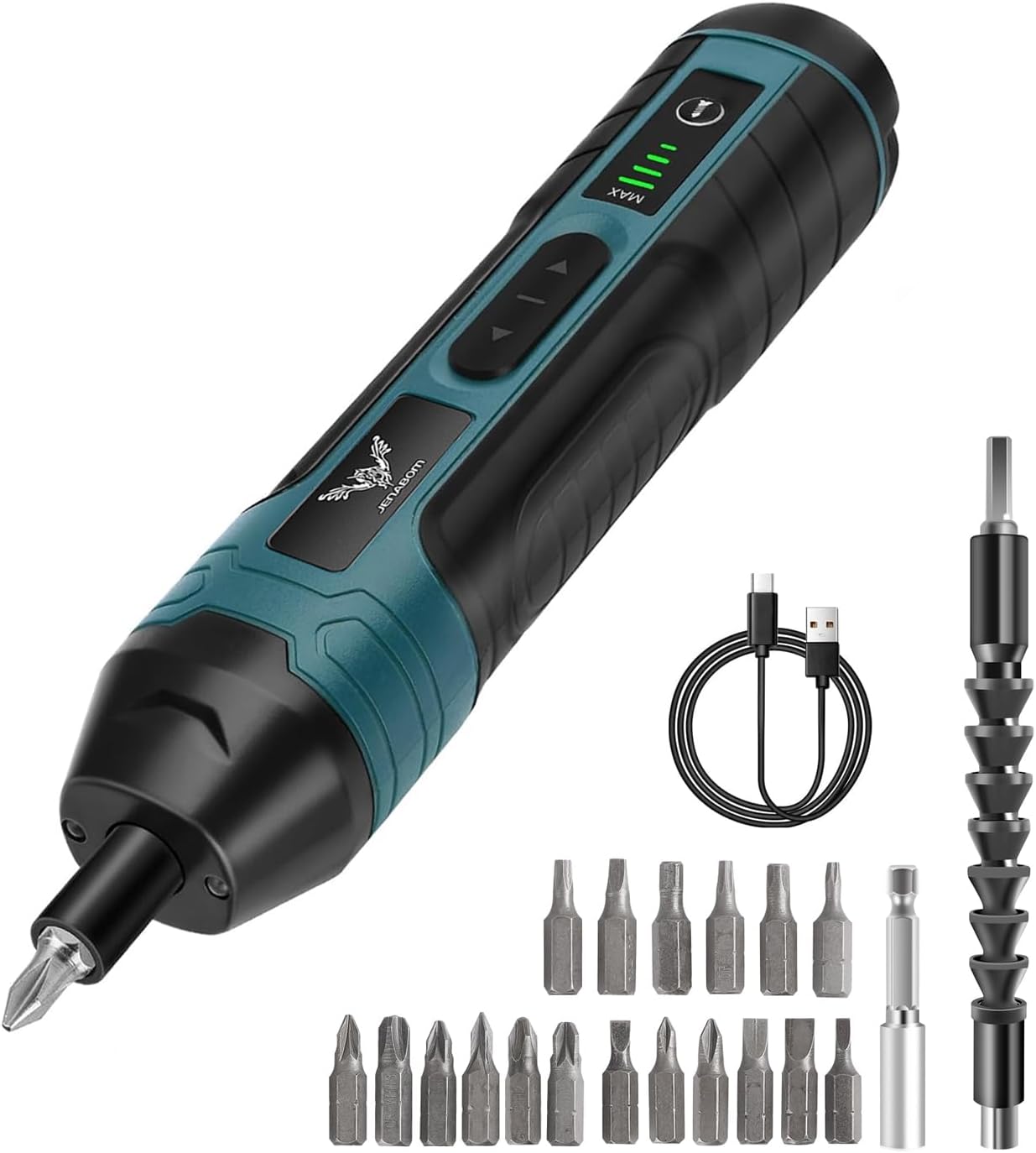
Figure 1: JENABOM 3.6V Cordless Electric Screwdriver and accessories.
2. Safety Instructions
Always observe basic safety precautions when using electric tools to reduce the risk of fire, electric shock, and personal injury.
- Work Area Safety: Keep your work area clean and well-lit. Cluttered or dark areas invite accidents. Do not operate power tools in explosive atmospheres, such as in the presence of flammable liquids, gases, or dust.
- Electrical Safety: Avoid body contact with earthed or grounded surfaces. Do not expose power tools to rain or wet conditions. Water entering a power tool will increase the risk of electric shock.
- Personal Safety: Stay alert, watch what you are doing, and use common sense when operating a power tool. Do not use a power tool while you are tired or under the influence of drugs, alcohol, or medication. Always wear appropriate personal protective equipment, such as safety glasses, dust mask, non-skid safety shoes, hard hat, or hearing protection.
- Tool Use and Care: Do not force the power tool. Use the correct power tool for your application. Disconnect the plug from the power source and/or the battery pack from the power tool before making any adjustments, changing accessories, or storing power tools.
- Battery Pack Use and Care: Recharge only with the charger specified by the manufacturer. Do not use battery packs with any other power tools.
3. Product Overview
The JENABOM 3.6V Cordless Electric Screwdriver is designed for various household repairs and light industrial tasks. It features adjustable torque, an LED worklight, and a magnetic bit holder for convenience.
Components Included:
- JENABOM 3.6V Cordless Electric Screwdriver
- 18 x 25mm Screwdriver Bits (various types: Slotted, Phillips, Pozi, Hex, Torx)
- 1 x Bit Extension Holder
- 1 x Flexible Extension Hex Shaft
- 1 x USB Charging Cable

Figure 2: Included 20-piece accessory set.
Tool Features:
- USB Charging Port
- Hex Collet (fits 1/4 inch / 6.35mm standard bits)
- Charging and Torque Gear Indicator Lights
- Forward/Reverse Buttons
- LED Worklight
- Magnetic Bit Design

Figure 3: Key features of the electric screwdriver.
4. Setup
4.1 Charging the Battery
The screwdriver is equipped with a built-in 1300 mAh rechargeable lithium-ion battery. Before first use, fully charge the battery.
- Locate the USB charging port on the screwdriver.
- Connect the provided USB charging cable to the screwdriver's port.
- Connect the other end of the USB cable to a compatible USB power source (e.g., computer, power bank, car charger, or wall adapter).
- The charging indicator lights will illuminate to show the charging status. A full charge typically takes 3-5 hours.
- Disconnect the charger once the battery is fully charged.

Figure 4: Charging the screwdriver via USB.
4.2 Installing Screwdriver Bits
The screwdriver features a magnetic hex collet for easy and secure bit installation.
- Select the appropriate 1/4 inch (6.35mm) hex shank screwdriver bit for your task.
- Insert the bit directly into the hex collet at the front of the screwdriver. The magnetic design will hold the bit securely in place.
- For extended reach or working in tight spaces, attach the bit extension holder or the flexible extension hex shaft first, then insert the desired bit into the extension.

Figure 5: Magnetic bit installation and use with extension.
5. Operating Instructions
5.1 Powering On/Off and Direction Control
The screwdriver is activated by pressing and holding the directional buttons.
- To activate the screwdriver, press and hold either the forward (right arrow) or reverse (left arrow) button for approximately 1 second.
- To drive a screw in, press and hold the Forward (right arrow) button.
- To remove a screw, press and hold the Reverse (left arrow) button.
- Release the button to stop the screwdriver.

Figure 6: Forward and Reverse operation.
5.2 Adjusting Torque
The screwdriver features four adjustable torque settings, with a maximum torque of 5 N.m, to prevent over-tightening and damage to screws or materials.
- The torque adjustment buttons are located near the top of the screwdriver, indicated by 'MIN' and 'MAX'.
- Press the '+' button to increase the torque setting.
- Press the '-' button to decrease the torque setting.
- The torque gear indicator lights will show the current setting.
- Select a lower torque setting for delicate tasks and a higher setting for more demanding applications. When the set torque is reached, the mechanical clutch will disengage.

Figure 7: Adjustable 4-level torque setting.
5.3 Using the LED Worklight
The integrated LED worklight automatically illuminates when the screwdriver is in operation, providing visibility in dark or confined spaces.
- The LED light activates automatically when either the forward or reverse button is pressed.
- The light will turn off shortly after the button is released.

Figure 8: LED working light in action.
6. Maintenance
6.1 Cleaning
- Always disconnect the screwdriver from any charging source before cleaning.
- Wipe the tool with a soft, damp cloth. Do not use harsh chemicals or abrasive cleaners.
- Keep the ventilation openings clear of dust and debris to ensure proper motor cooling.
6.2 Storage
- Store the screwdriver and its accessories in a clean, dry place, away from direct sunlight and extreme temperatures.
- Ensure the battery is partially charged (around 50%) before long-term storage to prolong battery life. Recharge every 3-6 months if not in use.
- Keep out of reach of children.
7. Troubleshooting
If you encounter issues with your JENABOM electric screwdriver, refer to the following common problems and solutions:
| Problem | Possible Cause | Solution |
|---|---|---|
| Screwdriver does not turn on. | Battery is depleted. Power button not pressed correctly. | Charge the battery fully. Ensure the forward/reverse button is pressed and held for 1 second. |
| Battery not charging. | USB cable or power source faulty. Charging port obstructed. | Try a different USB cable or power source. Check charging port for debris. |
| Bit slips or screw head strips. | Incorrect bit size. Torque setting too high/low. Bit not fully inserted. | Use the correct bit for the screw head. Adjust torque setting appropriately for the material and screw. Ensure bit is fully seated in the magnetic collet. |
| Reduced power or runtime. | Battery not fully charged. Battery nearing end of life. | Fully charge the battery. If battery life significantly decreases, consider replacing the tool if within warranty. |
8. Specifications
| Feature | Specification |
|---|---|
| Brand | JENABOM |
| Model Number | TY-CS07 |
| Voltage | 3.6 Volts |
| Max Torque | 5 N.m (Newton Meters) |
| Torque Settings | 4-Gear Adjustable |
| Speed | 200 RPM |
| Power Source | Battery Powered (Rechargeable Lithium Ion) |
| Battery Capacity | 1300 mAh |
| Charging Time | 3-5 hours (approx.) |
| Product Dimensions | 9.45"L x 5.12"W x 1.77"H |
| Item Weight | 540 Grams (1.19 pounds) |
| Material | Metal Alloy Steel Rubber |
| Special Features | Cordless, Rechargeable, LED Worklight, Magnetic Bit Holder |
9. Warranty and Support
9.1 Warranty Information
JENABOM products are manufactured to high-quality standards. This product is covered by a limited warranty against defects in materials and workmanship from the date of purchase. Please retain your proof of purchase for warranty claims. The warranty does not cover damage caused by misuse, abuse, normal wear and tear, or unauthorized repairs.
9.2 Customer Support
For technical assistance, warranty inquiries, or replacement parts, please contact JENABOM customer support through the retailer where the product was purchased or visit the official JENABOM website for contact information.
Website: JENABOM Store on Amazon