
1. Introduction
This manual provides essential information for the safe and effective use of your GODOX AD600Pro 600Ws Replacement Flash Tube Bare Bulb. This original GODOX flash tube is designed exclusively for the AD600Pro flash unit, ensuring optimal compatibility and performance. It delivers a powerful 600Ws output for consistent and reliable illumination in photography and videography applications. Crafted from durable metal and glass, this replacement bulb is built for extended use.
Please read this manual thoroughly before installation and operation to prevent damage to the product or injury to yourself.
2. Safety Information
Adhering to the following safety precautions is crucial for safe operation and to prevent damage to the flash tube or the AD600Pro unit.
- Power Disconnection: Always turn off all power to the AD600Pro flash unit and unplug the power cord before attempting to install or remove the flash tube. Failure to do so can result in electric shock.
- Handle with Care: The flash tube is made of glass. Handle it with extreme care to avoid breakage, which can cause injury.
- Avoid Contact with Skin: Do not touch the glass part of the flash tube directly with bare hands. Oils from your skin can create hot spots and reduce the lifespan of the bulb. Use the provided cleaning cloth or gloves if necessary.
- Proper Installation: Ensure the flash tube is correctly and securely seated in the AD600Pro unit before powering on. Improper installation can lead to malfunction or damage.
- Intended Use: This flash tube is designed exclusively for the GODOX AD600Pro flash unit. Do not attempt to use it with other flash models.
- Disposal: Dispose of old or broken flash tubes according to local regulations for electronic waste.
3. Package Contents
Verify that all items are present and in good condition upon opening the package.
- 1x GODOX 600Ws Bare Bulb Flash Tube
- 1x Cleaning Cloth
4. Setup and Installation
Follow these steps to safely install the replacement flash tube into your GODOX AD600Pro unit.
- Power Off: Ensure the GODOX AD600Pro flash unit is completely powered off and disconnected from any power source.
- Remove Old Tube (if applicable): If replacing an existing tube, carefully grasp the old flash tube and gently pull it straight out from the flash head. Avoid twisting.
- Prepare New Tube: Using the provided cleaning cloth or clean gloves, carefully remove the new 600Ws bare bulb from its packaging. Avoid touching the glass with bare hands.
- Align and Insert: Align the pins at the base of the new flash tube with the corresponding sockets in the AD600Pro flash head. Gently push the flash tube straight into the sockets until it is firmly seated. Do not force it.
- Verify Installation: Double-check that the flash tube is securely in place and properly aligned.

Image: The GODOX AD600Pro flash unit with the replacement bare bulb flash tube correctly installed in the flash head.
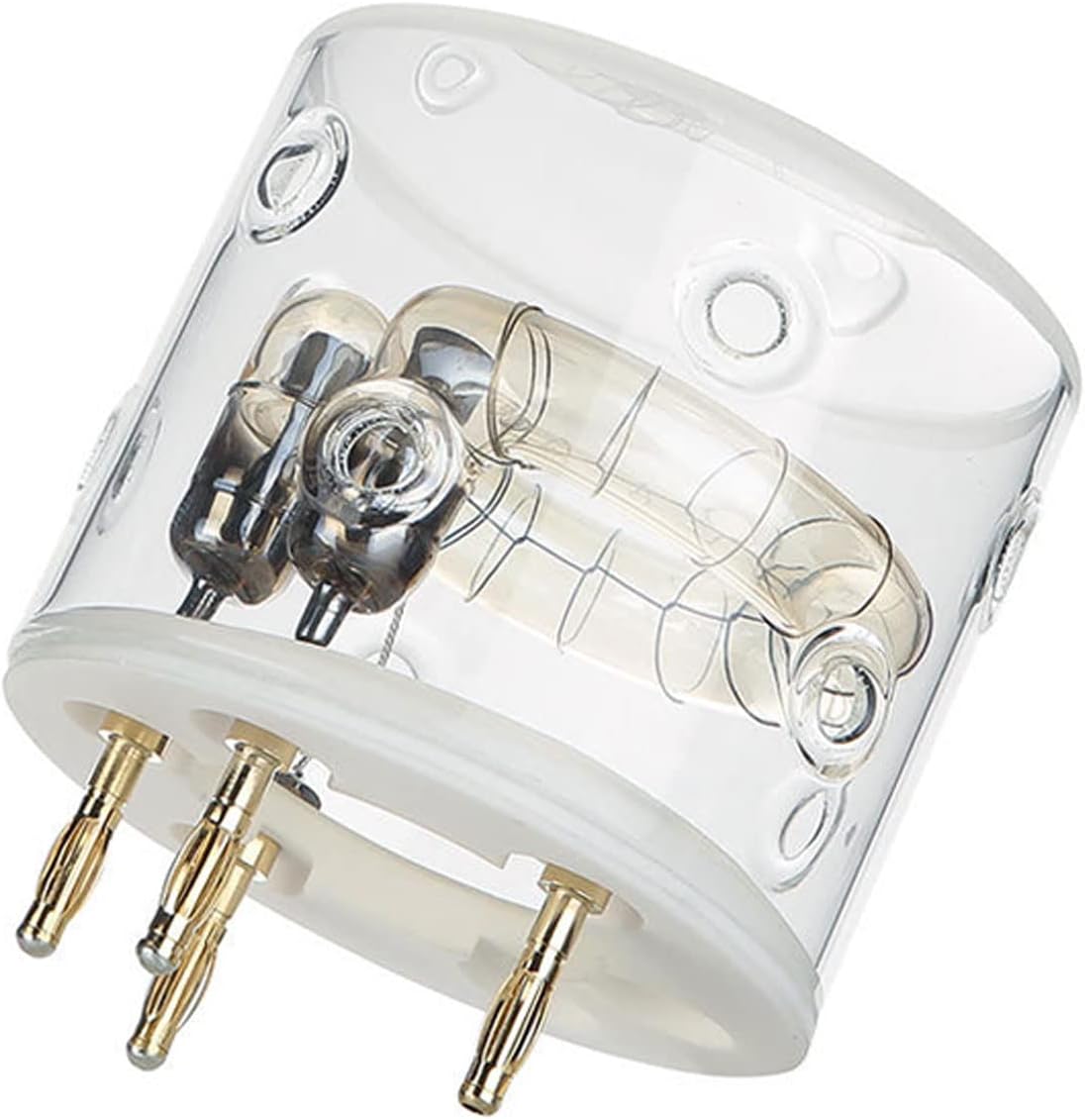
Image: A detailed view of the GODOX AD600Pro replacement flash tube, highlighting its glass construction and metal contact pins.
5. Operating Instructions
Once the flash tube is securely installed, the GODOX AD600Pro unit can be operated as usual. The replacement bare bulb functions identically to the original, providing 600Ws of flash power.
- Power On: Connect the AD600Pro to its power source and turn it on.
- Test Flash: Perform a test flash to ensure the new tube is functioning correctly.
- Adjust Settings: Use the controls on your AD600Pro unit or compatible trigger to adjust flash power and other settings as needed for your photography.
Refer to your GODOX AD600Pro main instruction manual for detailed operating procedures of the flash unit itself.
6. Maintenance
Proper maintenance ensures the longevity and optimal performance of your flash tube.
- Cleaning: Use the provided cleaning cloth to gently wipe the glass surface of the flash tube if it becomes smudged or dusty. Do not use abrasive materials or harsh chemicals.
- Storage: When not in use, store the flash tube in a clean, dry, and protected environment, ideally in its original packaging or a padded case, to prevent accidental damage.
- Inspection: Periodically inspect the flash tube for any signs of damage, such as cracks or discoloration. Replace immediately if damage is observed.
7. Troubleshooting
If you encounter issues with your flash tube, consider the following common troubleshooting steps:
| Problem | Possible Cause | Solution |
|---|---|---|
| Flash tube does not fire. |
|
|
| Inconsistent flash output. |
|
|
| Visible damage to the glass. | Physical impact or stress. | Immediately replace the flash tube. Do not use a damaged tube. |
For further assistance, please contact GODOX customer service.
8. Specifications
| Brand: | GODOX |
| Model Number: | 600-01 |
| Compatibility: | GODOX AD600Pro Flash Unit |
| Wattage: | 600Ws |
| Material: | Metal and Glass |
| Item Weight: | 0.21 Kilograms |
| Included Components: | 1* 600Ws Bare Bulb, 1* Cleaning Cloth |
9. Warranty and Support
GODOX products are manufactured to high-quality standards. For warranty information, please refer to the documentation included with your original GODOX AD600Pro flash unit or visit the official GODOX website.
For technical support, product inquiries, or warranty claims, please contact GODOX customer service through their official channels.
- GODOX Official Website: www.godox.com
- Customer Service: Refer to the "Contact Us" section on the GODOX website for regional support information.


