1. Product Overview
The SKMEI 2082 is a digital sports wrist watch designed for active individuals. It features a clear LED display, multiple functions including alarm and stopwatch, and a durable silicone band. This manual provides instructions for setting up, operating, and maintaining your watch.

Image 1.1: Front view of the SKMEI 2082 Digital Sports Watch, showing the LED display.
Key Features:
- Digital time display with LED screen.
- Alarm function.
- Stopwatch function.
- Backlight for low-light conditions.
- Water resistance up to 5 ATM.
- Durable silicone band.
2. Setup and Initial Configuration
Before using your watch, ensure the time and date are correctly set. The watch typically has four buttons: A (top-left), B (bottom-left), C (top-right), D (bottom-right).

Image 2.1: SKMEI 2082 watch on a wrist, illustrating the general button layout.
2.1 Setting Time and Date:
- In normal time display mode, press button B (Mode) repeatedly until the time setting mode is activated. This is usually indicated by flashing digits (e.g., seconds).
- Press button D (Adjust/Reset) to cycle through the settings: seconds, hour, minute, month, date, day of the week.
- Use button C (Start/Set) to increase the flashing value. Hold C to change values faster.
- Once all settings are adjusted, press button B (Mode) to return to normal time display mode.
2.2 12/24 Hour Format:
While in time setting mode (seconds flashing), press button C to toggle between 12-hour (with AM/PM indicator) and 24-hour formats.
3. Operating Instructions
3.1 Switching Modes:
Press button B (Mode) to cycle through the different modes: Time Display → Stopwatch → Alarm → Time Setting (if applicable, or another mode before returning to Time Display).
3.2 Using the Stopwatch:
- Press button B (Mode) until the stopwatch mode is displayed (usually indicated by "00:00:00").
- Press button C (Start) to begin timing.
- Press button C again to pause the stopwatch.
- Press button D (Reset) to reset the stopwatch to zero while it is paused.
- To resume timing after pausing, press button C.
3.3 Setting and Using the Alarm:
- Press button B (Mode) until the alarm setting mode is displayed (usually indicated by "AL" or flashing alarm time).
- Press button D (Adjust) to select the hour or minute digits to set.
- Use button C (Set) to adjust the hour and minute values.
- Press button B (Mode) to confirm the alarm setting and exit.
- To turn the alarm ON/OFF, in alarm mode, press button C. An alarm icon will appear/disappear on the display.
- When the alarm sounds, press any button to stop it.
3.4 Using the Backlight:
Press button A (Light) to illuminate the display for a few seconds in low-light conditions.
4. Maintenance and Care
4.1 Water Resistance:
The SKMEI 2082 watch is water-resistant up to 5 ATM (50 meters). This means it is suitable for daily use, hand washing, rain, and brief immersion in water. It is not suitable for hot water activities, diving, or prolonged underwater use. Do not press any buttons while the watch is submerged in water.
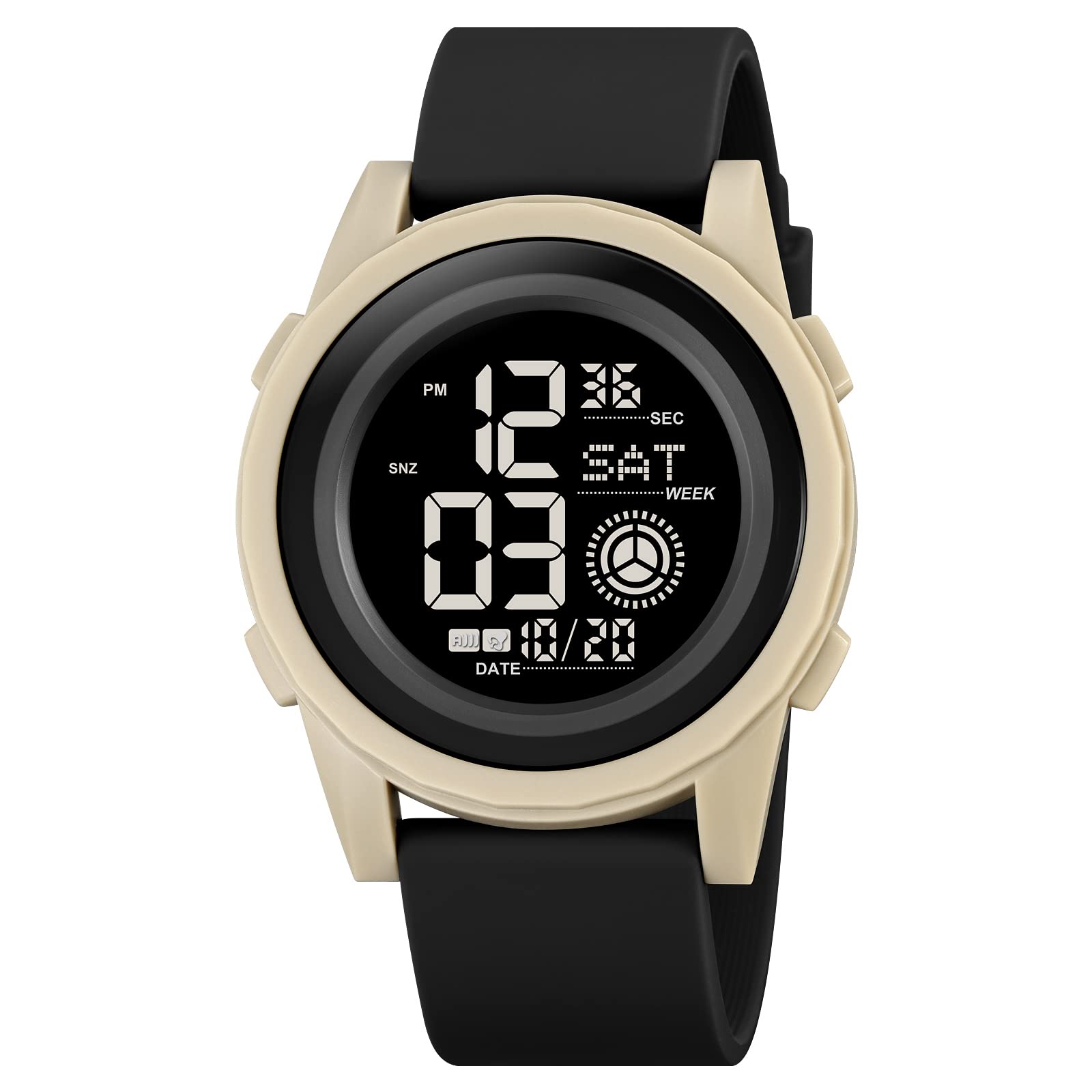
Image 4.1: Rear view of the SKMEI 2082 watch, indicating 5 ATM water resistance and CR2016 battery type.
4.2 Cleaning:
Wipe the watch case and band with a soft, damp cloth. Avoid using harsh chemicals or abrasive materials, as these can damage the watch's finish or silicone band.
4.3 Battery Replacement:
The watch uses a CR2016 battery. When the display becomes dim or functions become erratic, it may be time to replace the battery. Battery replacement should ideally be performed by a qualified watch technician to ensure proper sealing and water resistance.
5. Troubleshooting
- Display is blank or dim: The battery may be low or depleted. Replace the battery (CR2016).
- Time is incorrect: Re-set the time and date following the instructions in Section 2.1. Ensure the 12/24 hour format is correctly selected.
- Buttons are unresponsive: Ensure the watch is not in a locked mode (if applicable, though not a common feature for this model). If the issue persists, a battery replacement might resolve it, or contact support.
- Water inside the watch: If water condensation appears inside the watch, stop using it immediately and seek professional repair to prevent further damage.
6. Specifications
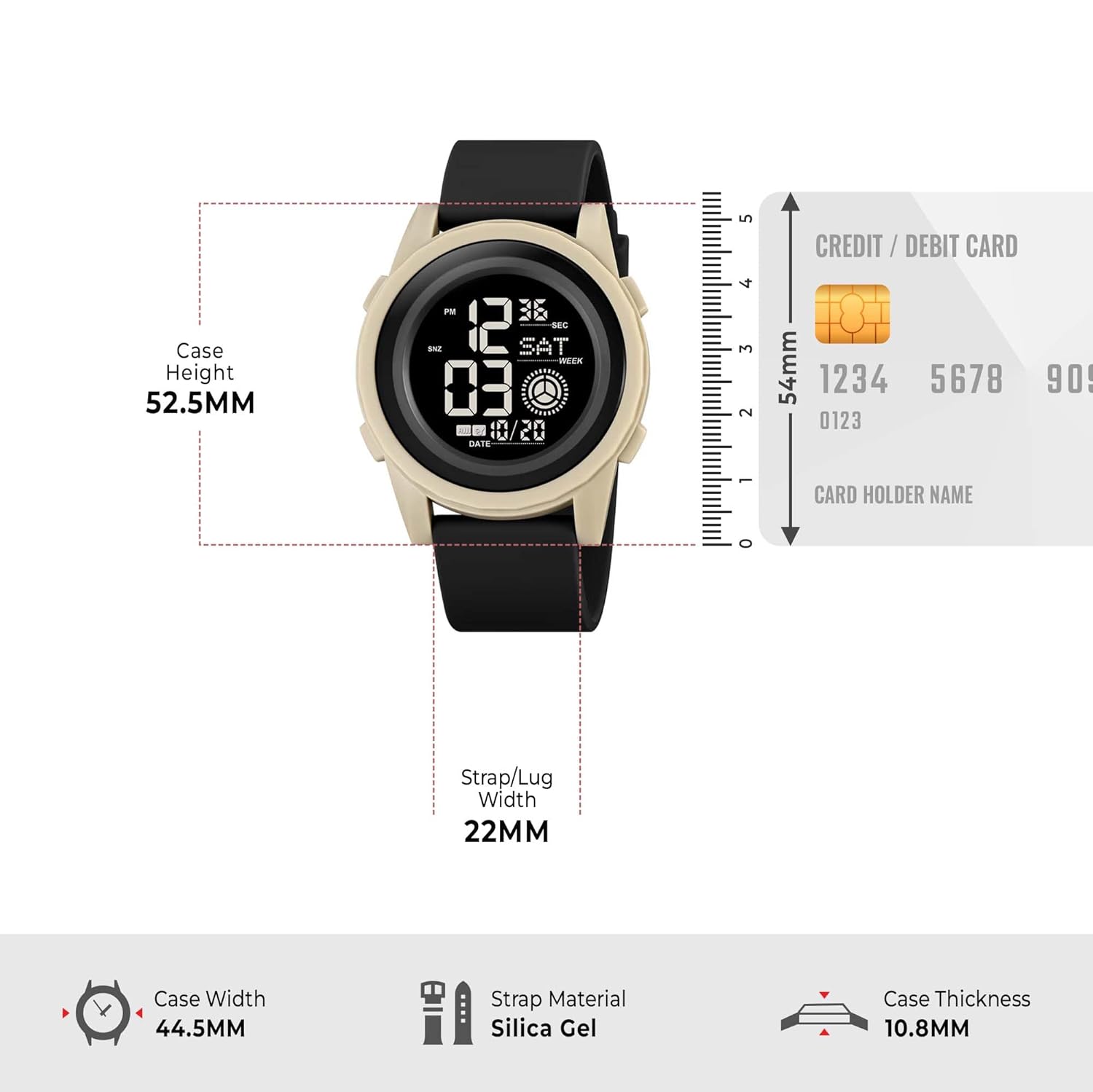
Image 6.1: Dimensional diagram of the SKMEI 2082 watch.
| Feature | Detail |
|---|---|
| Model Number | 2082 |
| Display Type | Digital (LED) |
| Movement Type | Quartz |
| Case Material | Plastic |
| Case Diameter | 44.5 mm |
| Case Thickness | 10.8 mm |
| Band Material | Silicone (Silica Gel) |
| Band Width | 22 mm |
| Water Resistance | 5 ATM (50 meters) |
| Battery Type | CR2016 |
| Item Weight | 45.2 g |
7. Warranty and Support
7.1 Warranty Information:
This SKMEI 2082 watch comes with a 6-month manufacturer warranty covering manufacturing defects from the date of purchase. This warranty does not cover damage caused by misuse, accidents, unauthorized repairs, or normal wear and tear.
7.2 Customer Support:
For any questions, technical assistance, or warranty claims, please contact SKMEI customer support through your retailer or the official SKMEI website. Please have your purchase receipt and watch model number (2082) available when contacting support.
You can visit the official SKMEI store for more information: SKMEI Official Store


