
Candy CCE4T620EX
Candy CCE4T620EX Total No Frost Combi Refrigerator User Manual
Model: CCE4T620EX | Brand: Candy
1. Introduction
This user manual provides essential information for the safe and efficient operation of your Candy CCE4T620EX Total No Frost Combi Refrigerator. Please read these instructions carefully before installation and use, and retain them for future reference.
The Candy CCE4T620EX is a 2-meter tall, 60cm wide combi refrigerator with a total capacity of 377 liters. It features Total No Frost Circle+ technology, Wi-Fi connectivity via the hOn App, a dedicated crisper drawer, LED lighting, and reversible doors for flexible installation.
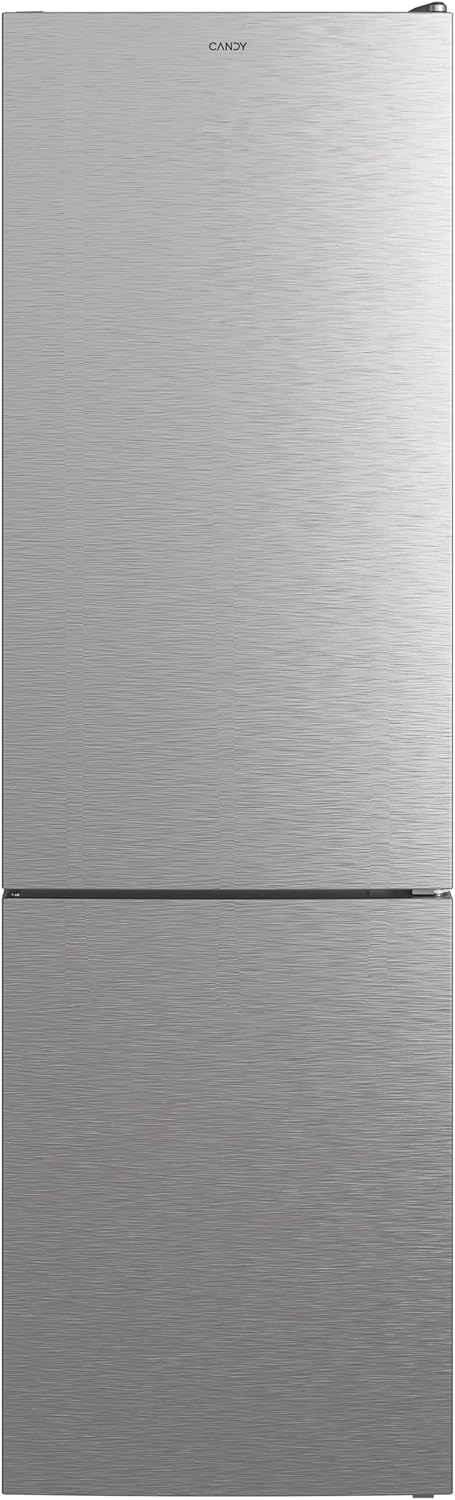
Image 1.1: Front view of the Candy CCE4T620EX refrigerator, showcasing its sleek stainless steel finish and integrated handles.
2. Safety Information
Always follow basic safety precautions when using electrical appliances to reduce the risk of fire, electric shock, and injury.
- Ensure the appliance is properly grounded.
- Do not damage the refrigerant circuit.
- Keep ventilation openings clear of obstruction.
- Do not use mechanical devices or other means to accelerate the defrosting process, other than those recommended by the manufacturer.
- Do not use electrical appliances inside the food storage compartments, unless they are of the type recommended by the manufacturer.
- This appliance is intended for household use only.
3. Setup and Installation
3.1 Unpacking
Carefully remove all packaging materials. Inspect the appliance for any damage incurred during transit. Report any damage to your retailer immediately.
3.2 Placement
Place the refrigerator on a firm, level surface away from direct sunlight, heat sources (e.g., ovens, radiators), and extreme cold. Ensure adequate ventilation around the appliance. Maintain a minimum clearance of 5 cm from walls and other furniture.
3.3 Door Reversibility
The doors of the Candy CCE4T620EX are reversible, allowing you to change the opening direction to suit your kitchen layout. Refer to the detailed instructions provided in the separate installation guide for the door reversal procedure. This process typically involves moving hinges and covers from one side to the other.
3.4 Initial Power On
After positioning the refrigerator, wait at least 4 hours before plugging it into a power outlet. This allows the refrigerant to settle. Once plugged in, the appliance will begin to cool. Allow several hours for the internal temperature to stabilize before loading food.
4. Operating Instructions
4.1 Temperature Control
The refrigerator features an electronic temperature control panel, typically located inside the fresh food compartment. Use the controls to set the desired temperature for both the refrigerator and freezer sections. Recommended refrigerator temperature is 4°C, and freezer temperature is -18°C.

Image 4.1: Interior view showing the LED lighting and the electronic control panel at the top, allowing for precise temperature adjustments.
4.2 Total No Frost Circle+ Technology
The Total No Frost Circle+ system ensures constant temperature and humidity levels on every shelf and corner of the refrigerator. This advanced cooling technology prevents ice build-up in both the refrigerator and freezer compartments, eliminating the need for manual defrosting and helping to preserve food up to 40% longer.

Image 4.2: Visual representation of the Total No Frost Circle+ system, illustrating the circular airflow that maintains consistent temperatures throughout the refrigerator compartment.
4.3 Storage Flexibility
The Candy CCE4T620EX offers maximum storage flexibility with adjustable shelves and door balconies. You can customize the interior layout to accommodate various food items and container sizes. The refrigerator includes a dedicated crisper drawer for fruits and vegetables.
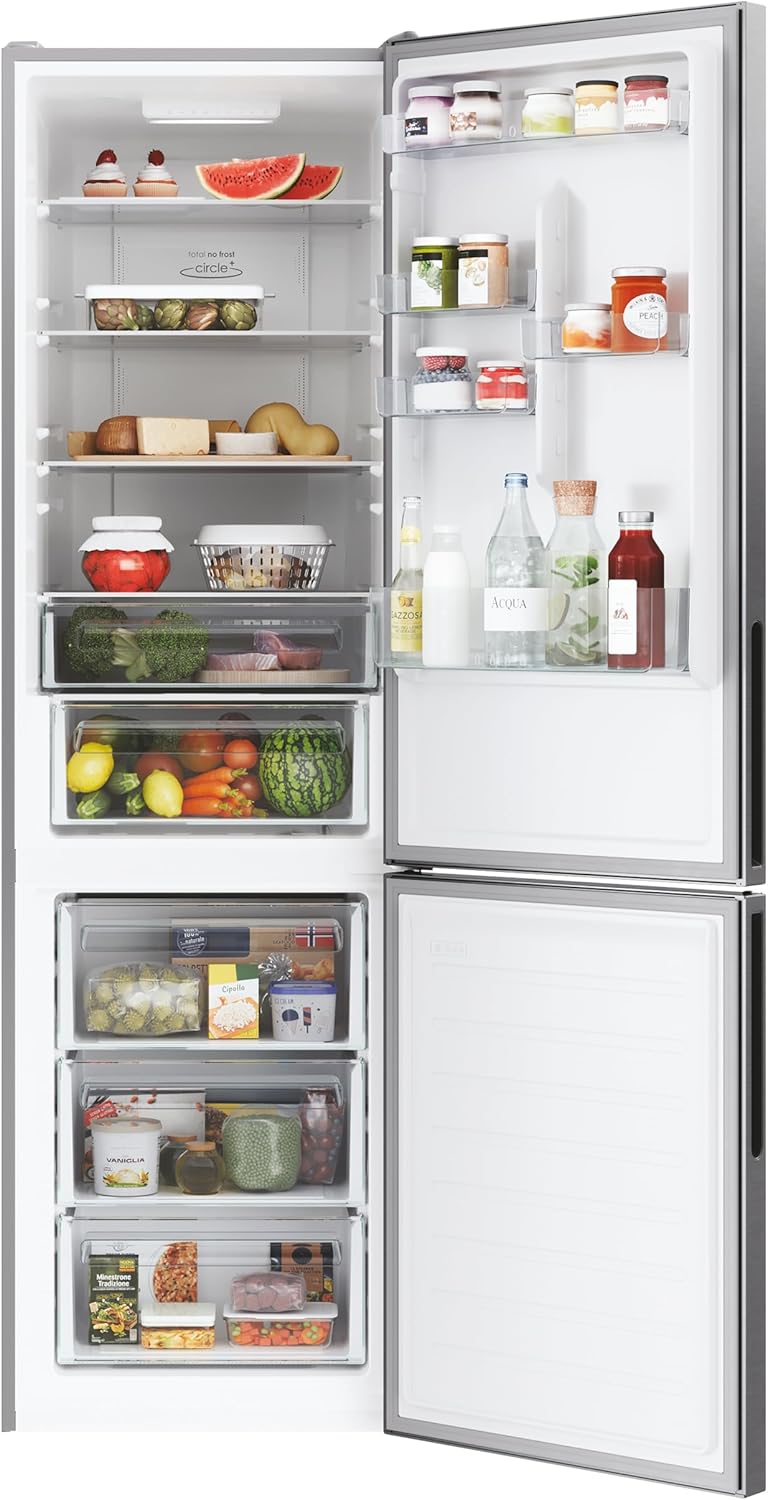
Image 4.3: The refrigerator interior with the door open, displaying multiple adjustable glass shelves, door balconies, and dedicated drawers for fresh produce and frozen items.
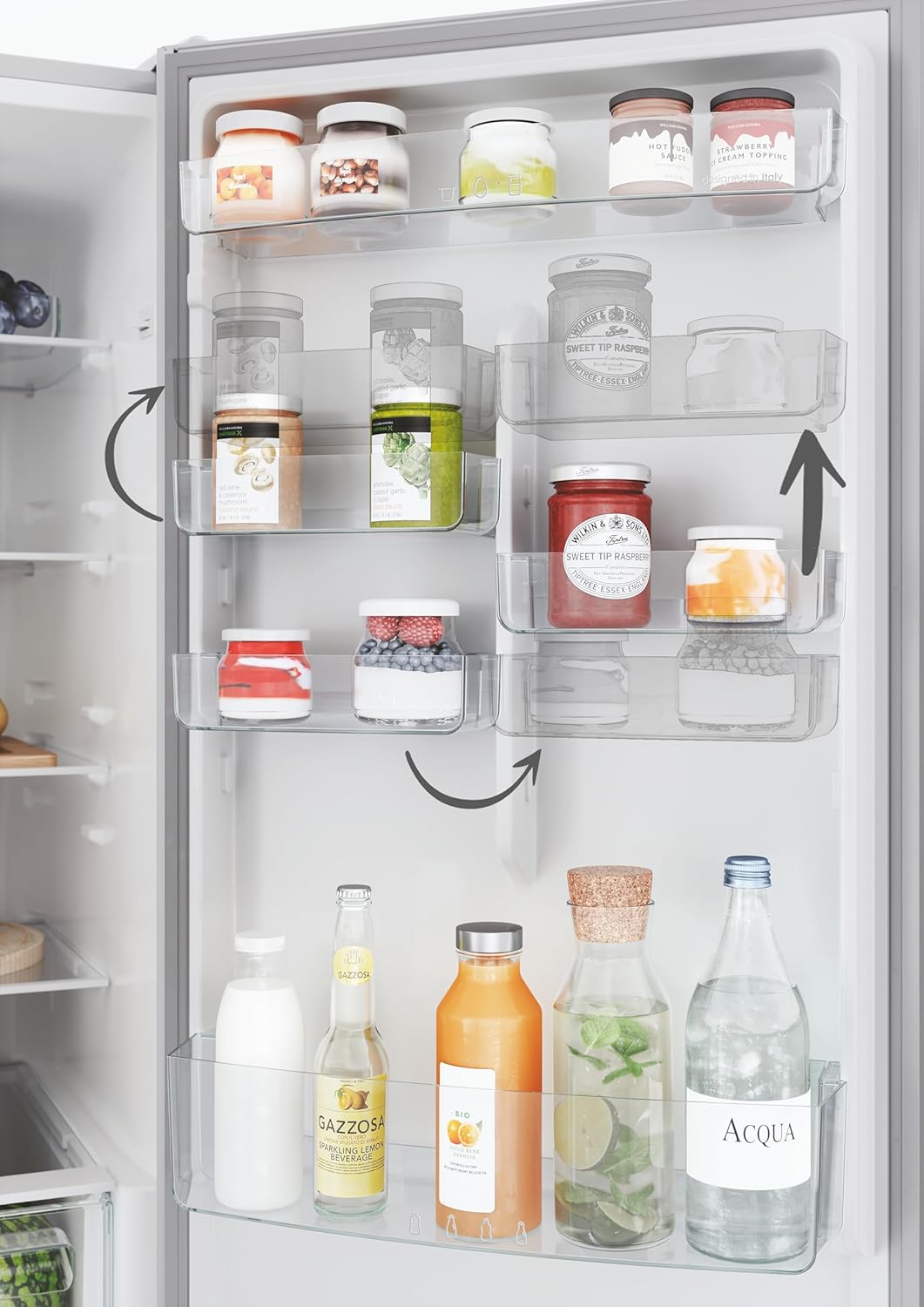
Image 4.4: Close-up of the refrigerator door showing adjustable balconies, indicated by arrows, allowing users to customize storage space for various bottle and jar sizes.
4.4 Crisper Drawer (Cool Box with Fresh Control)
The dedicated crisper drawer, labeled 'Cool Box with Fresh Control', is designed to maintain optimal humidity levels for fruits and vegetables, helping them stay fresh longer.

Image 4.5: Detail of the 'Cool Box with Fresh Control' crisper drawer, designed to regulate humidity for optimal preservation of fruits and vegetables.
4.5 hOn App Connectivity
This refrigerator is equipped with Wi-Fi connectivity, allowing remote control and access to smart features via the hOn App. Download the hOn App on your smartphone and follow the in-app instructions to connect your appliance. The app provides features such as Inventory Assistant, Smart Drink Assistant, and Smart Food Locator, along with storage suggestions and tips.
5. Maintenance and Cleaning
5.1 Cleaning the Interior
Before cleaning, always unplug the appliance. Clean the interior regularly with a solution of mild detergent and warm water. Wipe dry thoroughly. Do not use abrasive cleaners, harsh chemicals, or sharp objects, as these can damage surfaces.
5.2 Cleaning the Exterior
Clean the exterior surfaces with a soft cloth dampened with water and a mild detergent. For stainless steel finishes, use a specialized stainless steel cleaner and polish in the direction of the grain. Avoid getting water into electrical components.
5.3 Defrosting
Thanks to the Total No Frost Circle+ technology, manual defrosting of both the refrigerator and freezer compartments is not required. The system automatically prevents ice build-up.
6. Troubleshooting
Before contacting customer service, review the following common issues and their potential solutions:
- Appliance does not operate: Check if the power cord is properly plugged in and if there is power to the outlet.
- Refrigerator is not cooling sufficiently: Ensure the temperature setting is correct. Check if the door is fully closed and not frequently opened. Avoid overloading the compartments.
- Unusual noise: Verify the appliance is level. Ensure no objects are vibrating against the back or sides. Some operational noises (e.g., refrigerant circulation, fan operation) are normal.
- Water on the floor: Check if the drain hole for defrost water is blocked. Ensure the water collection tray at the back is correctly positioned.
- hOn App connectivity issues: Ensure your home Wi-Fi network is active and the refrigerator is within range. Follow the troubleshooting steps within the hOn App.
If problems persist after checking these points, contact Candy customer support.
7. Specifications
| Feature | Specification |
|---|---|
| Model Number | CCE4T620EX (Manufacturer Model: 34005345) |
| Dimensions (H x W x D) | 200 cm x 59.5 cm x 65.8 cm |
| Weight | 68 kg |
| Total Capacity | 377 Liters |
| Refrigerator Capacity | 258 Liters |
| Freezer Capacity | 119 Liters |
| Energy Efficiency Class | E (New European Energy Label) |
| Annual Energy Consumption | 264 kWh/annum |
| Noise Level | 39 dB |
| Defrost System | Total No Frost |
| Special Features | Wi-Fi Connectivity, Electronic Temperature Control, LED Lighting, Reversible Doors |
| Color | Inox |

Image 7.1: The EU Energy Label for the Candy CCE4T620EX, indicating an E energy efficiency rating, 264 kWh/annum consumption, 119L freezer capacity, 258L refrigerator capacity, and 38dB noise level. For more details, visit EPREL Database.

Image 7.2: The Declaration of Conformity document for the Candy CCE4T620EX, providing regulatory details and specifications such as A++ energy efficiency (under older rating), 258L net fridge capacity, 119L net freezer capacity, No Frost technology, and 40 dB sound power.
8. Warranty and Support
Your Candy CCE4T620EX refrigerator comes with a manufacturer's warranty. Please refer to the warranty card included with your purchase for specific terms and conditions, including coverage period and what is covered. Keep your proof of purchase for warranty claims.
For technical assistance, spare parts, or to schedule a service appointment, please contact Candy customer support. You can typically find contact information on the Candy official website or in your product documentation.
Related documentsCCE4T620EX


Ask a question about this manual
Ask about setup, troubleshooting, compatibility, parts, safety, or missing instructions. Manuals+ will review the question and use this page’s manual context to help answer it.