
Audizio Padova
Audizio Padova DAB Radio User Manual
Model: Padova
Introduction
This user manual provides detailed instructions for the setup, operation, maintenance, and troubleshooting of your Audizio Padova DAB Radio. Please read this manual thoroughly before using the device to ensure proper functionality and to maximize your listening experience.
Safety Information
Always follow basic safety precautions when using this product to reduce the risk of fire, electric shock, and injury to persons. Keep this manual for future reference.
- Do not expose the device to rain or moisture.
- Do not disassemble the unit. Refer all servicing to qualified personnel.
- Ensure proper ventilation around the unit.
- Use only the power adapter supplied with the device.
- Avoid placing the unit near heat sources or in direct sunlight.
Package Contents
Verify that all items are present in the package:
- Audizio Padova DAB Radio Unit
- Remote Control
- USB Cable
- Power Adapter
- User Manual (this document)
Product Overview
Familiarize yourself with the main components of your Audizio Padova DAB Radio.
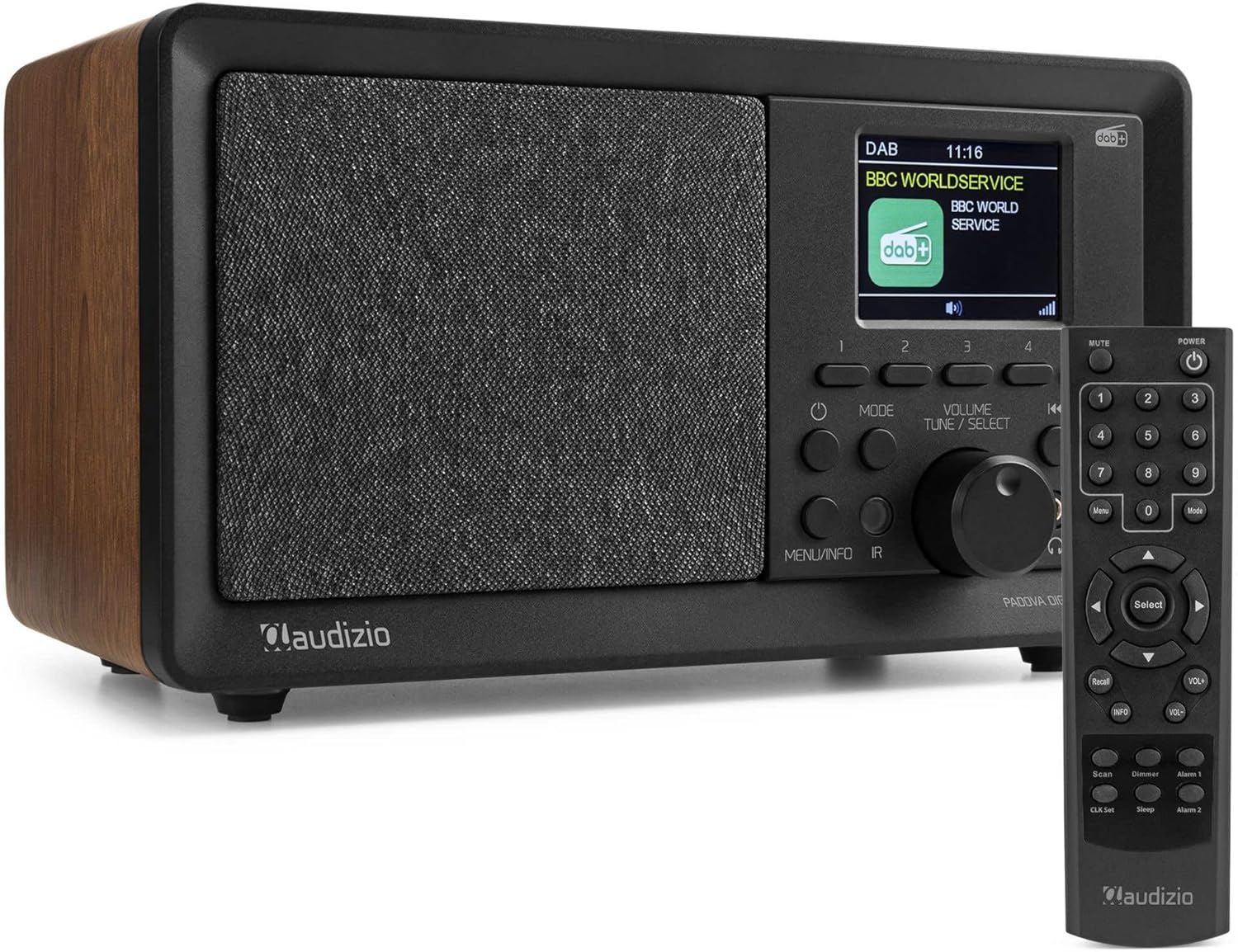

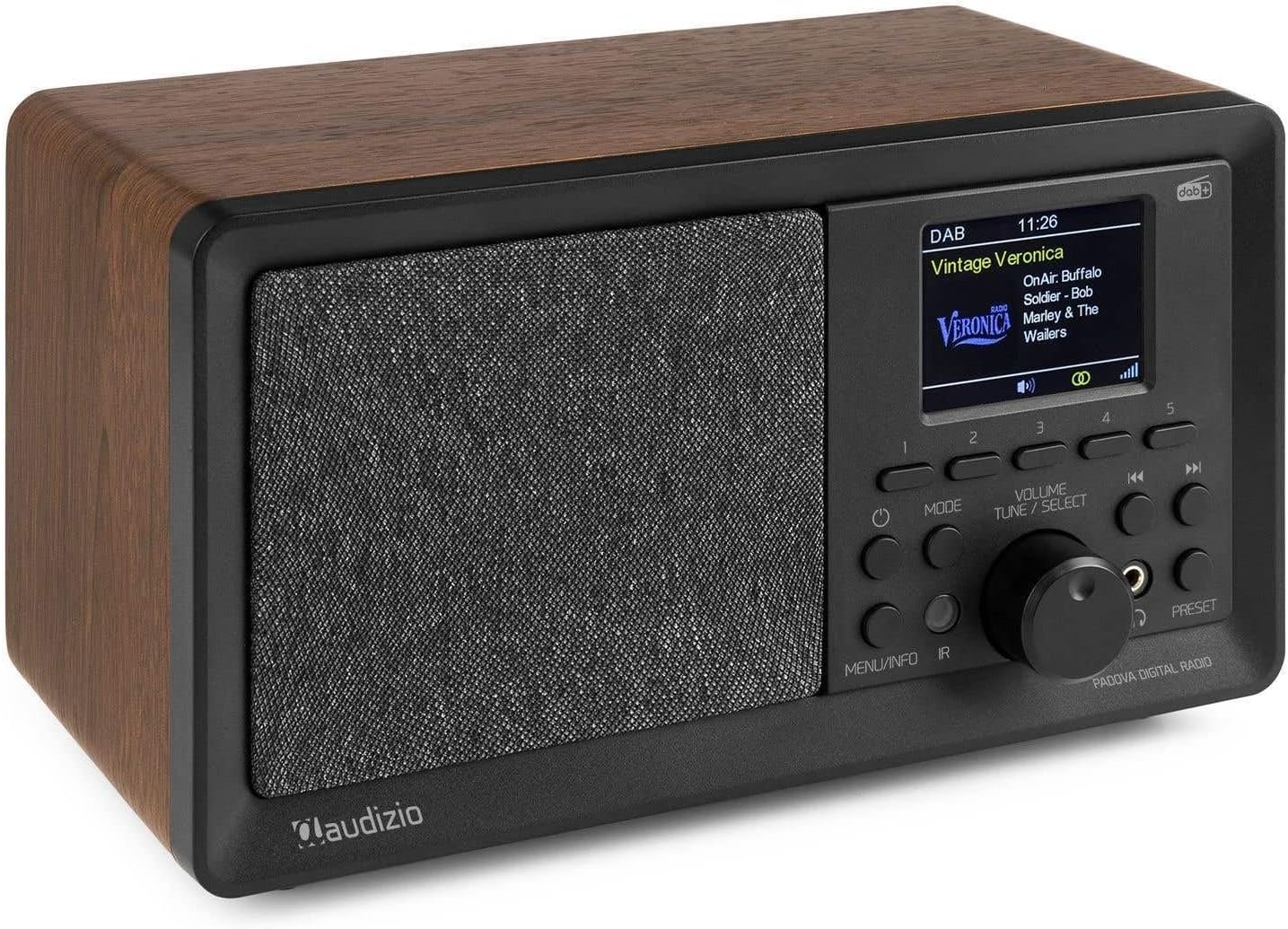
Setup
1. Power Connection
Connect the supplied power adapter to the DC 7.5V input port on the rear of the radio and plug the adapter into a wall outlet. The radio will power on and display the Audizio logo.
2. Antenna Setup
Extend the telescopic antenna fully for optimal DAB+ and FM radio reception. Adjust its position to improve signal strength if needed.
3. Initial Scan (DAB+)
Upon first power-on, the radio will automatically perform a full scan for DAB+ stations. This process may take a few minutes. Once complete, the radio will store all found stations and tune to the first available station.
4. Setting Time and Date
The time and date are usually synchronized automatically via DAB+ or FM signals. If manual adjustment is required, navigate to the system settings menu using the 'Menu' button on the remote or the 'MENU/INFO' button on the unit, then select 'Time/Date'.
Operating Instructions
Power On/Off
Press the POWER button on the unit or remote control to turn the radio on or off.
Mode Selection
Press the MODE button on the unit or remote control to cycle through available modes: DAB+, FM, Bluetooth, USB (MP3 Player), and AUX In.
DAB+ Radio Operation
- Select DAB+ mode using the MODE button.
- To perform a full scan for new stations, press the MENU/INFO button, then navigate to 'Full Scan' and confirm.
- Use the TUNE/SELECT knob or the Up/Down arrows on the remote to browse available stations. Press the knob or Select button on the remote to confirm your selection.
- To save a station as a preset, press and hold one of the preset buttons (1-5) on the unit, or use the remote's preset function (refer to remote control section for details). The radio supports 60 presets.
FM Radio Operation
- Select FM mode using the MODE button.
- To auto-scan for FM stations, press the SCAN button on the remote. The radio will scan and save stations.
- Manually tune by rotating the TUNE/SELECT knob or using the Left/Right arrows on the remote.
- Save FM stations as presets similar to DAB+ stations.
Bluetooth Operation
- Select Bluetooth mode using the MODE button. The display will show "Bluetooth Pairing".
- Enable Bluetooth on your mobile device (smartphone, tablet, etc.) and search for "Audizio Padova".
- Select "Audizio Padova" from the list of available devices to pair. Once connected, the radio will confirm the connection.
- You can now stream audio wirelessly from your device to the radio. Control playback (play/pause, skip tracks) from your connected device or using the radio's controls.
USB MP3 Player Operation
- Insert a USB flash drive containing MP3 audio files into the USB port on the rear of the radio.
- Select USB mode using the MODE button. The radio will automatically detect and begin playing audio files.
- Use the Previous/Next buttons or the TUNE/SELECT knob to navigate through tracks.
AUX In Operation
- Connect an external audio device (e.g., smartphone, MP3 player) to the AUX In port on the rear of the radio using a 3.5mm audio cable (not supplied).
- Select AUX In mode using the MODE button.
- Audio from the connected device will now play through the radio's speakers. Control playback and volume from the external device.
Alarm and Sleep Timer
- Alarm Function: The radio features an alarm with weekly and weekend settings. Press the Alarm 1 or Alarm 2 button on the remote to set up alarms. Follow the on-screen prompts to configure alarm time, source (DAB/FM/Buzzer), and recurrence.
- Sleep Timer: To set a sleep timer, press the Sleep button on the remote. Repeatedly press to cycle through available sleep times (e.g., 15, 30, 45, 60 minutes, Off). The radio will automatically turn off after the selected duration.
Display and Dimmer
The TFT color display shows station information, time, and other details. Use the Dimmer button on the remote to adjust the display brightness.
Maintenance
Cleaning
Wipe the radio's surface with a soft, dry cloth. Do not use abrasive cleaners, waxes, or solvents as they may damage the finish. Ensure the unit is unplugged before cleaning.
Storage
If storing the radio for an extended period, unplug it from the power outlet and store it in a cool, dry place away from direct sunlight and extreme temperatures.
Troubleshooting
| Problem | Possible Cause | Solution |
|---|---|---|
| No power | Power adapter not connected or faulty outlet. | Ensure the power adapter is securely connected to the radio and a working power outlet. Try a different outlet. |
| Poor DAB+/FM reception | Antenna not extended or poor signal area. | Fully extend the telescopic antenna. Try repositioning the radio or the antenna. Perform a full scan for DAB+ stations. |
| Bluetooth not pairing | Bluetooth not enabled on device, radio not in pairing mode, or device too far. | Ensure Bluetooth is enabled on your device and the radio is in Bluetooth mode. Move your device closer to the radio. Forget "Audizio Padova" on your device and try pairing again. |
| USB playback issues | Unsupported file format, corrupted USB drive, or drive not properly inserted. | Ensure audio files are in MP3 format. Try a different USB drive. Reinsert the USB drive. |
| Remote control not working | Batteries are dead or line of sight is blocked. | Replace the batteries in the remote control. Ensure there are no obstructions between the remote and the radio's IR sensor. |
Specifications
| Feature | Detail |
|---|---|
| Brand | Audizio |
| Model | Padova (102.438) |
| Dimensions (L x W x H) | 32 x 17.5 x 18.5 cm |
| Weight | 1.55 kg |
| Tuner Technology | DAB+, FM |
| Bluetooth Version | 5.0 |
| Display Type | TFT Color LCD |
| Output Power (Max) | 40 Watt |
| Connectivity | Bluetooth, USB, 3.5mm Aux In |
| Power Source | Wired (220 Volt) |
| Presets | 60 (DAB/FM) |
| Additional Features | Alarm function, Sleep timer, Remote control, USB MP3 player |
Warranty and Support
For warranty information and technical support, please refer to the documentation provided with your purchase or visit the official Audizio website. Keep your proof of purchase for warranty claims.
For further assistance, you may contact Audizio customer service through their official channels. Details can typically be found on the manufacturer's website or on the product packaging.
Related documentsPadova


Ask a question about this manual
Ask about setup, troubleshooting, compatibility, parts, safety, or missing instructions. Manuals+ will review the question and use this page’s manual context to help answer it.