Introduction
Thank you for choosing the Suright Wake Up Light Sunrise Alarm Clock. This device is designed to enhance your sleep and wake-up experience with its advanced features, including sunrise and sunset simulations, multiple light modes, natural sounds, and FM radio. Please read this manual carefully to ensure proper use and optimal performance of your new alarm clock.
Product Overview
The Suright Wake Up Light combines an alarm clock, bedside lamp, and FM radio into one versatile device. It features a full-screen display and offers a wide range of customizable options to suit your preferences.

Image: The Suright Wake Up Light Sunrise Alarm Clock displaying a vibrant gradient of colors, with the time 8:20 and alarm icons visible on its screen.
Key Features:
- 19 Light Modes & 16 Million Colors: Choose from 9 solid colors and 10 mixed colors for various moods and uses.
- Sunrise & Sunset Simulation: Gradually brightens to wake you up and dims to help you fall asleep.
- Dual Alarms & Snooze: Set two independent alarms with a 9-minute snooze function.
- 7 Natural Wake-up Sounds & 8 Sleep Aid Sounds: A variety of soothing sounds for waking and sleeping.
- FM Radio: Automatic search and save up to 60 radio stations.
- USB Charging Port: Conveniently charge your mobile devices.
- Adjustable Brightness: 20 levels of brightness for the light and adjustable display brightness.
Setup
1. Power Connection:
Connect the provided USB cable to the alarm clock and plug the other end into a compatible USB power adapter (not included). For optimal performance, use a 5V/2A adapter.
2. Initial Time Setting:
- Upon first power-up, the display will show a default time.
- Press and hold the Time Setting button (often indicated by a clock icon or 'SET') to enter time setting mode.
- Use the +/- buttons to adjust the hour, then press the Time Setting button again to confirm and move to minutes.
- Repeat for minutes and 12/24-hour format selection.
- Press the Time Setting button one last time to exit.
3. Display Brightness Adjustment:
Press the Time Setting button (short press) to cycle through different display brightness levels (e.g., high, medium, low, off) for the digital time display.

Image: A person sleeping next to the Suright Wake Up Light, illustrating the adjustable 12/24H time display brightness and the convenient USB charging port on the back of the device.
Operating Instructions
1. Setting Alarms:
The device supports dual alarms (Alarm 1 and Alarm 2).
- Press the Alarm 1 or Alarm 2 button to activate/deactivate the respective alarm. The alarm icon will appear/disappear on the display.
- Press and hold the Alarm 1 or Alarm 2 button to enter alarm setting mode.
- Use the +/- buttons to set the alarm time (hour and minute).
- Select the wake-up sound (7 natural sounds or FM radio) and its volume level (1-15).
- Choose the light brightness level (1-20) for the sunrise simulation.
- Set the sunrise duration (0-120 minutes) for the light to gradually brighten before the alarm time.
- Confirm settings by pressing the alarm button again.

Image: Two scenarios demonstrating the dual alarm functionality, with one alarm set for 7:30 AM on weekdays and another for 9:00 AM on weekends. Below, the snooze function is highlighted, showing a hand reaching to press the snooze button on the alarm clock.
Snooze Function:
When the alarm sounds, press the Snooze button (usually the large button on top) to get an extra 9 minutes of sleep. This can be repeated up to 5 times. If no operation is performed within 30 minutes, the alarm will automatically turn off.
2. Sunrise Simulation:
The sunrise simulation feature gradually increases light intensity before your set alarm time, mimicking a natural sunrise to gently wake you up.
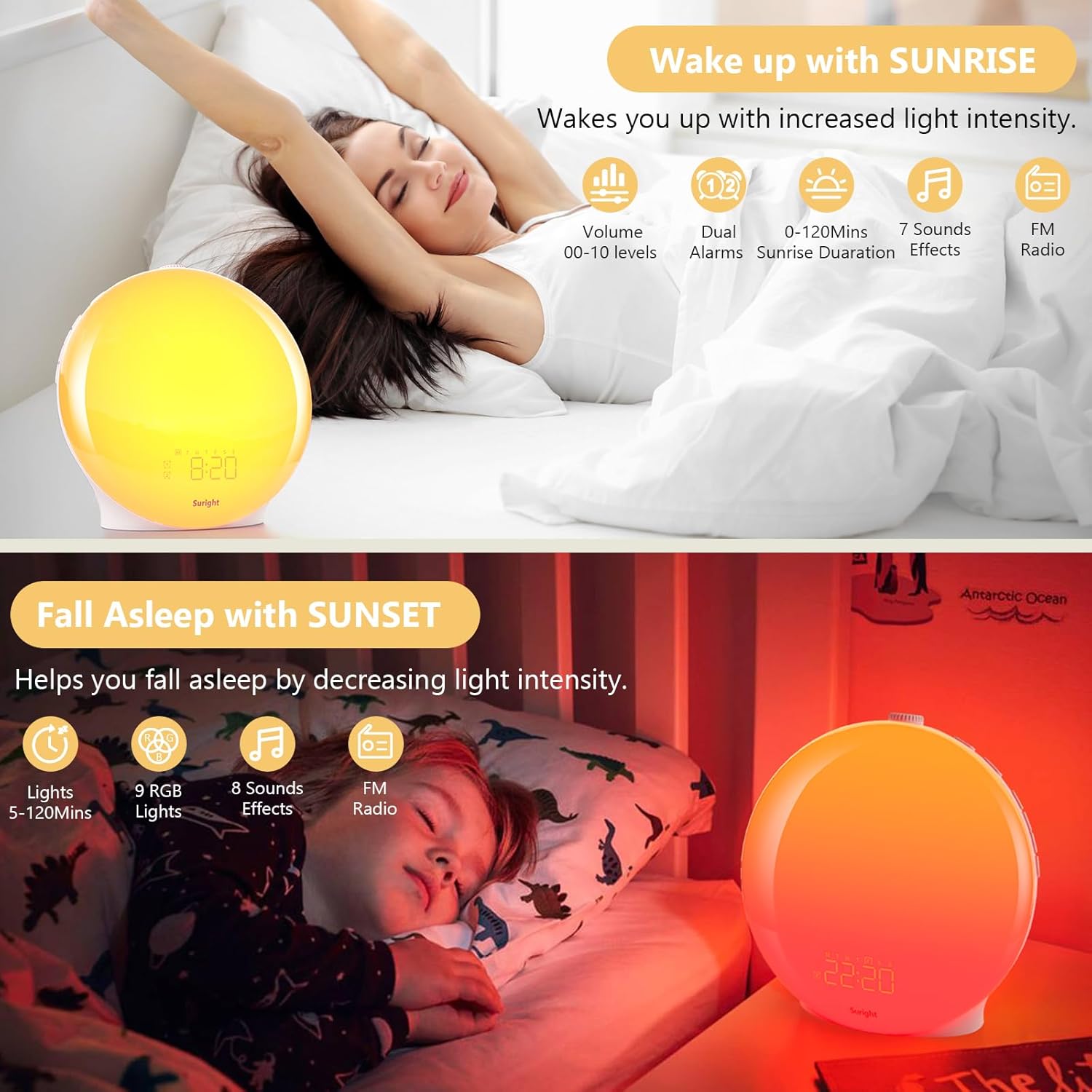
Image: The top panel shows a person stretching in bed as the Suright Wake Up Light illuminates the room with a warm yellow glow, illustrating the sunrise simulation. The bottom panel shows a child sleeping peacefully as the light emits a soft orange-red glow, demonstrating the sunset simulation.
3. Sunset Simulation & Sleep Timer:
To activate the sunset simulation, press the Sleep Timer button. The light will gradually dim and the sound will gradually decrease over a set period (5-120 minutes) to help you fall asleep. You can choose to include FM radio, 8 color lights, or 3 natural sounds during this mode.
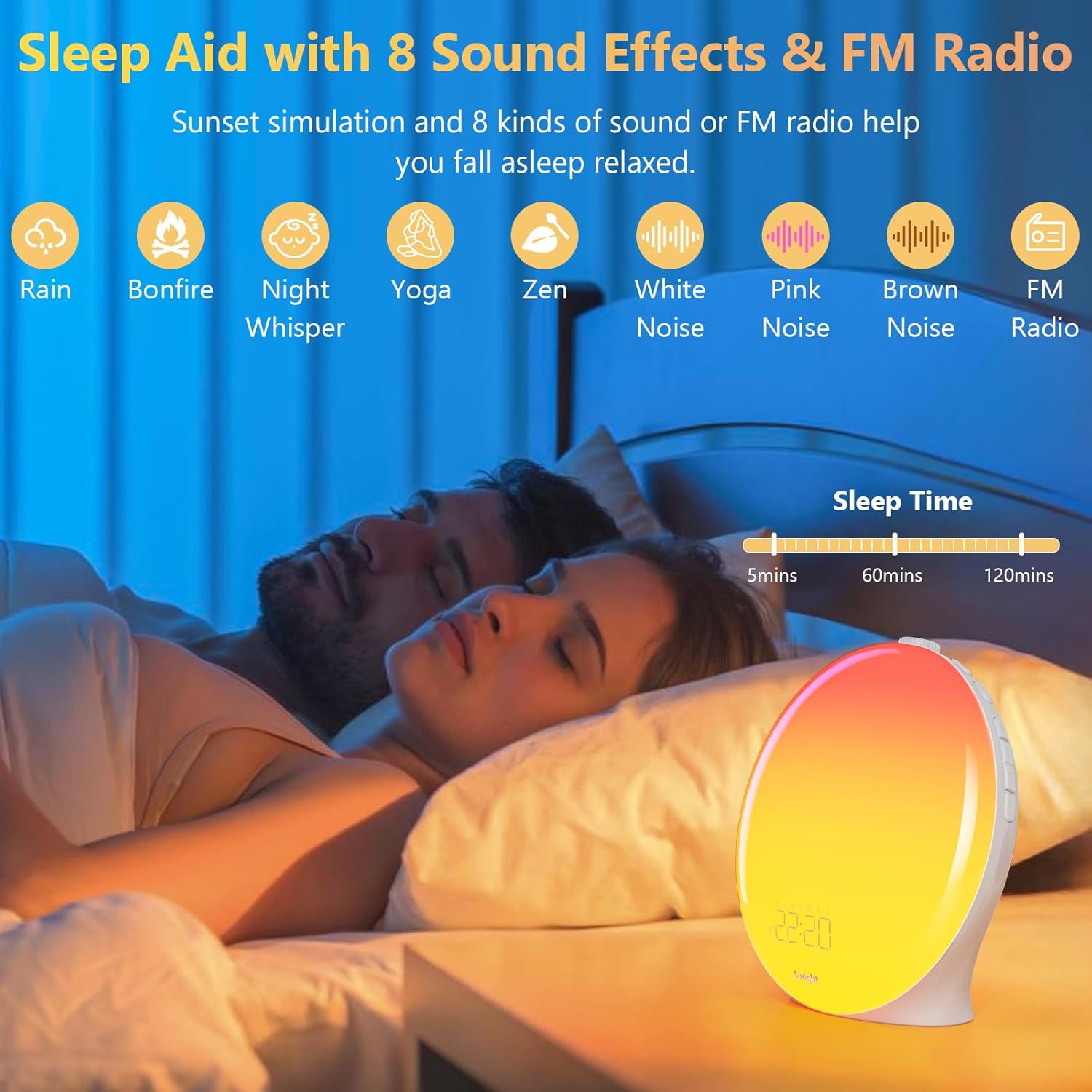
Image: A couple sleeping peacefully with the Suright Wake Up Light emitting a soft, warm glow. Icons above them represent various sleep aid sound effects like Rain, Bonfire, Night Whisper, Yoga, Zen, White Noise, Pink Noise, Brown Noise, and FM Radio, along with sleep time options (5, 60, 120 minutes).
4. Light Modes & Brightness:
The alarm clock offers 19 light modes, including 9 solid colors and 10 mixed colors. It can be used as a night light, bedside lamp, reading light, or mood light.
- Press the Light button to turn the light on/off or cycle through different light modes.
- Use the +/- buttons to adjust the brightness level (20 levels) when the light is on.

Image: The Suright Wake Up Light on a bedside table, showcasing its ability to display 19 different atmosphere color lights, including 10 mixed and 9 pure color options. A brightness slider indicates 20 adjustable levels.
5. Natural Sounds & FM Radio:
Choose from 7 natural sounds for waking up and 8 for sleeping. The FM radio allows you to listen to your favorite stations.

Image: A person waking up gently with the Suright Wake Up Light, which is emitting a warm yellow light. Icons above represent the 7 natural sound effects available for waking up: Bird, Seagull, Stream, Light Music, Piano, Windbell, Beep, and FM Radio.
FM Radio Operation:
- Press the FM Radio button to turn the radio on/off.
- Press and hold the FM Radio button to start automatic station search. The device will scan and save available stations (up to 60).
- Use the +/- buttons to switch between saved stations or adjust volume.
6. USB Charging Port:
The USB interface on the back of the alarm clock can be used to charge your USB-powered devices, such as smartphones or tablets.
Maintenance
- Cleaning: Wipe the device with a soft, dry cloth. Do not use abrasive cleaners or solvents.
- Storage: Store the device in a cool, dry place when not in use for extended periods.
- Power: Always disconnect the power adapter before cleaning or moving the device.
Troubleshooting
| Problem | Possible Cause | Solution |
|---|---|---|
| Device does not power on. | Power adapter not connected or faulty. | Ensure the USB cable is securely connected and the power adapter is working. Try a different USB adapter. |
| Alarm does not sound. | Alarm not activated, volume too low, or incorrect time set. | Check if the alarm icon is displayed. Increase alarm volume. Verify alarm time settings. |
| Light is not bright enough. | Brightness level is set too low. | Adjust the light brightness using the +/- buttons. |
| FM radio reception is poor. | Weak signal or antenna not extended. | Extend the FM antenna fully. Try repositioning the device for better signal. |
| USB charging not working. | Device not properly connected or power adapter insufficient. | Ensure the device is properly connected to the USB port. Use a 5V/2A power adapter for reliable charging. |
Specifications
- Model Number: LD081-WH
- Brand: Suright
- Dimensions: 9.6 x 17.1 x 17.1 cm
- Weight: 500 g
- Material: Polycarbonate
- Power Source: Corded Electric (USB, adapter not included)
- Light Brightness: Up to 320 lux (20 adjustable levels)
- Light Modes: 19 (9 solid, 10 mixed RGB)
- Sound Volume: 15 adjustable levels)
- Natural Sounds: 7 for wake-up, 8 for sleep aid
- FM Radio: Automatic search, up to 60 stations
- Snooze Duration: 9 minutes (up to 5 times)
- Sunrise/Sunset Simulation Duration: 5-120 minutes
Warranty and Support
For warranty information and technical support, please refer to the product packaging or contact Suright customer service directly. Keep your purchase receipt as proof of purchase.
For further assistance, please visit the Suright Store on Amazon.


