
MR12VOLT P2000-CCCMD
Wireless CarPlay & Android Auto Interface User Manual
Model: P2000-CCCMD | Brand: MR12VOLT
1. Product Overview
The MR12VOLT Wireless CarPlay and Android Auto Interface is designed to seamlessly integrate smartphone functionalities into your BMW's existing CCC, M-ASK, or M-ASK II infotainment system. This module enhances your driving experience by providing access to navigation, music, communication, and other applications directly on your car's display, supporting both Apple CarPlay and Android Auto wirelessly. It also features advanced audio processing (DSP) and screen mirroring capabilities.
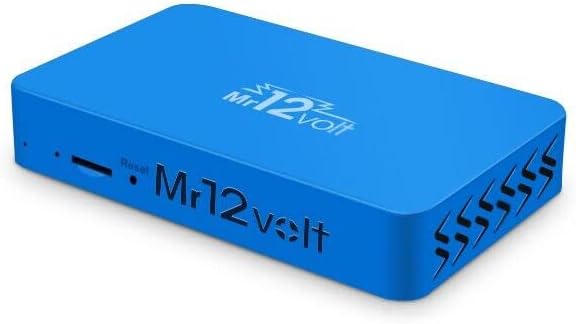
Image 1.1: The MR12VOLT Wireless CarPlay and Android Auto Interface Module. This compact blue device is the core unit for integrating smartphone features into your car's system.
2. Compatibility
This product is specifically designed for BMW vehicles equipped with CCC, M-ASK, or M-ASK II radio systems (8.8" or 6.5" displays). For proper functionality, a CD Changer (CDC) must be installed or the CDC function must be activated in your vehicle.
Compatible BMW Models:
- 1 Series: E81, E82, E87, E88
- 3 Series: E90, E91, E92, E93
- 5 Series: E60, E61
- 6 Series: E63, E64
- X5: E70
- X6: E71

Image 2.1: Incompatibility Note. This image shows a BMW E87 with a 6.5-inch flip-up screen, explicitly marked as "Not Compatible". Please verify your car's screen type before purchase.
3. What's in the Box
Please check the contents of your package against the list below:
- Main Module
- Power Harness
- Fiber Optic Cable & Loop
- Microphone
- LVDS Cables
4. Key Features
- High-Quality Fiber Optic Connection: Utilizes a high-quality fiber optic connection for stable and high-definition audio and video transmission, ensuring clear and realistic sound effects for your car audio system.
- Multiple Media Playback Functions: Supports various media formats including MP3, WMA, AAC, AVI, MP4, allowing you to play your favorite music and videos.
- Easy Plug-and-Play Installation: Designed for simple plug-and-play setup, making installation convenient and quick.
- Multiple Protection Designs: Incorporates over-current, over-voltage, and over-temperature protection measures to ensure long-term stable operation, safety, and reliability of your car audio system.
- CarPlay and Android Auto Support: Compatible with both Apple CarPlay and Android Auto, enabling you to connect your smartphone and use various applications like maps, music, and messages safely while driving.

Image 4.1: Wireless CarPlay Module for BMW CCC. This image highlights the core functionality, displaying the Apple CarPlay and Android Auto logos, indicating support for both platforms.

Image 4.2: Wireless Apple CarPlay and Android Auto in action. This image shows both Apple CarPlay (left) and Android Auto (right) interfaces displayed on the car's screen, demonstrating the seamless integration.
- Original or Aftermarket Camera Support: Supports the use of both original and aftermarket car cameras, allowing easy switching between front and rear cameras for improved situational awareness.
- Digital Signal Processing (DSP) Function: Features integrated DSP, enabling fine-tuning of sound parameters such as equalizer, time alignment, and speaker level matching for a personalized and immersive audio experience.

Image 4.3: Highly Customizable 15-bar DSP Equalizer. This image illustrates the detailed audio equalization settings available through the integrated DSP function, allowing users to fine-tune sound output.
- Mirroring Support: Allows you to display your smartphone screen on the car's display, providing a smooth and convenient experience while driving.

Image 4.4: Wireless MirrorLink functionality. This image demonstrates the screen mirroring feature, where a smartphone's display is replicated on the car's infotainment screen.
5. Setup and Installation
The MR12VOLT interface is designed for a plug-and-play installation. While specific steps may vary slightly depending on your BMW model, the general process involves connecting the module to your car's existing infotainment system using the provided harnesses and cables. It is recommended to consult a professional for installation if you are not familiar with car electronics.
General Installation Steps (Consult a professional if unsure):
- Ensure the vehicle's ignition is off and the battery is disconnected.
- Access the back of your car's head unit/radio system.
- Connect the provided power harness, fiber optic cable, and LVDS cables to the corresponding ports on your car's system and the MR12VOLT main module.
- Install the microphone in a suitable location for clear voice input.
- Secure the main module in a safe and accessible location.
- Reconnect the battery and test the system.
6. Operating Instructions
6.1 Connecting Your Smartphone
To use CarPlay or Android Auto, connect your smartphone to the MR12VOLT module via Bluetooth. This connection enables hands-free calling and wireless access to your phone's features.

Image 6.1: Bluetooth Connection for Hands-Free. This image illustrates the process of connecting a smartphone to the device via Bluetooth, enabling hands-free operation and voice commands like "Hey! Siri".
6.2 Using CarPlay and Android Auto
Once connected, you can navigate through the CarPlay or Android Auto interface using your car's existing controls (iDrive controller, steering wheel buttons). Access applications like Google Maps, Spotify, messages, and more.
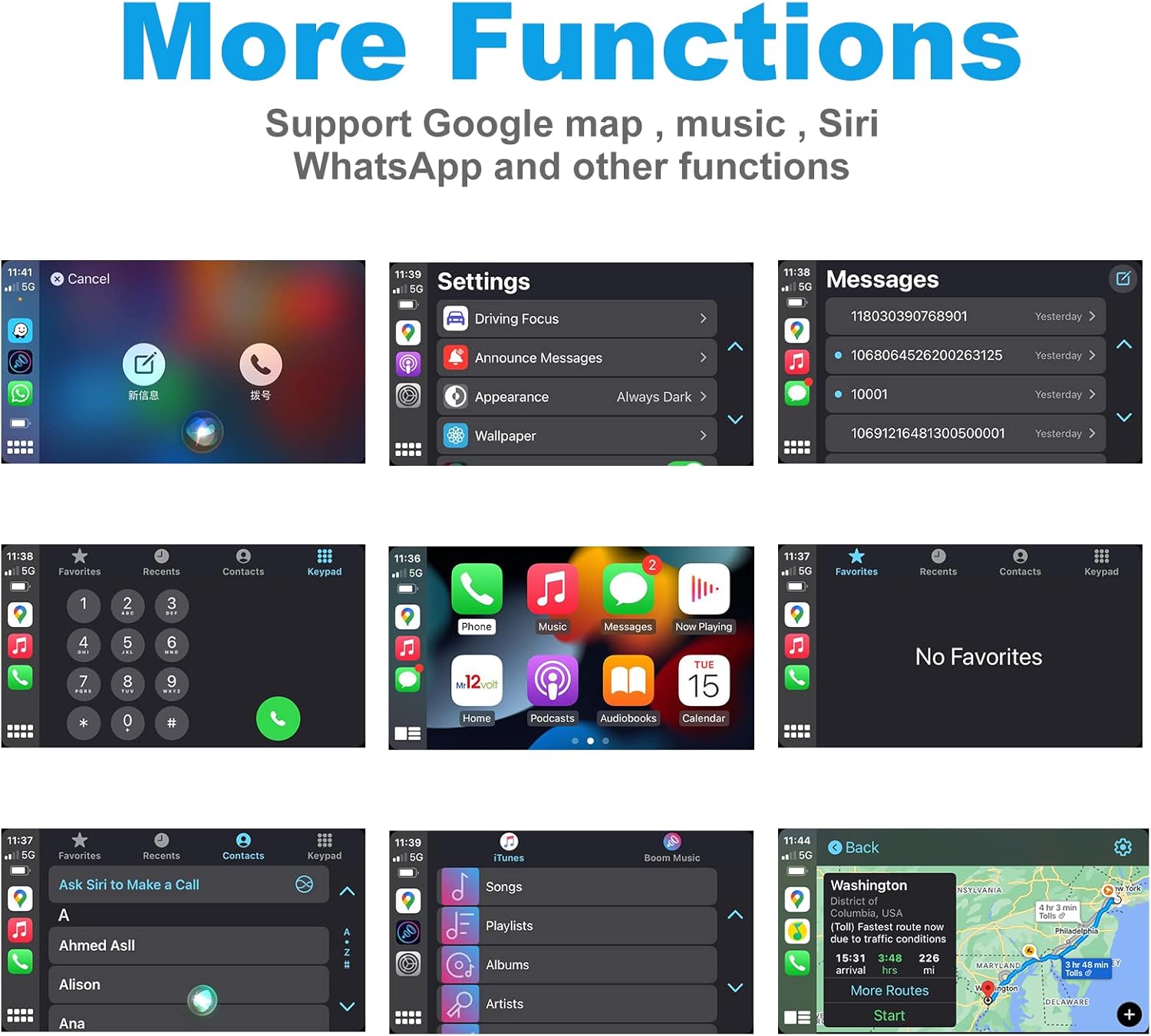
Image 6.2: More Functions. This image displays various screens from the CarPlay/Android Auto interface, showcasing support for Google Maps, music playback, Siri, WhatsApp, and other applications.
6.3 DSP Audio Customization
Utilize the integrated DSP function to fine-tune your audio experience. Access the DSP settings through the interface to adjust equalizer bands, time alignment, and speaker levels to match your preferences.
6.4 Screen Mirroring
The mirroring function allows you to display your smartphone's screen directly onto your car's display. This is useful for apps not natively supported by CarPlay or Android Auto, or for sharing content.
7. Maintenance
The MR12VOLT module requires minimal maintenance. Keep the unit free from dust and moisture. Do not attempt to open or repair the module yourself, as this will void the warranty. For cleaning, use a soft, dry cloth.
8. Troubleshooting
- No Audio/Distorted Audio:
- Ensure all fiber optic connections are secure and clean.
- Verify the CDC function is activated in your car.
- Check DSP settings for any extreme adjustments.
- No Display/Black Screen:
- Check LVDS cable connections.
- Ensure the module is receiving power.
- Verify compatibility with your specific BMW display type (e.g., not compatible with E87 6.5" flip-up screen).
- CarPlay/Android Auto Not Connecting:
- Ensure Bluetooth is enabled on your smartphone and paired with the module.
- Restart both your smartphone and the car's infotainment system.
- Check for any software updates for your smartphone's operating system.
- Intermittent Connection:
- Ensure the module is securely installed and not subject to excessive vibration.
- Check for strong Wi-Fi signal if using wireless CarPlay/Android Auto.
9. Specifications

Image 9.1: Product Dimensions. This image provides the physical dimensions of the MR12VOLT module: 14.5 cm in length, 9 cm in width, and 2.5 cm in height.
| Feature | Detail |
|---|---|
| Brand | MR12VOLT |
| Model Number | P2000-CCCMD |
| Connectivity Technology | Optical, USB, Bluetooth |
| Compatible Devices | Smartphone |
| Special Features | CarPlay, Android Auto, DSP, Mirroring, Spotify |
| Audio Output Mode | Stereo |
| Surround Sound Channel Configuration | 5.1 |
| Video Encoding | H.264, H.265/HEVC, MPEG-4 |
| Number of Channels | 5 |
| Dimensions (L x W x H) | 14.5 cm x 9 cm x 2.5 cm (approximate, based on image) |
10. Warranty and Support
This product comes with a manufacturer's warranty of 1 year. For technical support, troubleshooting assistance, or warranty claims, please contact MR12VOLT customer service through their official channels or the retailer where the product was purchased. Please retain your proof of purchase for warranty validation.
Related documentsP2000-CCCMD


Ask a question about this manual
Ask about setup, troubleshooting, compatibility, parts, safety, or missing instructions. Manuals+ will review the question and use this page’s manual context to help answer it.