
1. Safety Information
Please read all safety instructions carefully before using the Seauto SC001 Cordless Pool Vacuum. Failure to follow these instructions may result in electric shock, fire, and/or serious injury.
- Always ensure the charging port is completely dry before connecting the charger.
- Do not operate the vacuum out of water. The motor is designed for underwater use only.
- Keep hands, hair, and loose clothing away from moving parts during operation.
- Do not allow children to operate this device without adult supervision.
- Use only the charger provided by the manufacturer.
- Store the vacuum in a cool, dry place when not in use.
2. Product Overview and Components
The Seauto SC001 is a handheld rechargeable pool cleaner designed for efficient debris removal from various pool types. It features a powerful suction and a telescopic pole for extended reach.
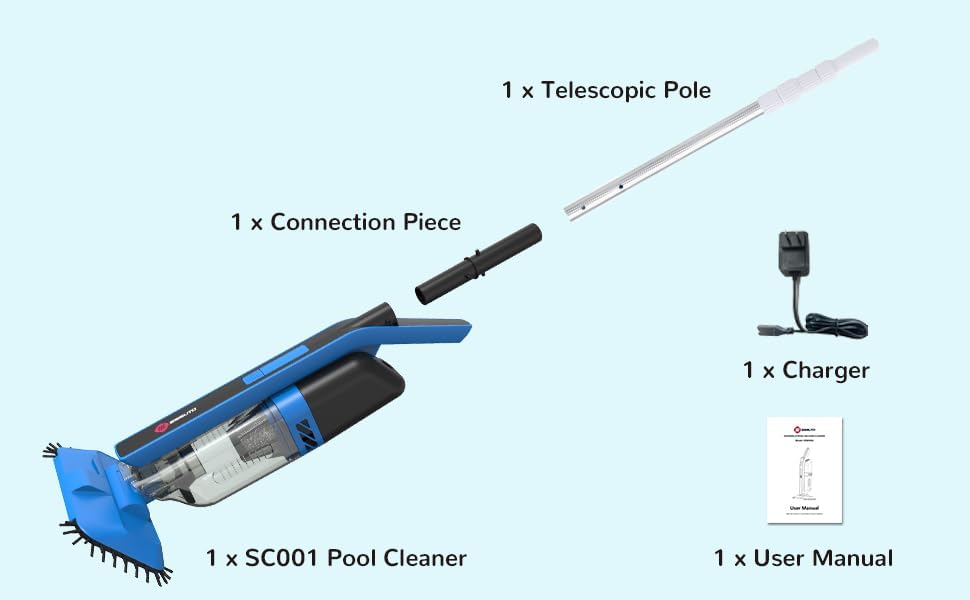
Figure 2.1: Exploded view of the Seauto SC001 Cordless Pool Vacuum and its accessories, including the main cleaner unit, telescopic pole, connection piece, charger, and user manual.
Package Contents:
- 1 x SC001 Pool Cleaner Unit
- 1 x Telescopic Pole (multi-section)
- 1 x Connection Piece
- 1 x Charger
- 1 x User Manual
3. Setup and Initial Charging
3.1 Assembling the Telescopic Pole
The telescopic pole allows for extended reach when cleaning larger pools. Follow these steps to assemble the pole and attach it to the vacuum unit.
- Connect the individual sections of the telescopic pole by twisting them together until secure.
- Insert the black connection piece into one end of the assembled telescopic pole.
- Align the connection piece with the designated slot on the main cleaner unit and firmly insert it until it clicks into place.
Video 3.1: Demonstrates the step-by-step assembly of the telescopic pole for the Seauto SC001 pool vacuum.

Figure 3.1: The Seauto SC001 pool vacuum attached to its telescopic pole, ready for use.
3.2 Initial Charging
Before first use, the pool vacuum must be fully charged.
- Ensure the cleaner unit is dry. Locate the charging port, typically covered by a silicone design for protection.
- Connect the charger to the cleaner unit and plug it into a power outlet.
- Charge the cleaner for at least 4 hours before its initial use. The charging indicator light will change to show charging status (e.g., red for charging, green for full).

Figure 3.2: The Seauto SC001 pool vacuum connected to its charger, illustrating the charging time of 2.5 hours and a battery life of 60 minutes.

Figure 3.3: Detail of the charging port, protected by a silicone cover, on the Seauto SC001 pool vacuum.
4. Operating Instructions
4.1 Turning On/Off and Submerging
- To turn on the vacuum, press the power button located on the unit. The indicator light will illuminate (e.g., blue).
- Carefully place the cleaner into the pool, ensuring it is fully submerged before operation. The vacuum is designed to activate only when fully underwater.
- To turn off the vacuum, press the power button again.
Video 4.1: Shows how to turn the Seauto SC001 pool vacuum on and off using the power button.
4.2 Cleaning Your Pool
The Seauto SC001 is effective on various types of debris and can be used in different ways.
- Floor Cleaning: Guide the vacuum across the pool floor using the telescopic pole. The powerful suction will pick up debris such as sand, leaves, fine stones, and small twigs.
- Wall Cleaning: The vacuum is also capable of cleaning pool walls. Gently push the unit against the wall and move it along the surface.
- Two Ways to Use: The nozzle and brush attachments can be interchanged as needed for different cleaning tasks.

Figure 4.1: The Seauto SC001 pool vacuum actively cleaning debris from the pool floor.

Figure 4.2: The Seauto SC001 pool vacuum demonstrating its wall cleaning function.
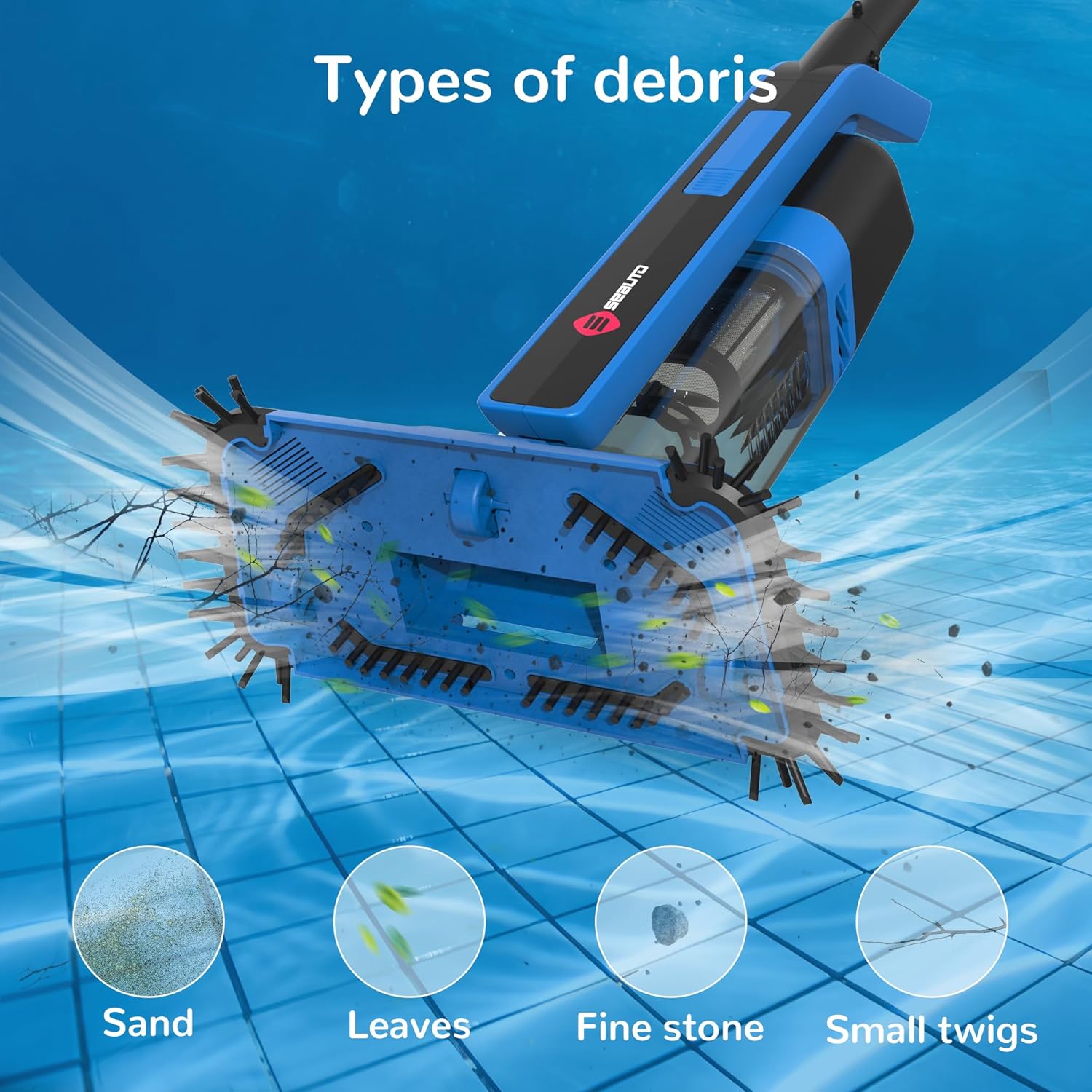
Figure 4.3: Visual representation of various debris types, including sand, leaves, fine stones, and small twigs, that the vacuum is designed to collect.

Figure 4.4: The vacuum head can be configured with either a nozzle or a brush, allowing for versatile cleaning methods.
5. Maintenance
Regular maintenance ensures optimal performance and extends the lifespan of your pool vacuum.
5.1 Cleaning the Dust Cup and Filter
- After each use, remove the cleaner from the pool.
- Press and hold the button on the unit, then gently pull down on the dust cup to open it.
- Remove the filter from the dust cup.
- Clean the dust cup and filter thoroughly with warm, soapy water to remove all collected debris.
- Ensure all parts are dry before reassembling.
- After cleaning, reassemble the filter into the dust cup and gently push the dust cup back onto the unit until it clicks securely.
Video 5.1: Detailed instructions on how to open the dust cup and remove the filter for cleaning.

Figure 5.1: A visual guide demonstrating the process of opening the dust cup, cleaning the filter, and reassembling the components.
5.2 Recharging and Storage
- Recharge the cleaner after each use to ensure it is ready for the next cleaning session.
- Store the cleaner in an upright position in a dry, shaded area away from direct sunlight and extreme temperatures.
6. Troubleshooting
If you encounter issues with your Seauto SC001 pool vacuum, refer to the following common problems and solutions:
| Problem | Possible Cause | Solution |
|---|---|---|
| Vacuum does not turn on or stops working. | Low battery; Not fully submerged; Internal fault. | Ensure the unit is fully charged. Verify the unit is completely submerged in water. If the issue persists, contact customer support. |
| Poor suction or ineffective cleaning. | Clogged filter or dust cup; Debris blocking the suction inlet. | Clean the dust cup and filter thoroughly. Check the suction inlet for any large debris and remove it. |
| Unit blinks but does not operate. | Insufficient water depth; Sensor issue. | Ensure the pool water depth is adequate for the vacuum to operate (typically >11 inches). If the problem continues, contact customer support. |
7. Specifications
| Feature | Detail |
|---|---|
| Model Number | SC001 |
| Brand | Seauto |
| Power Source | Battery Powered |
| Battery Type | Lithium |
| Product Dimensions | 42.91 x 9.84 x 5.51 inches |
| Item Weight | 10.38 pounds |
| Material | Plastic |
| Capacity (Dust Cup) | 1.2 Liters |
| Special Feature | Cordless |
8. Warranty and Support
8.1 Limited Warranty
The Seauto SC001 Cordless Pool Vacuum comes with a limited warranty against defects in materials and workmanship under normal use. Please refer to the warranty card included in your package for specific terms, conditions, and duration.
8.2 Customer Support
For technical assistance, troubleshooting, or warranty claims, please contact Seauto customer support through the following channels:
- Website: Visit the official Seauto website for FAQs and support resources.
- Email: support@seauto.com (example email, please refer to your product documentation for actual contact information)
- Phone: 1-800-XXX-XXXX (example phone, please refer to your product documentation for actual contact information)


