
1. Introduction
This manual provides detailed instructions for the installation, operation, and maintenance of your VOONOA 1080P Wireless RV Camera System. This system is designed to enhance visibility and safety for RVs, trucks, trailers, and campers by providing clear, real-time video feeds from multiple camera angles.
2. Package Contents
Verify that all items listed below are present in your package:
- 7-inch HD Monitor x 1
- Front/Rear/Side View Cameras x 4
- Antenna x 6 (Includes a spare antenna)
- Monitor Stand Bracket x 1
- Sunshade for Monitor x 1

Figure 2.1: Overview of the VOONOA Wireless RV Camera System components.
3. Key Features
The VOONOA Wireless RV Camera System offers the following features:
- 1080P Full HD Video: Captures clear 1080P images using a CCD color sensor.
- Wireless Digital Signal: Provides a stable signal up to 500ft in open areas and 320ft on RVs, eliminating the need for complex wiring between cameras and monitor.
- Multi-Camera Support: Supports up to 4 cameras for a comprehensive 360-degree view around your vehicle.
- Night Vision: Equipped with 4 powerful LED lights and advanced light sensors for enhanced visibility in low-light conditions.
- IP69K Waterproof Cameras: Cameras feature full metal construction and advanced sealing for complete waterproof protection, operating in temperatures from -4℉ to 149℉.
- DVR Recording: Supports loop recording and video playback from up to 4 cameras simultaneously.
- Parking Assist Lines: Customizable guide lines for reversing and parking maneuvers.
- 7-inch HD Monitor: High-definition LCD display for clear viewing.
- Furrion Pre-Wired Compatibility: Compatible with Furrion pre-wired mounts using an adapter and pigtail wire.

Figure 3.1: The 7-inch 1080P HD monitor provides high-definition visuals.

Figure 3.2: Overview of system capabilities including wireless signal strength and DVR functionality.
4. Setup and Installation
4.1. Monitor Installation
- Attach the monitor stand bracket to the 7-inch HD monitor.
- Choose a suitable mounting location on your dashboard or windshield that does not obstruct your view or interfere with vehicle controls.
- Secure the monitor using the provided bracket. Various bracket options are included for flexible placement.
- Connect the monitor to a 12V power source using the provided power cable.
- Attach the antennas to the monitor.

Figure 4.1: Monitor mounting options for various vehicle interiors.
4.2. Camera Installation
- Identify appropriate locations for each camera (rear, side, towing) to achieve desired viewing angles.
- Mount each camera securely using the provided hardware. Ensure the camera lens is clear of obstructions.
- Connect each camera to a 12V power source.
- Attach the antennas to each camera.
- For vehicles with Furrion pre-wired mounts, use the provided adapter and pigtail wire for compatibility.

Figure 4.2: Furrion pre-wired mount compatibility for simplified installation.

Figure 4.3: Recommended camera placement for a 360-degree view.
4.3. Wireless Pairing
The cameras and monitor are typically pre-paired from the factory. If re-pairing is necessary, refer to the on-screen menu options for pairing instructions. Ensure cameras and monitor are powered on and within range during the pairing process.

Figure 4.4: Wireless signal range and stability for the system.
5. Operating Instructions
5.1. Monitor Controls
The monitor features buttons for Power, Channel (CH), Menu (M), and navigation (+/-) with an OK button. Refer to the on-screen display for specific function indicators.
5.2. Switching Camera Views
Press the "CH" button to cycle through different camera views (single camera, split-screen, quad-view). The system supports displaying feeds from up to four cameras simultaneously.
5.3. DVR Recording and Playback
The system supports DVR recording. Insert a compatible SD card (not included) into the monitor's slot. The system features loop recording, automatically overwriting older footage to ensure continuous recording. Video playback can be accessed through the monitor's menu, allowing you to review recorded footage by time and mode.
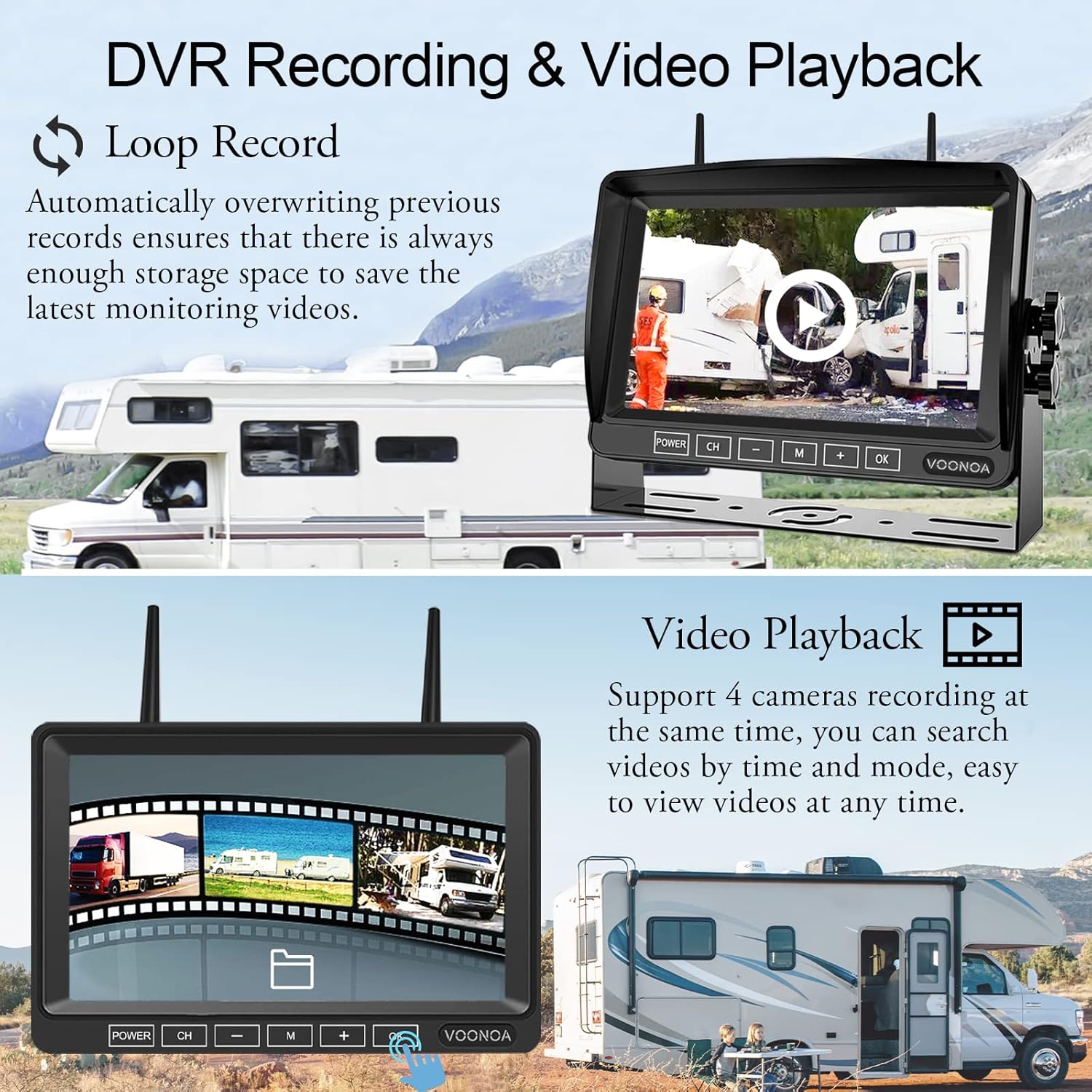
Figure 5.1: DVR recording and video playback interface.
5.4. Parking Assist Lines
Activate or deactivate parking assist lines through the monitor's menu. These lines provide visual guidance for reversing, parking, and turning maneuvers.

Figure 5.2: Parking assist lines feature for enhanced maneuverability.
5.5. Night Vision
The cameras are equipped with infrared (IR) night vision capabilities, automatically activating in low-light conditions to provide a clear black-and-white image. This ensures visibility during nighttime operation.

Figure 5.3: Night vision and waterproof features in various weather conditions.
6. Maintenance
To ensure optimal performance and longevity of your camera system:
- Cleaning: Regularly clean camera lenses and the monitor screen with a soft, damp cloth. Avoid abrasive cleaners.
- Cable Inspection: Periodically check all power cables and connections for wear or damage.
- Environmental Protection: While cameras are IP69K waterproof, ensure proper installation to prevent water ingress into electrical connections. The system is designed to withstand extreme temperatures from -4℉ to 149℉.
7. Troubleshooting
If you encounter issues with your VOONOA Wireless RV Camera System, consider the following:
- No Image on Monitor:
- Ensure the monitor and cameras are powered on.
- Check all power connections.
- Verify cameras are properly paired with the monitor.
- Signal Interruption/Weak Signal:
- Ensure antennas are securely attached to both cameras and monitor.
- Minimize obstructions between cameras and the monitor.
- Check for potential sources of interference (e.g., other wireless devices).
- Poor Image Quality:
- Clean camera lenses.
- Ensure sufficient lighting for optimal image clarity, especially at night.
For further assistance, please contact VOONOA customer support.
8. Specifications
| Brand | VOONOA |
| Model | B0C3988844 |
| Product Dimensions | 15 x 10 x 4 inches (System packaging) |
| Item Weight | 6.76 pounds |
| Screen Size | 7 Inches |
| Display Technology | LCD |
| Video Resolution | 1080P Full HD |
| Optical Sensor Technology | CCD |
| Real Angle of View | 170 Degrees |
| Waterproof Rating | IP69K |
| Operating Temperature | -4℉ to 149℉ |
| Voltage | 12 Volts |
| Compatible Devices | RV, Truck, Trailer, Camper, Fifth Wheels |
| Special Features | DVR Recording, Night Vision, Parking Assist Line, Wide View Angle Lens, Wireless, Furrion Pre-Wired Mount Compatible |
9. Warranty and Support
VOONOA provides comprehensive customer support for this product:
- Warranty: A 2-year replacement warranty is offered for the wireless backup camera system.
- Technical Support: Unlimited technical support is available. Refer to the contact information provided in your package or on the official VOONOA website for assistance.