1. Product Overview
The CLXEAST 24-inch Illuminated Outdoor Clock is designed for both indoor and outdoor use, featuring a durable metal case with a Grey Oak/Faux Barnwood finish. It integrates a smart light sensor for automatic illumination, a precise quartz movement, and built-in thermometer and hygrometer for comprehensive environmental monitoring. Its IP56 waterproof and UV-resistant construction ensures longevity in various weather conditions.

Figure 1.1: Front view of the CLXEAST Illuminated Outdoor Clock, showcasing its large Roman numerals and integrated temperature and humidity gauges.
2. Package Contents
- 1 x CLXEAST 24-inch Illuminated Outdoor Clock
- User Manual (this document)
Note: Batteries are not included. Please prepare 1 AA battery for the clock movement and 4 D batteries for the LED night light sensor.
3. Setup and Installation
3.1 Battery Installation
To power your clock, install the required batteries in their respective compartments located on the back of the unit. The clock movement requires 1 AA battery, and the LED night light sensor requires 4 D batteries.
- Locate the battery compartments on the back of the clock.
- Insert 4 D-size batteries into the designated slots for the LED light sensor, ensuring correct polarity (+/-).
- Insert 1 AA battery into the compartment for the quartz clock movement, ensuring correct polarity (+/-).
- Replace all battery covers securely.

Figure 3.1: Rear view of the clock, highlighting the battery compartments for the LED light and quartz movement.
Video 3.1: Demonstration of battery installation for the CLXEAST Illuminated Outdoor Clock, showing placement of both D and AA batteries.
3.2 Mounting the Clock
The clock is designed for easy wall mounting. Choose a suitable location, considering visibility and protection from extreme elements if placing outdoors. The clock is equipped with a sturdy hanging mechanism.
- Select a secure mounting point on a wall or surface.
- Install a screw or hook firmly into the chosen location, ensuring it can support the clock's weight (approximately 8.8 pounds).
- Carefully hang the clock onto the installed screw/hook, ensuring it is level and stable.
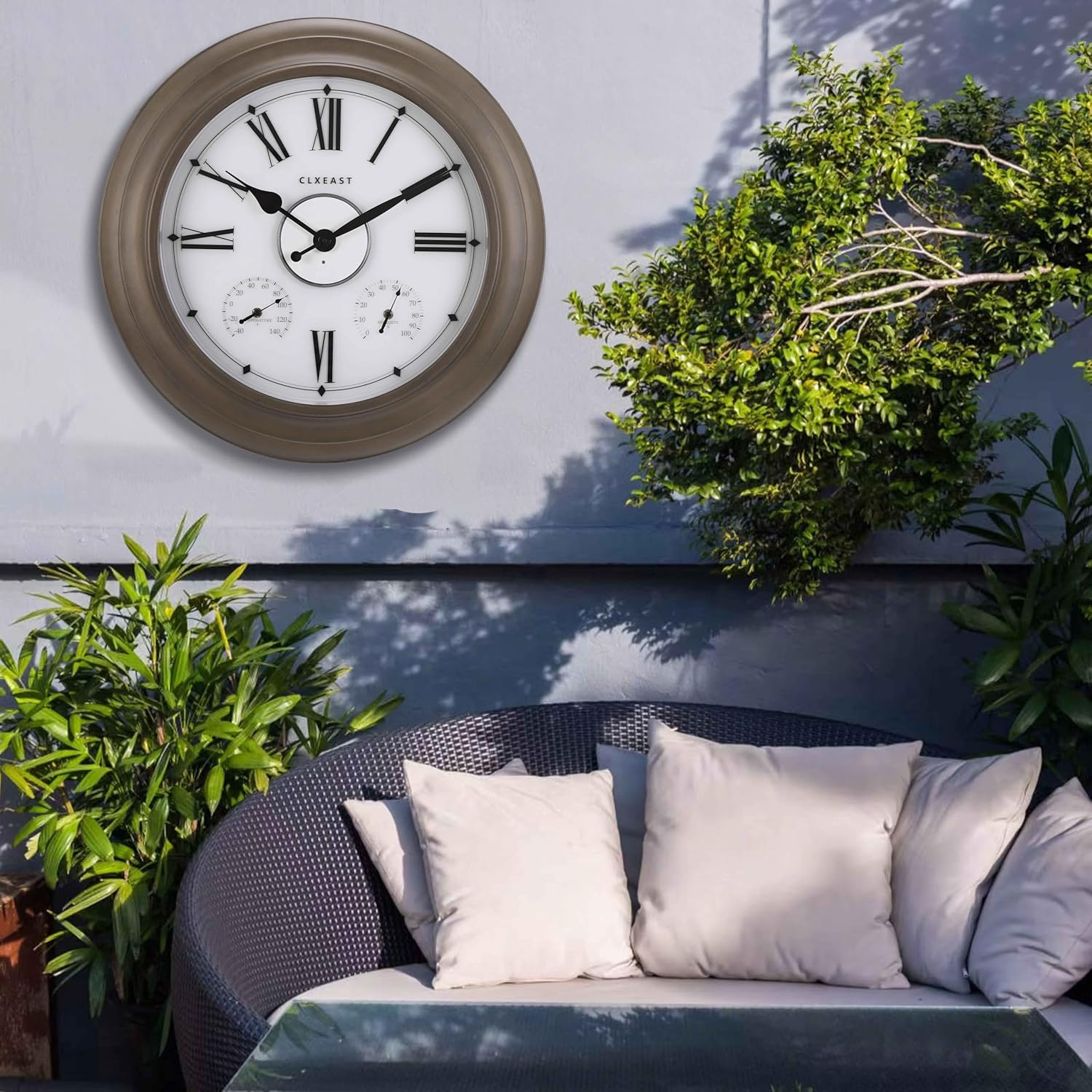
Figure 3.2: The CLXEAST clock displayed on an outdoor patio wall, demonstrating its suitability for garden and patio decor.
4. Operating Instructions
4.1 Setting the Time
To set the time, locate the small adjustment knob on the back of the clock's quartz movement mechanism. Rotate this knob clockwise or counter-clockwise until the hands display the correct time.
4.2 Smart Light Sensor and Backlight Modes
The clock features an AI Smart Light Sensor that automatically activates a warm, ambient dial backlight during dark conditions and shuts off in normal daylight. There are three backlight modes available:
- Always On: The backlight remains continuously illuminated.
- Always Off: The backlight remains off, regardless of ambient light.
- 4-hour timer: The backlight will turn on at dusk and automatically turn off after 4 hours.

Figure 4.1: Comparison of the clock's appearance during the day and when its smart light sensor activates the backlight at night.
4.3 Thermometer and Hygrometer
The clock includes built-in, adjustable thermometer and hygrometer gauges. The thermometer measures temperatures from -40°F to 140°F, and the hygrometer measures humidity from 1% to 99% relative humidity.
Allow at least 3 hours for the thermometer and hygrometer to fully adjust to the environment and provide accurate readings after installation or significant temperature/humidity changes.

Figure 4.2: Detailed view of the integrated temperature and humidity gauges, showing their clear markings and indicators.
5. Maintenance
5.1 Cleaning
To clean the clock, gently wipe the surface with a soft, damp cloth. Avoid using abrasive cleaners or solvents, as these may damage the finish or components. The clock is sealed with front and back rubberized gaskets for protection against water and other outdoor elements, making it easy to maintain.
5.2 Battery Replacement
Replace the AA battery for the quartz movement annually or when the clock stops keeping accurate time. Replace the 4 D batteries for the LED light sensor when the backlight dims or stops functioning. The LED light typically lasts 6 to 12 months depending on usage and environmental conditions.
6. Troubleshooting
- Clock not keeping time: Ensure the AA battery is fresh and installed with correct polarity. Check if the clock hands are obstructed or stuck.
- Backlight not working: Verify that the 4 D batteries are fresh and installed correctly. Check the backlight mode setting (Always On, Always Off, 4-hour timer). Ensure the light sensor is not obstructed if using automatic mode.
- Temperature/Humidity readings inaccurate: Allow at least 3 hours for the gauges to acclimate to the environment. If readings remain consistently off, gently adjust the small calibration screws on the back of the gauges if available (refer to product specifics for adjustment capability).
- Water ingress: While the clock is IP56 waterproof, ensure all seals and battery covers are properly secured. If water enters, dry the unit thoroughly and check for any visible damage to seals.
7. Specifications
| Feature | Detail |
|---|---|
| Brand | CLXEAST |
| Model Number | T2227B-N |
| Product Dimensions | 24"W x 24"H |
| Item Weight | 8.8 Pounds |
| Material | Acrylic, Glass, Metal |
| Display Type | Analog |
| Power Source | Battery Powered (1 AA, 4 D - not included) |
| Special Features | Illuminated Wall Clock with Smart Sensor, Night Mode, Temperature & Humidity Display, Weatherproof 3-in-1 Weather Station |
| Indoor/Outdoor Usage | Indoor, Outdoor |
| Waterproof Rating | IP56 (implied by feature bullets) |

Figure 7.1: Diagram illustrating the 24-inch dimensions of the CLXEAST clock.
8. Warranty and Support
This CLXEAST product comes with a Limited Warranty. For specific warranty terms and conditions, please refer to the product packaging or contact CLXEAST customer support. While this document provides comprehensive instructions, should you encounter issues not covered here, please reach out to the manufacturer for assistance.
For further information or support, please visit the official CLXEAST store: CLXEAST Store on Amazon.


