
TCL 43C649
TCL 4K QLED TV 43C649 User Manual
Model: 43C649 | Brand: TCL
Introduction
This manual provides essential information for the safe and efficient use of your TCL 4K QLED TV, model 43C649. Please read these instructions thoroughly before operating the television and retain them for future reference.
Setup
1. Unpacking and Component Check
Carefully remove the TV from its packaging. Ensure all components are present. The package includes the TV unit and accessories.
2. Stand Installation (Optional)
If you intend to place the TV on a surface, attach the included stands. Refer to the diagram below for proper installation.
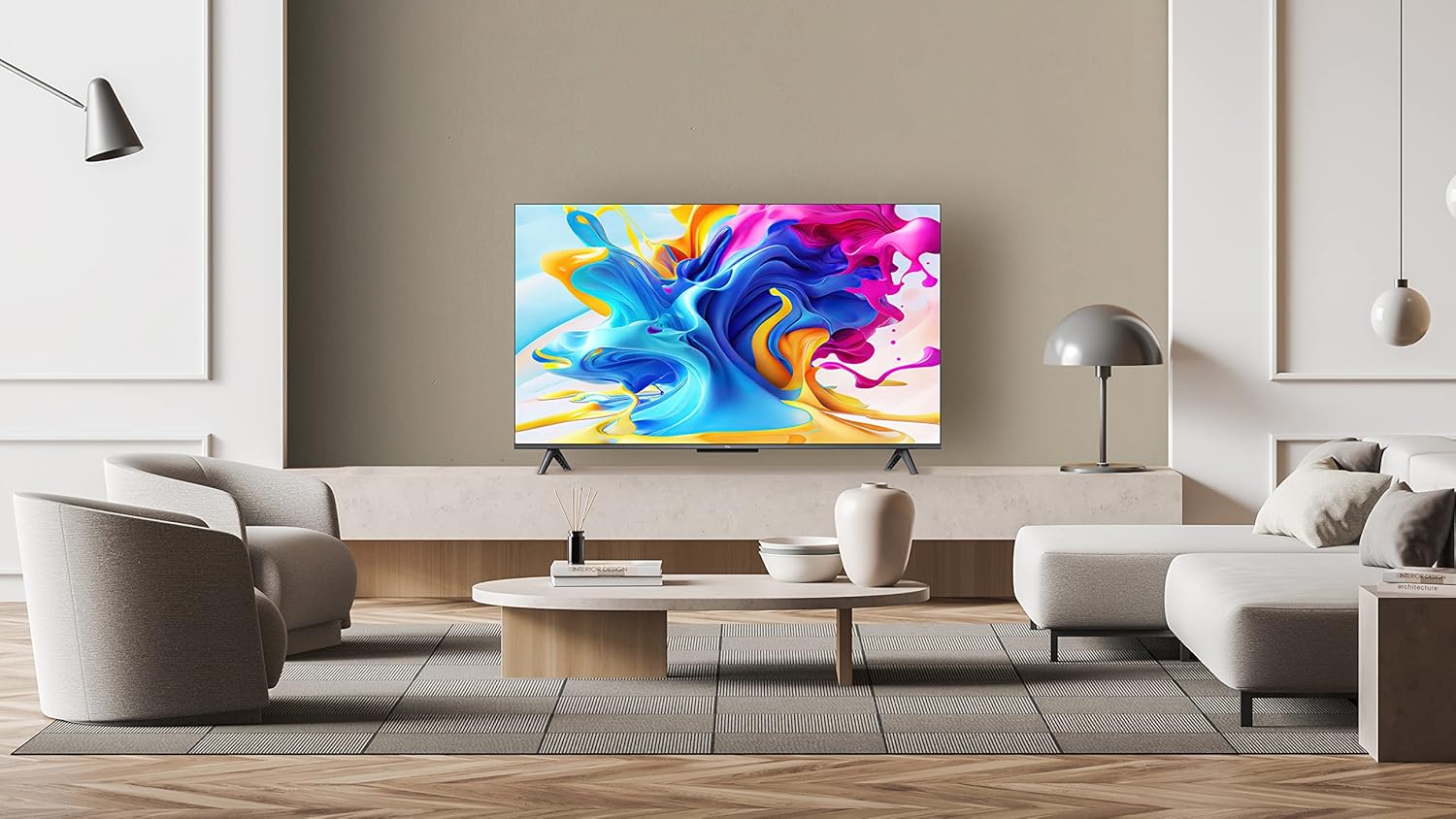
Image Description: A TCL 4K QLED TV 43C649 is displayed on a media console in a modern living room. The TV is mounted on its included stands. This image illustrates the TV's appearance when placed on a surface.
Align the stand with the designated slots on the bottom of the TV. Secure with the provided screws. Ensure the TV is stable before proceeding.
3. Wall Mounting (Optional)
The TV supports VESA wall mounting. Use a compatible wall mount kit (sold separately) and follow the instructions provided with the mount. The VESA mount type is "Montage mural" (Wall Mount).
4. Connecting Peripherals
Connect external devices such as set-top boxes, gaming consoles, or USB drives to the appropriate ports.
- HDMI: Connect devices using HDMI cables for high-definition audio and video.
- USB: The TV has 1 USB 2.0 port for connecting USB storage devices.
- Wi-Fi: Connect to your home network wirelessly for internet services.
- Audio Output: The TV has 1 audio output port.
5. Initial Power On
Plug the power cord into an electrical outlet (100-240 V AC 50-60 Hz). Press the power button on the TV or the remote control to turn on the TV. Follow the on-screen instructions for initial setup, including language selection (French is an available display language option), network connection, and Google TV account setup.
Operating Instructions
1. Remote Control
The TV is controlled using the provided remote control. It requires 2 AA batteries.

Image Description: This image shows the TCL 4K QLED TV 43C649 displaying the Google TV interface, alongside its remote control. The TV dimensions (958mm width, 558mm screen height, 605mm total height with stand) are also indicated. This visual aids in understanding the TV's size and the remote's layout.
Familiarize yourself with the buttons for power, volume, channel, input source, navigation, and smart TV functions.
2. Google TV Interface
Your TV runs on the Google TV operating system, providing access to a wide range of streaming services and applications.
- Home Screen: Access personalized recommendations, installed apps, and content categories.
- Apps: Download and manage applications like YouTube, Netflix, Prime Video, Disney+, Spotify, and Twitch from the Google Play Store.
- Google Cast: Use Google Cast technology to share content from your mobile device to the TV.
3. Picture and Sound Settings
Adjust picture and sound settings to optimize your viewing experience.
- Picture: The TV features QLED technology, 4K resolution, and supports HDR10+. Adjust brightness, contrast, color, and sharpness. The display has a smooth and glossy finish with direct backlighting.
- Sound: The TV is Dolby Atmos compatible, offering stereo audio output. Adjust volume, sound mode, and equalizer settings.
Maintenance
1. Cleaning the TV
To clean the screen, gently wipe it with a soft, dry, lint-free cloth. For stubborn marks, slightly dampen the cloth with water or a specialized screen cleaner. Avoid using harsh chemicals or abrasive materials. Clean the TV body with a soft, dry cloth.
2. Software Updates
Your TV may receive software updates to improve performance and add new features. Ensure your TV is connected to the internet to receive these updates. You can usually check for updates in the TV's settings menu.
Troubleshooting
If you encounter issues with your TV, refer to the following common solutions.
- No Power: Ensure the power cord is securely plugged into both the TV and the electrical outlet. Check if the outlet is functional.
- No Picture/Sound: Verify the correct input source is selected. Check all cable connections (HDMI, etc.).
- Remote Control Not Working: Replace the AA batteries. Ensure there are no obstructions between the remote and the TV's IR sensor.
- Slow App Performance/Menu Navigation: This can sometimes occur during startup or with many apps running. Try restarting the TV. Ensure your internet connection is stable for streaming apps.
- Network Connection Issues: Check your Wi-Fi router. Try reconnecting to the network in the TV's settings.
- Factory Reset: As a last resort, you can perform a factory reset through the TV's settings menu. This will erase all personalized settings and installed apps.
Specifications
| Feature | Specification |
|---|---|
| Model Name | 43C649 |
| Brand | TCL |
| Screen Size | 43 Inches (109 cm) |
| Display Technology | QLED, LCD |
| Resolution | 4K (3840 x 2160) |
| Special Feature | QLED, HDR10+ |
| Operating System | Google TV |
| Connectivity Technology | Wi-Fi |
| Internet Services Supported | Google TV |
| Image Aspect Ratio | 16:9 |
| Width (without stand) | 95.8 cm |
| Height (without stand) | 55.8 cm |
| Height (with stand) | 60.5 cm |
| Depth (TV only) | 12.3 cm |
| Item Weight | 7.8 Kilograms |
| Audio Output Mode | Stereo |
| Speaker Description | Dolby Atmos compatible |
| Power Voltage | 100-240 V AC 50-60 Hz |
| Control Method | Remote Control |
| Remote Control Battery Type | AA (Quantity: 2) |
| Screen Sharing Technology | Google Cast |
| Total USB Ports | 1 (USB 2.0) |
| HDMI Inputs | HDMI (number not specified) |
| VESA Mount Type | Wall Mount |
| Color | Black |
| Model Year | 2018 (Note: This may refer to a product series or initial release year, actual features may vary by region/production date.) |
Warranty and Support
Information regarding software updates and spare parts availability is not explicitly provided in the product specifications. For detailed warranty information, technical support, or inquiries about spare parts, please refer to the official TCL website or contact TCL customer service directly.
Manufacturer: TCL
Internal Model Number: BB00174
Related documents43C649


Ask a question about this manual
Ask about setup, troubleshooting, compatibility, parts, safety, or missing instructions. Manuals+ will review the question and use this page’s manual context to help answer it.