
JOYROOM JR-TL11White
Joyroom JR-TL11 True Wireless Earphones User Manual
Model: JR-TL11White
Product Overview
The Joyroom JR-TL11 True Wireless Earphones are designed for a seamless audio experience. Featuring dual microphones for enhanced call clarity and Environmental Noise Cancellation (ENC), these lightweight in-ear earphones provide high-quality sound and comfortable wear. This manual will guide you through the setup, operation, and maintenance of your new earphones.
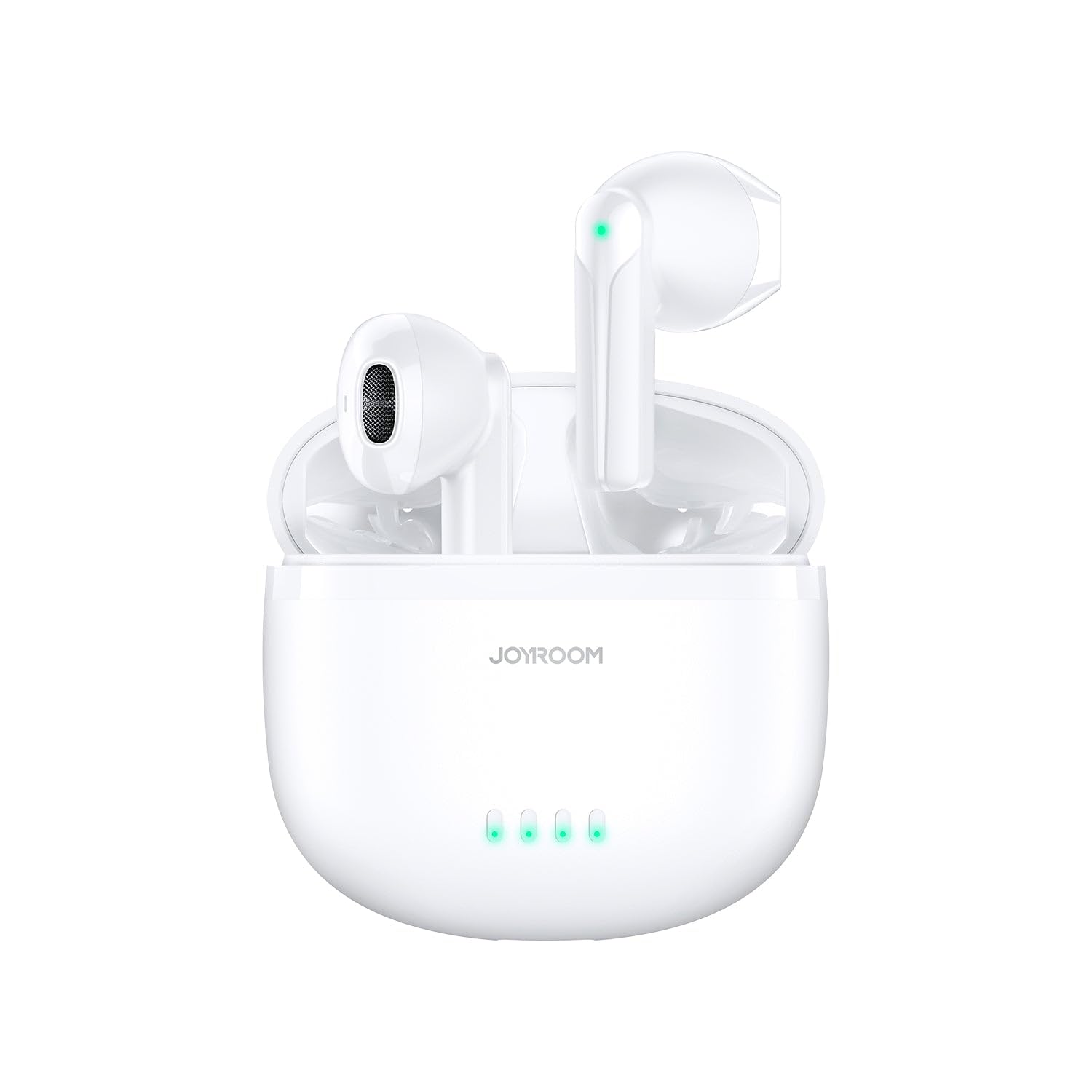
Image: Joyroom JR-TL11 True Wireless Earphones in their white charging case. The earphones are visible, with green indicator lights on both the earphones and the case, indicating power or charging status.
Package Contents
- Joyroom JR-TL11 True Wireless Earphones (Left and Right)
- Charging Case
- USB Charging Cable
- User Manual
Setup Guide
1. Initial Charging
Before first use, fully charge the earphones and the charging case.
- Place both earphones into the charging case.
- Connect the charging case to a USB power source using the provided charging cable.
- The indicator lights on the case will show the charging status. Once fully charged, the lights will typically turn solid or turn off.
2. Pairing with a Device
- Ensure the earphones are charged and inside the charging case.
- Open the charging case lid. The earphones will automatically enter pairing mode (indicator lights on earphones may flash).
- On your device (smartphone, tablet, etc.), go to Bluetooth settings and turn Bluetooth on.
- Search for available devices. Select "JR-TL11" from the list.
- Once connected, the earphones will indicate successful pairing (e.g., a voice prompt or solid indicator light).
- For subsequent uses, the earphones will automatically connect to the last paired device when taken out of the case.
Operating Instructions
Touch Controls
The JR-TL11 earphones feature touch-sensitive controls on each earbud. The specific functions may vary slightly, but common controls include:
| Action | Function |
|---|---|
| Single Tap (L/R) | Play/Pause music, Answer/End call |
| Double Tap (L) | Previous Track |
| Double Tap (R) | Next Track |
| Triple Tap (L/R) | Activate Voice Assistant (Siri, Google Assistant) |
| Long Press (L/R, 2s) | Reject Call |
| Long Press (L/R, 3s) | Toggle ENC/Transparency Mode (if applicable) |
Note: Specific touch controls may vary. Refer to the quick start guide included with your product for precise instructions.
Wearing the Earphones
Gently insert the earphones into your ear canal. Adjust them for a comfortable and secure fit to ensure optimal sound quality and noise isolation.
Maintenance and Care
- Cleaning: Regularly clean the earphones and charging case with a soft, dry, lint-free cloth. Do not use harsh chemicals or abrasive materials.
- Storage: When not in use, always store the earphones in their charging case to protect them and keep them charged.
- Avoid Water: While the earphones may have some water resistance, avoid submerging them in water or exposing them to excessive moisture.
- Temperature: Do not expose the earphones or case to extreme temperatures (hot or cold) or direct sunlight for prolonged periods.
- Charging: Use only the provided charging cable or a certified equivalent.
Troubleshooting
| Problem | Possible Solution |
|---|---|
| Earphones not pairing |
|
| No sound from one earphone |
|
| Poor sound quality |
|
| Charging case not charging |
|
Specifications
| Feature | Detail |
|---|---|
| Brand | JOYROOM |
| Model Number | JR-TL11White |
| Color | White (as per product title and image) |
| Type | True Wireless In-Ear Earphones |
| Connectivity Technology | Wireless (Bluetooth) |
| Special Features | Dual-Mic ENC (Environmental Noise Cancellation), Lightweight |
| Form Factor | In-Ear |
| Manufacturer | Joyroom |
| Country of Origin | China |
| Included Components | 1 piece (Earphones and Charging Case) |
Note: Specifications are subject to change without notice.
Warranty and Support
For warranty information and customer support, please refer to the warranty card included with your product or visit the official Joyroom website. Keep your purchase receipt as proof of purchase for warranty claims.
For further assistance, you may contact Joyroom customer service through their official channels.
Ask a question about this manual
Ask about setup, troubleshooting, compatibility, parts, safety, or missing instructions. Manuals+ will review the question and use this page’s manual context to help answer it.