
FOREO PEACH 2 F1436
FOREO PEACH 2 IPL Hair Removal Device Instruction Manual
Model: PEACH 2 F1436
1. Introduction
The FOREO PEACH 2 is an advanced Intense Pulsed Light (IPL) hair removal device designed for effective and gentle hair reduction across the body and face. This manual provides essential information for safe and optimal use of your device, helping you achieve smooth skin.

Image: The FOREO PEACH 2 device in mint color, alongside its product packaging, showcasing the device's design and the light emission window.
2. Important Safety Information
Please read all safety instructions carefully before using the FOREO PEACH 2 device. Failure to follow these instructions could result in injury or device damage.
- PEACH™ 2 emits flashes of intense pulsed light. Direct exposure is potentially harmful to your eyes. Take care to follow the safety precautions. We recommend you look away from the device when firing onto your skin.
- Do not exceed the usage specified in the treatment regime. Damage of the skin may occur after prolonged or repeated application on one site.
- Avoid over-usage which includes excessive passes, stacking of flashes and/or increased frequency of use.
- Do not override the safety mechanisms inherent to the device.
- The treatment window can get hot during use. Do not touch or clean the treatment window for at least 5 minutes after use to allow it to cool down.
3. What's in the Box
Your FOREO PEACH 2 package includes the following items:
- FOREO PEACH 2 Device (Mint)
- General Manual
- Cleaning Cloth
- Power Cable with 4 Plug Adaptors
- Quick Start Guide
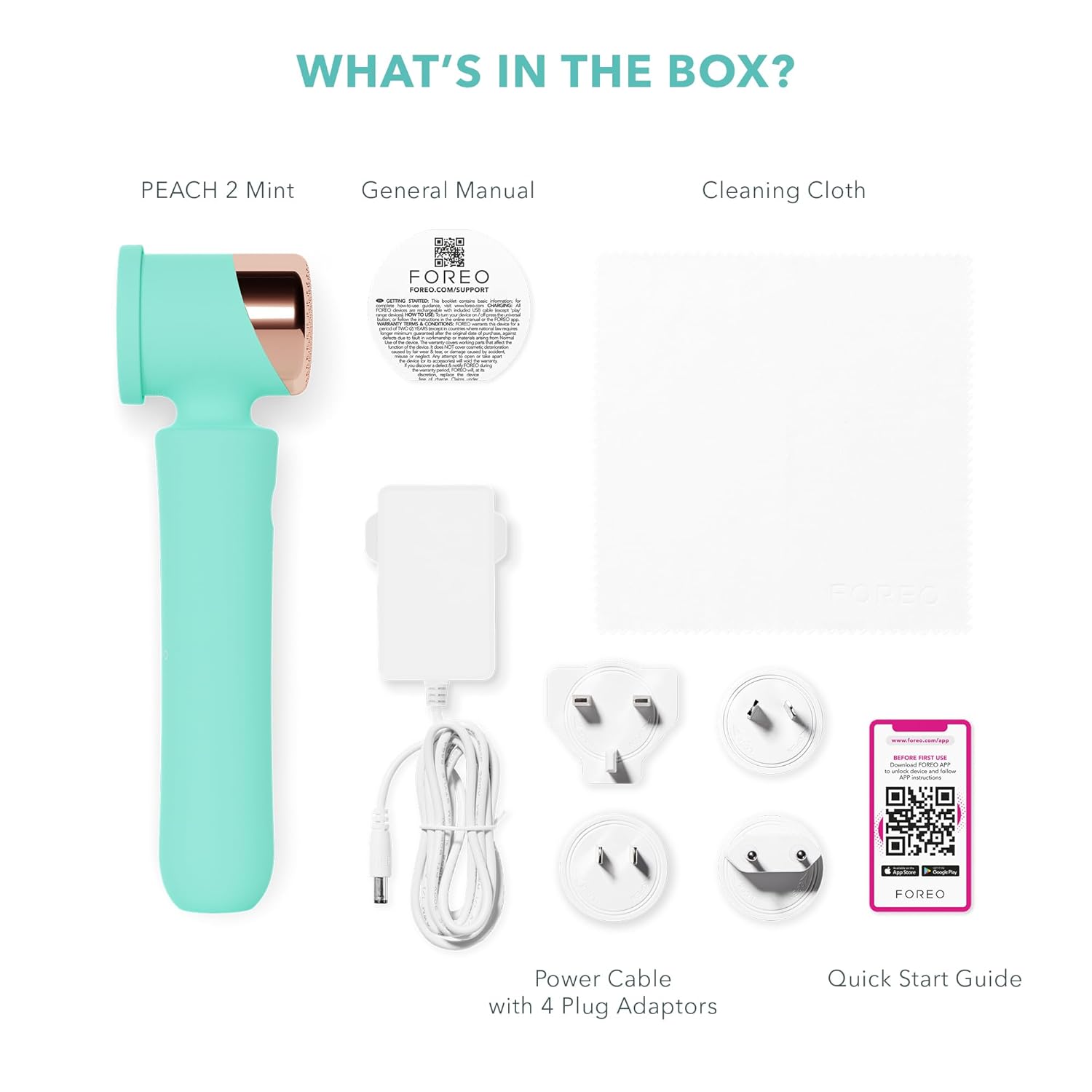
Image: An overhead view of all items included in the FOREO PEACH 2 package, neatly arranged.
4. Setup and First Use
- Download the FOREO App: Before first use, download the official FOREO app to your smartphone. This app is essential for device registration and personalized treatment settings.
- Prepare Skin: Ensure the skin area you intend to treat is clean, dry, and freshly shaved. Do not wax, pluck, or use depilatory creams, as IPL targets the hair follicle.
- Scan via App: Use the FOREO app to scan your skin. The app will help determine your skin tone and recommend the optimal treatment intensity level for safe and effective use.
- Connect Power: Plug the device into a power outlet using the provided power cable and appropriate plug adaptor.
- Begin Treatment: Once connected and settings are confirmed via the app, you can begin your hair removal treatment.
For app download and further guidance, visit: https://www.foreo.com/app
5. Operating Instructions
5.1 Treatment Modes
The FOREO PEACH 2 offers two primary treatment modes:
- Stamp Mode: Ideal for precise treatment on smaller or curved areas such as the bikini line or underarms. Place the device firmly on the skin and press the flash button.
- Glide Mode: Suitable for faster treatment on larger areas like legs or arms. Hold the flash button down and slowly glide the device across the skin, ensuring continuous contact.
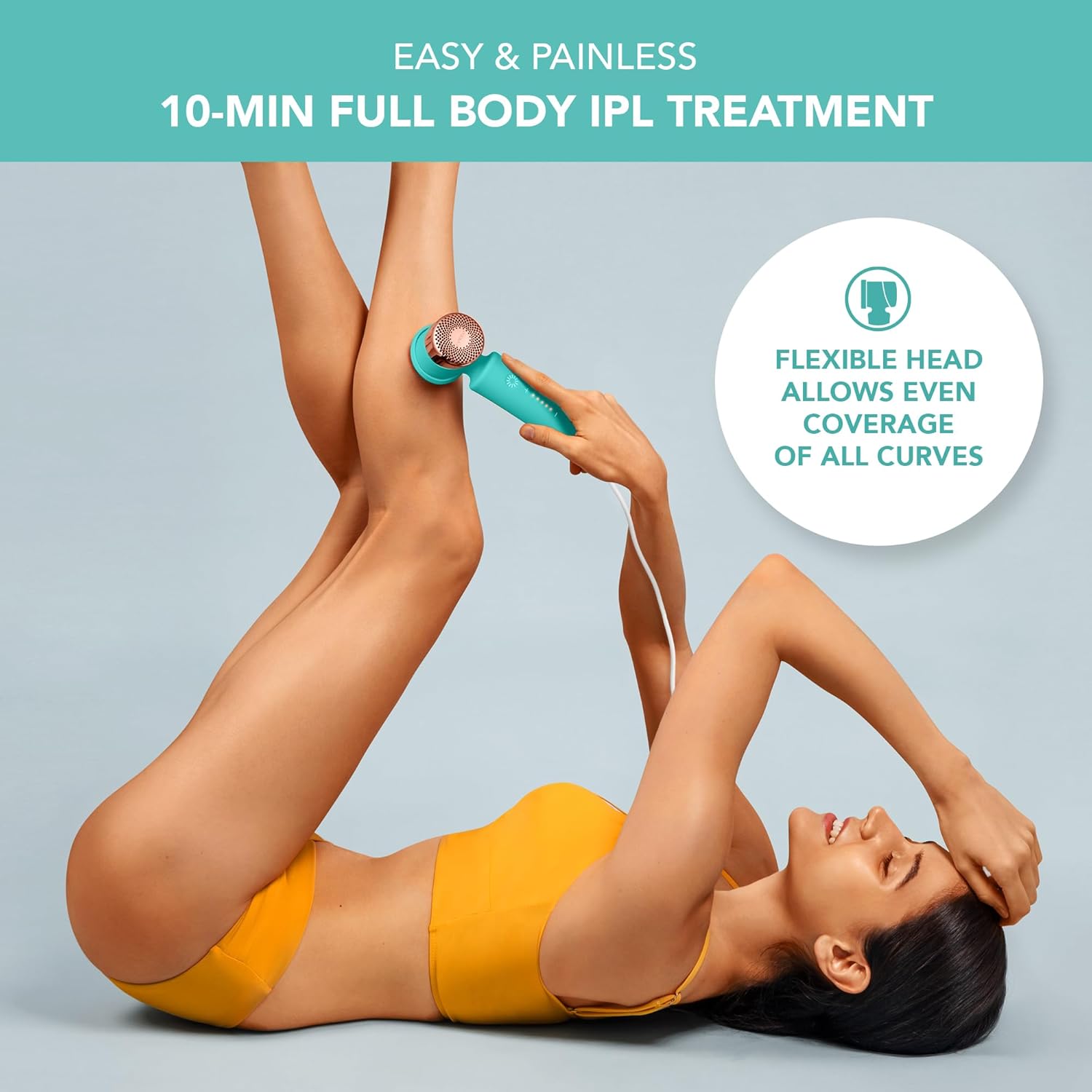
Image: A user demonstrating the flexible head of the PEACH 2 device, highlighting its ability to adapt to body curves for even coverage.
5.2 Enhanced Coverage
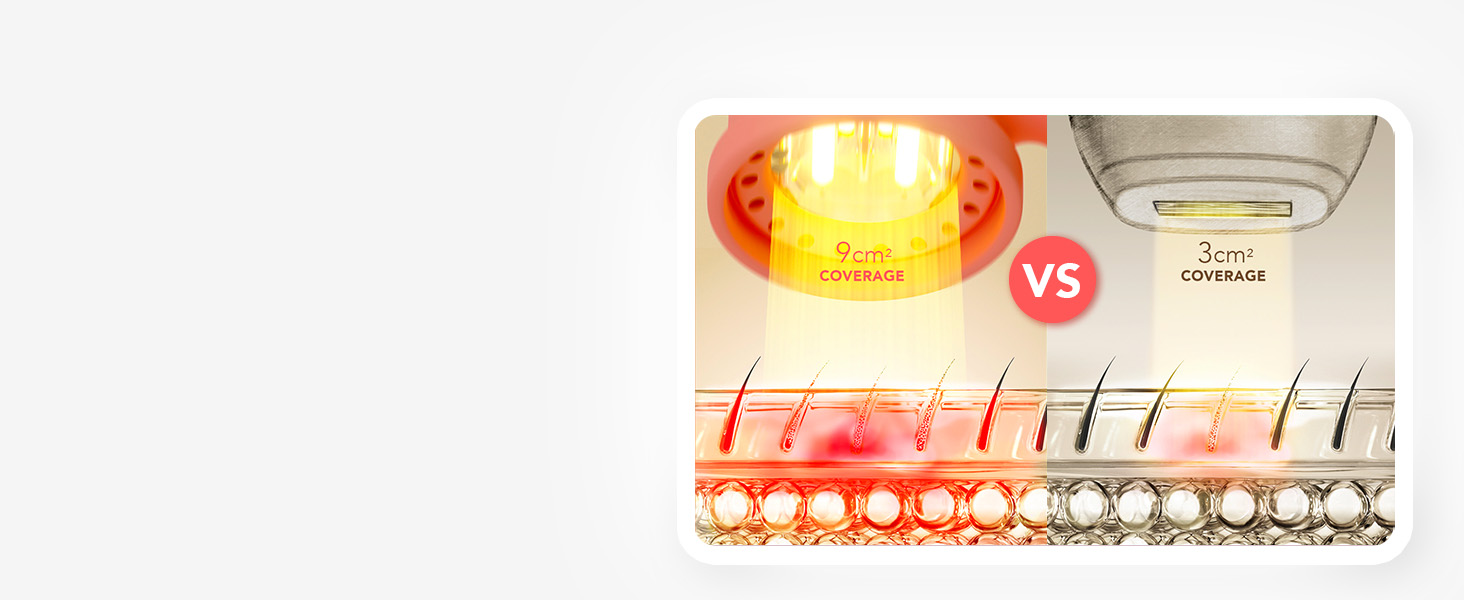
The PEACH 2 features a large 9 cm² treatment window, providing significantly better coverage compared to devices with smaller windows (e.g., 3 cm²), leading to quicker and more efficient treatments.
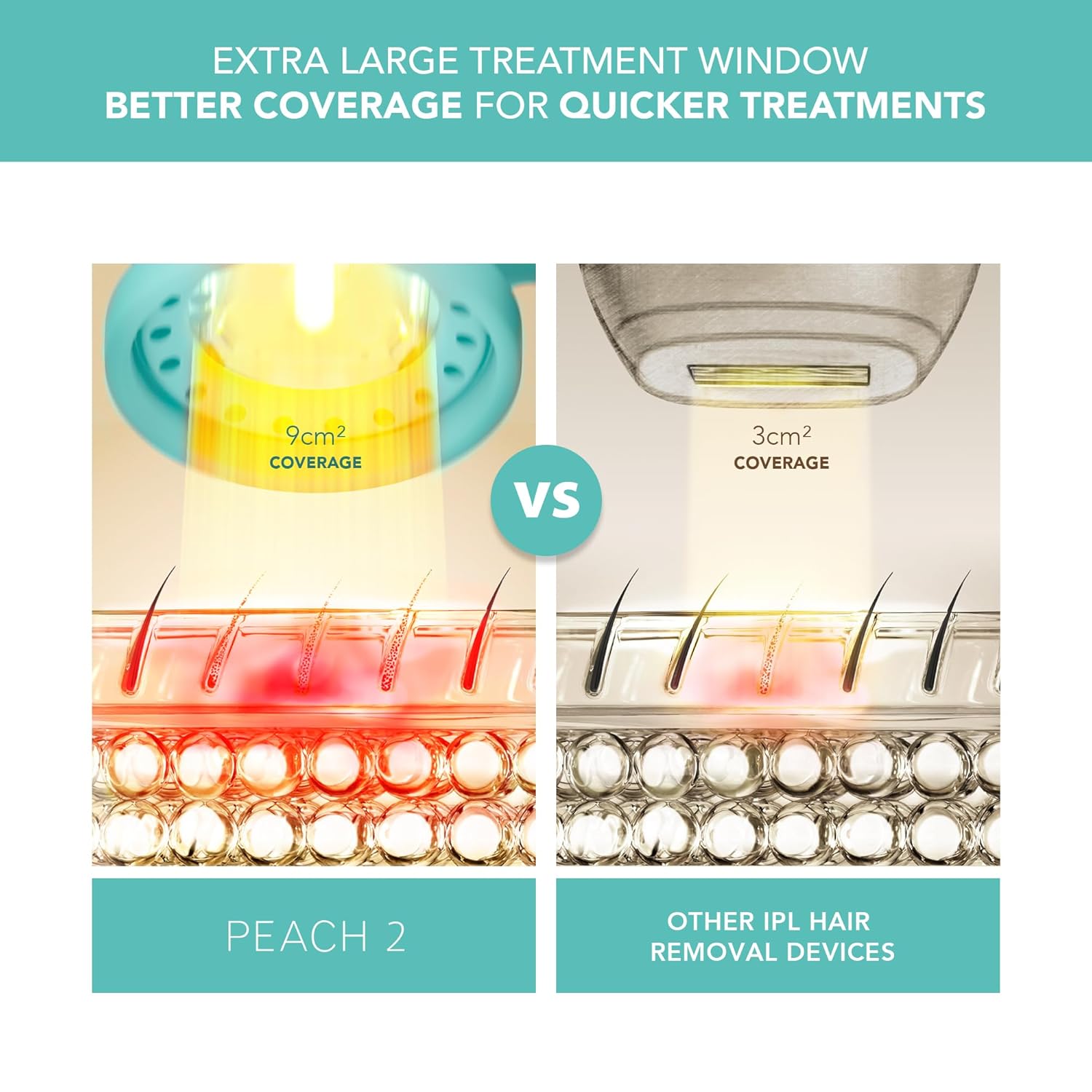
Image: A visual comparison illustrating the larger treatment area of the PEACH 2 (9 cm²) versus a standard IPL device (3 cm²).
5.3 Recommended Treatment Schedule
For optimal results, follow this two-phase treatment schedule:
Phase 1: Initial Treatment
Perform 6 treatments, treating each area once every 2 weeks, for a total of 12 weeks.
Phase 2: Maintenance
After Phase 1, use the device once a month, or as required, until desired results are achieved.

Images: Visual representation of the two-phase treatment schedule for the FOREO PEACH 2.
5.4 Skin Tone and Hair Color Suitability
The effectiveness and safety of IPL treatment depend on your skin tone and hair color. The PEACH 2 is designed to work on a range of skin tones and hair colors as illustrated below:
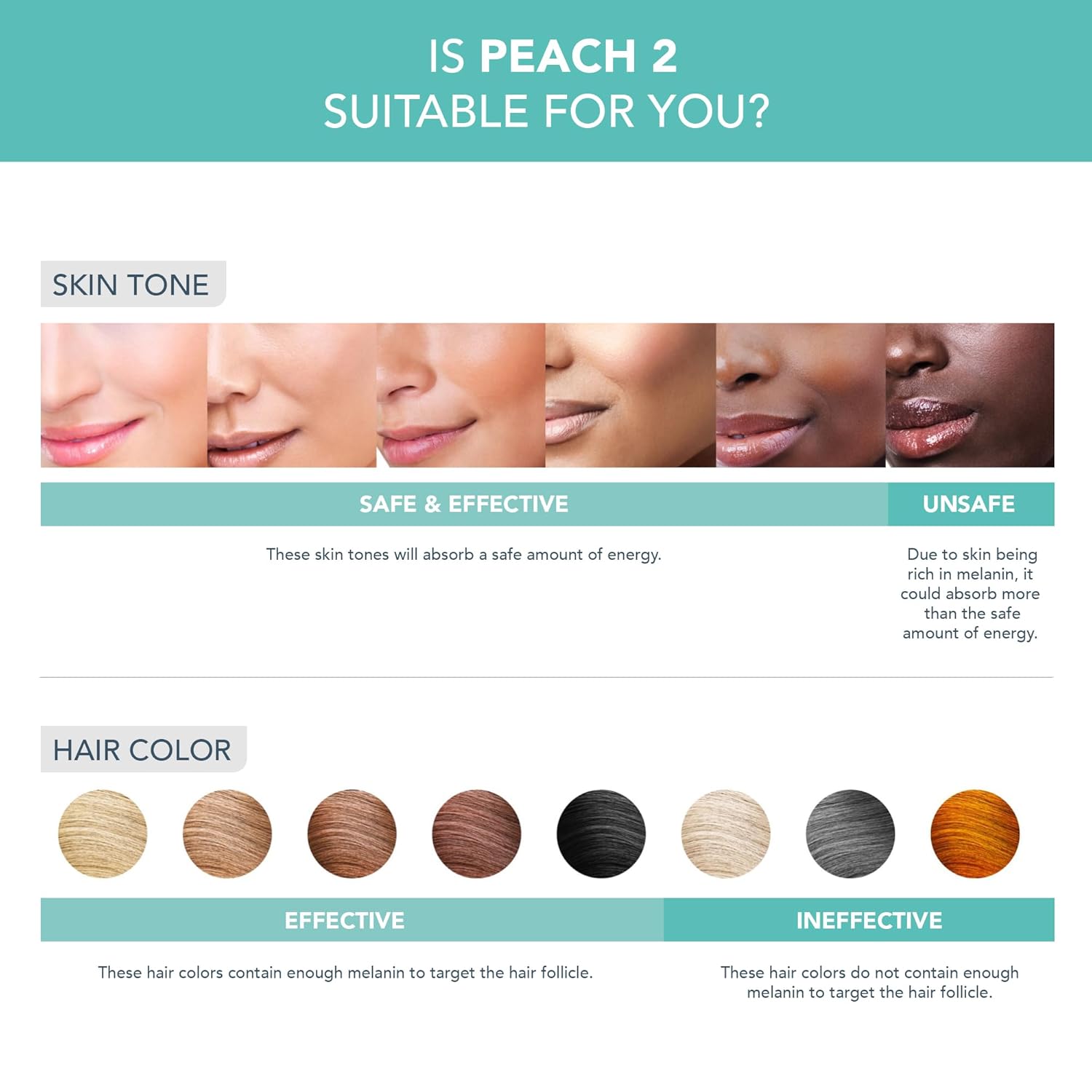
Image: A chart indicating which skin tones and hair colors are safe and effective for use with the PEACH 2 IPL device, and which are not.
- Safe & Effective Skin Tones: These skin tones will absorb a safe amount of energy.
- Unsafe Skin Tones: Skin rich in melanin could absorb more than the safe amount of energy, leading to potential adverse reactions.
- Effective Hair Colors: These hair colors contain enough melanin to target the hair follicle.
- Ineffective Hair Colors: These hair colors do not contain enough melanin to target the hair follicle, making the treatment ineffective.
5.5 Treatment Times per Area
The PEACH 2's large treatment window and fast flash speed allow for quick treatments:
- Legs: Approximately 3 minutes
- Arms: Approximately 3 minutes
- Armpits: Approximately 2 minutes
- Bikini: Approximately 1 minute
- Face: Approximately 1 minute

Image: A visual guide showing the PEACH 2 in use on an underarm, accompanied by a list of approximate treatment durations for various body areas.
6. Maintenance and Care
To ensure the longevity and optimal performance of your FOREO PEACH 2, follow these maintenance guidelines:
- Cleaning: After each use, ensure the device is unplugged and has cooled down. Use the provided cleaning cloth to gently wipe the treatment window and the device body. Do not use abrasive cleaners or harsh chemicals.
- Storage: Store the device in a cool, dry place, away from direct sunlight and moisture. Keep it in its original packaging or a protective pouch to prevent damage.
- Cooling Prep Gel: For the most comfortable experience and to enhance efficacy, use with FOREO PEACH Cooling Prep Gel.
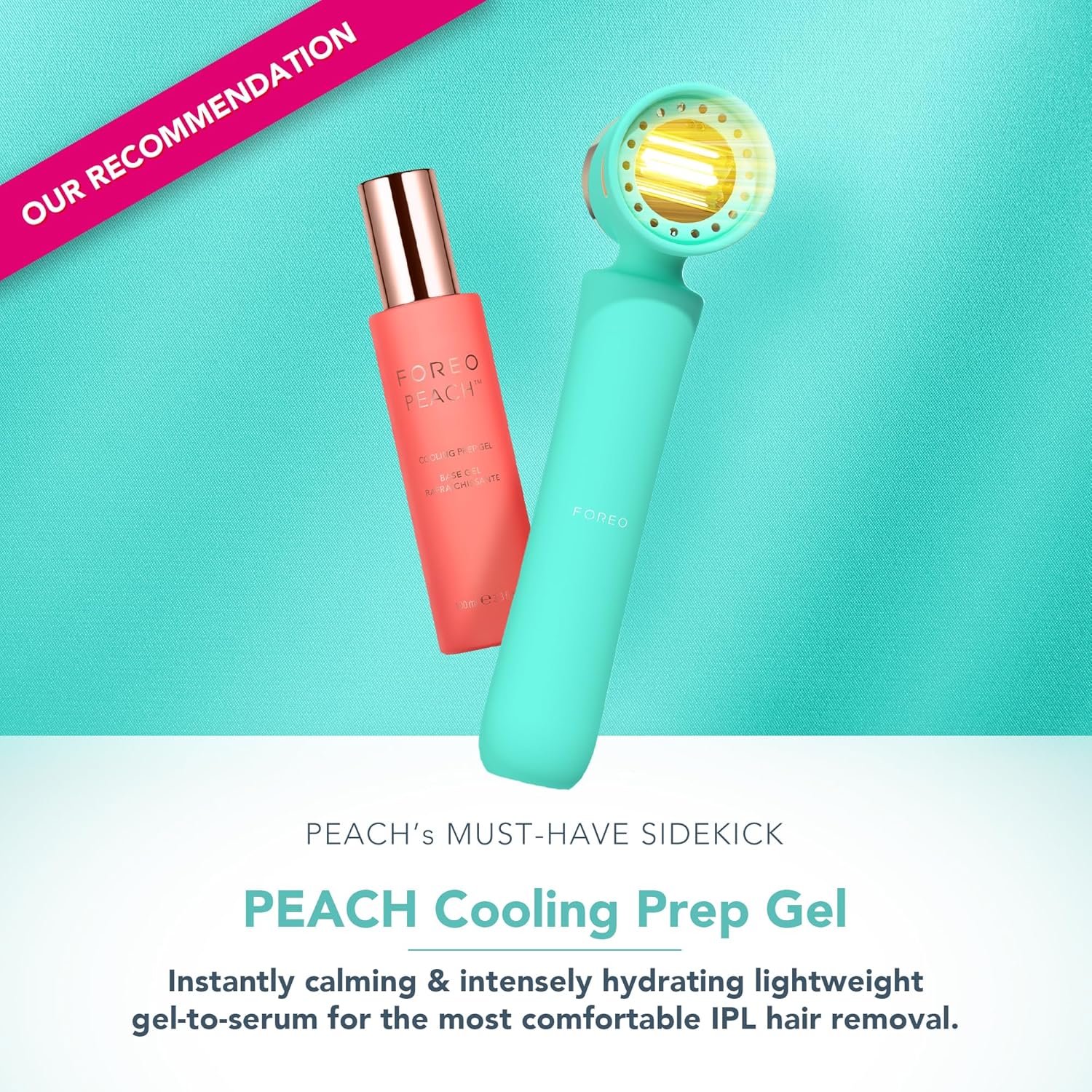
Image: The FOREO PEACH 2 device displayed with the recommended PEACH Cooling Prep Gel, emphasizing its use for enhanced comfort and results.
7. Troubleshooting
If you encounter any issues with your FOREO PEACH 2, please refer to the following common solutions:
- Device Not Turning On: Ensure the device is properly plugged into a working power outlet. Check the power cable for any visible damage.
- No Flash Emission: The device has built-in safety sensors. Ensure the treatment window is in full contact with your skin. The device will not flash if it does not detect proper skin contact. Also, verify that your skin tone is suitable for IPL treatment as per the suitability chart.
- Device Overheating: The device has a cooling system, but continuous use can cause it to warm up. If it feels excessively hot, discontinue use and allow it to cool down for at least 5 minutes. Ensure the cooling vents are not obstructed.
- App Connectivity Issues: Ensure your smartphone's Bluetooth is enabled and the FOREO app is up to date. Try restarting both the device and the app.
- Skin Irritation: If you experience redness, itching, or discomfort, reduce the intensity level or discontinue use. Ensure you are following the recommended treatment schedule and not over-treating areas.
For further assistance, please contact FOREO customer support.
8. Product Specifications
| Feature | Detail |
|---|---|
| Product Dimensions | 3.07 x 7.56 x 10.55 inches |
| Item Weight | 1.98 Pounds (0.9 Kilograms) |
| Model Number | F1436 |
| Brand | FOREO |
| Color | Mint |
| Batteries | 1 Lithium Ion battery required (included) |
| Voltage | 3.7V |
| Treatment Window Size | 9 cm² |
| Flash Speed | 120 flashes/min |
9. Warranty and Support
Your FOREO PEACH 2 device comes with a limited warranty. Please refer to the warranty card included in your packaging or visit the official FOREO website for detailed warranty information and terms and conditions.
For technical support, product inquiries, or warranty claims, please contact FOREO customer service through their official website or the FOREO app.
Official FOREO Website: www.foreo.com
Related documentsPEACH 2 F1436


Ask a question about this manual
Ask about setup, troubleshooting, compatibility, parts, safety, or missing instructions. Manuals+ will review the question and use this page’s manual context to help answer it.