
1. Product Overview
The intelamp Solar Pendant Light (Model YL008-5A) is designed for both indoor and outdoor use, providing illumination with solar power. It features a classic diamond design, a 4000mAh battery for long-lasting brightness, and a 16.4-foot cable for flexible placement of the solar panel and light fixture. The light includes a remote control for adjusting brightness and setting timers, and is rated IP65 waterproof for durability in various weather conditions.

Figure 1: intelamp Solar Pendant Light components including the diamond-shaped lamp, solar panel, and remote control.
2. Package Contents
Verify that all components are present in the package:
- 1x Diamond-shaped Pendant Light Fixture
- 1x Solar Panel with 16.4ft Cable
- 1x Remote Control
- Mounting Accessories (Screws, Tie Straps, Cable clips)

Figure 2: Unboxed components of the intelamp Solar Pendant Light.
3. Setup and Installation
3.1 Solar Panel Placement
The solar panel must be installed in a location that receives direct sunlight for at least 6.5 hours daily to ensure full charge. The 16.4ft cable allows for flexible positioning.
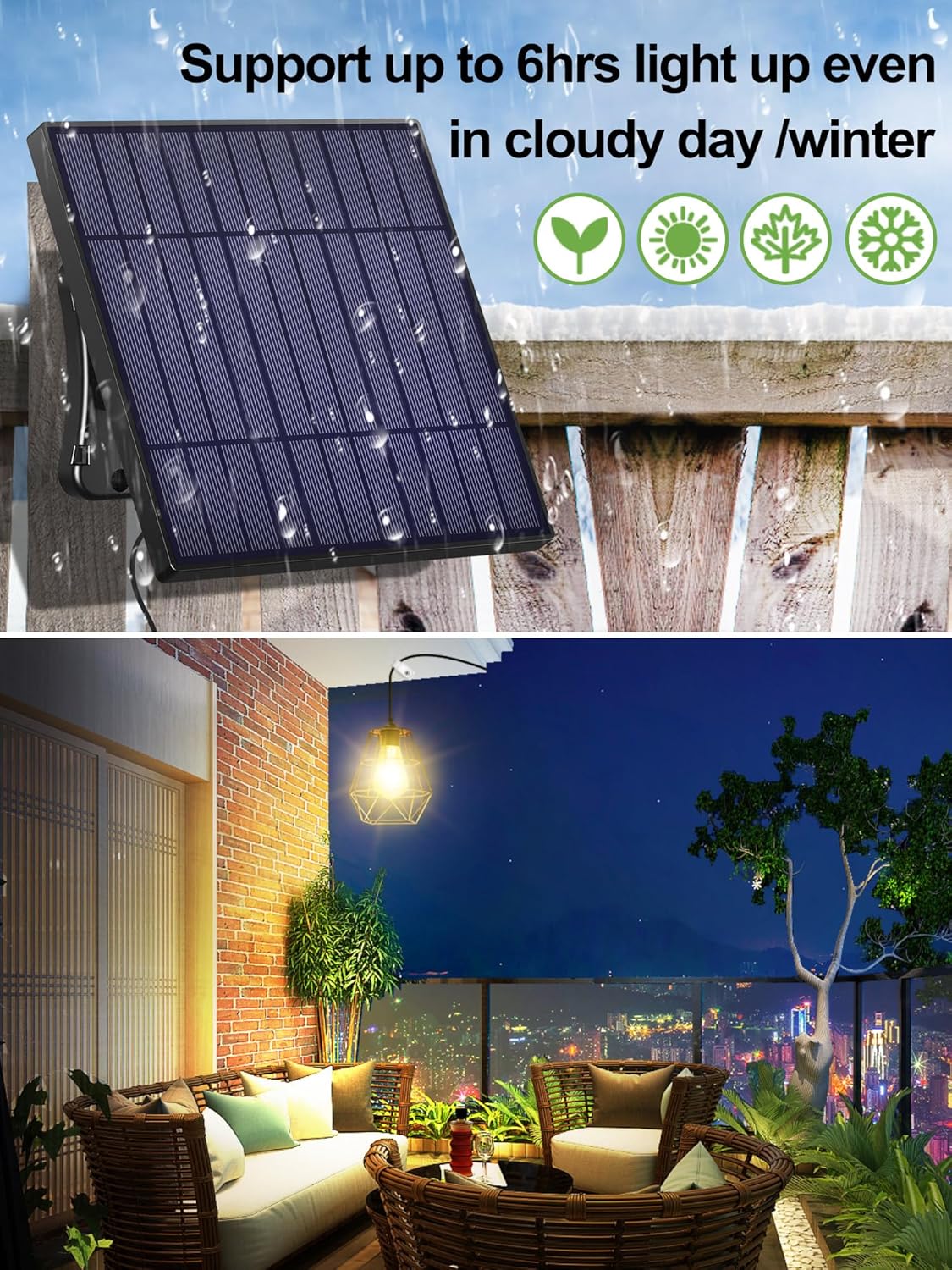
Figure 3: Example of solar panel placement for optimal sun exposure.
3.2 Light Fixture Placement
Hang the pendant light fixture in your desired indoor or outdoor location. Ensure the cable connection between the solar panel and the light is secure and waterproof.

Figure 4: Illustrates flexible placement options for the light fixture.
3.3 Mounting Options
The solar panel can be mounted using various methods:
- Horizontal Binding: Secure to a horizontal surface using tie straps or clamps.
- Vertical Binding: Attach to a vertical post or railing.
- Vertical Screw: Screw directly into a wall or solid surface.
- Screw-in: Mount to a flat surface using screws.
The light fixture can be hung using a wire clip or by winding the cable around a support structure.

Figure 5: Different installation methods for the solar panel and light.
4. Operating Instructions
4.1 Initial Activation
Before first use, ensure the solar panel is exposed to direct sunlight for at least 6.5 hours to fully charge the 4000mAh battery. The light features a Dust to Dawn mode, automatically turning on at dusk and off at dawn.
4.2 Remote Control Functions
The included remote control allows for convenient operation:
- ON/OFF: Press to manually turn the light on or off.
- Brightness Adjustment: Select between 100%, 75%, or 50% brightness levels.
- Timer Setting: Set the light to turn off automatically after 2 hours or 6 hours.
- +1H: Extends the timer by one hour.

Figure 6: Remote control layout and functions.
The remote control signal receiver is located on the solar panel. Ensure the remote is pointed towards the solar panel for effective operation.

Figure 7: Location of the ON/OFF switch and signal receiver on the solar panel.
4.3 Video Demonstration
Video 1: Demonstration of the intelamp solar pendant light with remote control functions.
5. Maintenance
- Cleaning: Regularly wipe the solar panel with a soft, damp cloth to remove dust, dirt, or debris. A clean panel ensures optimal charging efficiency.
- Weather Resistance: The light is IP65 waterproof. However, during extreme weather conditions (e.g., heavy storms, prolonged snow), consider temporarily relocating the light or solar panel to a sheltered area to prolong its lifespan.
- Battery: The integrated 4000mAh Lithium Ion battery is designed for long-term use. Avoid disassembling the unit.
6. Troubleshooting
- Light not turning on:
- Ensure the solar panel is receiving sufficient direct sunlight for charging.
- Check the ON/OFF switch on the solar panel to ensure it is in the "ON" position.
- Verify the remote control batteries are functional and point the remote directly at the solar panel's signal receiver.
- Allow the battery to charge for a full day in direct sunlight before first use.
- Light is dim or short-lived:
- The solar panel may not be receiving enough sunlight. Relocate it to a sunnier spot.
- Clean the solar panel surface to remove any obstructions.
- Ensure the battery has fully charged (6.5 hours of direct sunlight). Performance may vary in cloudy weather or winter.
- Remote control not working:
- Replace the remote control batteries.
- Ensure there are no obstructions between the remote and the solar panel's signal receiver.
- Confirm the remote is pointed directly at the signal receiver on the solar panel.
6.1 Video Troubleshooting Tip
Video 2: Important tip regarding solar panel orientation for proper function.
7. Specifications
| Feature | Detail |
|---|---|
| Brand | intelamp |
| Model Name | YL008-5A |
| Light Fixture Form | Chandelier (Diamond Shape) |
| Power Source | Solar Powered |
| Battery | 4000mAh Lithium Ion (included) |
| Cable Length | 16.4 ft |
| Water Resistance Level | IP65 Waterproof |
| Brightness | Up to 500 Lumens (Adjustable: 100%, 75%, 50%) |
| Control Method | Remote Control |
| Special Features | Dust to Dawn Mode, Timer (2H, 6H, +1H), Brightness Adjustable |
| Light Source Type | LED |
| Color Temperature | 3000 Kelvin |
| Product Dimensions | 6.73"L x 6.73"W x 9.8"H |
| Item Weight | 1.96 Pounds |

Figure 8: Product dimensions of the intelamp Solar Pendant Light components.
8. Warranty and Support
This product comes with a Limited Warranty. For specific warranty details and support, please contact intelamp customer service or refer to the official intelamp website.
Manufacturer: INTELAMP
