
Introduction
This manual provides comprehensive instructions for the safe and effective use of your Retevis RB39P Bluetooth Walkie Talkies. These portable FRS two-way radios offer license-free communication, hands-free operation with wireless earpieces, and a compact design suitable for various professional and personal environments.
Package Contents
Verify that all items listed below are included in your package:
- 4 x RB39P Bluetooth Walkie Talkies
- 4 x Bluetooth Earpiece and Ear Hook
- 4 x Belt Clips
- 2 x USB Charging Cables
- User Manual (this document)

Product Features
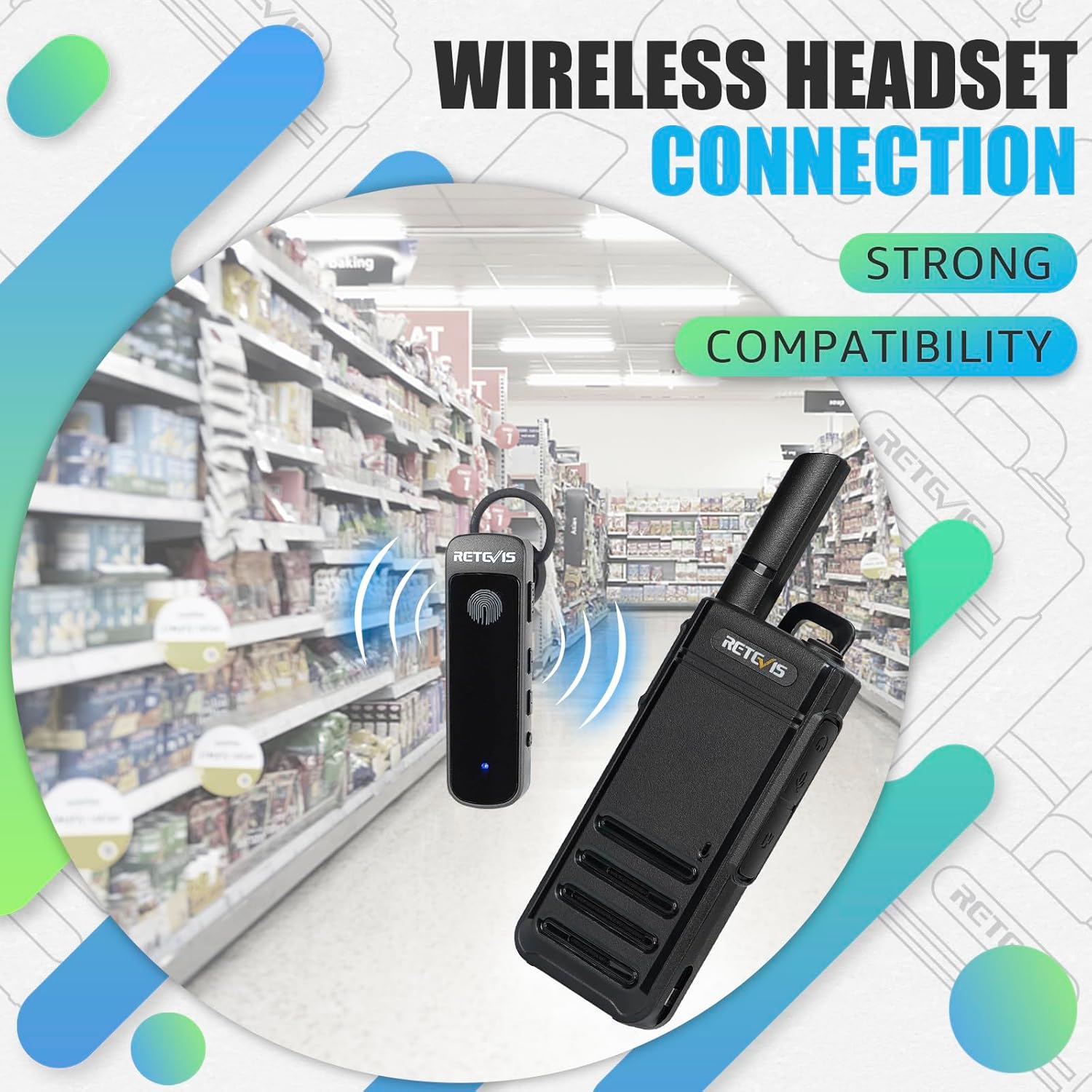
- Pre-Paired Wireless Earpieces: RB39P walkie-talkies and earpieces are pre-paired for immediate use.
- Auto-Reconnect Function: Earpieces automatically reconnect after being turned on, with a communication range of up to 10 meters in open areas.
- Compact and Durable Design: Featuring a 0.7-inch thin profile, stubby antenna, and rugged frame, the RB39P is designed for portability and durability.
- Hands-Free Operation: Wireless earpieces with PTT touch buttons allow for convenient, hands-free communication.
- Type-C Charging: Convenient USB-C charging for both walkie-talkies and earpieces.
- Long Battery Life: 1000mAh rechargeable battery provides approximately 8 hours of working time.
- License-Free FRS: Operates on FRS frequencies, requiring no license for use.




Setup
Battery Installation
The RB39P walkie talkies come with pre-installed rechargeable Lithium Ion batteries. No initial installation is required. If replacing batteries, ensure correct polarity and secure the battery cover.
Charging the Walkie Talkie and Earpiece
Use the provided USB-C charging cables to charge the walkie talkies. The earpieces are also charged via USB-C. A red indicator light typically signifies charging, and it turns green when fully charged.
Earpiece Pairing
The RB39P walkie talkies and their wireless earpieces are pre-paired from the factory. To confirm connection, short press the menu button on the walkie talkie and then turn on the wireless earpiece. The headset will prompt 'connected' (in English) upon successful connection. Note that RB39P earpieces cannot be paired with other wireless headsets.
Operating Instructions
Power On/Off
To power on the walkie talkie, rotate the top knob clockwise until you hear a click and a voice prompt. To power off, rotate the knob counter-clockwise until you hear a click.
Channel Selection
Use the channel up/down buttons on the side of the walkie talkie to select one of the 22 available FRS channels. A voice prompt will announce the selected channel number.
Push-to-Talk (PTT)
Press and hold the large orange PTT button on the side of the walkie talkie to transmit your voice. Release the button to listen for incoming transmissions. For hands-free operation, use the PTT button on the paired Bluetooth earpiece.
VOX Function (Voice Operated Exchange)
The VOX function allows for hands-free transmission without pressing the PTT button. When activated, the radio will transmit automatically when it detects your voice. Refer to the detailed user manual for activation and sensitivity level adjustment.
Emergency Alarm
The RB39P features an emergency alarm function. This can be activated by a long press of a designated side key (refer to the full user manual for specific button assignment). When activated, the radio will transmit an alarm tone to all radios on the same channel.
Keypad Lock
To prevent accidental channel changes or function activation, the keypad lock feature can be engaged. This is typically done by pressing and holding a combination of buttons. Refer to the full user manual for specific instructions on locking and unlocking the keypad.
Maintenance
To ensure the longevity and optimal performance of your Retevis RB39P walkie talkies:
- Clean the radio and earpiece with a soft, damp cloth. Avoid harsh chemicals.
- Do not expose the devices to extreme temperatures, direct sunlight, or moisture. The device is not water resistant.
- Charge batteries regularly, even if not in frequent use, to maintain battery health.
- If storing for extended periods, remove batteries to prevent potential leakage and damage.
Troubleshooting
If you encounter issues with your RB39P walkie talkies, try the following:
- No Power: Ensure the battery is fully charged and correctly installed.
- No Communication: Verify that all walkie talkies are on the same channel. Check that the earpieces are properly paired.
- Poor Audio Quality: Ensure the earpiece is securely in place. Check for obstructions between radios. Adjust volume levels.
- Earpiece Not Pairing: Ensure the earpiece is charged. Follow the pairing instructions in the Setup section.
- Limited Range: Range can be affected by terrain, buildings, and other obstructions. Move to an open area if possible.
Specifications
| Feature | Specification |
|---|---|
| Brand | Retevis |
| Model Number | FA9255AX2-C9034AX2 |
| Color | Black |
| Number of Channels | 22 |
| Frequency Range | FRS |
| Talking Range Maximum | 10 Meter (between wireless headset and radio in open areas) |
| Battery Average Life | 8 Hours |
| Battery Type | Lithium Ion (4 included) |
| Connectivity Protocol | Bluetooth |
| Water Resistance Level | Not Water Resistant |
| Special Features | Bluetooth Two Way Radio, Wireless Walkie Talkie with Earpiece, License-free, USB-C Rechargeable, Ultra-Slim Design |
Warranty and Support
Retevis provides a 2-year warranty for the radio body and a 1-year warranty for accessories. A 30-day no-reason return policy is also offered. For support or warranty claims, please contact Retevis Direct on Amazon. They aim to reply within 12 hours.


