
Introduction
Thank you for choosing the Avhrit AT650 Cordless Impact Wrench. This powerful and versatile tool is designed for efficient tightening and loosening of nuts and bolts, as well as drilling and driving screws. Featuring a brushless motor and a robust 4000mAh battery, it offers reliable performance for various applications. Please read this manual thoroughly before operation to ensure safe and effective use of your new tool.
Important Safety Information
Always follow basic safety precautions when using electrical tools to reduce the risk of fire, electric shock, and personal injury. Keep this manual for future reference.
- Work Area Safety: Keep your work area clean and well-lit. Cluttered or dark areas invite accidents. Do not operate power tools in explosive atmospheres, such as in the presence of flammable liquids, gases, or dust.
- Electrical Safety: Avoid body contact with earthed or grounded surfaces. Do not expose power tools to rain or wet conditions.
- Personal Safety: Always wear eye protection. Use hearing protection when operating noisy tools. Dress properly; avoid loose clothing or jewelry. Secure long hair.
- Tool Use and Care: Do not force the power tool. Use the correct power tool for your application. Disconnect the battery pack from the power tool before making any adjustments, changing accessories, or storing power tools.
- Battery Pack Use and Care: Recharge only with the charger specified by the manufacturer. Do not use a battery pack or tool that is damaged or modified.
Product Features

High Torque and Brushless Motor
The Avhrit AT650 features a powerful brushless motor, delivering a maximum torque of 480 Ft-lbs (650 N.m) and a maximum speed of 3300 RPM. This design ensures efficient performance and durability for demanding tasks.

Compact and Lightweight Design
Weighing only 4.28 lbs with the battery and featuring a compact design (5.9 inches front to back), the AT650 minimizes user fatigue during prolonged use. Its ergonomic handle provides a comfortable grip.
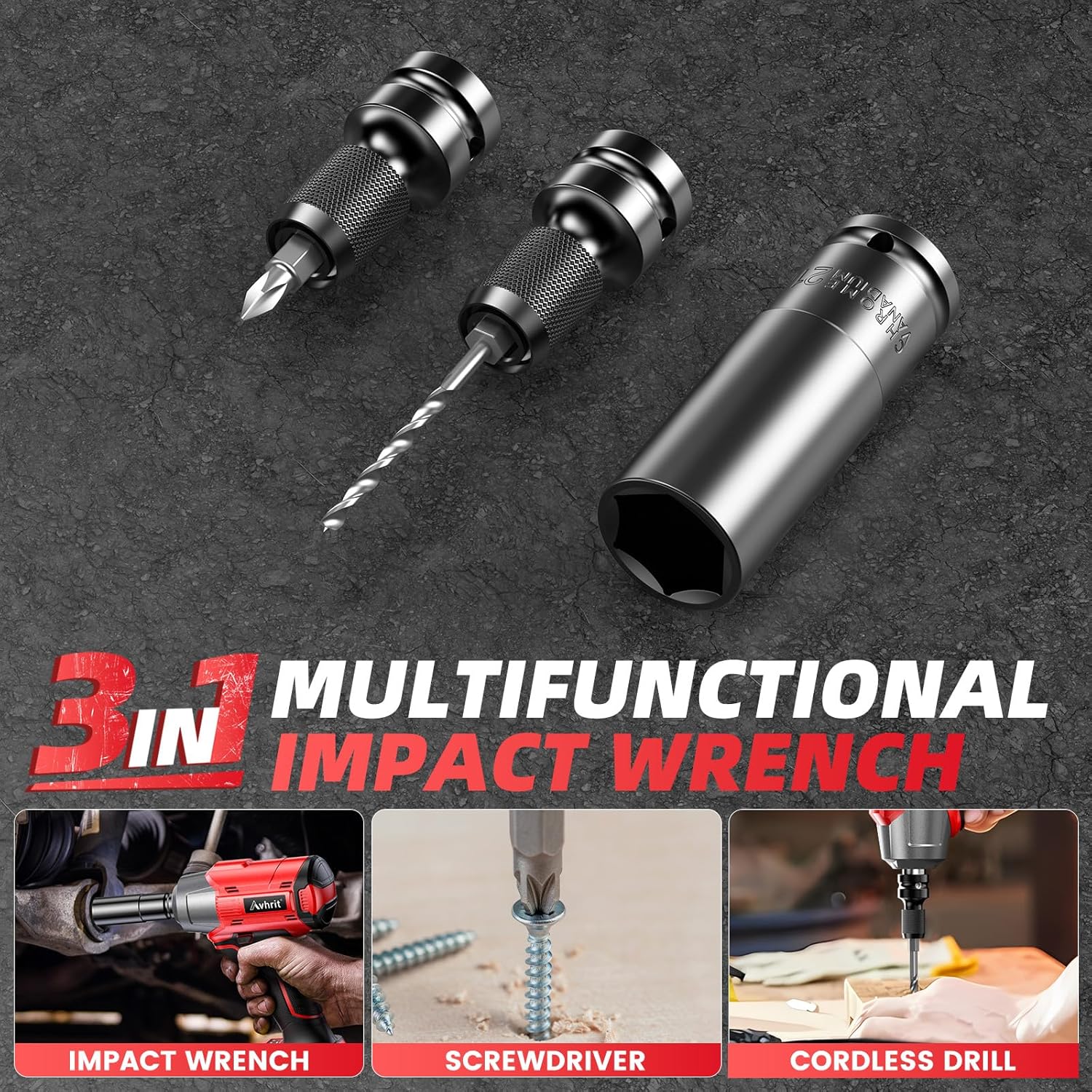
3-in-1 Multi-Functional Tool
This tool functions as an impact wrench for automotive tasks, an impact drill for various materials, and a power screwdriver for assembly and DIY projects, offering broad utility.
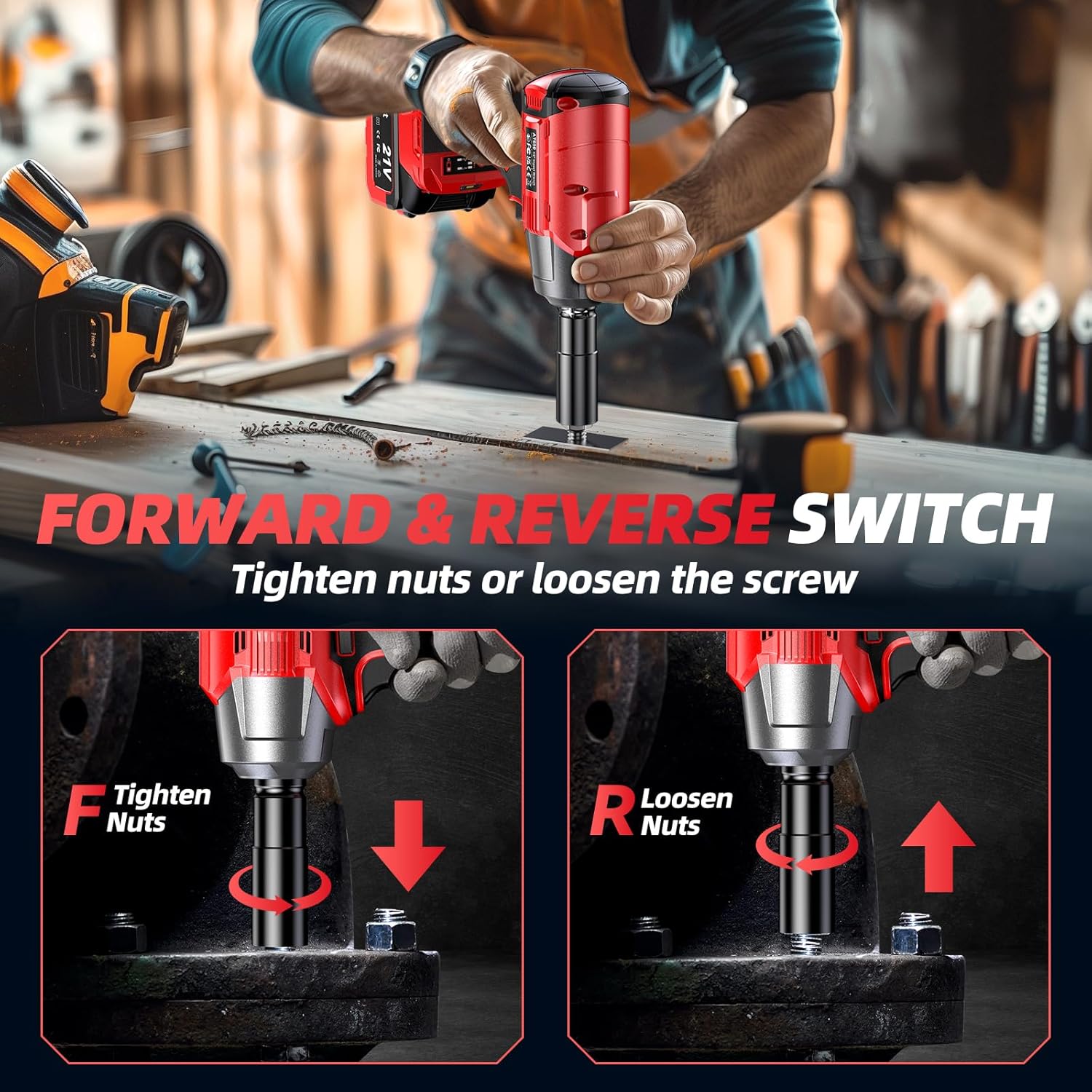
Forward and Reverse Switch
Easily change the rotation direction for tightening or loosening fasteners. A central position on the switch acts as a safety lock.

Two Variable Speeds
The tool offers two adjustable speed settings: Low Speed (0-2200 RPM, 350 N.m) and High Speed (0-3300 RPM, 650 N.m), allowing for precise control based on the application. The speed can also be finely adjusted by varying the pressure on the trigger.
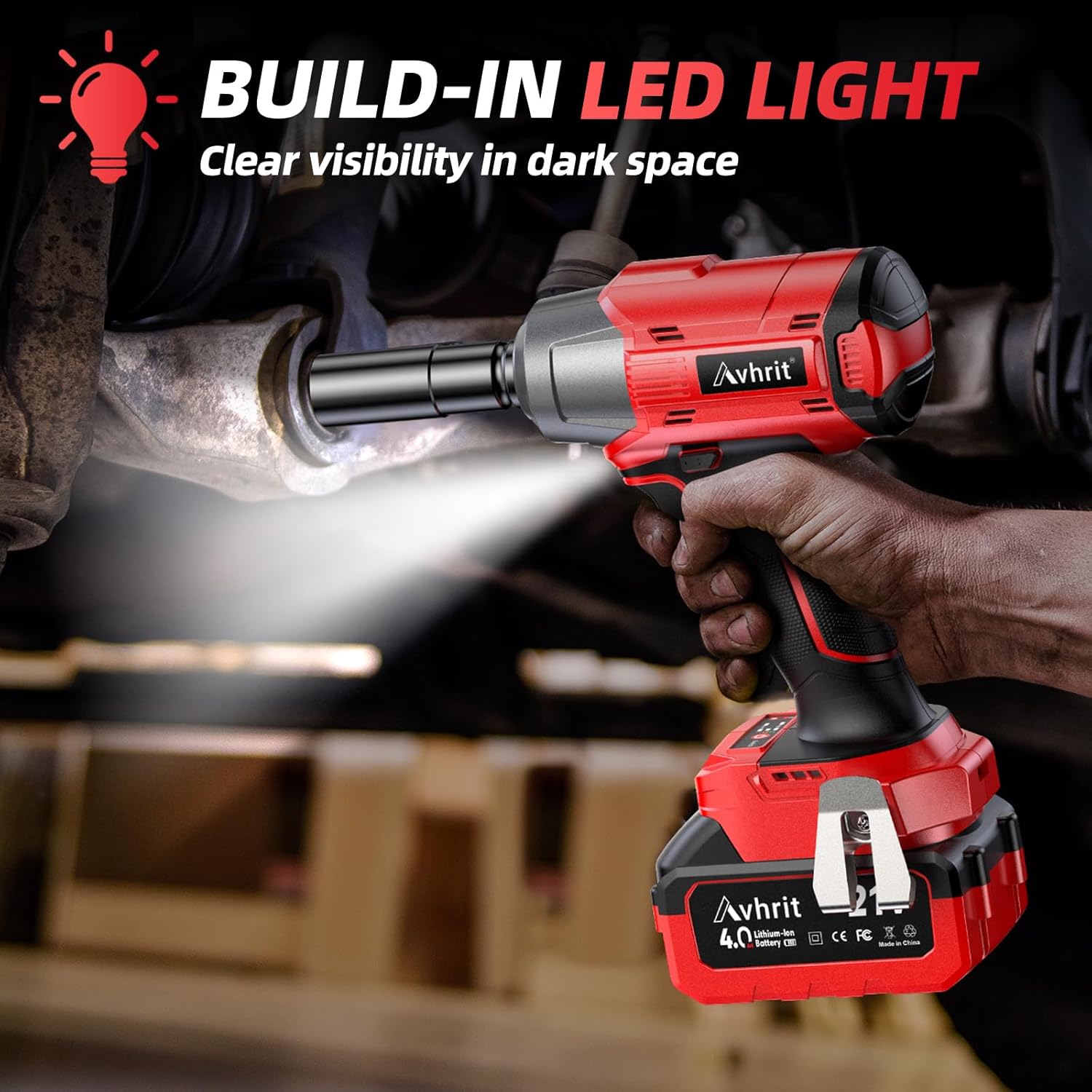
Built-in LED Light
An integrated LED light provides clear visibility in dimly lit work environments, enhancing precision and safety.
Package Contents
Verify that all items listed below are included in your package:
- 1 x Avhrit Cordless Impact Wrench (AT650)
- 1 x 4.0Ah Li-ion Battery
- 1 x Fast Charger
- 1 x Screwdriver Adapter
- 6 x Screwdriver Bits
- 4 x Drive Impact Wrench Sockets (17mm, 19mm, 20mm, 21mm)

Image: Complete Avhrit AT650 kit including the impact wrench, battery, charger, and various accessories.
Setup
1. Charging the Battery
- Connect the fast charger to a standard power outlet.
- Slide the 4.0Ah Li-ion battery onto the charger. Ensure it clicks into place.
- The charger's indicator light will show the charging status. A full charge typically takes approximately 4 hours.
- Once fully charged, remove the battery from the charger.
2. Attaching/Detaching the Battery
- To Attach: Align the battery with the base of the impact wrench and slide it firmly until it locks into position.
- To Detach: Press the battery release button (usually located on the side of the battery) and slide the battery off the tool.
3. Installing Sockets and Accessories
- Ensure the tool is off and the battery is removed before changing accessories.
- For impact sockets, align the square drive of the socket with the anvil on the wrench and push firmly until it clicks into place.
- For screwdriver bits or drill bits, insert the screwdriver adapter into the anvil, then insert the desired bit into the adapter.
- To remove, pull the socket or adapter firmly off the anvil.
Operating Instructions
1. Powering On/Off
The tool is activated by pressing the trigger. Release the trigger to turn the tool off. The built-in LED light will illuminate when the trigger is pressed.
2. Changing Speed Modes
The Avhrit AT650 features two variable speed settings. Use the speed selector switch (located near the battery) to toggle between Low Speed (0-2200 RPM) and High Speed (0-3300 RPM). The speed can also be finely adjusted by varying the pressure on the trigger.
3. Using the Forward/Reverse Switch
The forward/reverse button is located above the trigger. Push it to the left for forward rotation (tightening) and to the right for reverse rotation (loosening). Placing the button in the center position locks the trigger, preventing accidental activation.
4. Applications
- Impact Wrench: Ideal for automotive tasks such as changing tires or working on vehicle components. Select the appropriate socket size (e.g., 17mm, 19mm, 20mm, 21mm) and speed setting.
- Impact Screwdriver: Attach the screwdriver adapter and desired bit for driving or removing screws in various materials.
- Cordless Drill: With the appropriate drill bit and adapter, the tool can be used for drilling holes in wood, metal, or plastic.

Image: Using the Avhrit AT650 impact wrench to loosen a car wheel lug nut.
Maintenance
- Cleaning: Regularly clean the tool's ventilation openings to prevent overheating. Use a soft, damp cloth. Do not use solvents.
- Battery Care: Store batteries in a cool, dry place away from direct sunlight. Do not store fully discharged batteries for extended periods.
- Storage: When not in use, store the tool and accessories in their carrying case in a dry, secure location out of reach of children.
Troubleshooting
| Problem | Possible Cause | Solution |
|---|---|---|
| Tool does not start | Battery not charged or improperly installed. Trigger lock engaged. | Ensure battery is fully charged and correctly seated. Disengage the forward/reverse switch from the center position. |
| Reduced power/torque | Low battery charge. Incorrect speed setting. | Recharge the battery. Select the High Speed setting for maximum torque. |
| Tool overheats | Prolonged heavy use. Blocked ventilation. | Allow the tool to cool down. Clean ventilation slots. |
Specifications
| Feature | Detail |
|---|---|
| Model Number | AT650 |
| Brand | Avhrit |
| Max Torque | 650 N.m (480 Ft-lbs) |
| No-Load Speed | 0-3300 RPM (High), 0-2200 RPM (Low) |
| Voltage | 21 Volts (DC) |
| Battery Type | Lithium Ion |
| Battery Capacity | 4.0 Amp Hours |
| Drive Size | 1/2 Inch Square |
| Weight (with battery) | 1.49 kg (4.28 lbs) |
| Material | Tungsten steel |
| Dimensions | 14.99 x 6.1 x 25.65 cm (5.9 inches front to back) |
Warranty and Support
Avhrit products are manufactured to high-quality standards. For warranty information, technical support, or service inquiries, please refer to the warranty card included with your purchase or visit the official Avhrit website. Please retain your proof of purchase for any warranty claims.
