
TABU B0C2YWMZ9T
TABU Portable Foldable Manicure Nail Table User Manual
Model: B0C2YWMZ9T
Introduction
This manual provides instructions for the assembly, operation, and maintenance of your TABU Portable Foldable Manicure Nail Table. Please read this manual thoroughly before use to ensure proper function and safety.

Image: Overview of the TABU Portable Foldable Manicure Nail Table, highlighting its key components and portability.
Safety Information
WARNING: Failure to follow these safety instructions may result in injury or damage to the product.
Always assemble the table according to the instructions provided. Keep the table on a stable surface and do not use it on uneven or slippery floors to prevent tip-overs. Keep children and pets away from the table when the fan is in use to prevent injury from the moving parts. Be cautious of the sharp edges of the table to avoid injury.
Package Contents
Verify that all components are present before assembly:
- Manicure Tabletop with integrated dust collector fan
- Foldable Metal Legs (2 sets)
- USB Powered LED Lamp
- Removable Wrist Cushion
- Dust Collection Bag
- Carry Bag
- Assembly Hardware (screws, tools if applicable)

Image: Detailed view of the table's integrated features, including the LED lamp, dust collector, wrist cushion, and dust bag.
Setup Instructions
- Unpack Components: Carefully remove all items from the packaging.
- Unfold Legs: Extend the foldable metal legs from their collapsed position. Ensure they lock securely into place.
- Attach Legs to Tabletop: Align the leg frames with the mounting points on the underside of the tabletop. Secure them using the provided hardware.
- Install Dust Collection Bag: Attach the dust collection bag to the outlet of the integrated dust collector fan located beneath the tabletop.
- Attach LED Lamp: Clip the USB-powered LED lamp to the side of the tabletop. Adjust its position as needed.
- Place Wrist Cushion: Position the removable wrist cushion on the tabletop for client comfort.
- Positioning: Move the table to your desired location using the lockable wheels. Once in place, engage the wheel locks to secure the table.

Image: Illustration of the table's foldable design, showing how it collapses for storage and transport.
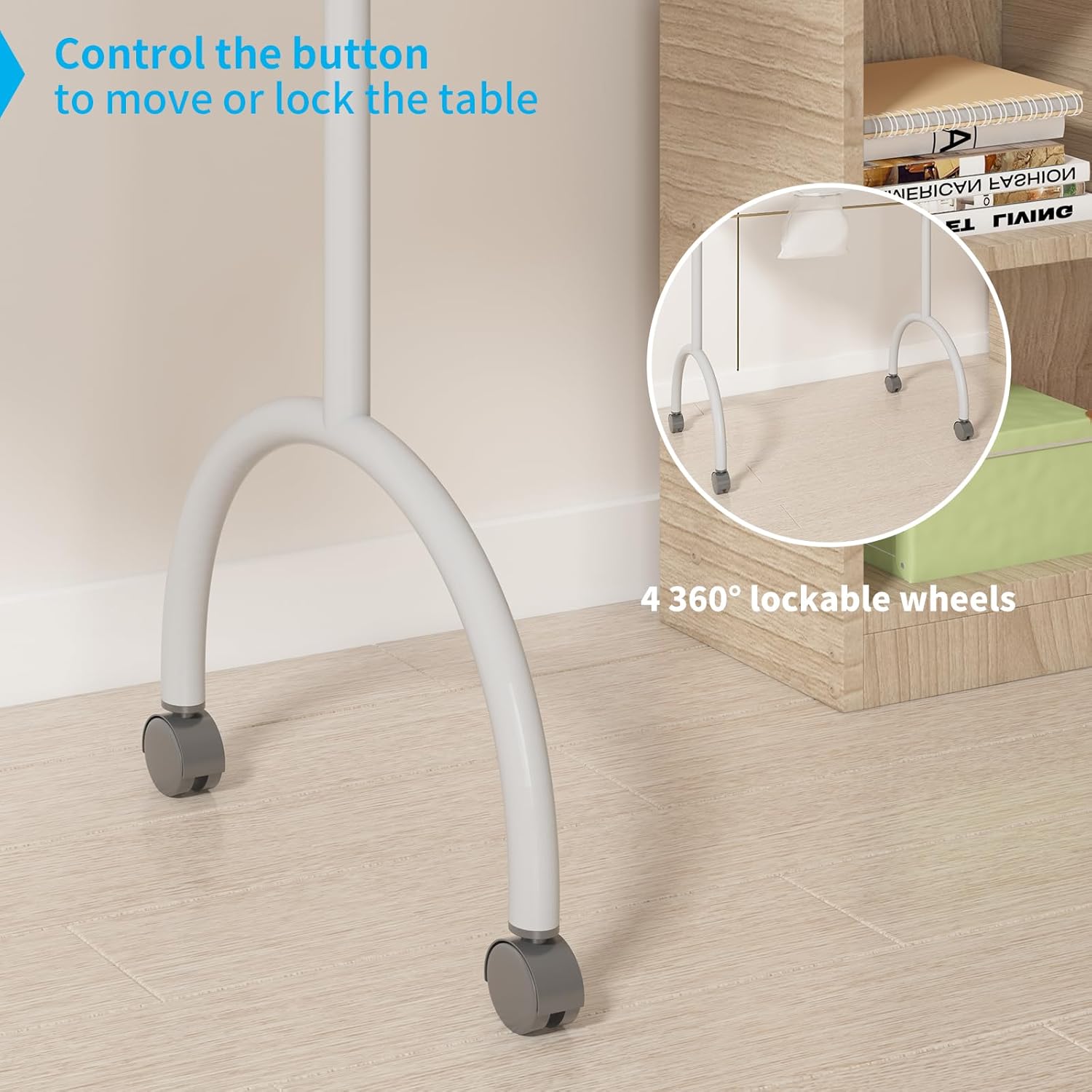
Image: Detail of the lockable wheels, demonstrating their mobility and stability features.
Operating Instructions
LED Lamp Operation:
The LED lamp is USB powered and features 10 levels of brightness and 3 color temperatures. Connect the USB cable to a compatible power source. Use the control panel on the lamp to adjust brightness and switch between color modes (warm, neutral, cool white) as desired. The flexible arm allows for precise positioning.

Image: Visual representation of the LED lamp's adjustable color temperature settings.
Dust Collector Fan Operation:
The built-in dust collector fan helps maintain a clean working environment by collecting nail dust and debris. Ensure the dust collection bag is properly attached before use. Turn on the fan using the designated switch (location may vary, typically near the fan grille). After use, turn off the fan and empty the dust collection bag.
Mobility and Stability:
The table is equipped with 4 lockable, 360-degree swivel wheels. To move the table, unlock all wheels. To secure the table in a fixed position, engage the locks on all four wheels.
Maintenance
- Cleaning the Tabletop: Wipe the MDF and acetone-proof laminate surface with a dry cloth after each use. For stubborn stains, use a mild, non-abrasive cleaner. Avoid harsh chemicals that may damage the finish.
- Emptying the Dust Bag: Regularly empty the dust collection bag to ensure optimal performance of the dust collector fan. Detach the bag, dispose of collected debris, and reattach securely.
- LED Lamp Care: Keep the LED lamp clean and free of dust. Do not attempt to disassemble the lamp.
- Wheel Maintenance: Periodically check the wheels for any debris or hair that might impede their movement. Clean as necessary.
Troubleshooting
- LED Lamp Not Turning On:
- Ensure the USB cable is securely connected to both the lamp and a functional power source. Check if the power source is active.
- Dust Collector Fan Not Working:
- Verify that the fan's power switch is in the "on" position. Check for any obstructions in the fan grille or the dust collection bag. Ensure the bag is not overfilled.
- Table is Unstable:
- Ensure all foldable legs are fully extended and locked into place. Verify that all four wheels are locked when the table is stationary. Place the table on a flat, even surface.
- Difficulty Moving Table:
- Ensure all four wheels are unlocked. Check for any debris obstructing the wheels' rotation.
Specifications
| Feature | Detail |
|---|---|
| Brand | TABU |
| Model | B0C2YWMZ9T |
| Dimensions (L x W x H) | 35.5 x 14.5 x 28.7 inches (90.17 x 36.83 x 72.9 cm) |
| Item Weight | 22.2 pounds (10.07 kg) |
| Material | Engineered Wood (MDF) & Acetone-Proof Laminate |
| Color | Pink |
| Wheels | 4 Lockable, 360-degree Swivel Wheels |
| LED Lamp | USB Powered, 10 Brightness Levels, 3 Color Temperatures |
| Dust Collector | Integrated Fan with Dust Collection Bag |
| Care Instructions | Wipe with Dry Cloth |

Image: Product dimensions diagram for reference.
Warranty and Support
Warranty information for this product is not available in the provided data. For specific warranty details or technical support, please refer to the product packaging or contact the manufacturer directly.
Manufacturer: TABU
Ask a question about this manual
Ask about setup, troubleshooting, compatibility, parts, safety, or missing instructions. Manuals+ will review the question and use this page’s manual context to help answer it.