
1. Introduction
The Itomoro Baby Car Camera ACZ403 is a dual-channel monitoring system designed to provide a clear view of your child or children in rear-facing car seats. This system includes a 5-inch 1080P IPS display and two infrared (IR) night vision cameras, ensuring visibility both day and night. It offers a safe and convenient way to observe your baby while driving, reducing distractions.
2. Package Contents
Verify that all components are present in your package:
- 1 x 5-inch Display Monitor
- 2 x Cameras
- 2 x Camera Base and Straps
- 1 x Cigarette Lighter Power Adapter
- 1 x 3M Extension Cable

Image: Overview of all components included in the Itomoro Baby Car Camera ACZ403 package.
3. Setup and Installation
Follow these steps for quick and secure installation:
- Mount the Camera(s): Secure the baby car camera(s) to the front or rear headrest using the provided elastic bands. Ensure the camera is firmly attached and positioned to capture the desired view of your child. The camera offers 360° rotation for optimal angle adjustment.
- Connect the Cables: Connect the camera cable(s) to the 5-inch display monitor. If needed, use the 3M extension cable for longer reach. Ensure all connections are tight and secure.
- Mount the Display: Position the 5-inch display on your dashboard or windshield using the suction cup mount. Adjust the display angle for optimal viewing without obstructing your driving view.
- Power On: Plug the cigarette lighter power adapter into your vehicle's 12V (AC) power outlet. The system will power on automatically.

Image: Visual guide for the 5-minute quick installation process.

Image: Illustration of the 360-degree adjustable camera and monitor for flexible positioning.
4. Operating Instructions
4.1 Display Modes
The 5-inch display supports both single and dual-screen viewing modes. This allows you to monitor one child or two children simultaneously if both cameras are connected.

Image: Display modes showing single camera view (CH1) and split-screen view (CH1+CH2).
4.2 Night Vision
The cameras are equipped with 940nm IR night vision technology, providing clear images in low-light conditions without emitting visible red light that could disturb your baby. The system automatically adjusts for day and night use.

Image: Night vision capability demonstrating clear visibility of a sleeping baby in a car seat.
4.3 Display Adjustments
The monitor allows for adjustment of brightness, contrast, and saturation to optimize viewing comfort and clarity, especially during different lighting conditions (day/night).
- First Button: Switch display channel (CH1, CH2, CH1+CH2) and move upward in menu selections.
- Second Button: Access the adjustment menu and switch between adjustment modes (brightness, contrast, saturation).
- Third Button: Move downward in menu selections.

Image: Monitor interface showing options for adjusting brightness, contrast, and saturation.

Image: Rear view of the monitor highlighting the control buttons and their functions.
5. Safety Notes
Adhere to the following safety guidelines to ensure product longevity and prevent potential hazards:
- The system must be used in a 12 Volts (AC) voltage environment only.
- Avoid prolonged continuous use. A single use session should not exceed 8 hours.
- Ensure that the cooling ports on the display are not blocked to maintain proper air circulation and prevent overheating.
- Always ensure the monitor is mounted securely and does not obstruct the driver's view or interfere with vehicle controls.
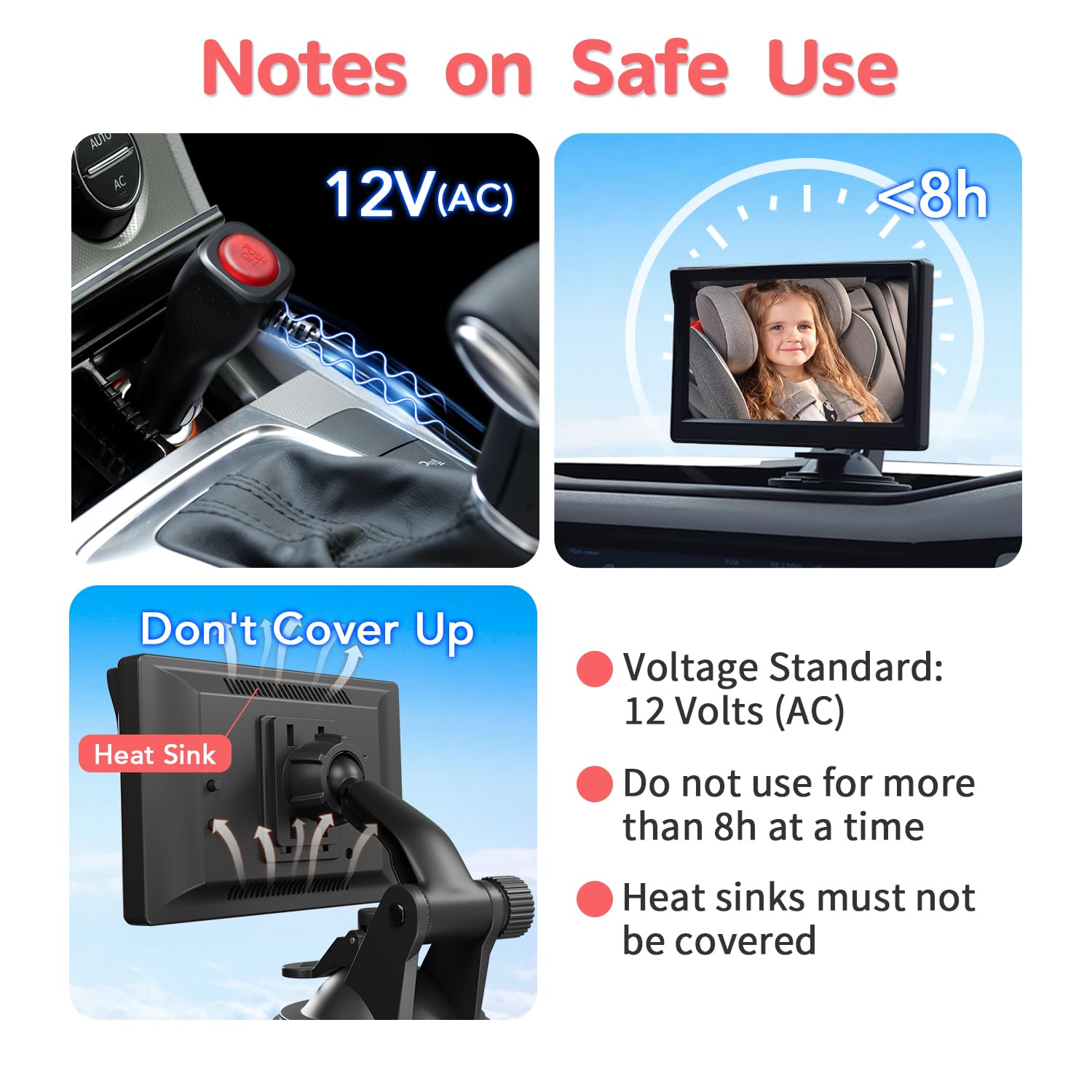
Image: Visual summary of key safety notes for product usage.
6. Maintenance
Regular maintenance helps ensure the optimal performance and safety of your Itomoro Baby Car Camera system:
- Monthly Inspection: Regularly check the power adapter, cables, and connections for any signs of abrasion, damage, or abnormal heat.
- Cigarette Lighter Connector: Inspect the car cigarette lighter connector for any damage or dirt that might impede proper connection.
- Cleaning: Use a soft, dry cloth to clean the display and camera lenses. Avoid abrasive cleaners or solvents.
- Storage: When not in use for extended periods, store the system in a cool, dry place away from direct sunlight and extreme temperatures.

Image: Tips for regular monthly checks of the product's condition.
7. Troubleshooting
If you encounter issues with your Itomoro Baby Car Camera, consider the following general troubleshooting steps:
- No Power/Display: Ensure the cigarette lighter adapter is fully inserted and the vehicle's 12V outlet is functioning. Check all cable connections for tightness.
- No Image: Verify that the camera cables are securely connected to the monitor. If using dual cameras, try switching channels to isolate the issue.
- Poor Image Quality: Check if camera lenses are clean and free from obstructions. Adjust brightness, contrast, and saturation settings on the monitor. Ensure the camera is positioned correctly for a clear view.
- Night Vision Issues: Ensure the camera's IR sensors are not blocked. Verify that the environment is dark enough for night vision to activate.
- Unstable Mount: Re-secure the camera straps and monitor suction cup. Ensure surfaces are clean and dry before mounting.
If problems persist after attempting these steps, please contact Itomoro customer support for further assistance.
8. Specifications
Detailed technical specifications for the Itomoro Baby Car Camera ACZ403:
| Feature | Specification |
|---|---|
| Model Name | ACZ403 |
| Display Size | 5 Inches |
| Video Capture Resolution | 1080p |
| Number of Channels | 2 |
| Connectivity Technology | Wired |
| Power Source | Corded Electric (12 Volts AC) |
| Viewing Angle | 150 Degrees |
| Night Vision Technology | 940nm Baby-Safe Infrared |
| Frame Rate | 60 fps |
| Material | Polyester |
| Item Weight | 1.61 pounds |
| Control Method | Push Button |
| Included Components | Display, 2 Cameras, 2 Camera Bases/Straps, Cigarette Lighter, 3M Extension Cable |
9. Warranty and Support
Itomoro provides comprehensive support for your product:
- 1-Year Replacement Service: Your product is covered by a 1-year replacement service from the date of purchase.
- 30-Day Money-Back Guarantee: If you are not satisfied with your purchase, you may be eligible for a refund within 30 days.
- Lifetime Technical Support: Itomoro offers lifetime technical support for the ACZ403 Baby Car Camera.
For any questions, technical assistance, or warranty claims, please contact Itomoro customer support through the retailer where you purchased the product or visit the official Itomoro website.