
1. Introduction
Thank you for choosing the Alpha Digital Q80-W Wireless Ear Clip Earbuds. This manual provides essential information for the proper setup, operation, and maintenance of your new earbuds. Please read it thoroughly before use to ensure optimal performance and longevity of the product.
Package Contents:
- 2 x Alpha Digital Q80-W Wireless Ear Clip Earbuds
- 1 x Charging Case
- 1 x USB-C Charging Cable
- 1 x User Manual (this document)
- 1 x Earcaps (Note: The product description mentions '1 earcaps', which may refer to a pair or a single spare. Please verify upon unboxing.)
2. Product Overview
The Alpha Digital Q80-W earbuds feature an open-ear clip design for comfortable wear, Bluetooth 5.3 connectivity, and intuitive touch controls. The charging case includes a digital display for battery status.

Image 2.1: Alpha Digital Q80-W Wireless Ear Clip Earbuds in their charging case, displaying the digital battery indicator.
Key Features:
- Open-Ear Clip Design: Comfortable and stable fit without inserting into the ear canal.
- Bluetooth 5.3: Provides stable and efficient wireless connectivity.
- Extended Playtime: Up to 5 hours on a single charge, with a total of approximately 18 hours using the charging case.
- Digital Battery Display: The charging case features an LED display showing the remaining battery percentage.
- Touch Controls: Manage music playback, calls, and voice assistant with simple taps.
- Lightweight Construction: Designed for prolonged comfortable wear.
- ENC Double-Malt Voice Noise Reduction: Enhances call clarity by reducing ambient noise.

Image 2.2: The charging case with its LED digital display indicating battery levels for both earbuds (L/R) and the case itself.

Image 2.3: Illustration of the ergonomic clip-on design, showing how the earbud sits securely on the earlobe for comfort and stability.
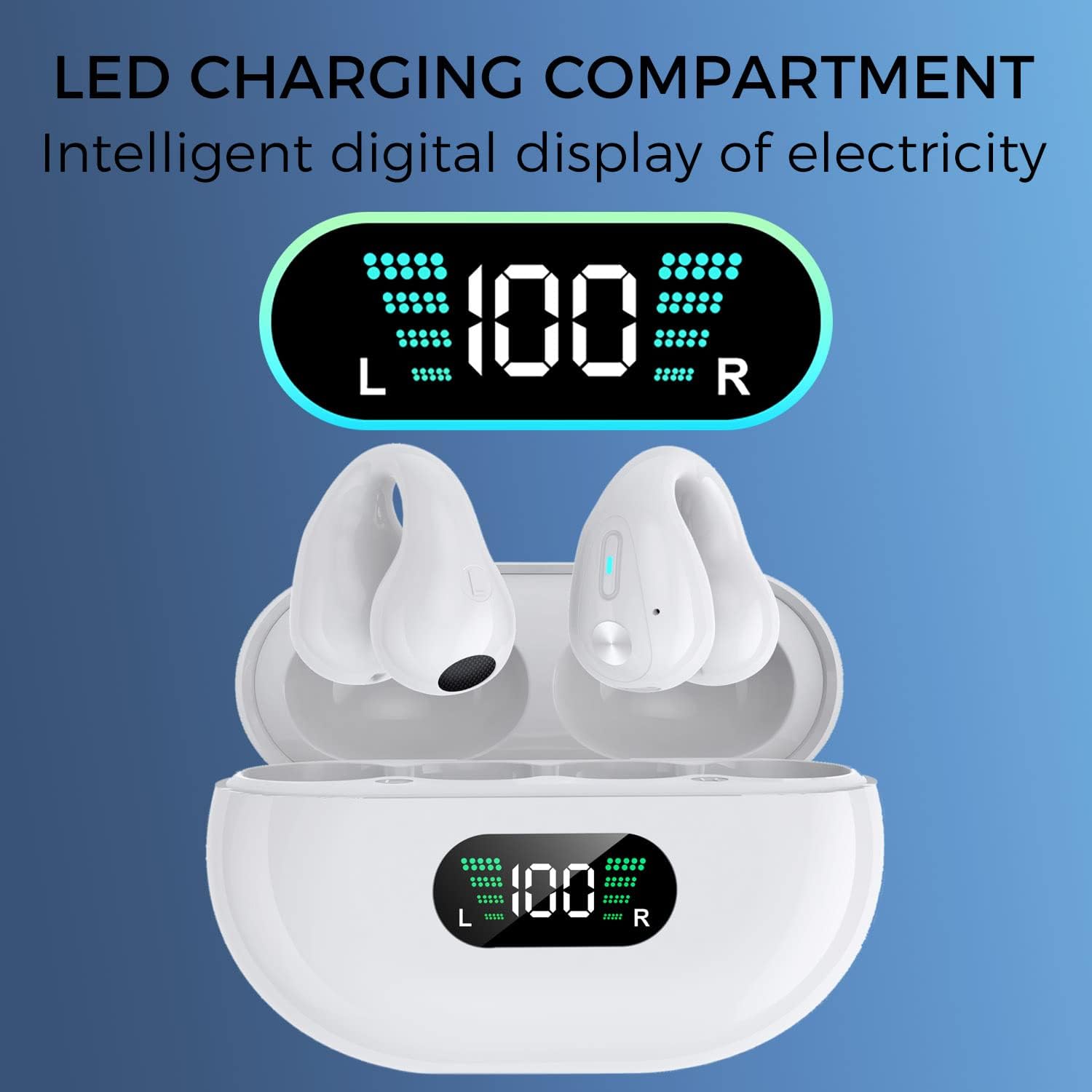
Image 2.4: A single earbud demonstrating the noise reduction capability, with a visual representation of sound waves before and after noise reduction.
3. Setup
3.1 Initial Charging
- Place both earbuds into the charging case.
- Connect the USB-C charging cable to the charging port on the case and the other end to a USB power source (e.g., wall adapter, computer USB port).
- The LED digital display on the charging case will show the current battery level. Allow the case and earbuds to fully charge before first use. A full charge typically takes 1-2 hours.

Image 3.1: Visual representation of the 350mAh battery capacity of the charging case, indicating extended playtime.
3.2 Bluetooth Pairing
- Ensure the earbuds are charged.
- Open the charging case. The earbuds will automatically power on and enter pairing mode.
- On your device (smartphone, tablet, computer, etc.), enable Bluetooth.
- Search for available Bluetooth devices and select "Q80-W" from the list.
- Once connected, you will hear a confirmation tone, and the earbuds will be ready for use.
- The earbuds will automatically reconnect to the last paired device when taken out of the case, if Bluetooth is enabled on the device.
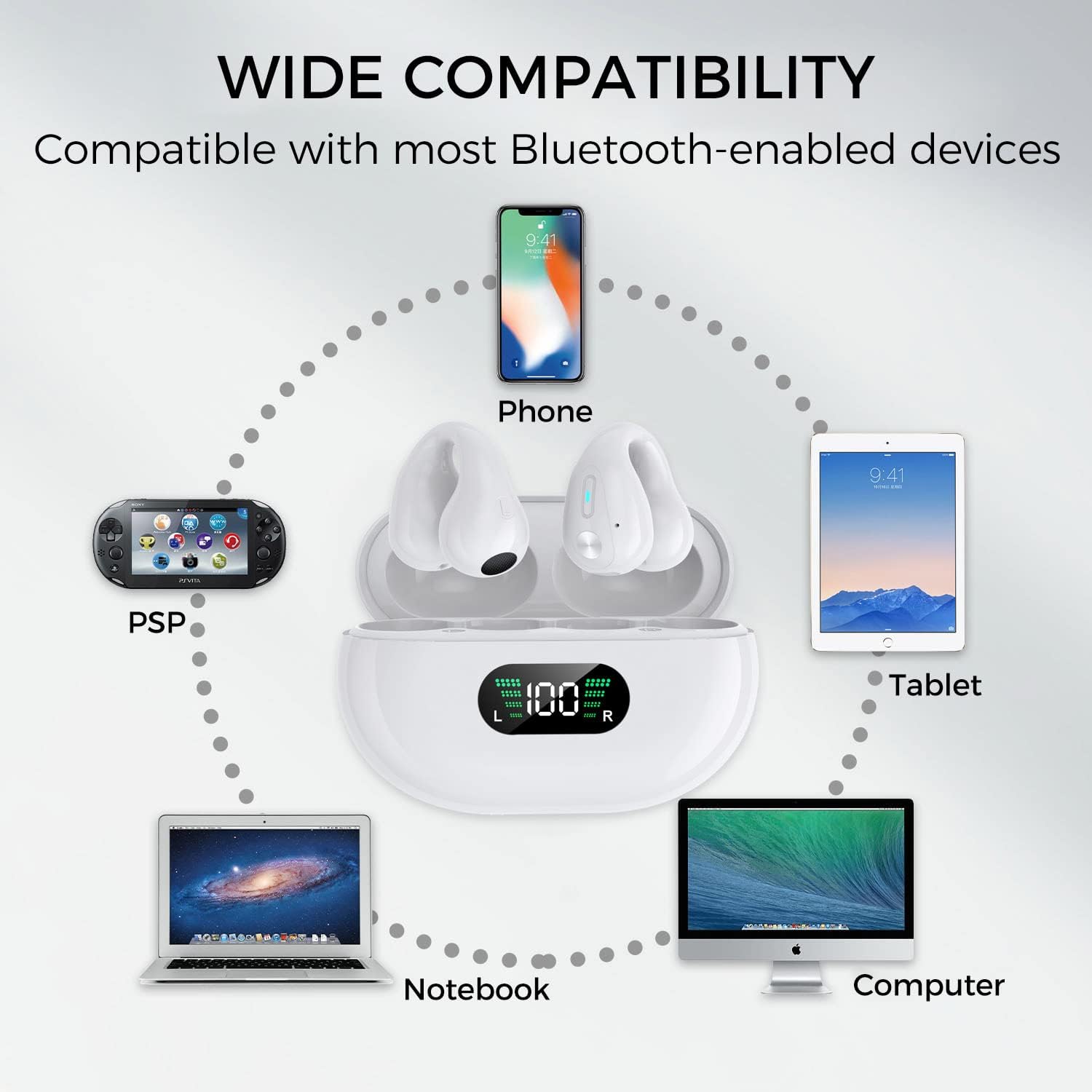
Image 3.2: Diagram illustrating the wide compatibility of the earbuds with various Bluetooth-enabled devices such as phones, tablets, notebooks, and computers.
4. Operating Instructions
4.1 Wearing the Earbuds
The Q80-W earbuds are designed to clip onto your earlobe. Gently place the earbud over your ear, ensuring the speaker is positioned towards your ear canal for optimal sound. Adjust for a comfortable and secure fit. The open-ear design allows you to remain aware of your surroundings.
4.2 Touch Controls
The earbuds feature sensitive touch controls on their outer surface. Refer to the diagram below for specific functions:
- Power On/Off: Automatic when removed/placed in case.
- Play/Pause: Click once on either L/R earbud.
- Volume Up: Click 3 times on the Left earbud.
- Volume Down: Click 3 times on the Right earbud.
- Next Song: Click once on the Right earbud for 1 second.
- Previous Song: Click once on the Left earbud for 1 second.
- Answer/Hang Up Call: Click twice on either L/R earbud.
- Reject Call: Long press either L/R earbud for 2 seconds.
- Activate Voice Assistant (Siri/Google Assistant): Click L/R for 5 seconds.
Note: Accidental touches may occur if the earbuds are adjusted frequently. Familiarize yourself with the touch areas.
5. Maintenance
5.1 Cleaning
- Wipe the earbuds and charging case with a soft, dry, lint-free cloth.
- Do not use abrasive cleaners, alcohol, or chemical solvents.
- Keep charging contacts clean and free of debris.
5.2 Storage
- Store the earbuds in their charging case when not in use to protect them and keep them charged.
- Avoid extreme temperatures, humidity, and dust.
6. Troubleshooting
If you encounter issues with your earbuds, please refer to the following common solutions:
| Problem | Possible Solution |
|---|---|
| Earbuds do not power on. | Ensure earbuds and charging case are fully charged. Place earbuds in the case and close, then open again. |
| Earbuds do not pair with device. | Ensure Bluetooth is enabled on your device. Turn off and on your device's Bluetooth. Forget "Q80-W" from your device's Bluetooth list and re-pair. Ensure earbuds are in pairing mode (LED indicator blinking). |
| Only one earbud is working. | Place both earbuds back into the charging case, close the lid, wait a few seconds, then open the lid and take them out simultaneously. This should re-sync them. |
| Low volume or poor sound quality. | Adjust the volume on both your device and the earbuds. Ensure earbuds are positioned correctly on your ears. Check for any obstructions on the speaker grilles. |
| Charging case not charging. | Ensure the USB-C cable is securely connected to both the case and the power source. Try a different charging cable or power adapter. |
7. Specifications
| Feature | Detail |
|---|---|
| Model Name | Q80-W |
| Brand | Alpha Digital |
| Connectivity Technology | Wireless (Bluetooth 5.3) |
| Battery Life (Earbuds) | Up to 5 hours |
| Total Playtime (with Case) | Approximately 18 hours |
| Charging Case Battery Capacity | 350mAh |
| Control Method | Touch |
| Ear Placement | Open Ear (Clip) |
| Material | Plastic |
| Item Weight | 4.6 ounces (0.13 Kilograms) |
| Water Resistance Level | Not Water Resistant |
| UPC | 884945006620 |
8. Safety Information
- Do not disassemble, repair, or modify the product.
- Keep away from water, moisture, and extreme temperatures. This product is not water resistant.
- Avoid prolonged exposure to high volume levels to prevent hearing damage.
- Keep out of reach of children and pets.
- Dispose of the product and its battery responsibly according to local regulations.
9. Warranty and Support
Alpha Digital products are designed for reliability and performance. For warranty information or technical support, please refer to the contact details provided with your purchase or visit the official Alpha Digital website. Please retain your proof of purchase for warranty claims.

