Introduction
The Paragon Pro Series Commercial Hot Dog Steamer, Model 8030, is designed for commercial use, capable of steaming up to 200 hot dogs and 42 buns. Constructed from durable 20-gauge stainless steel, this unit features tempered glass panels for product visibility and a proprietary heating system for efficient steaming. This manual provides essential information for the safe setup, operation, and maintenance of your steamer.

Image: Front view of the Paragon Pro Series Commercial Hot Dog Steamer, showing the stainless steel body, glass display, control panel, and attached tongs.
Important Safety Information
WARNING: To reduce the risk of fire, electric shock, or injury, read and understand all instructions before operating this appliance.
- Always operate the steamer on a stable, level surface.
- Ensure the unit is properly grounded.
- Do not immerse the unit in water or other liquids.
- Keep hands and face away from steam vents during operation.
- Use caution when handling hot components and hot water.
- Unplug the unit from the power outlet when not in use and before cleaning.
- Do not operate the unit with a damaged cord or plug.
- This appliance is for commercial use only.
Setup and Initial Preparation
- Unpacking: Carefully remove all packaging materials. Inspect the steamer for any shipping damage.
- Initial Cleaning: Before first use, wash all removable parts (hot dog tray, bun rack, drip tray) with warm, soapy water. Wipe down the interior and exterior of the unit with a damp cloth. Rinse thoroughly and dry.
- Placement: Position the steamer on a stable, heat-resistant surface, away from walls or other equipment to allow for proper ventilation. Ensure adequate space for operation and maintenance.
- Water Reservoir Fill:
Locate the water fill slot on the top of the unit. Slide the cover open. Fill the 8-quart (7.57 liter) water reservoir with clean, potable water. Do not overfill. The unit features a low-level indicator LED that illuminates when water is low, and an automatic shut-off feature.

Image: A person pouring water into the designated fill slot of the hot dog steamer, with hot dogs and buns visible in their respective compartments.
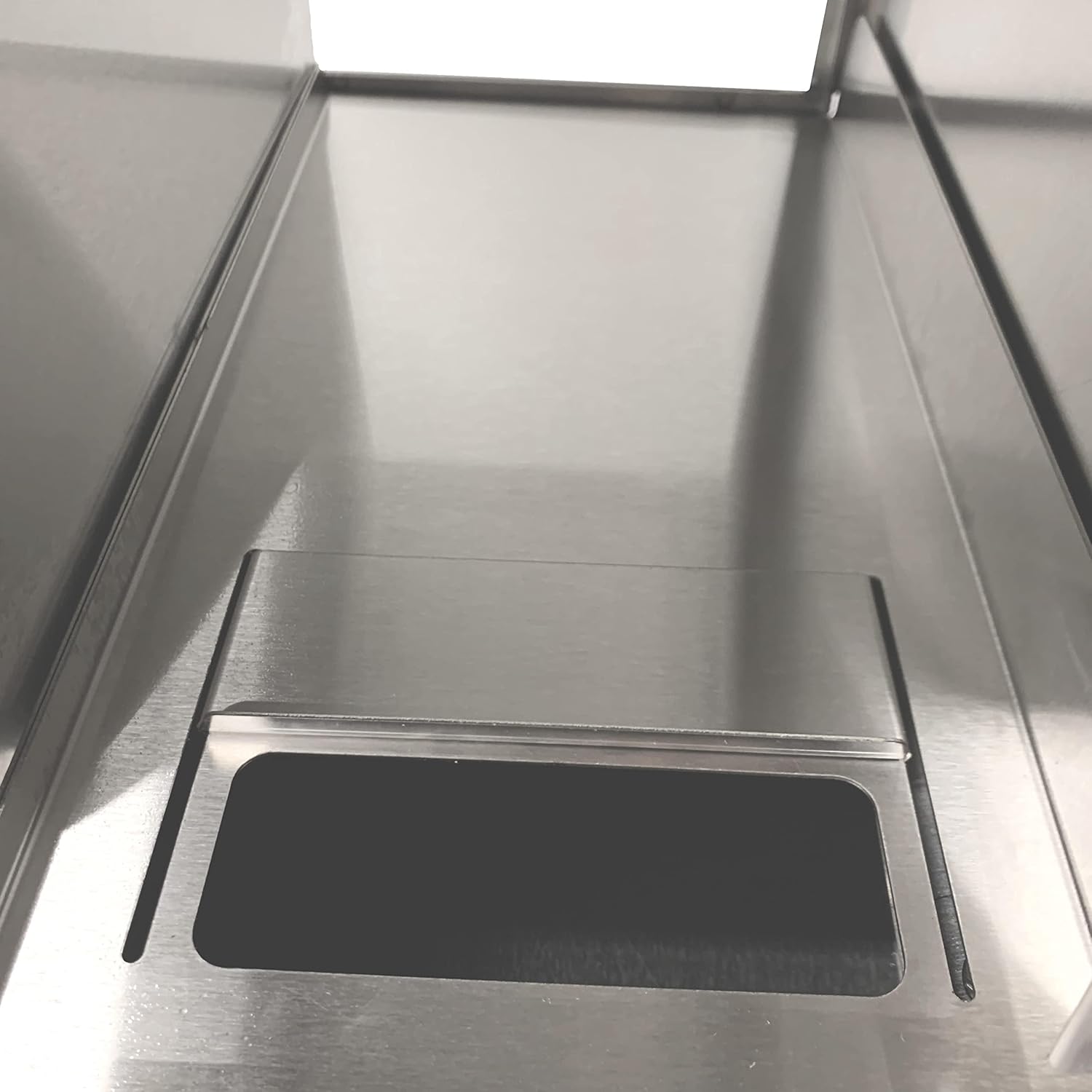
Image: Close-up view of the water fill slot, showing the sliding mechanism for adding water.
Operating Instructions
- Power Connection: Plug the steamer into a grounded electrical outlet. The power LED will illuminate.
- Loading Hot Dogs: Place hot dogs or sausages into the divided hot dog tray. The tray accommodates various sizes and separates product for even heat distribution. The unit can hold up to 200 hot dogs.
- Loading Buns: Place buns on the bun rack in the bun compartment. The rack is designed to keep buns warm without becoming soggy. The unit can hold up to 42 buns.
- Temperature Control:
Turn the adjustable thermostat knob to the desired temperature, ranging from 85°F to 175°F (29°C to 80°C). For initial heating, set to a higher temperature. Once the desired temperature is reached, adjust as needed to maintain serving temperature.

Image: Close-up of the control panel, showing the temperature dial with settings from Low to High (85°F-175°F), power switch, and indicator lights.
- Steaming Process: Allow 15-45 minutes for hot dogs to reach serving temperature, depending on the initial temperature and quantity.
- Monitoring Water Level: The low-level indicator LED will illuminate if the water level in the reservoir is too low. Refill water as needed through the sliding fill slot.
- Serving: Use the provided tongs to serve hot dogs and buns. The front drop-down glass door allows for easy access.

Image: Front view of the steamer with the tempered glass door opened, revealing the hot dog and bun compartments inside.
Maintenance and Cleaning
- Draining Water:
After each use, or when the water needs to be changed, unplug the unit and allow it to cool. Locate the quick-turn water release ball valve on the side of the unit. Place a suitable container beneath the valve and open it to drain the water reservoir. Close the valve once drained.

Image: Close-up of the blue handle of the water release ball valve, located on the side of the steamer for draining the reservoir.
- Cleaning Removable Parts: The product trays and drop-down door are dishwasher safe. For best results, wash with warm, soapy water and rinse thoroughly.
- Cleaning Unit Exterior and Interior: Wipe down the stainless steel exterior and interior surfaces with a damp cloth and mild detergent. Avoid abrasive cleaners or scouring pads that could scratch the finish. Ensure all surfaces are dry before storage or next use.
- Descaling: Periodically, depending on water hardness, descaling may be necessary to remove mineral buildup in the water reservoir. Consult a commercial descaling agent's instructions for proper use.
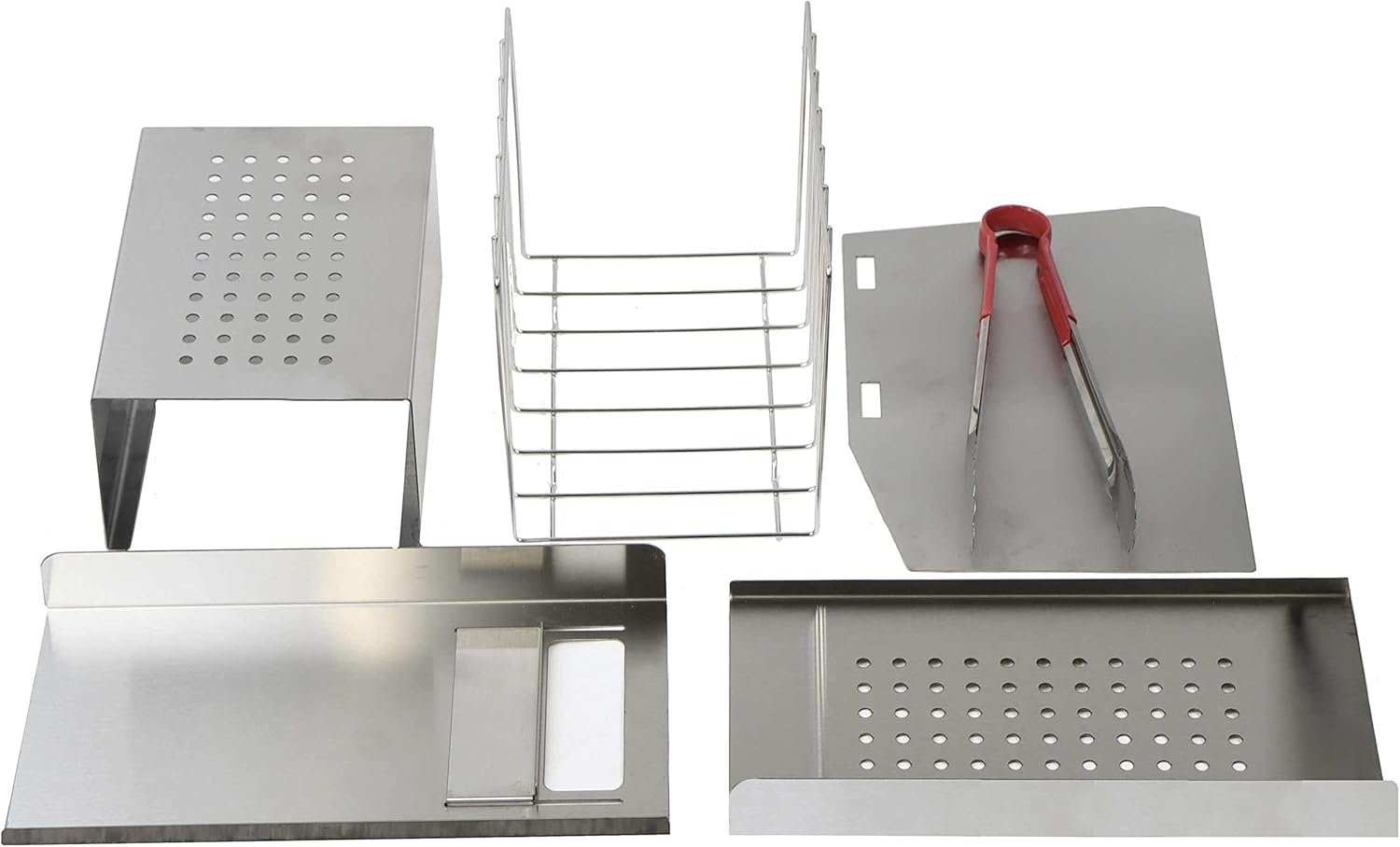
Image: All removable components of the steamer laid out, including the hot dog tray, bun rack, drip tray, and serving tongs.
Troubleshooting
- Unit Not Heating:
- Ensure the power cord is securely plugged into a functional outlet.
- Check if the power switch is in the "ON" position.
- Verify that the water reservoir has sufficient water; the low-level indicator may be active.
- Confirm the thermostat is set to a temperature above the current ambient temperature.
- Insufficient Steam Production:
- Check the water level in the reservoir.
- Ensure the unit has reached its operating temperature.
- Inspect for any blockages in steam vents.
- Hot Dogs/Buns Not Warming Evenly:
- Avoid overcrowding the compartments.
- Ensure hot dogs are spread out in the divided tray.
- Check that the bun rack is properly positioned.
Specifications
| Feature | Detail |
|---|---|
| Model Number | 8030 |
| Product Dimensions | 16 x 15 x 15 inches |
| Item Weight | 33 pounds |
| Hot Dog Capacity | Up to 200 hot dogs |
| Bun Capacity | Up to 42 buns |
| Water Reservoir Capacity | 8 quarts (7.57 liters) |
| Temperature Range | 85°F - 175°F (29°C - 80°C) |
| Construction Material | 20 gauge Stainless Steel, Tempered Glass |
Warranty Information
The Paragon Pro Series Commercial Hot Dog Steamer, Model 8030, comes with a one-year manufacturer's warranty. This warranty covers defects in materials and workmanship under normal use. Please retain your proof of purchase for warranty claims. For specific terms and conditions, refer to the warranty card included with your product or contact customer support.
Customer Support
For technical assistance, parts, or warranty inquiries, please contact Paragon customer support. Have your model number (8030) and purchase date available when contacting support.
Website: www.gopopcorn.com/contact-us
Phone: Refer to the contact information provided on the manufacturer's website or product packaging.