Important Safety Instructions
Please read and understand all safety instructions before using this product. Keep this manual for future reference.
- Electrical Safety: Ensure the power supply voltage matches the rating label on the soundbar. Do not expose the unit to rain or moisture to prevent fire or electric shock.
- Ventilation: Do not block any ventilation openings. Install in accordance with the manufacturer's instructions.
- Heat: Do not install near any heat sources such as radiators, heat registers, stoves, or other apparatus (including amplifiers) that produce heat.
- Water and Moisture: Do not use this apparatus near water.
- Cleaning: Clean only with a dry cloth.
- Servicing: Refer all servicing to qualified service personnel. Servicing is required when the apparatus has been damaged in any way, such as power-supply cord or plug is damaged, liquid has been spilled or objects have fallen into the apparatus, the apparatus has been exposed to rain or moisture, does not operate normally, or has been dropped.
Package Contents
Carefully unpack your soundbar system and ensure all items are present and in good condition. If any item is missing or damaged, contact your retailer.
- Soundbar
- Subwoofer
- Remote Control
- Power Cord
- Aux Cable
- User Manual (this document)
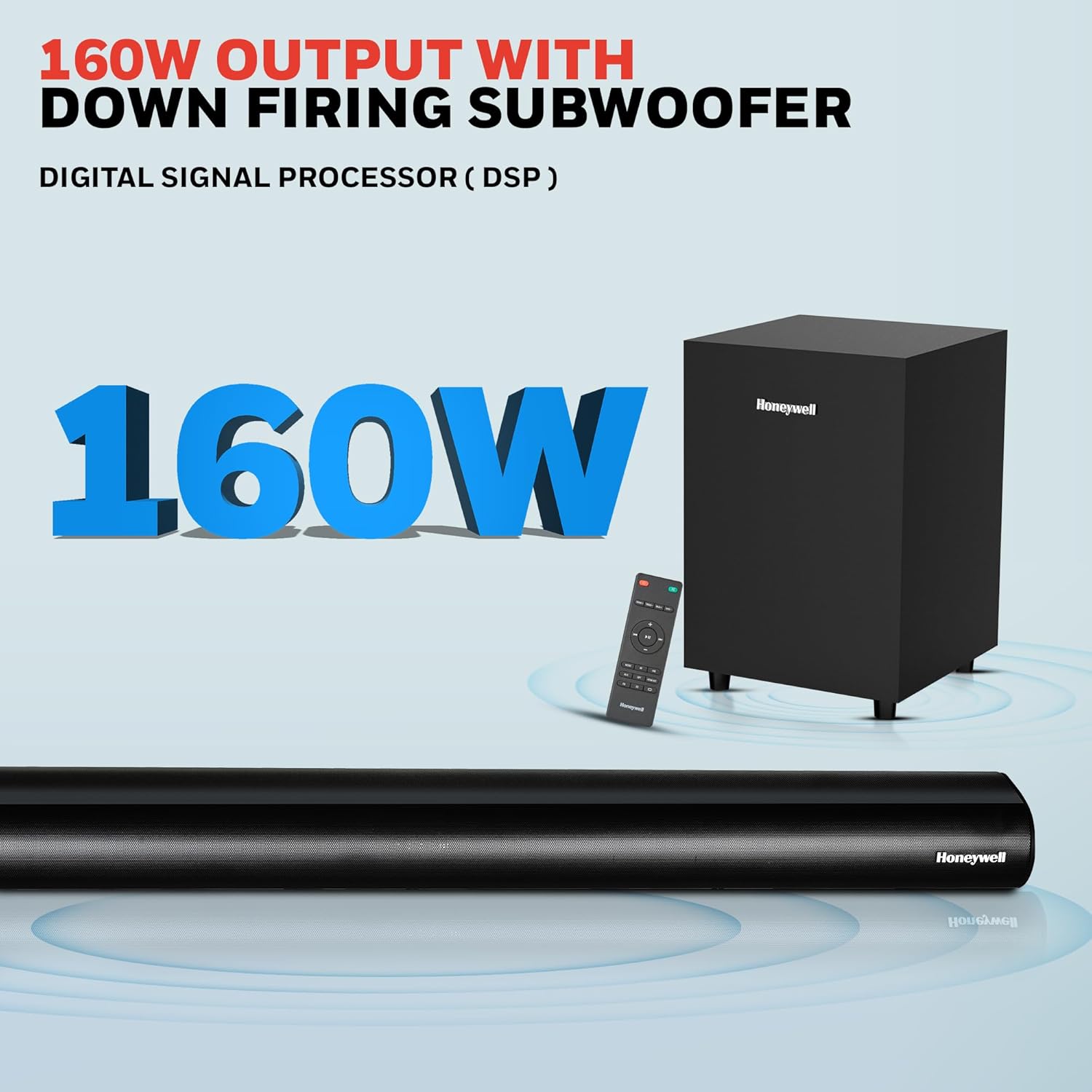
Image: Contents of the Honeywell Trueno U2000 package, including the soundbar, subwoofer, remote control, and cables.
Product Overview
The Honeywell Trueno U2000 is a 2.1 channel soundbar system designed to enhance your audio experience. It features a soundbar with four 57mm drivers and a wired subwoofer with a 165mm (6-inch) driver, delivering 160W of total output. Multiple connectivity options and EQ modes allow for versatile use.
Key Features:
- 160W Total Output Power
- 2.1 Channel Configuration with Wired Subwoofer
- Bluetooth V5.3 Connectivity
- Multiple Input Options: HDMI ARC, Optical, AUX, USB
- 3 Equalizer (EQ) Modes: News, Movie, Music
- LED Display
- Wall Mountable Design

Image: Visual representation of the soundbar's features, including its drivers, connectivity, and EQ modes.
Setup
1. Placement
- Soundbar: Place the soundbar on a stable, flat surface directly in front of your television, or mount it on the wall below your TV. Ensure there are no obstructions in front of the soundbar.
- Subwoofer: Position the subwoofer on the floor near the soundbar. The wired connection requires it to be within cable reach of the soundbar.
2. Connections
Connect your audio sources to the soundbar using the appropriate cables. The soundbar supports HDMI ARC, Optical, AUX, and USB inputs.

Image: Rear panel of the soundbar displaying various input ports for connectivity.
- HDMI ARC: Connect an HDMI cable from the HDMI ARC port on the soundbar to the HDMI ARC port on your TV. This allows audio from your TV to play through the soundbar and enables TV remote control of the soundbar volume.
- Optical: Connect an optical cable from the OPTICAL port on the soundbar to the optical output port on your TV or other audio device.
- AUX: Use the provided 3.5mm AUX cable to connect the AUX IN port on the soundbar to the audio output (headphone jack) of your device.
- USB: Insert a USB drive into the USB port for direct audio playback.
- Subwoofer: Connect the wired subwoofer to the SW OUT port on the soundbar.
3. Power Connection
Connect the power cord to the soundbar's power input and then plug it into a wall outlet. The soundbar will enter standby mode.
Operating Instructions
1. Power On/Off
Press the Power button on the soundbar or the remote control to turn the unit on or off.
2. Remote Control Functions
The included remote control provides full functionality for your soundbar.

Image: The remote control for the soundbar, showing its layout and buttons.
- Power Button: Turns the soundbar on or off.
- Input/Source Button: Cycles through input modes (HDMI ARC, Optical, AUX, USB, Bluetooth).
- Volume Up/Down: Adjusts the master volume level.
- Mute Button: Mutes or unmutes the sound.
- EQ Mode Buttons: Selects between News, Movie, and Music sound modes.
- Play/Pause, Skip Tracks: For USB and Bluetooth playback.
3. Bluetooth Pairing
To connect a Bluetooth device:
- Turn on the soundbar and select Bluetooth mode using the Input/Source button on the remote or soundbar. The LED display will show "BT".
- Enable Bluetooth on your mobile device (smartphone, tablet, etc.).
- Search for "Honeywell Trueno U2000" in your device's Bluetooth list and select it to pair.
- Once paired, the soundbar will indicate a successful connection, and you can play audio from your device.

Image: Illustrates the process of connecting a mobile device to the soundbar via Bluetooth.
4. Input Source Selection
Press the Input/Source button on the remote or the soundbar to cycle through the available input modes: HDMI ARC, OPTICAL, AUX, USB, and Bluetooth. The selected mode will be displayed on the soundbar's LED screen.
5. EQ Modes
The soundbar offers three preset equalizer modes to optimize audio for different content types:
- News Mode: Enhances vocal clarity for spoken content.
- Movie Mode: Provides a dynamic soundstage with enhanced bass for cinematic experiences.
- Music Mode: Offers balanced audio reproduction suitable for various music genres.
Press the corresponding EQ button on the remote control to switch between these modes.

Image: Demonstrates the three EQ modes (News, Movie, Music) and how they can be selected via the remote.
Maintenance
Cleaning
- Always unplug the soundbar from the power outlet before cleaning.
- Use a soft, dry cloth to wipe the surfaces of the soundbar and subwoofer.
- Do not use liquid cleaners, aerosol sprays, or solvents, as these may damage the finish or internal components.
Storage
If storing the unit for an extended period, unplug it from the power source and store it in a cool, dry place, away from direct sunlight and extreme temperatures.
Troubleshooting
If you encounter issues with your soundbar, refer to the following table for common problems and solutions.
| Problem | Possible Cause | Solution |
|---|---|---|
| No power | Power cord not connected; Power outlet not active | Ensure power cord is securely connected. Check if the power outlet is working by plugging in another device. |
| No sound | Incorrect input source; Volume too low; Mute function active; Incorrect cable connection | Select the correct input source. Increase volume. Deactivate mute. Check all audio cable connections. |
| Bluetooth pairing fails | Soundbar not in pairing mode; Device too far; Interference | Ensure soundbar is in Bluetooth mode and ready for pairing. Move device closer to soundbar. Avoid other wireless devices. |
| Remote control not working | Batteries depleted; Obstruction between remote and soundbar | Replace remote control batteries. Remove any obstructions. Ensure remote is pointed at the soundbar's sensor. |
| Distorted sound | Source audio quality is poor; Volume too high; Incorrect EQ mode | Try a different audio source. Reduce volume. Experiment with different EQ modes. |
If the problem persists after trying these solutions, please contact customer support.
Specifications
Detailed technical specifications for the Honeywell Trueno U2000 Soundbar with Subwoofer.
| Feature | Specification |
|---|---|
| Model Name | Trueno U2000 Soundbar |
| Model Number | HC000258/AUD/SB/U2000/BLK |
| Speaker Type | Soundbar with Subwoofer |
| Channel Configuration | 2.1 |
| Total Output Power | 160 Watts (Peak) / 120 Watts (RMS) |
| Soundbar Drivers | 4 x 57mm Dynamic Drivers |
| Subwoofer Driver | 1 x 165mm (6 Inches) Woofer |
| Connectivity Technology | Bluetooth V5.3, HDMI ARC, Optical, AUX, USB |
| Bluetooth Range | Up to 10 meters |
| Frequency Response | 20 Hz (Minimum) |
| Signal-to-Noise Ratio | 82 dB |
| Control Method | Remote Control |
| Mounting Type | Tabletop Mount, Wall Mountable |
| Product Dimensions (Soundbar) | 6.5D x 94W x 6H Centimeters |
| Item Weight | 1.6 Kilograms (Soundbar) |
| Input Voltage | 240 Volts (AC) |
| Material | Plastic |
| Color | Black |
Warranty Information
The Honeywell Trueno U2000 Soundbar with Subwoofer comes with a 2-Year Manufacturer Warranty from the date of purchase. This warranty covers manufacturing defects and malfunctions under normal use conditions.
Please retain your purchase receipt as proof of purchase for warranty claims. The warranty does not cover damage caused by misuse, accidents, unauthorized modifications, or normal wear and tear.
For detailed terms and conditions, please refer to the warranty card included in your package or contact Honeywell customer support.
Customer Support
For any assistance, technical support, or warranty claims, please contact Honeywell customer support.

Image: Honeywell customer support information, including phone number and email address, and a map indicating nationwide service centers.
- Phone Support: 022-238 535 35 (Monday to Friday, 10 AM to 7 PM)
- Email Support: Support@honeywellconnection.com
- Online Resources: Visit the official Honeywell website for FAQs and additional support.
Product Video
Watch this official product video for a visual guide on the Honeywell Trueno U2000 Soundbar.
Video: An official product video demonstrating the features and usage of the Honeywell Trueno U2000 Soundbar.
Disposal Information
Do not dispose of this product with household waste. This product contains electronic components that should be recycled according to local regulations. Contact your local authorities or retailer for information on recycling and disposal.