
Garvee CF10
Garvee CF10 Portable Air Conditioner User Manual
Model: CF10 | Brand: Garvee
Important Safety Information
Please read this manual carefully before operating your Garvee CF10 Portable Air Conditioner. Keep this manual for future reference.
- Ensure the unit is placed on a flat, stable surface to prevent tipping.
- Do not block air inlets or outlets. Maintain adequate clearance around the unit for proper airflow.
- Do not operate the unit with a damaged power cord or plug. If damaged, contact qualified service personnel.
- Unplug the unit from the power outlet before cleaning or performing any maintenance.
- This appliance is not intended for use by persons (including children) with reduced physical, sensory or mental capabilities, or lack of experience and knowledge, unless they have been given supervision or instruction concerning use of the appliance by a person responsible for their safety.
- Do not use the unit in wet environments such as bathrooms or laundry rooms.
- Do not insert fingers or foreign objects into the air inlets or outlets.
Product Overview
The Garvee CF10 Portable Air Conditioner is a versatile unit designed to provide effective cooling, dehumidification, and fan functions for your living space. It features a compact design, intelligent controls, and quiet operation.
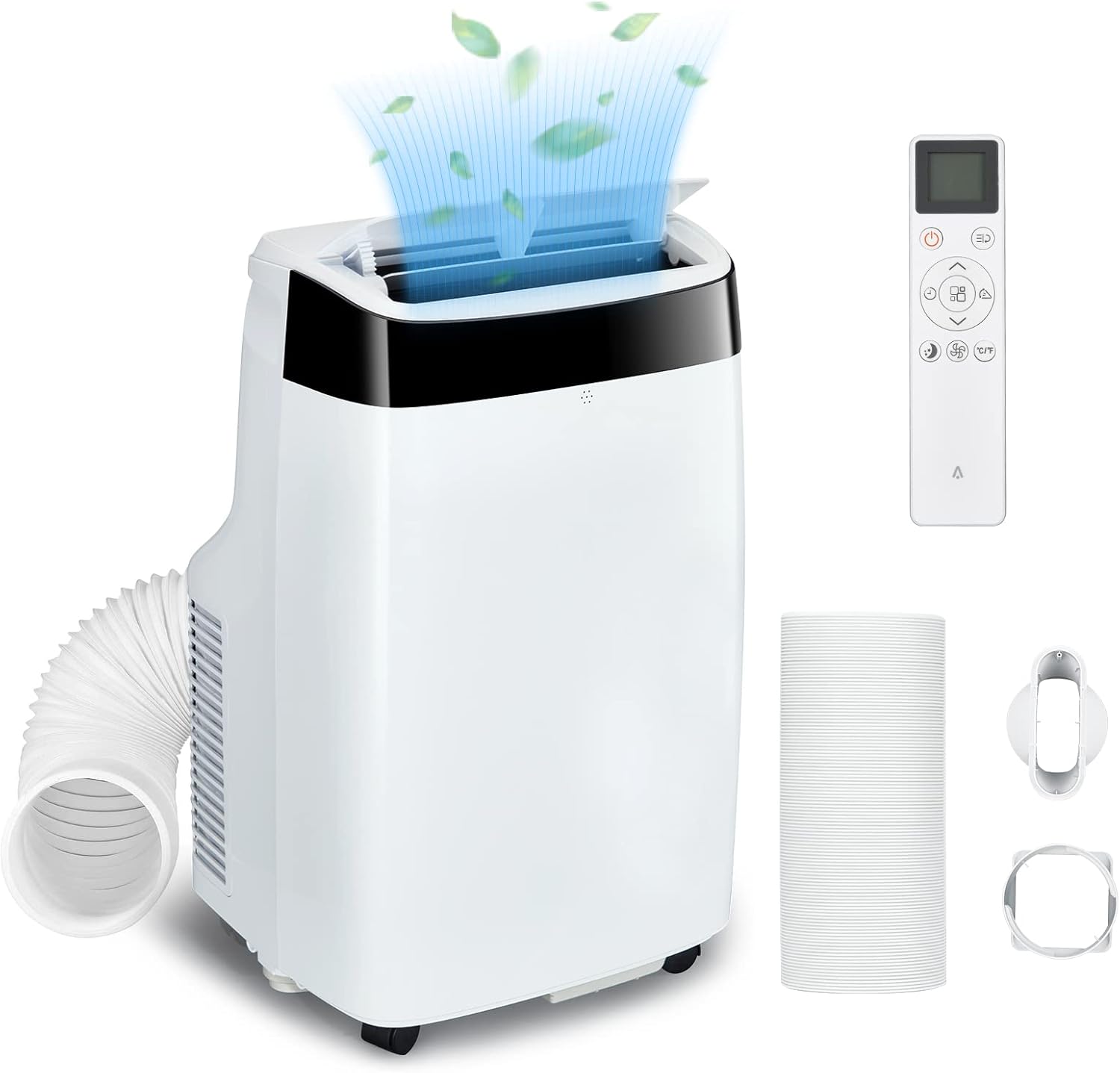
Image: Garvee CF10 Portable Air Conditioner shown with its remote control, exhaust hose, and window kit components.
Key Features:
- Effective Cooling: Covers up to 450 sq.ft with 10,000 BTU cooling capacity.
- Multi-functional: Cool, Dry, Fan, and Sleep modes.
- Intelligent Control: LED touch panel and remote control for easy operation.
- Low Noise Operation: Dual-motor system operates quietly at approximately 40dB.
- Adjustable Airflow: Manually adjustable 90° vertical and 60° horizontal oscillation.
- 24-Hour Timer: For scheduled operation and energy saving.
- Self-Evaporation Technology: Automatic atomization of condensed water.
- HyperFilter™ Technology: Blue Silver Ion Filter and Carbon Cotton Filter for double protection.

Image: Visual representation of key features including Cool/Dry/Fan modes, On/Off Timer, 24H Timer, Sleep Mode, Low Noise, and Remote Control.
Setup and Installation
Follow these steps to set up your Garvee CF10 Portable Air Conditioner.
Included Components:
- 1 x Portable Air Conditioner Unit
- 1 x Remote Control
- 1 x Window Kit (Adjustable window slider panel)
- 1 x Exhaust Hose
- 1 x Exhaust Hose Adapter (for unit)
- 1 x Window Exhaust Adapter (for window kit)
- 1 x Instruction Manual

Image: Visual guide to the components included in the box: Window Kit, Exhaust Hose, Instruction Manual, Exhaust Hose Adapter, Window Exhaust Adapter, and foam seal.
Installation Steps:
- Positioning the Unit: Place the air conditioner on a firm, level surface near a window and a grounded electrical outlet. Ensure there is at least 20 inches (50 cm) of space around the unit for proper air circulation.
- Attaching the Exhaust Hose:
- Screw the exhaust hose adapter onto one end of the exhaust hose.
- Attach the other end of the exhaust hose to the exhaust port on the back of the air conditioner unit by twisting it clockwise until secure.
- Installing the Window Kit:
- Adjust the window slider panel to fit your window opening. Secure it in place.
- Insert the window exhaust adapter into the opening of the window slider panel.
- Connect the free end of the exhaust hose (with the adapter) to the window exhaust adapter, ensuring a tight seal to prevent hot air from re-entering the room.
- Power Connection: Plug the power cord into a grounded 110V/60Hz electrical outlet.
Operating Instructions
The Garvee CF10 can be operated using the LED touch control panel on the unit or the included remote control.

Image: Detailed view of the LED touch control panel and the remote control, showing buttons for Timer, Fan Speed, Temperature Up/Down, Modes, and Power On/Off.
Control Panel and Remote Control Functions:
- Power Button (⏻): Turns the unit On or Off.
- Mode Button: Cycles through operating modes: Cool, Dry, Fan, Sleep.
- Temperature Up/Down Buttons (∧ / ∨): Adjusts the desired temperature (64°F - 90°F) in Cool mode.
- Fan Speed Button: Selects fan speed (High or Low) in Cool or Fan mode.
- Timer Button: Sets the 24-hour On/Off timer.
- Swing Mode Button: Activates or deactivates the automatic swing function for vertical airflow.
- Follow Me Function (Remote Control Only): The remote control acts as a remote thermostat, allowing the unit to adjust cooling based on the temperature at the remote's location.
Operating Modes:
- Cool Mode: Provides powerful cooling. Set your desired temperature and fan speed. The unit will cool the room to the set temperature.

Image: Diagram illustrating the 10,000 BTU cooling capacity effectively covering areas between 350-450 square feet.
- Dry Mode (Dehumidifier): Removes excess moisture from the air. The fan speed is fixed in this mode.

Image: Before and after comparison showing reduced condensation on a window, demonstrating the dehumidification effect (163 Pints/Day capacity).
- Fan Mode: Circulates air without cooling. You can select High or Low fan speed.
- Sleep Mode: Provides quiet operation for comfortable sleep. The fan speed is set to low, and the temperature may gradually increase slightly over time to save energy and maintain comfort. The LED display will dim.
Maintenance
Regular maintenance ensures optimal performance and extends the lifespan of your Garvee CF10 Portable Air Conditioner. Always unplug the unit before cleaning.
Cleaning the Air Filters:
The Garvee CF10 features HyperFilter™ Technology with a Blue Silver Ion Filter and a Carbon Cotton Filter. These filters should be cleaned every two weeks or more frequently depending on usage and air quality.
- Locate the air filter panels on the back or side of the unit.
- Gently remove the filter panels.
- Wash the filters with warm, soapy water. Rinse thoroughly.
- Allow the filters to air dry completely before re-installing them. Do not expose to direct sunlight.
- Re-insert the dry filters back into the unit and close the panels.

Image: Diagram showing the two layers of HyperFilter™ Technology: Blue Silver Ion Filter and Carbon Cotton Filter, designed for double protection against airborne particles.

Image: Illustration of the detachable filter being removed and washed, emphasizing easy cleaning for fresh air.
Draining Water:
The Garvee CF10 features self-evaporation technology, which atomizes condensed water and expels it with the exhaust air. However, in high humidity conditions, the internal water tank may fill up. If the tank is full, the unit will stop operating and display an error code (e.g., "FL" for Full Level).
- Turn off the unit and unplug it from the power outlet.
- Place a shallow pan or tray under the drain port located at the bottom rear of the unit.
- Remove the drain plug to allow water to flow out.
- Once all water has drained, replace the drain plug securely.
Cleaning the Unit Exterior:
Wipe the exterior of the unit with a soft, damp cloth. Do not use harsh chemicals, abrasives, or solvents, as these may damage the surface.
Troubleshooting
Before contacting customer service, please refer to the following troubleshooting guide for common issues.
| Problem | Possible Cause | Solution |
|---|---|---|
| Unit does not turn on. | No power; Power cord not plugged in; Circuit breaker tripped. | Ensure unit is plugged into a working outlet. Check circuit breaker. |
| Unit is running but not cooling. | Air filter clogged; Room temperature too low; Exhaust hose not properly installed; Window/door open. | Clean air filter. Adjust desired temperature. Ensure exhaust hose is sealed. Close windows/doors. |
| Unit is noisy. | Unit not on a level surface; Air filter clogged; Obstruction in fan. | Place unit on a level surface. Clean air filter. Check for obstructions. |
| Water leakage. | Drain plug loose; Unit tilted; Internal water tank full (in high humidity). | Ensure drain plug is secure. Place unit on level surface. Drain water tank if full. |
| Remote control not working. | Batteries dead or incorrectly inserted; Obstruction between remote and unit. | Replace batteries. Ensure clear line of sight to unit's receiver. |
If the problem persists after trying these solutions, please contact Garvee customer service for assistance.
Specifications
| Feature | Detail |
|---|---|
| Model Number | CF10 |
| Cooling Capacity | 10,000 BTU |
| Coverage Area | Up to 450 sq.ft |
| Airflow | 390m³/h |
| Noise Level | 40 dB (normal operation) |
| Voltage | 110 Volts |
| Temperature Range | 64°F - 90°F |
| Product Dimensions (D x W x H) | 17.44 x 18.11 x 25.67 inches |
| Item Weight | 49 pounds |
| Dehumidification Capacity | 163 Pints / Day |
| Control Type | Remote Controlled, Touch Panel |
| Country of Origin | China |

Image: Internal view of the unit highlighting the Dual Motor SilenceWrap™ Technology Compressor, indicating low noise operation (below 50dB).

Image: Chart demonstrating higher cooling capacity (10,000 BTU) compared to other products, indicating faster cooling.
Warranty and Support
Garvee is committed to providing reliable products and thoughtful services.
- Warranty: The Garvee CF10 Portable Air Conditioner comes with a 2-year manufacturer's warranty.
- Free Replacement: Enjoy a 90-day free replacement policy from the date of purchase.
- Technical Support: Lifetime technical support is available for your product.
- Customer Service: For any questions or concerns, please contact our professional customer service team, available 24 hours online.
Please retain your proof of purchase for warranty claims.
Related Documents - CF10
 |
Garvee Portable Air Conditioner CF14 User Manual This user manual provides comprehensive instructions for the Garvee Portable Air Conditioner CF14, including safety precautions, features, installation, operation, maintenance, and troubleshooting guidance. |
 |
14,000 BTU Portable AC - Product Information Official product information for the 14,000 BTU Portable Air Conditioner, model QCFDI, distributed by Garvee. Includes support contact details. |
 |
Garvee Window Air Conditioner Model NCA-06C/X1E-W & NCA-08C/X1E-W User Manual and Installation Guide Comprehensive user manual and installation guide for the Garvee Window Air Conditioner, models NCA-06C/X1E-W and NCA-08C/X1E-W. Includes safety instructions, parts identification, installation steps, operation, maintenance, and troubleshooting. |
 |
GARVEE Snow Shovel 7APPA Assembly Instructions and User Guide Detailed assembly instructions and safety information for the GARVEE Snow Shovel, model 7APPA. Learn how to assemble and safely use your snow shovel. |
 |
GARVEE Rack 7XEDP Assembly Instructions Detailed assembly instructions for the GARVEE Rack, Product ID 7XEDP, including parts lists and step-by-step guides for two variants. |
 |
Commercial Sink Instruction Manual - GARVEE QND4Z Detailed instruction manual for the GARVEE Commercial Sink, model QND4Z. Includes product components list and step-by-step installation guide. |