
1. Introduction
Thank you for choosing the T'nB Wooden Digital LED Alarm Clock. This multifunction device combines elegant design with practical features to enhance your daily routine. Please read this manual carefully to ensure proper use and maintenance of your alarm clock.
2. Product Features
- Programmable Alarms: Set up to three independent alarms for flexible scheduling.
- Unique Cloud Design: An original and elegant wooden cloud-shaped design that complements any interior.
- Adjustable Brightness: Three levels of brightness with automatic adjustment between 6 PM and 7 AM to prevent dazzling.
- Memory Function: Retains time and alarm settings even when power is interrupted.
- Energy Saving Mode: Screen turns off after 15 seconds when powered by batteries, reactivating with gesture, sound, touch, or voice control.
- Temperature Display: Shows current room temperature.
- Weekend Mode: Automatic deactivation of alarms for weekend convenience.
- USB Power Option: Can be powered via USB for continuous display.
3. Setup
3.1 Powering the Device
The alarm clock can be powered by either batteries or a USB connection.
- Battery Power: Insert 3 AAA batteries (not included) into the battery compartment. When using batteries, the device will automatically enter energy-saving mode to conserve power.
- USB Power: Connect the provided USB cable to the alarm clock's USB port and plug the other end into a USB power adapter (not included) or a computer USB port. This mode allows for continuous display.
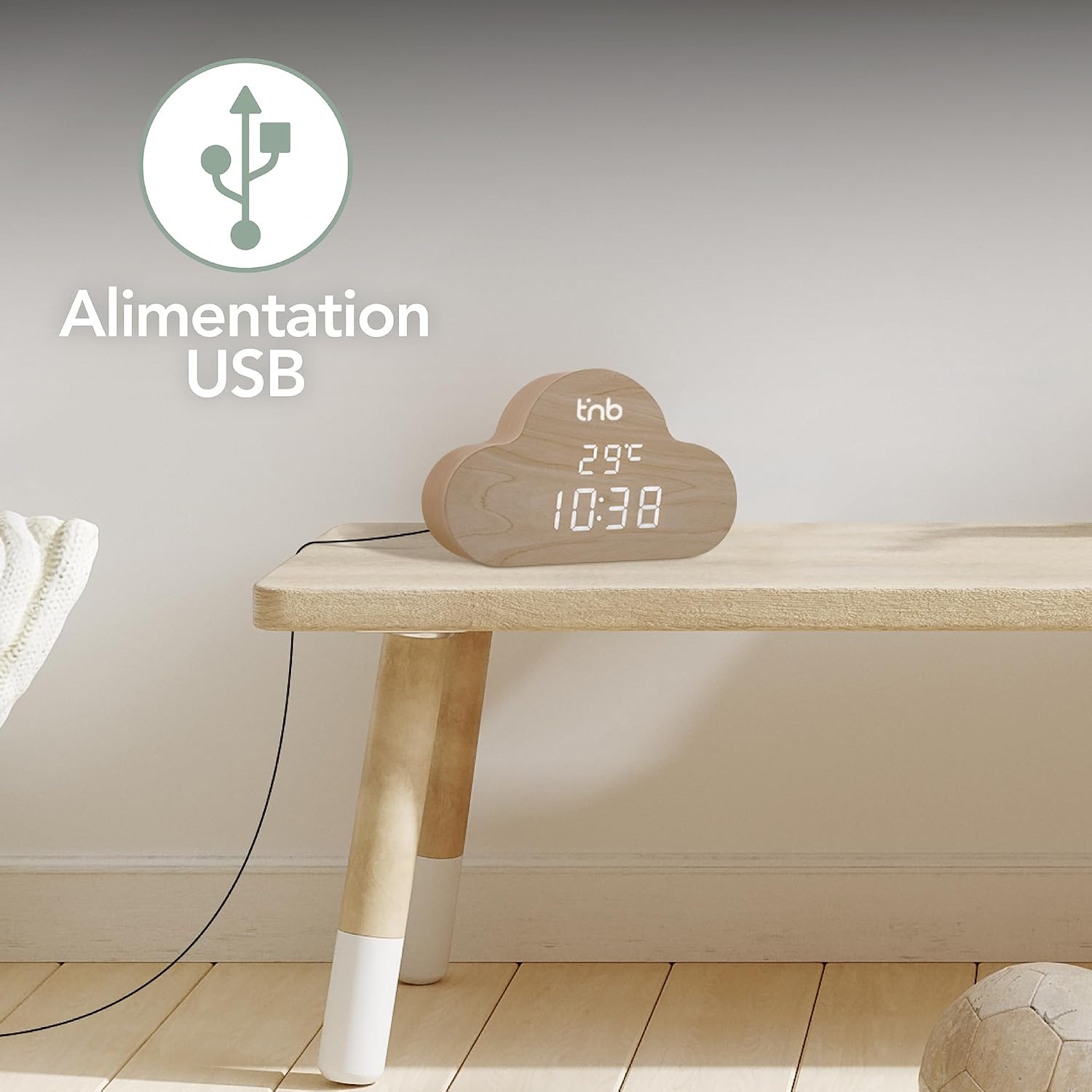
Figure 3.1: USB Power Connection
3.2 Initial Time and Date Setting
Upon first power-on or after a complete power loss without memory retention, you will need to set the time and date. Refer to the operating instructions for detailed steps on setting time and date using the control buttons (usually located on the back or bottom of the device).

Figure 3.2: Alarm Clock Displaying Time and Temperature
4. Operating Instructions
4.1 Setting Alarms
Your alarm clock supports up to three programmable alarms. Follow these general steps:
- Press the 'SET' or 'ALARM' button to enter alarm setting mode.
- Use the 'UP' and 'DOWN' buttons to adjust the hour and minute for Alarm 1.
- Press 'SET' again to confirm and move to the next alarm or setting.
- Repeat for Alarm 2 and Alarm 3 as needed.
- Ensure the alarm is activated (indicated by an icon on the display).

Figure 4.1: Three Programmable Alarms in Action
4.2 Adjusting Brightness
The display has three brightness levels and an automatic adjustment feature.
- Manual Adjustment: Press the 'BRIGHTNESS' or 'UP' button (depending on model) to cycle through the three brightness levels.
- Automatic Adjustment: The display brightness will automatically dim between 6 PM and 7 AM to ensure comfortable viewing during nighttime hours.

Figure 4.2: Brightness Levels and Automatic Adjustment
4.3 Energy Saving Mode and Display Activation
When powered by batteries, the alarm clock enters energy-saving mode after 15 seconds to preserve battery life. The display will turn off.
- Reactivation: To reactivate the display, simply make a gesture, produce a sound, touch the device, or use voice control.

Figure 4.3: Voice and Touch Activation
4.4 Weekend Mode
The weekend mode allows for automatic deactivation of alarms on specific days, typically Saturday and Sunday.
- Activation: Consult your device's specific button layout for activating weekend mode. This feature ensures your alarms do not sound on non-working days.

Figure 4.4: Weekend Mode in Use
5. Maintenance
To ensure the longevity and optimal performance of your T'nB alarm clock, follow these maintenance guidelines:
- Cleaning: Use a soft, dry cloth to wipe the surface of the alarm clock. Do not use abrasive cleaners or solvents, as they may damage the wood finish or display.
- Battery Replacement: If using batteries, replace them when the display becomes dim or the device functions erratically. Ensure correct polarity when inserting new batteries.
- Placement: Place the alarm clock on a stable, flat surface away from direct sunlight, extreme temperatures, and high humidity.

Figure 5.1: Close-up of Wood Finish
6. Troubleshooting
If you encounter issues with your alarm clock, refer to the following common problems and solutions:
| Problem | Possible Cause | Solution |
|---|---|---|
| Display is blank or dim (on battery power) | Energy-saving mode active; low batteries. | Activate display by sound/touch/gesture; replace batteries. |
| Alarm does not sound | Alarm not activated; volume too low; weekend mode active. | Ensure alarm is ON; check volume settings; deactivate weekend mode if necessary. |
| Time/settings reset after power off | No batteries or dead batteries when USB power is disconnected. | Ensure fresh batteries are installed for memory retention. |
| Temperature reading seems inaccurate | Device placed near heat source or vent. | Relocate the alarm clock to a stable room temperature environment. |
7. Specifications
| Feature | Detail |
|---|---|
| Brand | T'nB |
| Model | B0C2Q4ZP1Y |
| Color | Wood |
| Material | Wood |
| Dimensions (L x W x H) | 15.5 x 3.81 x 9.5 cm (6.1 x 1.5 x 3.74 inches) |
| Weight | 360 g (0.79 lbs) |
| Display Type | Digital LED |
| Power Source | 3 x AAA Batteries (not included) or USB (cable included) |
| Special Features | Programmable Alarms, Adjustable Brightness, Memory Function, Energy Saving Mode, Temperature Display, Weekend Mode, Voice/Touch Activation |
| Usage Environment | Indoor |

Figure 7.1: Product Dimensions
8. Warranty and Support
As a French company, T'nB is committed to providing quality, certified products that comply with European standards. Your satisfaction is our priority. In case of a defective product or questions regarding our products, please contact our customer service based in France for assistance and solutions.
For further support, please visit the official T'nB website or refer to the contact information provided with your purchase.

