
ATUMTEK ATRL157
ATUMTEK RGB Video Light User Manual
Model: ATRL157
1. Introduction
The ATUMTEK RGB LED Video Light is a versatile lighting solution designed for photography, videography, and live streaming. It offers precise control over lighting ambiance with adjustable color temperature from 2900K to 6700K and a wide range of vibrant RGB colors. With 5 adjustable brightness levels and a high CRI of 95+, it ensures accurate color reproduction and optimal lighting conditions for various scenarios. Its compact and lightweight design, coupled with multiple mounting options, makes it an essential tool for both professionals and enthusiasts.
2. What's in the Box
- ATUMTEK RGB LED Video Light
- 1/4" Screw Adapter
- C-Clamp
- USB-A to Type-C Charging Cable
- User Manual
3. Product Overview
The ATUMTEK RGB Video Light features a compact design with intuitive controls and versatile mounting options.

Figure 3.1: Overview of the ATUMTEK RGB Video Light and its versatile applications, including laptop mounting, camera hot shoe mounting, and tripod use. The image also illustrates the range of RGB colors available.
Key Features:
- LED Configuration: Total of 91 LED beads, including 56 bi-color LEDs and 35 RGB lamp beads.
- Color Temperature (CCT Mode): Adjustable from 2900K (warm) to 6700K (cool).
- RGB Colors (HSI Mode): Seven vibrant colors: Red, Yellow, Green, Cyan, Blue, Purple, Pink.
- Brightness Adjustment: Dimmable from 10% to 100% in 5 levels.
- High Color Rendering Index (CRI): 95+ for accurate color reproduction.
- Portable Design: Compact dimensions (95 x 95 x 28.5 mm) and lightweight (170g).
- Multiple Mounting Options: Standard 1/4" screw for tripods, hot shoe mount for cameras/DSLRs, and a clamp for laptops, tablets, and makeup mirrors.
- Built-in Battery: 2000mAh lithium battery with Type-C charging port.
4. Setup
4.1 Initial Charging
Before first use, or if the light does not turn on, fully charge the device. Connect the provided USB-A to Type-C charging cable to the light's Type-C port and a suitable USB power source (e.g., computer, wall adapter). A full charge takes approximately 2 hours.

Figure 4.1: Illustration of the light's internal 2000mAh battery and Type-C charging interface.
4.2 Mounting Options
The ATUMTEK RGB Video Light offers several versatile mounting methods:
- Laptop/Tablet Mounting (using C-Clamp):
Attach the C-clamp to the light. Securely clip the light onto the top edge of your laptop, tablet, or even a makeup mirror. Ensure the clamp is firm to prevent the light from falling.
- Camera Mounting (using Hot Shoe Mount):
Attach the hot shoe adapter (if not already integrated with the clamp) to the light's 1/4" screw hole. Slide the hot shoe mount into your camera's hot shoe slot and tighten the locking mechanism.
- Tripod Mounting (using 1/4" Screw Hole):
The light features a standard 1/4" screw hole at its base. Screw the light directly onto any compatible tripod or light stand.
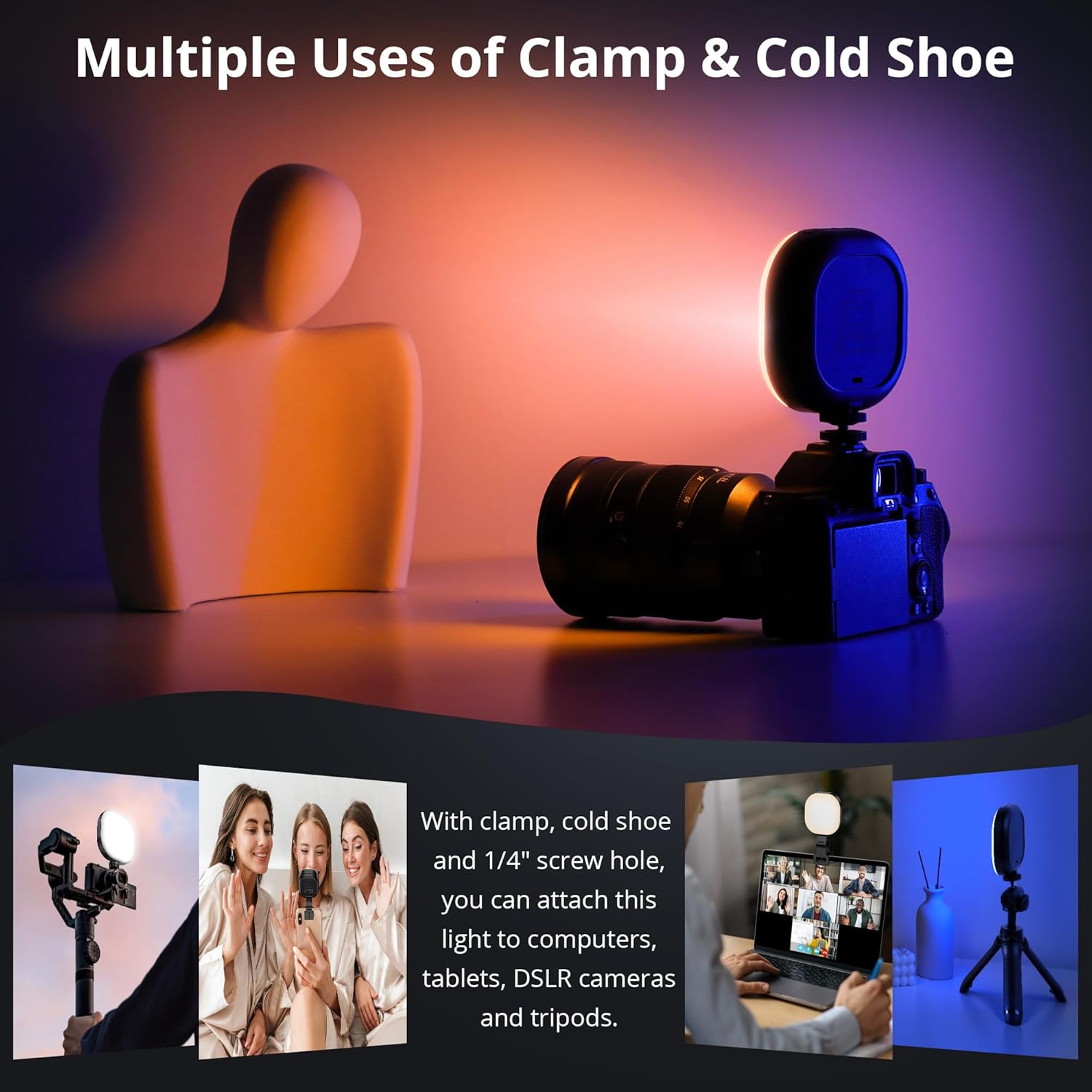
Figure 4.2: Demonstrates the multiple mounting options for the light, including clamp for laptops and cold shoe for cameras.
5. Operating Instructions
5.1 Power On/Off
Locate the power button on the device. Press and hold the power button for a few seconds to turn the light ON or OFF.
5.2 Mode Selection (CCT / HSI)
The light supports two primary modes: CCT (Correlated Color Temperature) and HSI (Hue, Saturation, Intensity).
- CCT Mode: Allows adjustment of white light color temperature from 2900K (warm) to 6700K (cool). This mode is ideal for matching ambient light or creating specific white light moods.
- HSI Mode: Provides control over hue (color), saturation (intensity of color), and brightness. This mode is perfect for creative lighting effects with vibrant RGB colors.
To switch between CCT and HSI modes, short press the mode button (usually the same as the power button or a dedicated mode button, refer to physical controls on your device).

Figure 5.1: Visual representation of HSI color modes and CCT color temperature adjustments.
5.3 Brightness Adjustment
The light offers 5 adjustable brightness levels, ranging from 10% to 100%.
- Use the '+' button to increase brightness.
- Use the '-' button to decrease brightness.
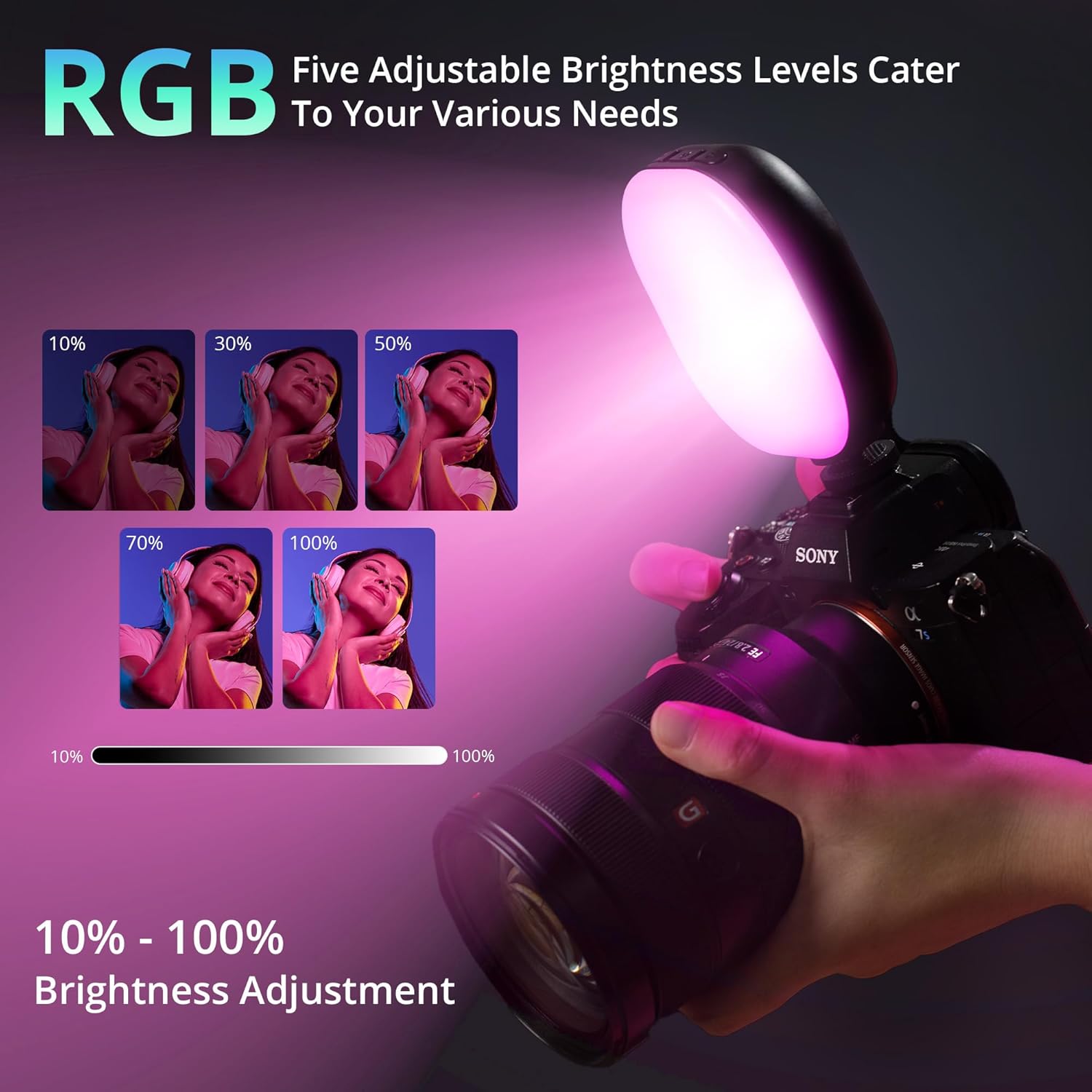
Figure 5.2: Demonstrates the five adjustable brightness levels of the RGB light.
5.4 Color Accuracy (CRI 95+)
Equipped with high-quality lamp beads, the ATUMTEK RGB LED Video Light boasts a high Color Rendering Index (CRI) of 95+. This ensures accurate color reproduction, making subjects appear true to life. This is particularly beneficial for food photography, portraits, and any scenario where color fidelity is crucial.
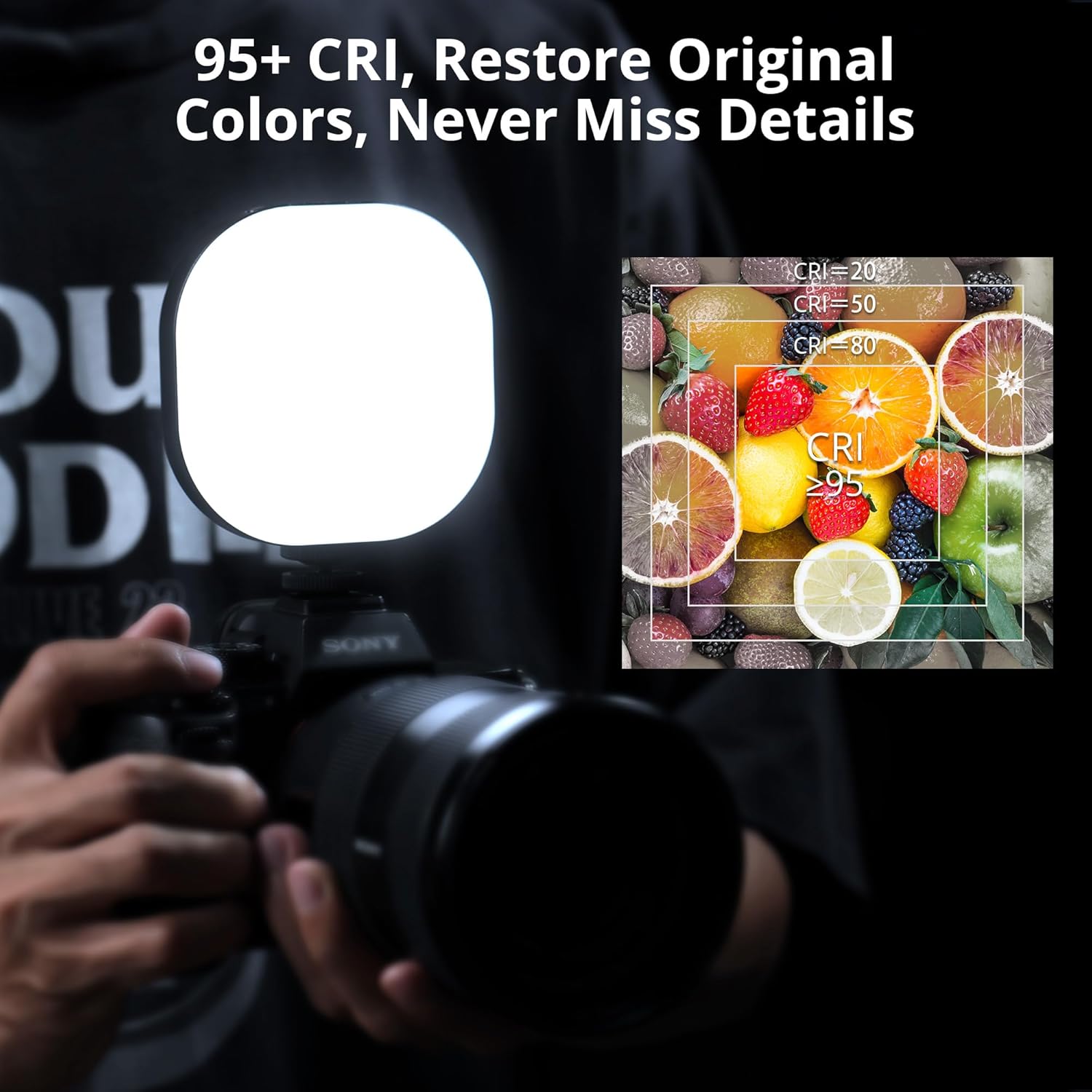
Figure 5.3: Explanation of CRI 95+ and its effect on color restoration.
5.5 Creative Applications
The versatility of the ATUMTEK RGB Video Light extends to various creative and practical uses:
- Work: Enhance video conferences, improve streaming quality, and provide optimal lighting for makeup application.
- Photography: Ideal for creative portraits, vibrant food photography, and light painting.
- Ambiance: Set the perfect mood for musical ambiance, party warm-ups, or outdoor lighting.
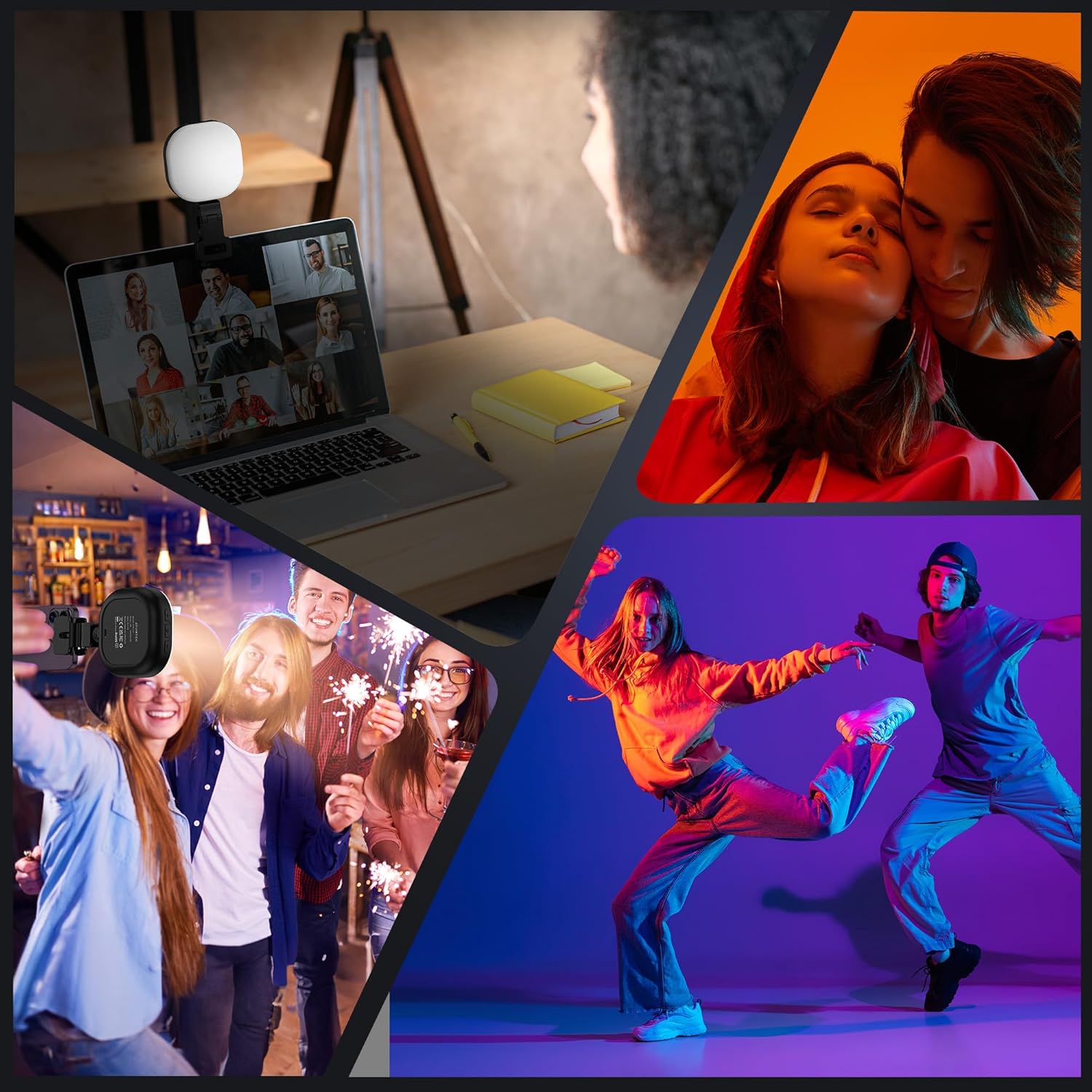
Figure 5.4: Examples of creative and practical uses for the ATUMTEK RGB Video Light.
6. Maintenance
- Cleaning: Use a soft, dry cloth to clean the light's surface. Do not use abrasive cleaners or solvents.
- Storage: Store the light in a cool, dry place away from direct sunlight and extreme temperatures.
- Battery Care: To prolong battery life, avoid fully discharging the battery frequently. Recharge the light regularly, even if not in use for extended periods.
- Water Resistance: The light is not waterproof. Avoid exposure to water or high humidity.
7. Troubleshooting
| Problem | Possible Cause | Solution |
|---|---|---|
| Light does not turn on. | Battery is depleted or inactive. | Charge the light for 2 to 4 hours to activate the battery and ensure it has sufficient power. |
| Light flickers or dims unexpectedly. | Low battery or unstable power source. | Recharge the battery. Ensure the charging cable and power source are stable if operating while charging. |
| Cannot change modes or brightness. | Controls are unresponsive or device is frozen. | Turn the light off and then on again. If the issue persists, fully charge the device. |
8. Specifications
| Feature | Detail |
|---|---|
| Model | ATRL157 |
| Brand | ATUMTEK |
| Color | Black (RGB) |
| Dimensions (Product) | 95 x 95 x 28.5 mm (3.74 x 3.74 x 1.12 inches) |
| Weight | 170 grams (0.37 lbs) |
| LED Beads | 91 (56 bi-color, 35 RGB) |
| Color Temperature | 2900K - 6700K |
| CRI (Color Rendering Index) | 95+ |
| Brightness Adjustment | 10% - 100% (5 levels) |
| Battery Capacity | 2000mAh Lithium-ion |
| Charging Port | Type-C |
| Charging Time | Approx. 2 hours |
| Max Brightness Runtime | Up to 2 hours |
| Min Brightness Runtime | Up to 15 hours |
| Mounting Options | 1/4" screw, Hot Shoe, Clamp |
| Water Resistance Level | Not waterproof |
9. Warranty and Support
ATUMTEK products are backed by a 36-month warranty and a 30-day money-back guarantee.
If you encounter any issues with your ATUMTEK RGB Video Light, please do not hesitate to contact our customer support team. We are committed to providing excellent service and resolving any concerns you may have.
For support, please visit the official ATUMTEK website or refer to the contact information provided in your product packaging.
Ask a question about this manual
Ask about setup, troubleshooting, compatibility, parts, safety, or missing instructions. Manuals+ will review the question and use this page’s manual context to help answer it.