
1. Introduction
Thank you for choosing the VOOPOO Argus G Pod Kit. This device is designed for both Mouth-to-Lung (MTL) and Restricted Direct-to-Lung (RDL) vaping, offering a compact and rechargeable solution with advanced ITO atomization technology and a multi-layer leak-proof design. Please read this manual carefully before use to ensure proper operation and maintenance.
For more information and support, please visit the official VOOPOO website.
2. Safety Information
Always follow these basic safety precautions when using the Argus G Pod Kit:
- Keep the device out of reach of children and pets.
- Do not expose the device to extreme temperatures, direct sunlight, or water.
- Use only the provided Type-C cable for charging.
- Do not disassemble or modify the device.
- If you experience any unusual smells, overheating, or malfunction, discontinue use immediately and contact customer support.
- Dispose of the device and cartridges responsibly according to local regulations.
3. Package Contents
Please check the package for the following items:
- 1 x ARGUS G Device
- 1 x ARGUS Pod 0.7Ω Cartridge
- 1 x ARGUS Pod 1.2Ω Cartridge
- 1 x Type-C Cable
- 1 x Instruction Manual
- 1 x Strap
- 1 x Argus Pod Series Introduction Card

Image: Contents of the VOOPOO Argus G Pod Kit package, including the device, two cartridges, Type-C cable, manual, strap, and introduction card.
4. Product Overview
The Argus G Pod Kit features a streamlined unibody design with a smooth feel, integrating advanced ITO atomization technology for enhanced flavor. It is equipped with a user-friendly OLED screen and a multi-function button for easy control.

Image: A display of the VOOPOO Argus G Pod Kit in multiple available colors, showcasing its sleek design.
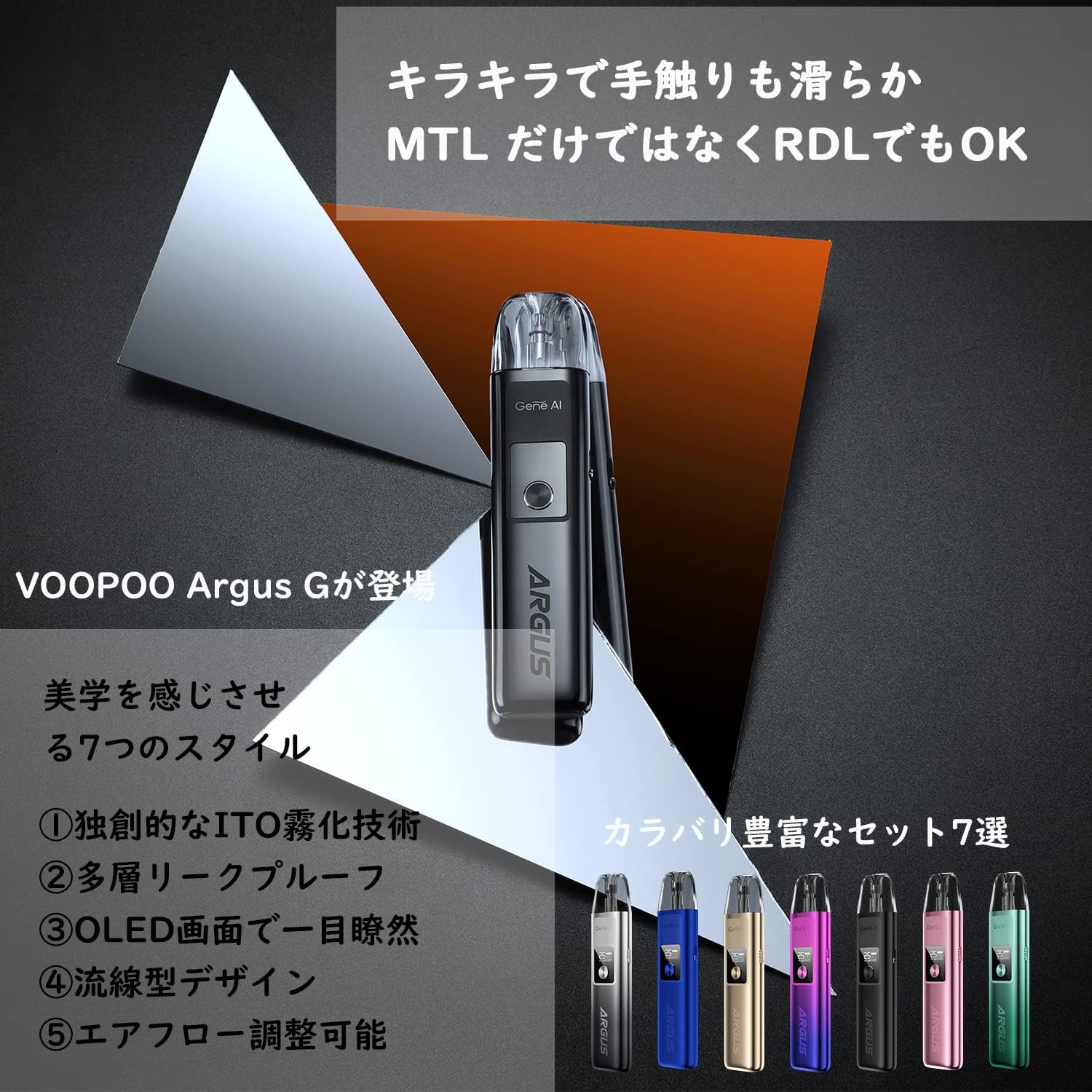
Image: An illustration highlighting key features of the Argus G, including its ITO atomization technology, multi-layer leak-proof design, OLED screen, streamlined form, and adjustable airflow.
5. Setup Guide
5.1 Charging the Device
The Argus G Pod Kit has a built-in 1000mAh battery. Before first use, fully charge the device.
- Connect the Type-C cable to the charging port on the device.
- Connect the other end of the cable to a suitable USB power source (e.g., wall adapter, computer USB port).
- The OLED screen will display the charging status. The device is fully charged when the battery indicator shows full.
Image: Close-up of the Argus G device showing the 1000mAh battery capacity and the Type-C charging port, along with the OLED screen displaying charging status.
5.2 Filling the Pod Cartridge
The Argus Pod cartridges have a 2ml capacity. Ensure the cartridge is properly filled before use.
- Remove the pod cartridge from the device.
- Locate the silicone stopper on the side of the pod.
- Carefully open the stopper and fill the pod with your preferred e-liquid. Do not overfill.
- Securely close the silicone stopper.
- For first-time use or with a new cartridge, wait 5-10 minutes after filling to allow the coil to saturate with e-liquid. This prevents dry hits and extends coil life.

Image: Illustration demonstrating the ITO atomization technology and the filling process for the Argus Pod cartridges, showing both 0.7Ω and 1.2Ω options.
5.3 Installing the Pod Cartridge
Once filled, install the pod cartridge into the device.
- Align the filled pod cartridge with the pod slot on the Argus G device.
- Push the pod firmly into the slot until it clicks into place. The magnetic connection will secure it.
6. Operating Instructions
6.1 Power On/Off
- To turn on the device: Press the multi-function button 5 times rapidly.
- To turn off the device: Press the multi-function button 5 times rapidly. The OLED screen will indicate power off.
6.2 Vaping
The Argus G supports both button-activated and auto-draw vaping.
- Auto-Draw: Simply inhale from the mouthpiece to activate the device and produce vapor.
- Button Ignition: Press and hold the multi-function button while inhaling from the mouthpiece.
6.3 Adjusting Wattage (Power Switching)
The device supports a wattage range of 5W to 25W.
- To adjust wattage: Press the multi-function button 3 times rapidly. The wattage value on the OLED screen will blink.
- Press the button repeatedly to cycle through wattage values.
- Stop pressing to confirm the desired wattage.
6.4 Puff Clear
- To clear the puff counter: Press the multi-function button 4 times rapidly. The puff counter will reset to zero.
6.5 Lock/Unlock
- To lock or unlock the device: Press the multi-function button 5 times rapidly. The OLED screen will indicate "LOCK" or "UNLOCK". When locked, the device cannot be accidentally activated.
6.6 Airflow Adjustment
The Argus G features adjustable airflow for a customized vaping experience.
- Locate the airflow adjustment slider on the side of the device.
- Slide it up or down to increase or decrease the airflow. More airflow typically results in a looser draw and more vapor, while less airflow provides a tighter draw and more intense flavor.

Image: Diagram illustrating the four air inlets for smoother airflow and the patented multi-layer leak-proof structure of the Argus G pod cartridge, including silicone rings for sealing.
7. Maintenance
7.1 Cleaning the Device
- Regularly clean the device, especially the pod connection area, with a dry cloth or cotton swab.
- Ensure no e-liquid residue accumulates in the charging port.
- Do not use harsh chemicals or abrasive cleaners.
7.2 Cartridge Replacement
The pod cartridges are consumable parts and should be replaced when you notice a burnt taste, reduced vapor production, or a change in flavor.
- To replace, simply pull the old cartridge out of the device.
- Insert a new, filled cartridge as described in Section 5.3.

Image: A visual representation of the Argus G's long-life cartridge, emphasizing its reusability up to 7 times and economic benefits due to ITO atomization technology.
8. Troubleshooting
If you encounter issues with your Argus G Pod Kit, refer to the following common problems and solutions:
| Problem | Possible Cause | Solution |
|---|---|---|
| No vapor / Device not firing | Low battery, Pod not installed correctly, Coil issue, Device locked | Charge device, Reinstall pod, Replace pod, Unlock device (5 clicks) |
| Burnt taste | Low e-liquid, Coil dry/worn out, Chain vaping | Refill pod, Replace pod, Allow time between puffs |
| Leaking | Overfilling, Damaged pod, Condensation | Do not overfill, Replace pod, Clean condensation regularly |
| "Atomizer Short" error | Coil short circuit, Poor connection | Clean pod contacts, Replace pod |
| "Low Power" error | Battery is low | Recharge the device |
| "High Temperature" error | Device overheating | Stop vaping, allow device to cool down |
9. Specifications
| Feature | Specification |
|---|---|
| Dimensions | 110.9mm x 25.7mm x 13.5mm |
| Weight | 100 g |
| Battery Capacity | Built-in 1000mAh |
| Output Power | 5-25W |
| Cartridge Capacity | 2ml |
| Input Voltage | 3.2-4.2V |
| Resistance Range | 0.5-3.0Ω |
| Recommended E-liquid | Nicotine ≤50mg |
| Protection Features | Overtime, Short-circuit, Overcharge, Output Over-current, Over-discharge, Overtemperature, Max Power Protection |
| Material | Aluminum Alloy, PCTG |
| UPC | 787996243344 |
Image: A diagram showing the dimensions and key specifications of the VOOPOO Argus G Pod Kit.
10. Compatibility
The Argus G Pod Kit is compatible with the entire ARGUS POD Cartridge series, including ARGUS Pod 0.7Ω and 1.2Ω cartridges. It shares cartridge compatibility with other devices in the Argus series such as ARGUS Z, ARGUS POD SE, ARGUS POD, and ARGUS P1.

Image: A visual chart demonstrating the full compatibility of Argus Pod cartridges across various VOOPOO Argus series devices, including Argus P1, Argus G, Argus Pod, Argus Z, and Argus Pod SE.
11. Warranty and Support
Your VOOPOO Argus G Pod Kit comes with a standard manufacturer's warranty. Please refer to the warranty card included in your package for specific terms and conditions. For technical support, troubleshooting assistance, or warranty claims, please contact your retailer or visit the official VOOPOO website.
For customer service inquiries, you may also refer to the seller's information: メイヘン ★感謝しています★ 安心・安全の返品保証付き★