Introduction
Thank you for choosing the Hama MW-500 Recharge Optical 6-Button Wireless Mouse. This manual provides essential information for the safe and efficient operation of your device. The MW-500 mouse features a high-precision BlueWave optical sensor, 2.4 GHz wireless connectivity, and a built-in rechargeable Li-ion battery for extended use.
Setup
1. Package Contents
- Hama MW-500 Wireless Mouse
- USB Receiver
- Charging Cable
- This User Manual
2. Connecting the USB Receiver
Locate the ultra-small USB receiver, typically stored in a compartment on the underside of the mouse. Remove the receiver and plug it into an available USB port on your notebook or PC. The Smart-Link technology ensures easy and automatic connection.
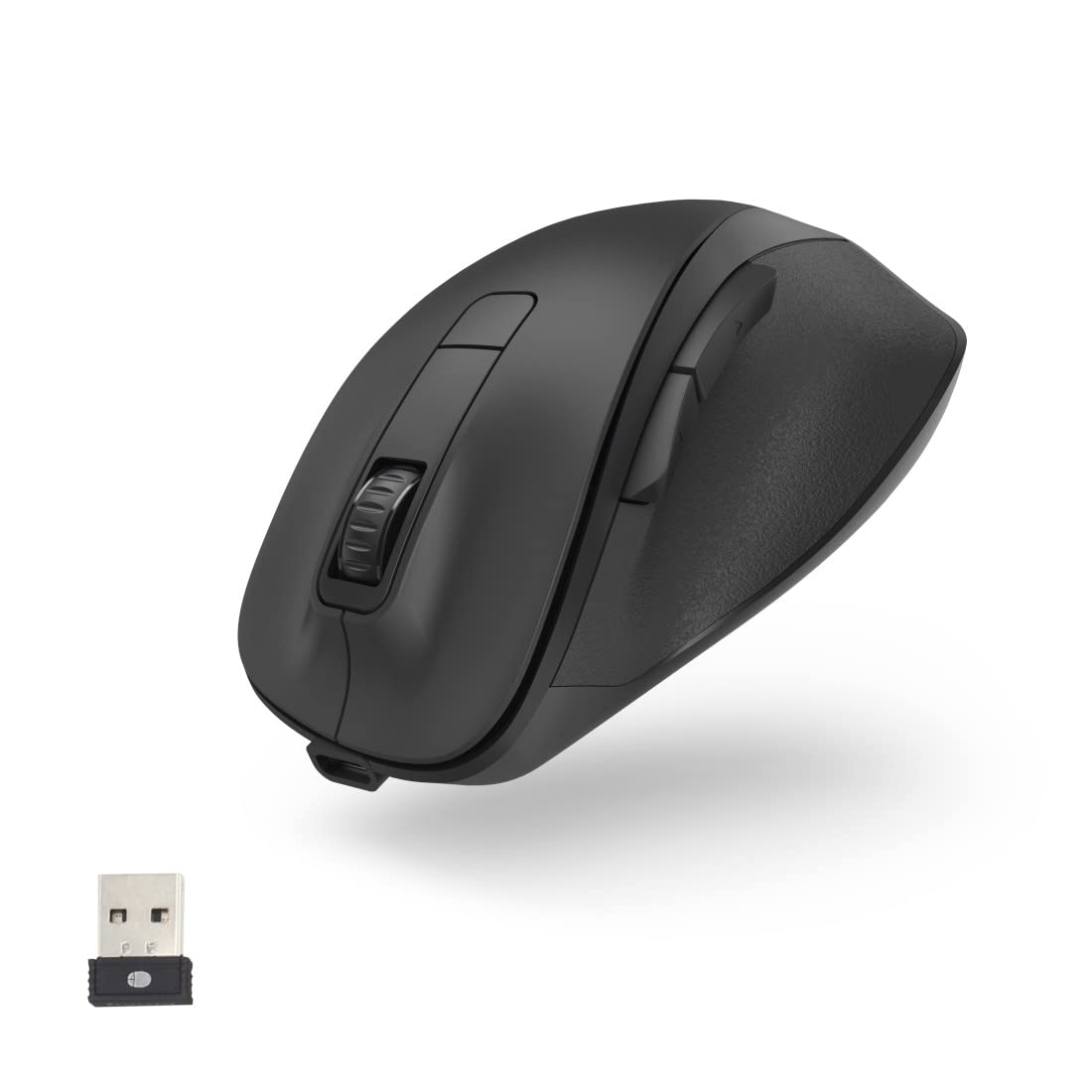
3. Charging the Mouse
The MW-500 mouse features a built-in rechargeable Li-ion battery. Before first use, or when the battery is low, connect the provided charging cable to the USB-C port on the front of the mouse and to a USB power source (e.g., computer USB port, USB wall adapter). A full charge provides approximately 75 days of everyday use. The mouse can be used while charging.


4. Power On/Off
Locate the power switch on the underside of the mouse. Slide the switch to the 'ON' position to power on the mouse. Slide it to 'OFF' when not in use to conserve battery life.
Operating
1. Button Functions
The Hama MW-500 is a 6-button mouse, providing enhanced functionality:
- Left Click: Standard primary button.
- Right Click: Standard secondary button.
- Scroll Wheel: For vertical scrolling. Can also be clicked for middle-click functionality.
- DPI Button: Located behind the scroll wheel, used to adjust cursor sensitivity.
- Forward/Backward Buttons: Located on the side, typically used for navigation in web browsers or file explorers.
2. DPI Adjustment
Press the DPI button to cycle through the available sensitivity settings: 800, 1200, and 1600 DPI. This allows you to adjust the cursor speed to suit your preference and task requirements.
3. Power Saving Mode
The mouse is equipped with an automatic power-saving mode. If the mouse is inactive for a period, it will enter a low-power state to conserve battery. Move the mouse or click any button to wake it up.

Maintenance
1. Cleaning
To clean your mouse, use a soft, dry, lint-free cloth. For stubborn dirt, slightly dampen the cloth with water or a mild cleaning solution. Avoid using harsh chemicals, abrasive cleaners, or solvents, as these can damage the surface of the mouse.
2. Battery Care
The integrated Li-ion battery is designed for long life. To maximize battery lifespan:
- Avoid fully discharging the battery frequently.
- Store the mouse in a cool, dry place if not used for extended periods.
- Do not expose the mouse to extreme temperatures.
Troubleshooting
Mouse Not Responding
- Ensure the mouse is powered on.
- Check if the USB receiver is securely plugged into a working USB port.
- Verify the mouse battery has sufficient charge. Recharge if necessary.
- Try plugging the USB receiver into a different USB port.
- Restart your computer.
Erratic Pointer Movement
- Ensure the mouse sensor is clean and free from obstructions.
- Use the mouse on a suitable surface (e.g., a mouse pad). Highly reflective or uneven surfaces can affect tracking.
- Check for interference from other wireless devices.
Charging Issues
- Ensure the charging cable is properly connected to both the mouse and the power source.
- Try a different USB port or charging adapter.
- Verify the charging cable is not damaged.
Specifications
| Brand | Hama |
| Model Number | 00173032 |
| Connectivity Technology | 2.4 GHz Wireless (USB Receiver) |
| Movement Detection Technology | Optical (BlueWave) |
| DPI Sensitivity | Switchable: 800, 1200, 1600 dpi |
| Number of Buttons | 6 |
| Battery Type | Rechargeable Lithium Polymer |
| Average Battery Life | Approx. 75 days (with everyday use) |
| Product Dimensions (LxWxH) | 12 x 8.5 x 4.2 cm |
| Item Weight | 114 g |

Warranty and Support
For warranty information and technical support, please refer to the documentation provided with your purchase or contact Hama customer service directly. The manufacturer is Hama GmbH & Co. KG, Germany.


