
GROOVYPETS TC005
GROOVYPETS Smart Automatic Anti-bark Dog Collar TC005 User Manual
Model: TC005 | Brand: GROOVYPETS
1. Introduction
Thank you for choosing the GROOVYPETS Smart Automatic Anti-bark Dog Collar TC005. This device is designed to help manage excessive barking in dogs through a combination of sound, vibration, and static correction. It features an intelligent algorithm to ensure effective and humane training. Please read this manual thoroughly before use to ensure proper operation and the safety of your pet.
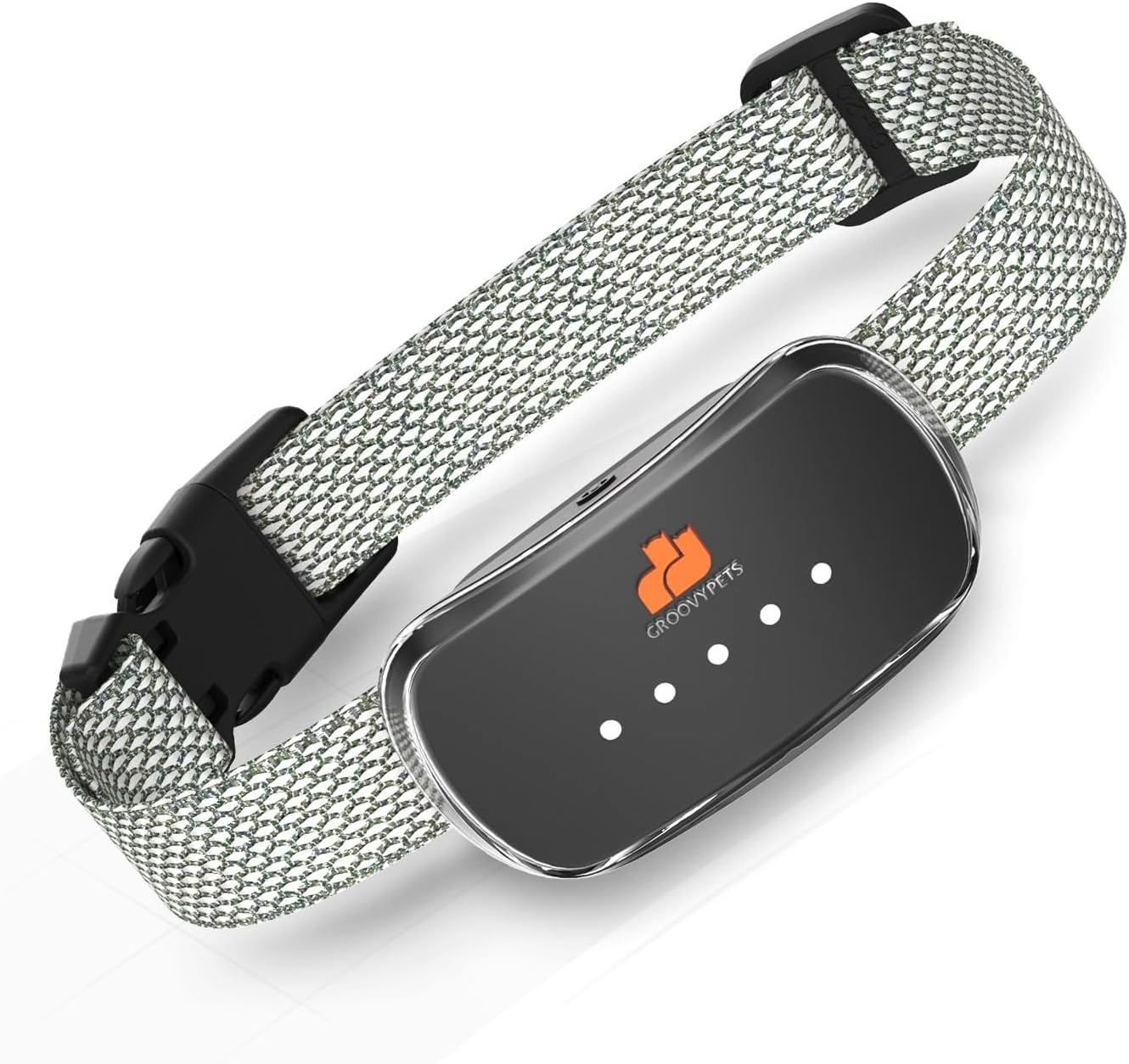
Image 1.1: The GROOVYPETS Smart Automatic Anti-bark Dog Collar TC005.
2. Important Safety Information
- This collar is suitable for dogs 6 months or older, weighing between 10 lbs and 110 lbs, with a neck size of 6 to 24 inches.
- Do not leave the collar on your dog for more than 12 hours per day.
- Regularly check your dog's neck for any signs of irritation, redness, or sores. If irritation occurs, discontinue use and consult a veterinarian.
- Ensure the collar is fitted correctly, not too tight or too loose. Two fingers should fit comfortably between the collar and your dog's neck.
- The static correction function can be deactivated using the provided green silicone caps for ultimate protection and comfort.
- This device is waterproof (IP67), but prolonged submersion is not recommended. Ensure the charging port is sealed before exposing to water.
3. Package Contents
Upon opening your GROOVYPETS Smart Automatic Anti-bark Dog Collar package, you should find the following items:
- 1x Anti-bark Collar Device
- 1x Adjustable Nylon Collar Strap
- 1x USB Charging Cable
- 2x Sets of Contact Points (short and long)
- 2x Sets of Silicone Protective Caps (green for E-shock deactivation, black for comfort)
- 1x User Manual

Image 3.1: Contents included in the GROOVYPETS Smart Automatic Anti-bark Dog Collar package.
4. Product Overview
The GROOVYPETS TC005 collar features a sleek design with an integrated bark detection module and correction system. The main unit is attached to an adjustable nylon strap, ensuring a comfortable fit for various dog sizes.

Image 4.1: The collar is designed to fit dogs with neck circumferences from 8 to 25 inches and weighing 11 to 110 lbs.
5. Setup
5.1 Charging the Collar
Before initial use, fully charge the collar. Connect the provided USB charging cable to the collar's charging port and a suitable USB power adapter. The indicator lights will show charging status. A full charge typically provides up to 12 days of battery life.
5.2 Attaching Contact Points and Protective Caps
Select the appropriate length of contact points based on your dog's fur length. For dogs with longer fur, use longer contact points to ensure proper contact with the skin. For comfort and to prevent irritation, always use the silicone protective caps. If you wish to disable the static correction function, use the green silicone caps.

Image 5.1: Using green silicone caps to deactivate the E-shock function.

Image 5.2: Black silicone protective sleeves ensure safe and comfortable contact with your dog's neck.
5.3 Fitting the Collar
Place the collar around your dog's neck, ensuring the main unit is centered under their chin. Adjust the strap so it is snug but not tight. You should be able to fit two fingers comfortably between the collar and your dog's neck. This ensures proper contact for the correction functions and prevents discomfort.
Video 5.1: A short demonstration of fitting the collar on a dog's neck, ensuring proper placement and snugness.
6. Operating Modes and Sensitivity
The GROOVYPETS TC005 collar operates automatically, detecting barks and applying corrections. It features multiple correction modes and sensitivity levels.
6.1 Correction Methods
The collar utilizes three primary correction methods:
- Beep Mode: An audible tone is emitted. This mode has no adjustable levels.
- Vibration Mode: The collar vibrates. This mode has 1-2 adjustable levels.
- E-Shock Mode: A static correction is delivered. This mode has 1-3 adjustable levels. This mode can be deactivated using the green silicone caps.

Image 6.1: Illustration of the three basic training methods: Beep, Vibration, and E-Shock.

Image 6.2: The collar offers 4 working modes, combining Beep, Vibration, and E-Shock for effective bark control.
6.2 Adjustable Sensitivity Levels
The collar offers 5 levels of sensitivity to detect your dog's barks. These levels allow you to customize the collar's responsiveness to suit different dogs and environments. Adjust the sensitivity to prevent false triggers while ensuring effective bark detection.
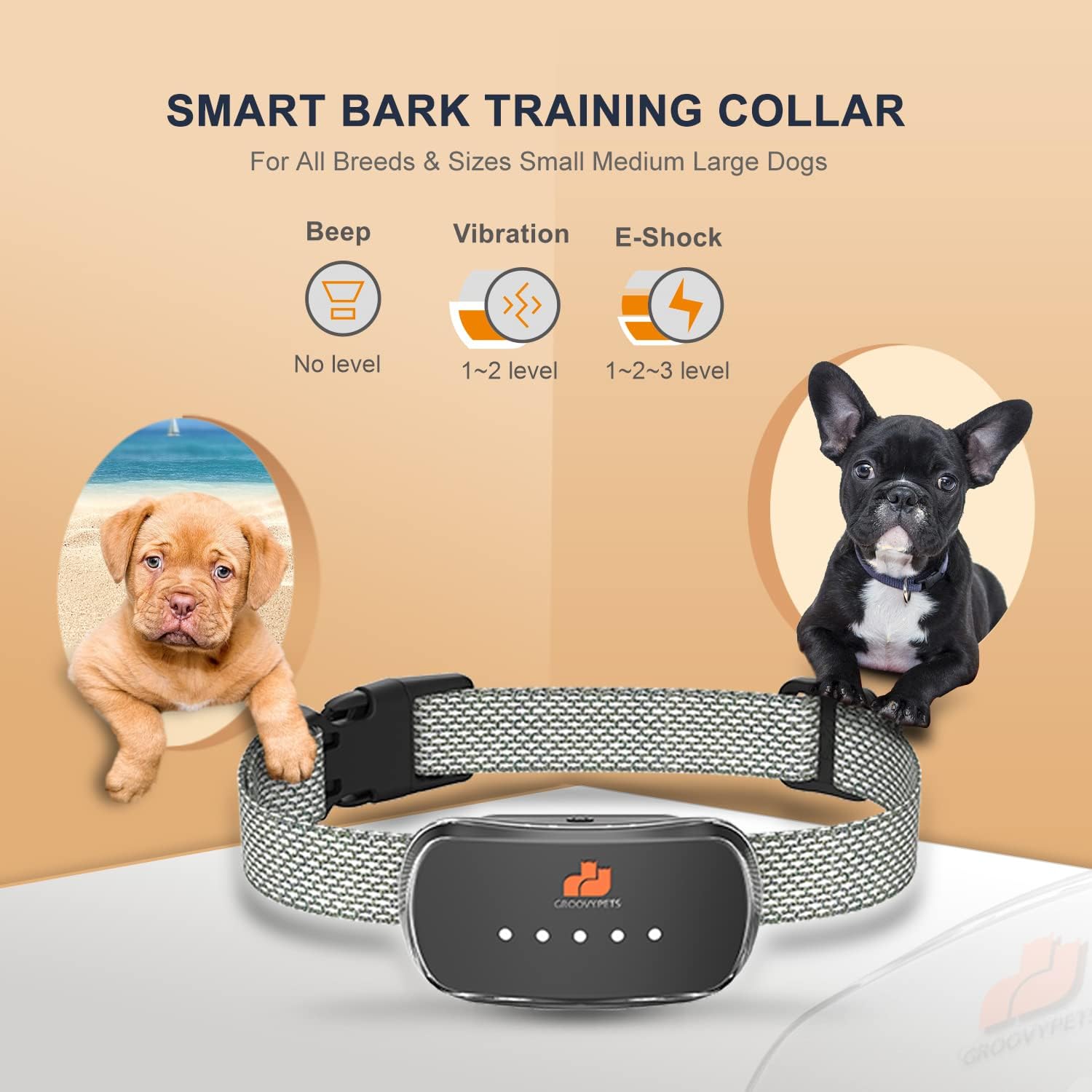
Image 6.3: The collar's sensitivity levels are adjustable to accommodate various dog sizes and barking behaviors.
7. Smart Training Loop
The collar incorporates a progressive bark stopping algorithm, known as the Smart Training Loop, optimized for effective bark control without over-correction. This system works as follows:
- The collar initiates with a mild correction (e.g., beep or low vibration).
- If barking continues within 30 seconds, the correction intensity increases.
- This progression continues for up to 5 triggers.
- After 5 consecutive triggers, the collar enters a 1-minute non-action pause (protected mode) to prevent over-correction.
- The cycle resets after the pause or if barking stops for a sustained period.
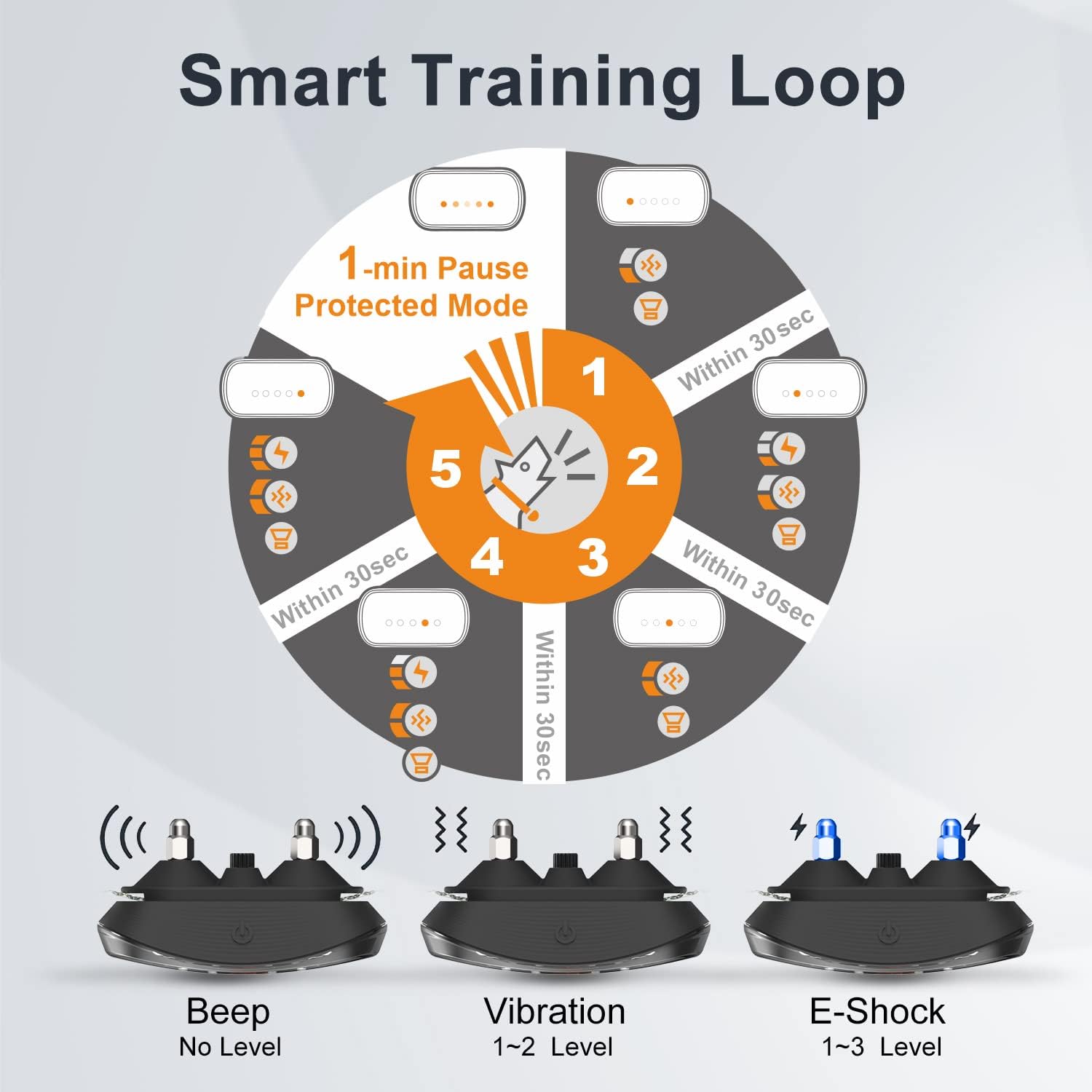
Image 7.1: The Smart Training Loop diagram shows the progressive correction sequence and safety pause.
Video 7.1: A demonstration of the GROOVYPETS bark collar in action, showing how it responds to barking and helps to reduce it.
8. Maintenance
8.1 Cleaning
Regularly clean the collar and contact points with a damp cloth. Ensure the contact points are free of dirt, debris, or fur buildup to maintain effective operation. Do not use harsh chemicals or abrasive materials.
8.2 Battery Care
The collar is equipped with a long-lasting rechargeable battery. To maximize battery life, avoid fully discharging the battery frequently. Charge the collar when the battery indicator is low. Store the collar in a cool, dry place when not in use for extended periods.
8.3 Waterproofing
The collar has an IP67 waterproof rating, meaning it is protected against immersion in water up to 1 meter for up to 30 minutes. It is suitable for use in rain or during water-related activities. Always ensure the charging port cover is securely closed to maintain its waterproof integrity.

Image 8.1: The IP67 waterproof design allows the collar to be used safely in various outdoor and water environments.
9. Troubleshooting
- Collar not activating: Ensure the collar is charged and powered on. Check that the contact points are making proper contact with your dog's skin. Adjust sensitivity if necessary.
- False activations: Reduce the sensitivity level. Ensure the collar is not too loose, which can cause movement-induced false triggers.
- Dog not responding to corrections: Increase the correction level (vibration or E-shock). Ensure the contact points are appropriate for your dog's fur length and are making good contact. If using E-shock, ensure the green caps are not installed.
- Battery not holding charge: Ensure the charging cable and adapter are working correctly. If the issue persists, contact customer support.
- Irritation on dog's neck: Remove the collar immediately. Clean the area and consult a veterinarian. Ensure the collar is not worn for too long and is fitted correctly.
10. Specifications
| Feature | Detail |
|---|---|
| Model Name | TC005 (B600) |
| Brand | GROOVYPETS |
| Item Weight | 4.6 ounces |
| Product Dimensions | 2.75 x 1.5 x 1 inches |
| Batteries | 1 Lithium Ion battery (included) |
| Waterproof Rating | IP67 |
| Neck Girth (Adjustable) | 6 - 24 inches |
| Weight Capacity | 10 - 110 lbs |
| Material | Plastic |
| Age Range Description | Puppy, Young, and Adult Dogs (6 months or older) |
| Closure Type | Buckle |
11. Warranty and Support
11.1 Warranty Information
The GROOVYPETS Smart Automatic Anti-bark Dog Collar TC005 comes with a 1-year manufacturer's warranty from the date of purchase. This warranty covers defects in materials and workmanship under normal use. It does not cover damage caused by misuse, accidents, unauthorized modifications, or normal wear and tear.
11.2 Customer Support
For any questions, concerns, or warranty claims, please contact GROOVYPETS customer support. Refer to the contact information provided on the product packaging or the official GROOVYPETS website.
Ask a question about this manual
Ask about setup, troubleshooting, compatibility, parts, safety, or missing instructions. Manuals+ will review the question and use this page’s manual context to help answer it.