Introduction
This manual provides comprehensive instructions for the safe and efficient use of your Pxwaxpy Portable Charger, model HX90X8. Please read this manual thoroughly before operating the device and retain it for future reference.
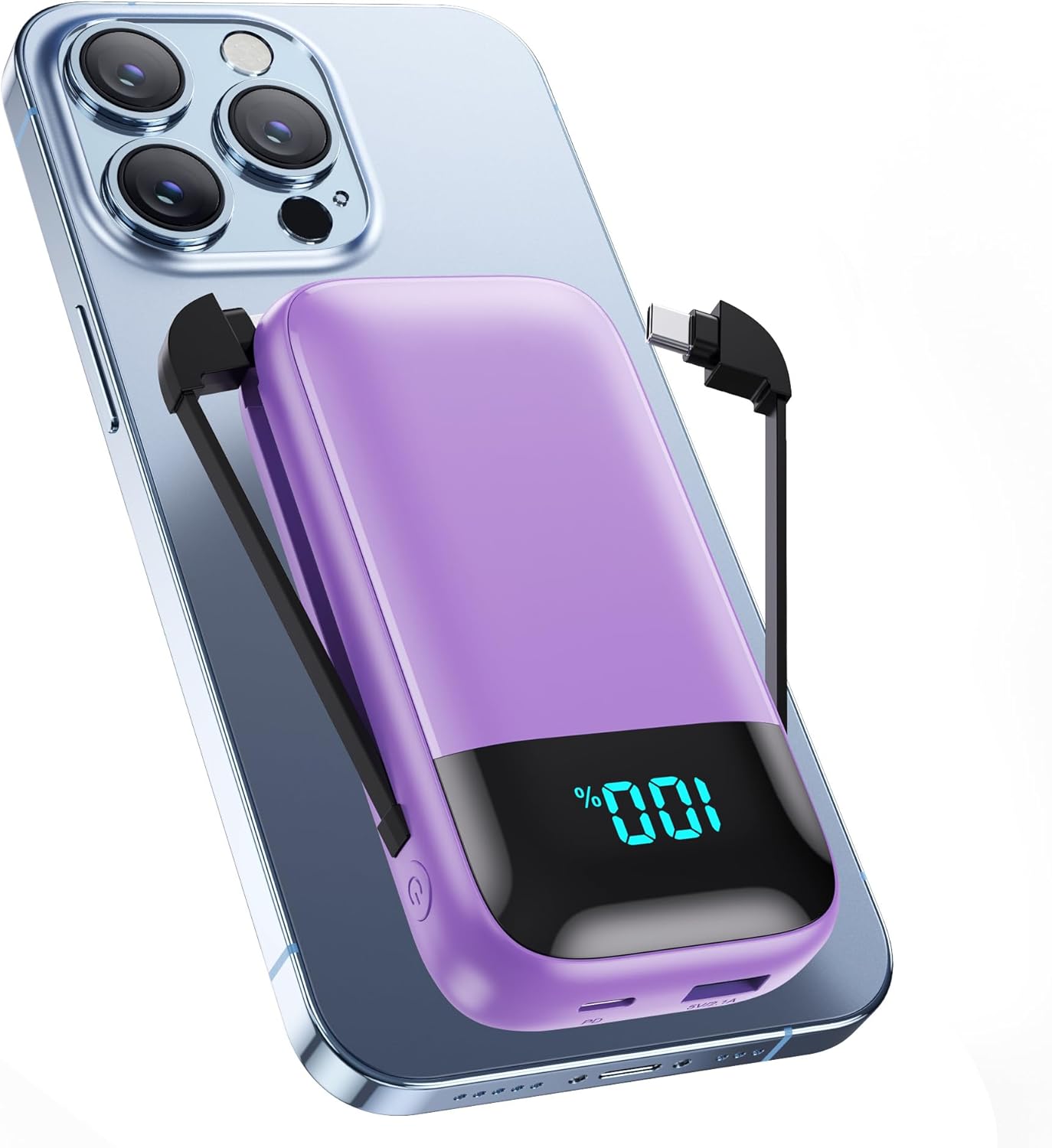
Image: The Pxwaxpy Portable Charger HX90X8, a compact purple device, shown connected to a smartphone, illustrating its primary function.
Product Overview
The Pxwaxpy HX90X8 is a 13800mAh ultra-compact portable power bank designed for charging various electronic devices. It features built-in charging cables, multiple output ports, and an LCD display for battery status.
Key Features:
- Built-in Cables: Includes one USB-C cable and one cable compatible with iPhone devices, eliminating the need for external cables.
- High Capacity: 13800mAh battery provides multiple charges for most smartphones.
- Multiple Outputs: Features two built-in cables, one USB-A output port, and one USB-C output/input port, allowing simultaneous charging of up to four devices.
- LCD Display: Digital display shows the accurate remaining battery percentage.
- PD Fast Charging: Supports Power Delivery (PD) fast charging for compatible devices.
- Pass-through Charging: Allows the power bank to be recharged while simultaneously charging other devices.

Image: A diagram highlighting the various output options of the power bank, including the built-in USB-C and iPhone-compatible cables, a USB-A port, and a USB-C input/output port.

Image: The Pxwaxpy portable charger demonstrating its universal compatibility by charging four different devices simultaneously: an iPhone, a Samsung smartphone, an iPad, and wireless earbuds.
Setup
Initial Charging of the Power Bank:
- Before first use, fully charge the Pxwaxpy HX90X8 power bank.
- Connect the included USB-A to USB-C charging cable to the USB-C input/output port on the power bank.
- Plug the other end of the USB-A cable into a compatible USB wall adapter (not included) or a computer's USB port.
- The LCD display will show the charging progress, indicating 100% when fully charged.
A full charge typically takes several hours. It is recommended to charge the power bank completely before its initial use to optimize battery performance.
Operating Instructions
Charging Your Devices:
The power bank offers multiple ways to charge your electronic devices:
- Using Built-in Cables:
- Locate the appropriate built-in cable (USB-C for Android devices or iPhone-compatible cable for Apple devices).
- Gently pull out the desired cable from its storage slot.
- Connect the cable to your device's charging port.
- The power bank will automatically begin charging your device. The LCD display will show the power bank's remaining charge.
- Using USB-A or USB-C Ports:
- Connect your device's charging cable (not included) to either the USB-A output port or the USB-C output/input port on the power bank.
- Connect the other end of your cable to your device.
- Charging will commence automatically.
You can charge up to four devices simultaneously using a combination of the built-in cables and the external ports.
Recharging the Power Bank:
To recharge the Pxwaxpy HX90X8:
- Connect the included USB-A to USB-C charging cable to the USB-C input/output port on the power bank.
- Plug the USB-A end into a power source, such as a wall adapter or computer USB port.
- The LCD display will show the charging status.
The power bank supports pass-through charging, meaning it can be recharged while simultaneously charging your devices.
LCD Display:
The integrated LCD display shows the remaining battery percentage of the power bank, allowing you to monitor its charge level accurately.
Maintenance
- Cleaning: Use a soft, dry cloth to clean the surface of the power bank. Avoid using harsh chemicals or abrasive materials.
- Storage: Store the power bank in a cool, dry place away from direct sunlight, extreme temperatures, and moisture.
- Battery Care: To prolong battery life, fully charge the power bank at least once every three months, even if not in regular use. Avoid completely draining the battery frequently.
- Handling: Do not drop, disassemble, or attempt to repair the power bank yourself. This can damage the device and void the warranty.
Troubleshooting
- Device not charging:
- Ensure the power bank has sufficient charge (check LCD display).
- Verify that the charging cable is securely connected to both the power bank and your device.
- Try a different cable or port on the power bank.
- Ensure your device's charging port is clean and free of debris.
- Power bank not recharging:
- Check the connection of the USB-C charging cable to both the power bank and the power source.
- Ensure the wall adapter or USB port you are using is functional.
- Try a different USB wall adapter or power source.
- Slow charging:
- Ensure you are using a compatible fast-charging cable and adapter for your device and the power bank.
- Charging multiple devices simultaneously may reduce the charging speed for individual devices.
- Environmental factors (e.g., extreme temperatures) can affect charging efficiency.
- LCD display not working:
- Press the power button briefly to activate the display.
- If the power bank is completely discharged, the display may not light up until it receives some charge.
Specifications
| Feature | Detail |
|---|---|
| Model Number | HX90X8 |
| Battery Capacity | 13800mAh |
| Type-C Input/Output Port | 5V=3A, 4.5V=4A |
| USB-A Output Port | 5V=2.1A |
| Type-C/iPhone Output (Cable) | 5V=2A |
| Product Dimensions | 4.72 x 2.44 x 1.02 inches (12 x 6.2 x 2.6 cm) |
| Item Weight | 0.44 lb (5.3 ounces) |
| Battery Type | Lithium Polymer |

Image: A visual representation of the power bank's compact size, displaying its dimensions (12cm x 6.2cm x 2.6cm) in comparison to a typical smartphone.
Safety Information
To ensure safe operation and prevent damage to the device or injury, please observe the following safety precautions:
- Do not expose the power bank to extreme temperatures (above 60°C/140°F or below 0°C/32°F), direct sunlight, or fire.
- Avoid contact with water or other liquids.
- Do not drop, puncture, or disassemble the device.
- Keep out of reach of children.
- Do not use if the power bank is damaged, swollen, or leaking.
- Dispose of the power bank according to local regulations for electronic waste.
- Built-in Protections: The device includes intelligent chips for protection against over-charge, over-voltage, over-current, short circuit, and over-heat.
- Airline Approved: This portable charger meets standard international aviation limits and can be taken on planes in carry-on luggage.
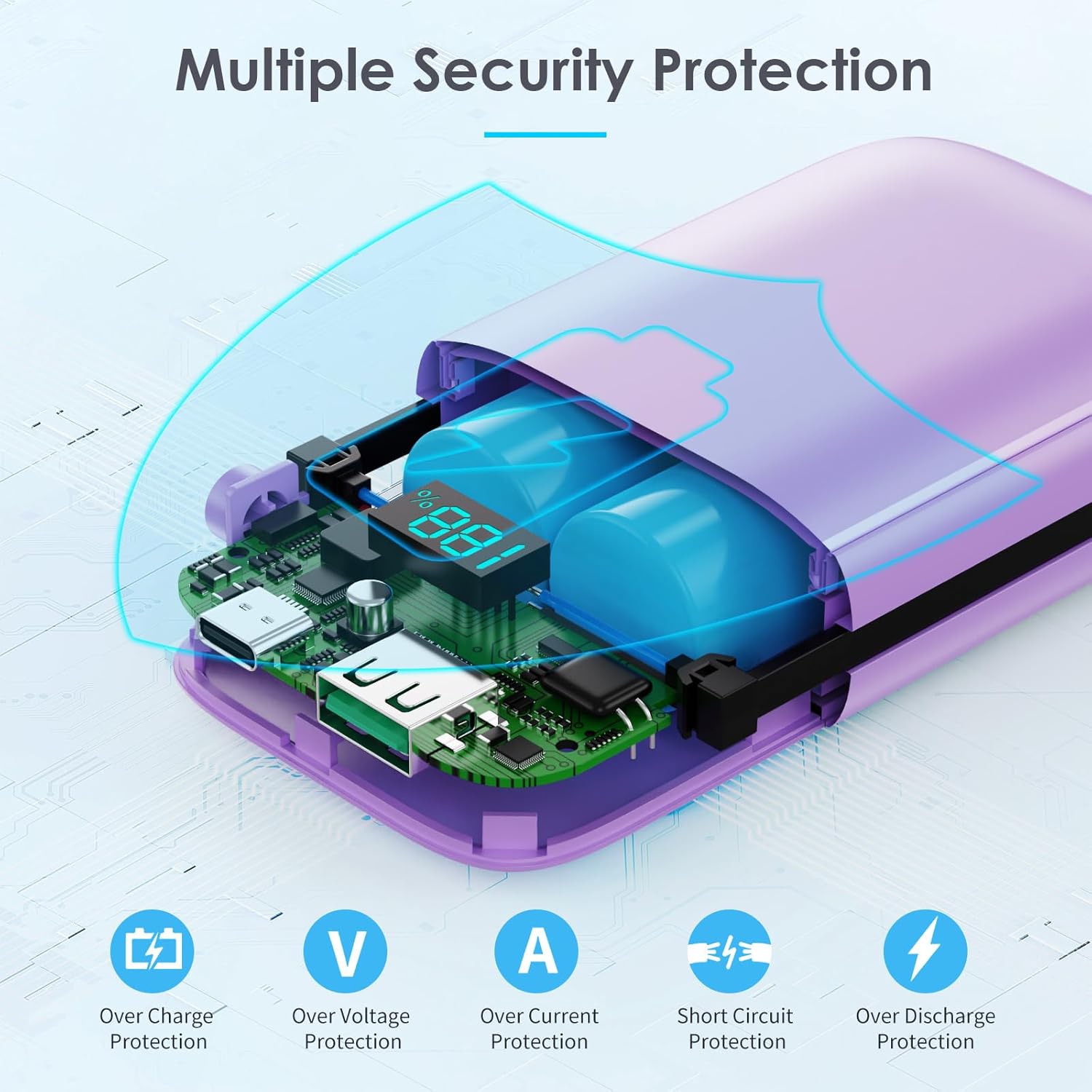
Image: An internal view diagram of the power bank, highlighting its integrated safety features such as protection against over-charge, over-voltage, over-current, short circuit, and over-discharge.
Warranty and Support
The Pxwaxpy Portable Charger HX90X8 comes with an 18-month warranty. For technical support or warranty claims, please contact Pxwaxpy customer service. Lifetime technical support is provided for this product.
For further assistance, please refer to the contact information provided on the product packaging or the official Pxwaxpy website.


