1. Introduction
The JVC Active Noise Cancelling True Wireless Earbuds are designed to provide a superior audio experience with exceptional comfort and advanced features. These earbuds offer active noise cancellation, customizable sound modes, and a secure fit for various activities.
Key Features:
- Customized Fit: Includes multiple silicone and memory foam earpiece options for all-day comfort and secure fit.
- Extended Battery Life: Up to 28 hours of continuous playback with the compact charging case.
- Active Noise Cancellation (ANC): Effectively reduces low-frequency ambient noises for immersive listening.
- Touch Controls & Customizable Sound Modes: Intuitive touch sensors for music, calls, and ANC, with Normal, Bass, and Clear sound modes.
- Quick Pairing & Stable Connectivity: Bluetooth 5.3 technology ensures instant connection and reliable audio streaming.
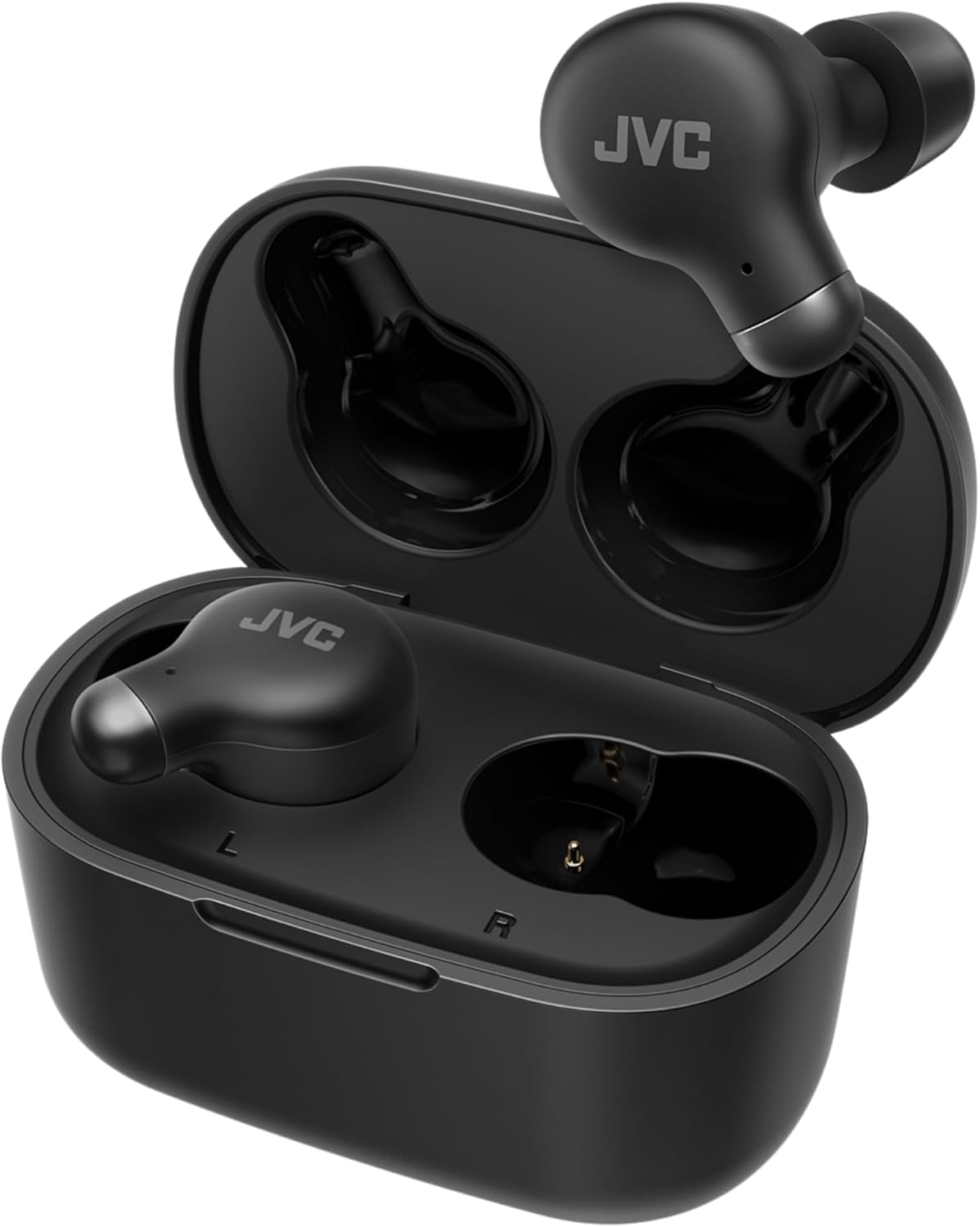
Figure 1.1: JVC Active Noise Cancelling True Wireless Earbuds in their compact charging case.
2. What's in the Box
Verify that all items are present in your package:
- JVC Active Noise Cancelling True Wireless Earbuds (Left and Right)
- Wireless Charging Case
- USB Charging Cable
- S/M/L Silicone Earpieces
- S/M Memory Foam Earpieces
- Instruction Manual (this document)
3. Setup
3.1 Initial Charging
- Place both earbuds into the charging case.
- Connect the USB charging cable to the charging port on the back of the case and to a USB power source.
- The indicator lights on the case will illuminate to show charging status. A full charge is indicated when all lights are solid.
- Allow approximately 1.5 hours for a full charge of both earbuds and the case.
3.2 Pairing with a Device
- Ensure the earbuds are fully charged and inside the charging case.
- Open the charging case lid. The earbuds will automatically enter pairing mode, and an indicator light on the earbuds will flash.
- On your device (smartphone, tablet, etc.), enable Bluetooth.
- Search for available Bluetooth devices and select "JVC HAA25TB" from the list.
- Once connected, a voice prompt will confirm successful pairing, and the indicator light on the earbuds will turn off.
- For subsequent use, the earbuds will automatically connect to the last paired device when removed from the case.
4. Operating Instructions
4.1 Touch Controls
The JVC HAA25TB earbuds feature intuitive touch sensors for easy control of music playback, calls, and noise cancellation modes.

Figure 4.1: Smart Touch Sensor for easy control.
| Action | Function |
|---|---|
| Single Tap (Left/Right) | Play/Pause Music, Answer/End Call |
| Double Tap (Right) | Next Track |
| Double Tap (Left) | Previous Track |
| Long Press (Left/Right) | Activate Voice Assistant |
| Triple Tap (Left/Right) | Cycle ANC Modes (ANC On/Off/Ambient Sound) |
4.2 Active Noise Cancellation (ANC)
The earbuds feature Active Noise Cancellation to reduce ambient noise, allowing for a more immersive listening experience. Memory foam earpieces further enhance passive noise isolation.

Figure 4.2: Active Noise Cancelling and Memory Foam Earpieces for enhanced sound.
To cycle through ANC modes (ANC On, ANC Off, Ambient Sound), triple tap either earbud. A voice prompt will confirm the selected mode.
4.3 Customizable Sound Modes
Tailor your audio experience with three distinct sound modes: Normal, Bass, and Clear.

Figure 4.3: Select from Normal, Bass, or Clear sound modes.
Refer to the full user manual for specific gestures to switch between these modes.
4.4 Low Latency Gaming Mode
Optimize your audio for gaming and video with the low latency mode, reducing audio delay for a more synchronized experience.

Figure 4.4: Earbuds optimized for low latency gaming.
Activate this mode via the touch controls or a dedicated setting in the JVC Connect app (if available for this model).
4.5 Product Overview Video
Video 4.1: Official JVC Marshmallow Plus with Noise Cancelling - HAA25T product overview. This video demonstrates key features such as compact design, soft memory foam earpieces, low latency mode, active noise cancellation, touch sensor operation, and up to 28-hour battery life.
5. Maintenance
5.1 Cleaning the Earbuds and Case
- Regularly clean the earbuds and charging case with a soft, dry, lint-free cloth.
- For stubborn dirt, lightly dampen the cloth with water. Avoid using harsh chemicals or abrasive materials.
- Gently remove any earwax or debris from the eartips and speaker mesh using a small, soft brush or cotton swab.
- Ensure the charging contacts on both the earbuds and the case are clean and dry to maintain proper charging.
5.2 Storage
- When not in use, always store the earbuds in their charging case to protect them and ensure they remain charged.
- Store the case and earbuds in a cool, dry place, away from direct sunlight and extreme temperatures.
6. Troubleshooting
If you encounter any issues with your JVC earbuds, refer to the table below for common problems and their solutions.
| Problem | Possible Cause | Solution |
|---|---|---|
| Earbuds not pairing | Bluetooth off, out of range, or previously paired device interference. | Ensure Bluetooth is on. Move closer to device. Forget/delete earbuds from device's Bluetooth list and re-pair. |
| No sound or low volume | Low battery, incorrect volume settings, or dirty eartips. | Charge earbuds. Adjust volume on both earbuds and device. Clean eartips and speaker mesh. |
| ANC not working effectively | Incorrect mode, improper fit, or external noise too high. | Ensure ANC mode is active. Adjust eartips for a snug fit. ANC is most effective against low-frequency, constant noise. |
| Earbuds not charging | Dirty charging contacts, faulty cable/adapter, or case low on battery. | Clean charging contacts. Try a different USB cable/power source. Charge the case fully. |
| Intermittent connection | Interference, distance from device, or multiple devices connected. | Reduce interference (e.g., move away from Wi-Fi routers). Stay within Bluetooth range. Disconnect from other devices. |
7. Specifications
| Feature | Detail |
|---|---|
| Model Name | Marshmallow Plus (HAA25TB) |
| Connectivity Technology | Bluetooth 5.3 |
| Noise Control | Active Noise Cancellation (ANC), Sound Isolation |
| Battery Life (Earbuds + Case) | Up to 28 Hours |
| Earbud Weight | 1.44 Ounces (total for both) |
| Water Resistance Level | IPX4 (Water Resistant) |
| Included Components | Headphones, Wireless Charging Case, USB Cable, S/M/L Silicon & Memory Foam Earpieces |
| Control Type | Touch Control, Voice Control |
| Frequency Response | 20000 Hz |
| Impedance | 16 Ohm |
| Country of Origin | China |
8. Warranty and Support
8.1 Limited Warranty
JVC products are manufactured to the highest quality standards. This product is covered by a limited warranty against defects in materials and workmanship. Please refer to the warranty card included in your product packaging for specific terms and conditions, including warranty period and coverage details.
8.2 Customer Support
For technical assistance, product inquiries, or warranty claims, please contact JVC Customer Support. You can find contact information (phone numbers, email, or website) on the JVC official website or in the warranty documentation provided with your product.
Please have your product model number (HAA25TB) and proof of purchase ready when contacting support.


