
HICSHON WDC901-4K
HICSHON WDC901-4K Underwater Digital Camera
User Manual
1. Introduction
This manual provides detailed instructions for the operation and maintenance of your HICSHON WDC901-4K Underwater Digital Camera. Please read this manual thoroughly before using the camera to ensure proper function and longevity. This camera is designed for capturing high-quality photos and videos in various environments, including underwater up to 11 feet (3.5 meters).
2. Package Contents
Verify that all items are present in your camera kit:
- HICSHON WDC901-4K Digital Camera
- USB Data Cable
- Wrist Strap
- Drawstring Bag
- Lithium-Ion Batteries (2 included)
- 64GB Micro SD Card with Adapter
- User Manual
3. Camera Overview
The HICSHON WDC901-4K features a robust design suitable for underwater use, equipped with dual screens and intuitive controls.
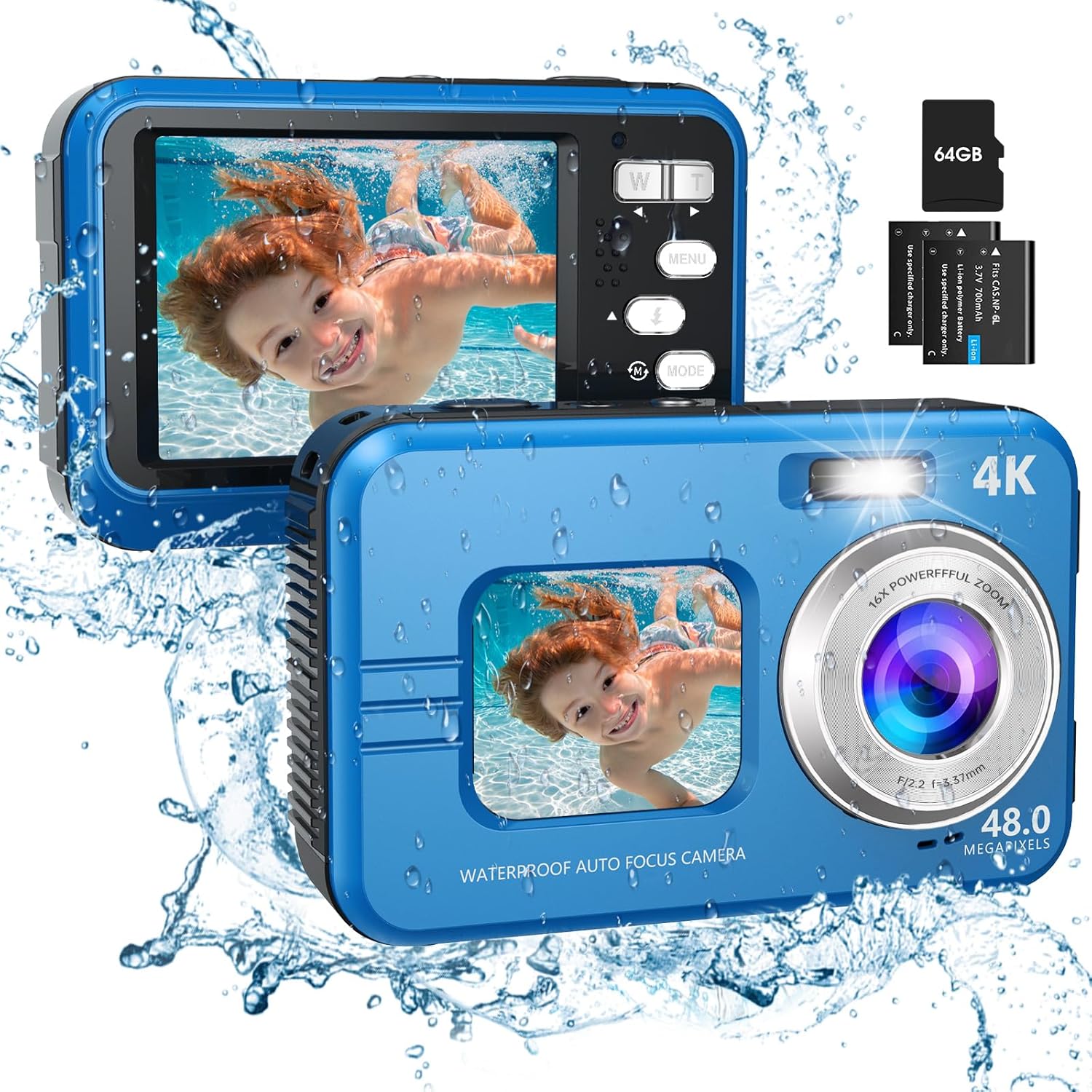
Figure 3.1: HICSHON WDC901-4K Underwater Digital Camera. This image displays the HICSHON WDC901-4K underwater digital camera in blue, highlighting its dual-screen design. The front screen shows a child swimming, while the rear screen displays the camera's interface. A 64GB SD card and battery are also visible.
3.1 Key Components
- Front Screen: 1.7-inch HD display for selfies and monitoring.
- Rear Screen: 2.8-inch HD display for general viewing and menu navigation.
- Lens: 16X digital zoom lens with autofocus.
- Fill Light: Provides additional illumination in low-light conditions.
- Control Buttons: Power, Shutter, Mode, Menu, Zoom (W/T), and navigation buttons.
- Battery/Memory Card Compartment: Located on the side, secured with a waterproof seal.
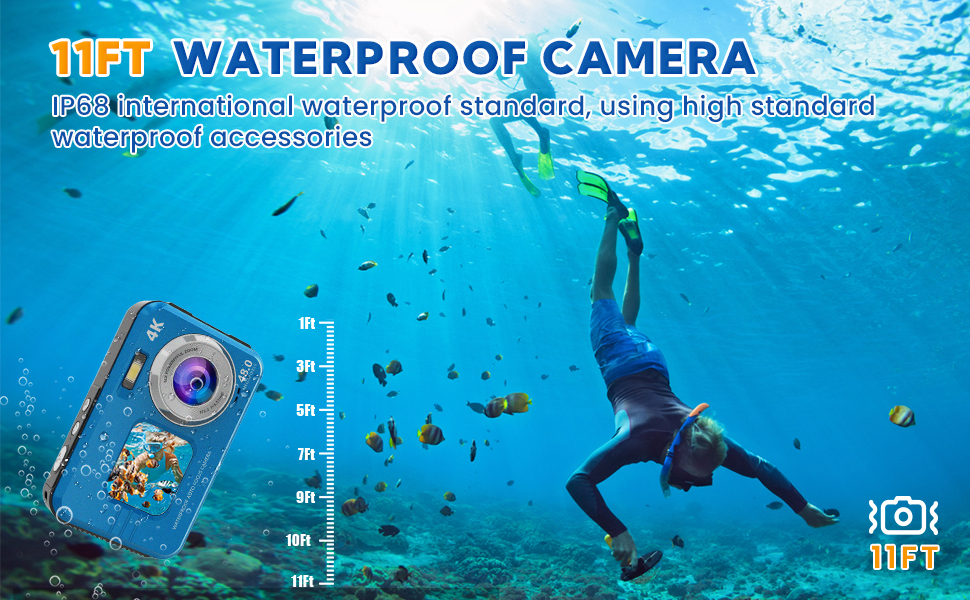
Figure 3.2: Dual Screen Design. This image highlights the camera's 48MP resolution and dual-screen design. The camera is shown with both its front (1.7-inch) and rear (2.8-inch) screens active, displaying underwater selfie photos. Additional small images show various underwater photography scenarios.
4. Setup
4.1 Battery Installation and Charging
- Locate the battery compartment cover on the side of the camera.
- Press the stuck button with one hand and push the battery cover with the other hand to open it.
- Insert the Lithium-Ion battery into the compartment, ensuring correct polarity.
- Close the battery cover firmly until it clicks, ensuring it is securely locked to maintain the waterproof seal.
- Connect the camera to a power source using the provided USB data cable for charging. The charging indicator will illuminate. Use only the original USB cable.
4.2 Micro SD Card Installation
- Open the battery compartment cover as described above.
- Insert the 64GB Micro SD card into the designated slot next to the battery, with the gold contacts facing down.
- Push the card gently until it clicks into place.
- Close the battery cover securely.

Figure 4.1: Battery and Micro SD Card Installation. This detailed image provides a step-by-step visual guide on how to correctly open the battery cover of the camera and insert the battery and Micro SD card. It emphasizes the importance of securely locking the cover for waterproof integrity.
5. Operating Instructions
5.1 Power On/Off
Press and hold the Power button to turn the camera on or off.
5.2 Photo and Video Modes
Press the 'Mode' button to switch between photo and video recording modes. The camera supports up to 48MP image resolution and 4K video resolution.
5.3 Autofocus Function
To use autofocus, lightly press the shutter button. The focus frame on the screen will change from yellow to green when focus is achieved. Press the shutter button fully to capture the photo.
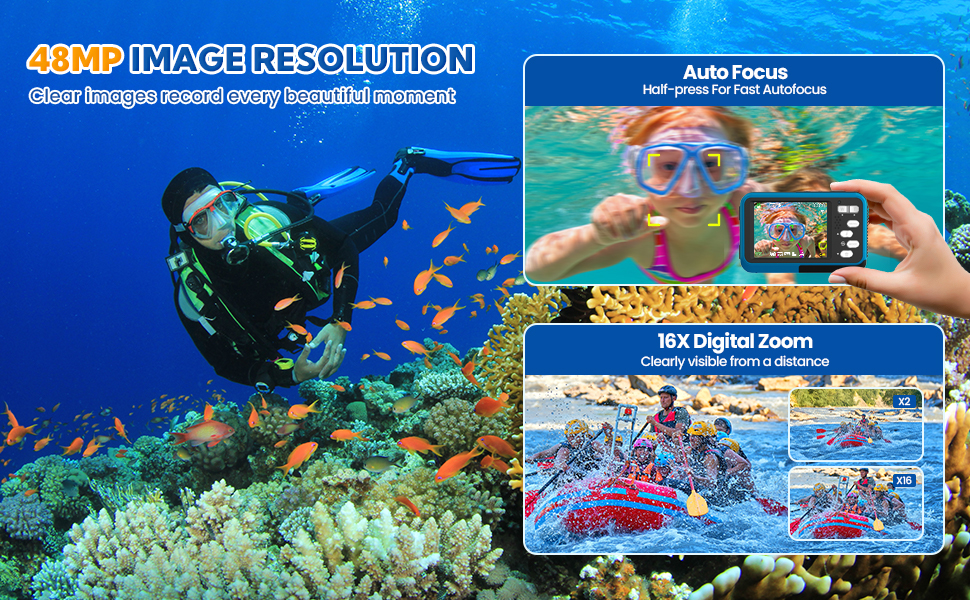
Figure 5.1: Autofocus in Action. This image demonstrates the camera's autofocus capability. A child is swimming underwater, and the camera's screen shows a focus frame changing from yellow to green, indicating successful focus acquisition.
5.4 Dual Screen Operation
The camera features a 1.7-inch front screen and a 2.8-inch rear screen. Use the front screen for convenient self-portraits and the rear screen for general shooting and menu navigation. A dedicated button allows for quick switching between the screens.
5.5 Digital Zoom
Use the 'W' (Wide) and 'T' (Telephoto) buttons to adjust the 16X digital zoom. This allows for capturing subjects at varying distances while maintaining image clarity.

Figure 5.2: Digital Zoom and Creative Filters. This image illustrates the camera's 16X digital zoom and creative picture modes. A child in a pool float is shown, with insets demonstrating the zoom levels (X2, X16). Below, examples of 'Normal', 'Black/White', 'Warm Filter', and 'Cold Filter' effects are displayed.
5.6 Fill Light
Activate the fill light feature to provide additional, even illumination in low-light conditions, enhancing photo and video quality.
5.7 Special Shooting Modes
The camera offers various modes to enhance your photography:
- Anti-shake: Stabilizes images and videos, particularly useful for capturing moving scenes or in unstable environments.
- Self-Timer: Set delays of 2s, 5s, or 10s for timed shots.
- Time Lapse: Capture a series of images over time to create time-lapse videos.
- Slow Motion: Record videos in slow motion for dramatic effects.
- Creative Effects & Scene Modes: Explore 16 different effects and 9 scene modes to customize your photos.

Figure 5.3: Versatile Photography Features. This image showcases the camera's fill light function, comparing 'off' and 'on' states for underwater photography. It also highlights the self-timer (2s, 5s, 10s), time-lapse recording, and continuous shooting capabilities with illustrative examples.

Figure 5.4: Anti-Shake Function. This image illustrates the camera's anti-shake function. A diver is shown underwater with the camera. Two inset images compare a blurred photo (anti-shake off) with a clear photo (anti-shake on), demonstrating improved stability.
5.8 Underwater Use
The HICSHON WDC901-4K camera is designed to be waterproof up to 11 feet (3.5 meters) and meets IP68 international standards. Before entering water, ensure the battery compartment cover is completely closed and securely locked. This prevents water ingress and protects internal components. The camera is suitable for activities such as snorkeling, swimming, and beach trips.

Figure 5.5: 11FT Waterproof Capability. This image depicts the camera in an underwater environment with a diver, showcasing its waterproof capability up to 11 feet. Depth markings are visible alongside the camera, illustrating its operational depth.
6. Maintenance
- Cleaning: After each use, especially after saltwater exposure, rinse the camera with fresh water and wipe it dry with a soft cloth. Do not use chemical cleaners.
- Drying: Ensure the camera, especially the battery compartment, is completely dry before opening it or storing it.
- Storage: Store the camera in a cool, dry place away from direct sunlight and extreme temperatures.
- Battery Care: Remove batteries if the camera will not be used for an extended period.
7. Troubleshooting
| Problem | Possible Cause | Solution |
|---|---|---|
| Camera does not power on. | Battery is depleted or incorrectly inserted. | Charge the battery fully. Ensure the battery is inserted with correct polarity. |
| Images/Videos are blurry. | Autofocus not engaged, anti-shake off, or dirty lens. | Ensure autofocus frame turns green before shooting. Activate anti-shake. Clean the lens with a soft cloth. |
| Water inside battery compartment. | Battery cover not properly sealed. | Immediately remove battery and SD card. Dry the camera thoroughly. Ensure the battery cover is securely locked before future water use. |
| Cannot transfer files to computer. | Incorrect connection or driver issue. | Ensure the camera is connected with the original USB cable. Try connecting to a different USB port or computer. Alternatively, remove the Micro SD card and use an SD card reader to transfer files. |
| SD card requires formatting, or files are lost after formatting. | Accidental formatting or card error. | Always back up important files regularly. Be cautious when prompted to format; ensure you understand the action before proceeding. |
8. Specifications
| Feature | Specification |
|---|---|
| Model Number | WDC901-4K |
| Image Resolution | Up to 48 MP |
| Video Resolution | 4K (3840 x 2160 pixels) |
| Water Resistance Level | IP68, Waterproof up to 11 feet (3.5 meters) |
| Front Screen Size | 1.7 Inches |
| Rear Screen Size | 2.8 Inches |
| Digital Zoom | 16X |
| Autofocus | Yes, Contrast Detection |
| Image Stabilization | Digital |
| Photo Sensor Technology | CMOS |
| Supported File Format | JPEG (Images), 4K (Video) |
| Memory Storage | Micro SD, SD (64GB card included, max 64GB supported) |
| Battery Type | Lithium Ion |
| Connectivity | USB, Wi-Fi |
| Item Weight | 0.33 Kilograms |
9. Warranty and Support
For warranty information or technical support, please refer to the documentation included with your purchase or contact HICSHON customer service. Our support team is available to assist with any questions or issues you may encounter during the use of your camera.
Ask a question about this manual
Ask about setup, troubleshooting, compatibility, parts, safety, or missing instructions. Manuals+ will review the question and use this page’s manual context to help answer it.