Bossdan Handheld Cordless Vacuum Cleaner ATJ User Manual
Model: ATJ
1. Introduction
Thank you for choosing the Bossdan Handheld Cordless Vacuum Cleaner, Model ATJ. This manual provides essential information for the safe and efficient operation, maintenance, and troubleshooting of your new device. Please read this manual thoroughly before use and retain it for future reference.

Image: The Bossdan Handheld Cordless Vacuum Cleaner with its various attachments and charging dock.
2. Package Contents
Ensure all items are present and in good condition upon unpacking:
- Bossdan Handheld Cordless Vacuum Cleaner (Model ATJ)
- HEPA Filter (pre-installed)
- Filter Holder (pre-installed)
- Brush Tool
- Flexible Hose
- Long-mouth Suction Nozzle (Crevice Tool)
- Wall-Mounted Charging Dock
- USB Charging Cable (charging head not included)
- Cleaning Brush

Image: A brush tool attachment for the vacuum cleaner.

Image: The USB charging cable for the vacuum cleaner.
3. Setup
3.1 Initial Charging
- Connect the USB charging cable to the charging port on the vacuum cleaner or the wall-mounted dock.
- Plug the USB cable into a compatible USB charging head (not included) and then into a power outlet.
- The battery indicator lights will illuminate during charging. The USB charging cable will always light up green when fully charged.
- Allow approximately 3 hours for a full charge.

Image: The handheld vacuum charging on its wall-mounted dock, illustrating convenient storage and power connection.
3.2 Attaching Accessories
Select the appropriate nozzle or brush for your cleaning task and firmly attach it to the vacuum's suction inlet.
- Long-mouth Suction Nozzle (Crevice Tool): Ideal for narrow gaps, corners, and hard-to-reach areas like car seats or sofa crevices.
- Brush Tool: Use for loosening and collecting hair, dust, and debris from carpets, upholstery, and other surfaces.
- Flexible Hose: Provides extended reach and flexibility for intricate cleaning tasks.

Image: Demonstrates the use of brush, long-mouth, and wide-mouth suction nozzles for different cleaning scenarios.
5. Operating Instructions
5.1 Powering On/Off and Suction Modes
- Press the power button once to turn on the vacuum in standard suction mode.
- Press the power button a second time to activate high suction mode for more demanding cleaning tasks.
- Press the power button a third time to turn off the vacuum.
5.2 Using the LED Light
The vacuum is equipped with an LED light to illuminate dark areas, improving visibility during cleaning. The LED light can be activated independently or simultaneously with the vacuum function.

Image: The handheld vacuum's LED light illuminates a dark corner, simplifying cleaning in low-light conditions.
5.3 General Usage Tips
- For optimal suction, keep the nozzle close to the surface being cleaned.
- The vacuum is suitable for dry debris. Avoid absorbing wet objects or liquids to prevent motor damage. If wet objects are accidentally absorbed, dry the vacuum immediately.
- The vacuum operates at a low noise level (up to 75 dB) for quiet cleaning.
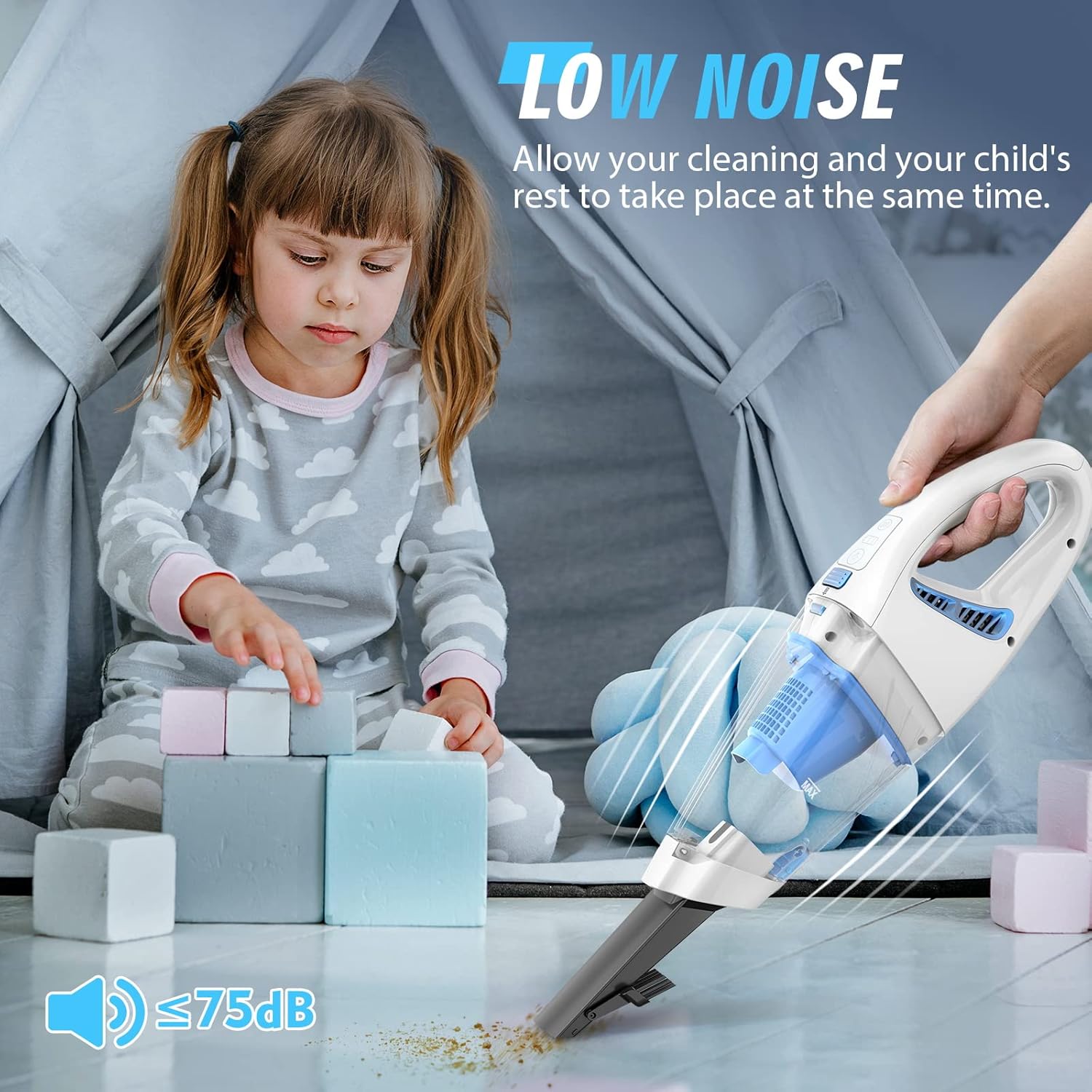
Image: A child plays near the operating handheld vacuum, highlighting its low noise level.
Video: A demonstration of the Bossdan Handheld Vacuum's features, including LED lights and various accessories.
6. Maintenance
6.1 Emptying the Dust Cup
- Ensure the vacuum is turned off.
- Press the release button to detach the dust cup from the main body.
- Carefully empty the contents of the dust cup into a waste bin.
6.2 Cleaning the HEPA Filter
The HEPA filter is washable and designed to prevent clogging while maintaining suction power. Regular cleaning is recommended.
- Remove the HEPA filter from the dust cup.
- Use the provided cleaning brush to remove any trapped debris from the filter.
- Rinse the filter under running water until clean. Do not use harsh detergents.
- Allow the filter to air dry completely before reinserting it into the dust cup. Ensure it is fully dry to prevent mold or damage to the motor.

Image: An exploded view showing the double-layer filter system, including the HEPA filter and filter holder.
Video: A demonstration of how to replace and clean the HEPA filter for the vacuum cleaner.
7. Troubleshooting
| Problem | Possible Cause | Solution |
|---|---|---|
| Vacuum does not turn on | Low battery | Charge the vacuum fully (approx. 3 hours). |
| Weak suction | Dust cup full or filter clogged | Empty the dust cup and clean the HEPA filter. |
| Nozzle/attachment not picking up debris | Attachment not properly secured or debris too large | Ensure attachment is firmly connected. Use appropriate attachment for debris size. |
| Vacuum makes unusual noise | Obstruction in nozzle or hose | Check for and remove any blockages in the nozzle or flexible hose. |
8. Specifications
| Feature | Detail |
|---|---|
| Brand | Bossdan |
| Model Name | 2266 |
| Item Model Number | ATJ |
| Special Feature | Cordless, Lightweight, Portable, LED Light |
| Filter Type | HEPA Filter (Washable) |
| Is Cordless? | Yes |
| Capacity | 500 Milligrams (Dust Cup) |
| Wattage | 120 watts |
| Charging Time | 3 Hours |
| Noise Level | 75 Decibels |
| Battery Type | Lithium-Ion (1 included) |
| Product Dimensions | 15.24"L x 3.94"W x 4.53"H |
| Item Weight | 2.4 pounds |
| Number of Speeds | 2 |
9. Warranty and Support
For any questions or concerns regarding your Bossdan Handheld Cordless Vacuum Cleaner, please contact our customer service. We are committed to providing support and will endeavor to assist you within 24 hours.
Please refer to your purchase documentation for specific warranty details.