1. Introduction
The Baofeng UV-17R is an advanced dual-band two-way radio designed for reliable communication. This model features 999 memory channels, UHF/VHF dual-band operation, CTCSS/DCS, VOX mode for hands-free use, and a built-in LED flashlight. It also includes NOAA weather alert functionality and wireless frequency copying for enhanced convenience. This manual provides detailed instructions for setup, operation, and maintenance of your UV-17R radio.
2. Package Contents
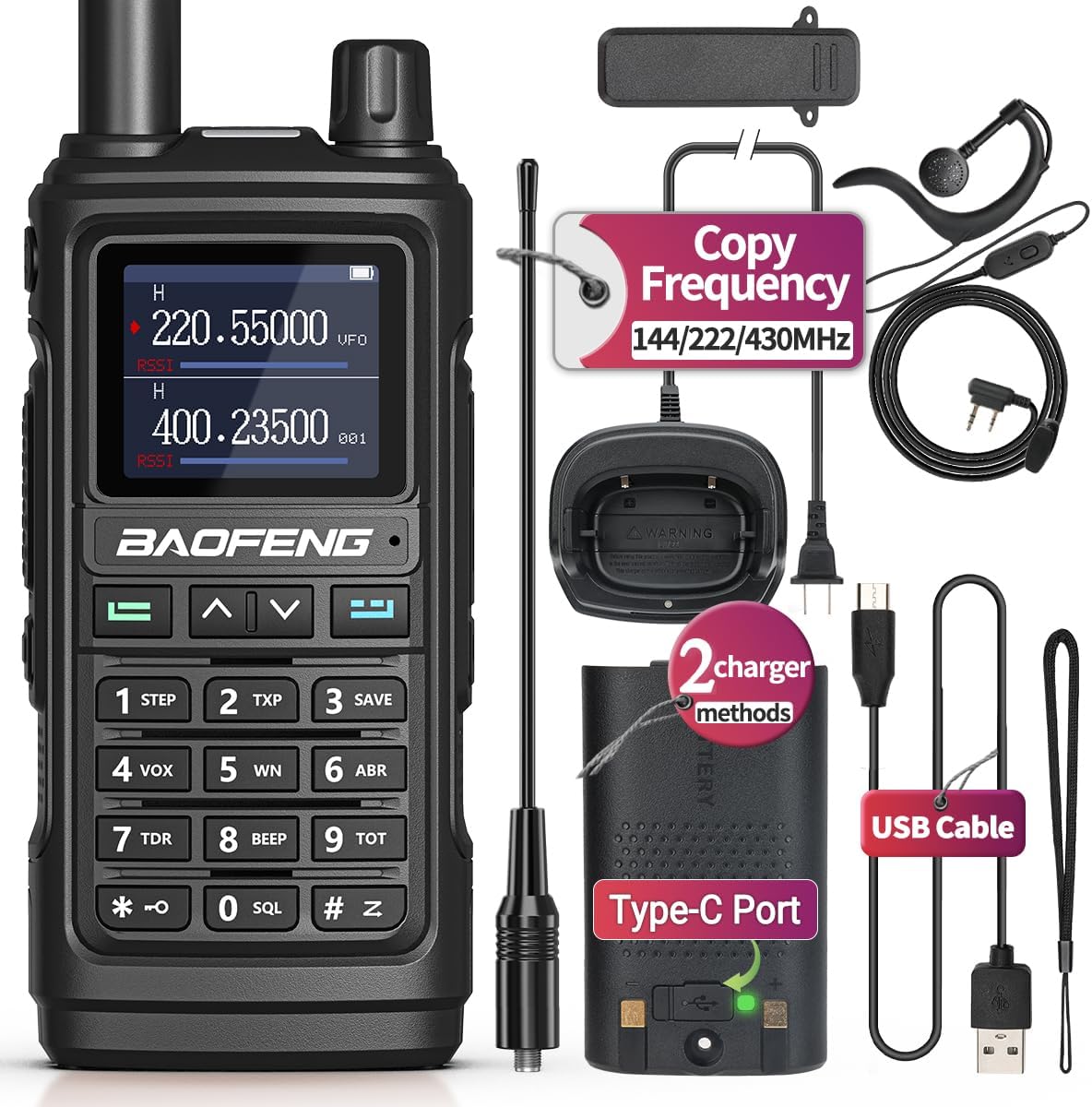
Verify that all items listed below are included in your package:
- Baofeng UV-17R Two-Way Radio (x1)
- Li-ion Battery (x1)
- Type-C USB Charger Cable (x1)
- Charging Base (x1)
- Antenna (x1)
- Screwdriver (x1)
- Belt Clip (x1)
- Hand Strap (x1)
- Earpiece (x1)
- User Manual (x1)
3. Product Features
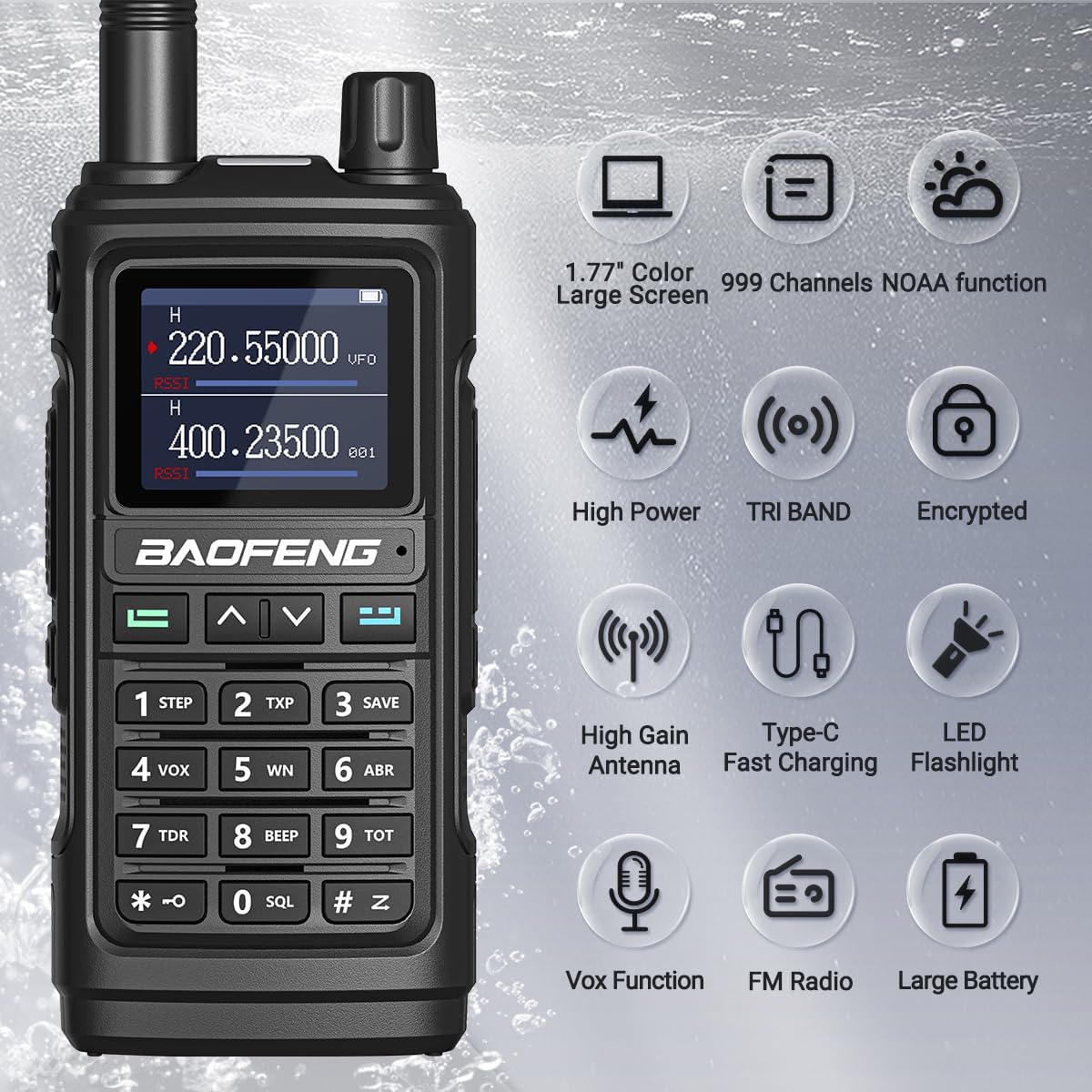
- 999 Memory Channels: Extensive channel storage for various communication needs.
- UHF/VHF Dual Band: Operates on both Ultra High Frequency and Very High Frequency bands.
- CTCSS/DCS: Continuous Tone-Coded Squelch System and Digital Coded Squelch for interference reduction.
- VOX Mode: Voice-Operated Exchange for hands-free transmission.
- A/B Band Independent Operation: Allows simultaneous monitoring of two different frequencies.
- Dual Display & Dual Standby: Shows two frequencies and monitors both simultaneously.
- Auto Keypad Lock: Prevents accidental key presses.
- Two Charging Methods: Supports both Type-C USB direct charging and traditional charging base.
- NOAA Weather Alert: Scans 10 NOAA Weather channels and provides alerts for severe weather conditions.
- Wireless Frequency Copy: Enables direct cloning of frequencies from another walkie-talkie without computer programming.
- LED Flashlight: Integrated powerful LED light for illumination.
- Chirp Software Support: Compatible with Chirp programming software (UV-17Pro profile).
4. Product Diagram
Familiarize yourself with the various parts and controls of your Baofeng UV-17R radio:

- Antenna
- Flashlight/Emergency Alert Key
- PTT (Push-To-Talk) Key
- FM Broadcast/Monitor Key
- MENU Key
- Numeric Keypad
- Power/Volume Knob
- Color LCD Display
- Speaker/Mic Jacks
- MIC Input
- Exit Key
- Up/Down Navigation Keys
- Battery Pack
- Type-C Charging Port
- Battery Tightening Screw
- Type-C Charging Indicator
- LED Flashlight
- LED Status Indicator
5. Setup
5.1. Battery Installation
To install the battery:
- Align the battery pack with the grooves on the back of the radio.
- Slide the battery pack upwards until it clicks into place.
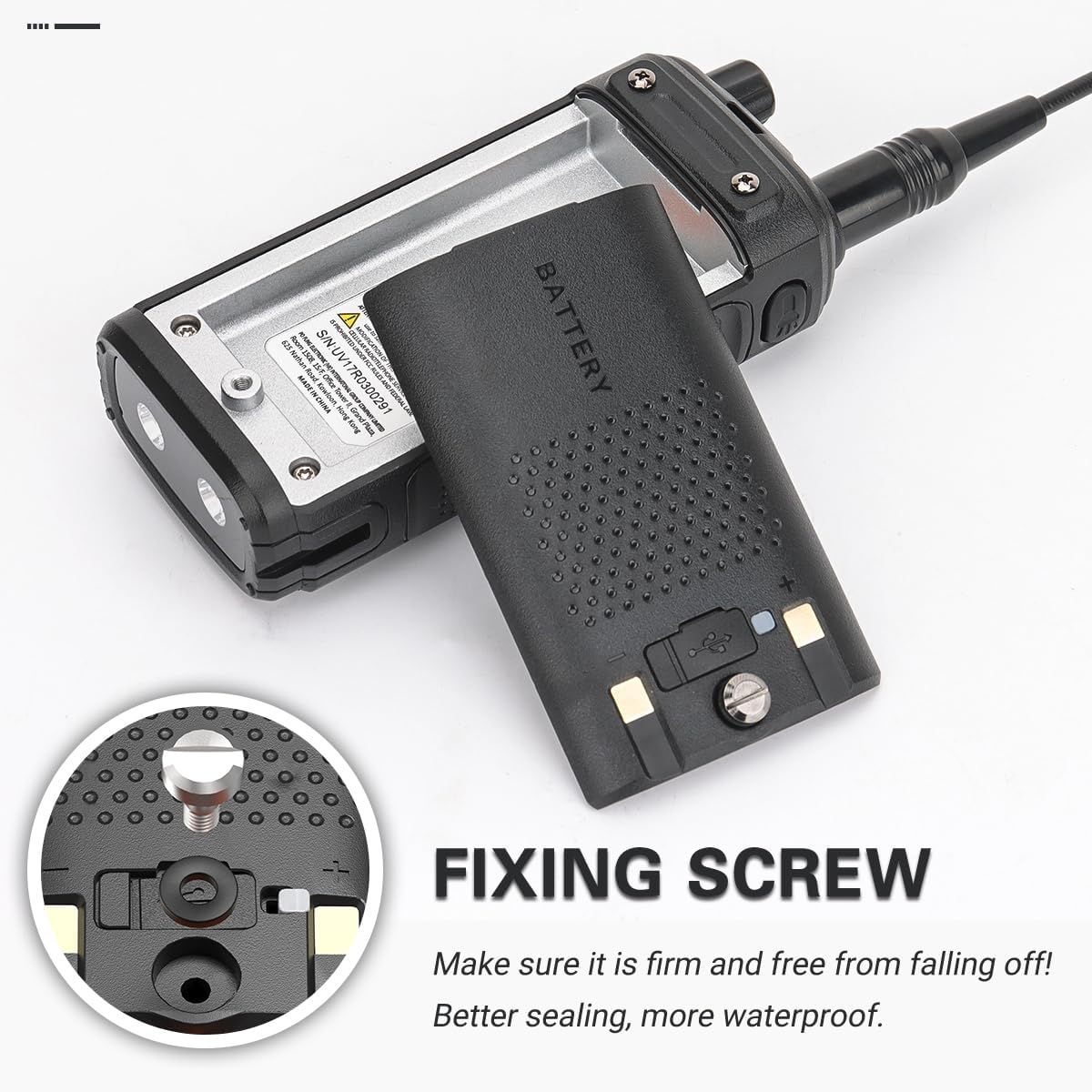
- Secure the battery by tightening the battery tightening screw (15) located at the bottom of the battery pack. This ensures a firm connection and improved water resistance.
5.2. Charging the Battery
The UV-17R supports two charging methods:
- Type-C USB Charging: Connect the provided Type-C USB cable to the Type-C charging port (14) on the battery pack and to a compatible USB power source. This method is convenient for on-the-go charging.
- Charging Base: Place the radio into the charging base. Ensure the charging contacts on the radio align with those on the base. The charging base offers improved charging efficiency.
The Type-C charging indicator (16) will show the charging status.

6. Basic Operation
6.1. Power On/Off and Volume Control
To power on the radio, rotate the Power/Volume knob (7) clockwise. Continue rotating to increase the volume. Rotate counter-clockwise to decrease volume and power off the radio.
6.2. Channel Selection and Frequency Adjustment
Use the Up/Down Navigation Keys (12) to scroll through channels or adjust frequencies. The Numeric Keypad (6) can be used to directly input frequencies or channel numbers.
6.3. Transmitting and Receiving (PTT)
To transmit, press and hold the PTT (Push-To-Talk) Key (3) on the side of the radio. Speak clearly into the microphone. Release the PTT key to return to receive mode.
6.4. VOX Mode
VOX (Voice-Operated Exchange) allows for hands-free transmission. When VOX is enabled, the radio will automatically transmit when it detects your voice. Refer to the menu settings for VOX activation and sensitivity adjustment.
6.5. LED Flashlight
Press the Flashlight/Emergency Alert Key (2) to activate the built-in LED flashlight (17). Press again to cycle through modes or turn off.

6.6. FM Radio
The radio includes an FM broadcast receiver. Press the FM Broadcast/Monitor Key (4) to switch to FM radio mode. Use the navigation keys to tune to desired stations.
7. Advanced Features
7.1. Wireless Frequency Copy
This feature allows you to quickly clone the frequency and privacy code from another walkie-talkie without needing a computer.
- Step 1: Power on your UV-17R radio. Long press the MENU Key (5) to enter the "FQSCAN" interface. The display will show "SEEK".
- Step 2: Press and hold the PTT button on the other walkie-talkie you wish to copy from. The UV-17R will search for its transmission frequency and privacy code.
- Step 3: Once the frequency is found, press the MENU Key (5) again to store the frequency. The radio will switch to channel mode, displaying the copied frequency. You can now communicate with the other radio.

7.2. NOAA Weather Alert
The UV-17R can monitor 10 NOAA Weather channels and provide alerts for severe weather. To activate this function, navigate through the radio's menu to the NOAA weather alert setting and enable it. The radio will then automatically scan and alert you to hazardous weather conditions.

7.3. Programming with CHIRP
The Baofeng UV-17R is compatible with CHIRP programming software. To program the radio using CHIRP, you will need a compatible programming cable (not included). Select the "UV-17Pro" model within the CHIRP software for proper configuration. This allows for advanced customization of channels, frequencies, and other settings.
8. Maintenance
- Cleaning: Use a soft, damp cloth to clean the radio's exterior. Avoid harsh chemicals or abrasive cleaners.
- Battery Care: Do not overcharge or deep discharge the Li-ion battery. Store the radio and battery in a cool, dry place when not in use for extended periods.
- Antenna: Ensure the antenna is securely attached. Avoid bending or stressing the antenna.
- Water Resistance: While the radio is water-resistant, avoid submerging it in water. Ensure the battery tightening screw is secure to maintain water resistance.
9. Troubleshooting
| Problem | Possible Cause | Solution |
|---|---|---|
| Radio does not power on. | Battery is low or not installed correctly. | Charge the battery or re-install it securely. |
| Cannot transmit or receive. | Incorrect frequency/channel, antenna loose, or battery low. | Verify frequency/channel settings. Check antenna connection. Charge battery. |
| Poor audio quality. | Weak signal, incorrect squelch level, or antenna issue. | Adjust squelch level. Ensure clear line of sight. Check antenna. |
| Wireless frequency copy fails. | Other radio not transmitting, or too far away. | Ensure the source radio is transmitting and within close range. Repeat steps carefully. |
10. Specifications
| Feature | Detail |
|---|---|
| Model | UV-17R |
| Brand | BAOFENG |
| Number of Channels | 999 |
| Frequency Range | 30 MHz - 3 GHz (UHF/VHF Dual Band) |
| Voltage | 3.7 Volts |
| Battery Type | Lithium Ion (1 included) |
| Special Features | Portable, UHF, Water Resistant, NOAA Weather Alert, VOX, LED Flashlight, Type-C Charging |
| Item Weight | 1.34 pounds |
| Package Dimensions | 8.19 x 4.84 x 4.37 inches |
| FCC ID | 2AJGM-UV17 |
11. Warranty and Support
This product does NOT come with a manufacturer's warranty as per available information. For technical assistance or customer service inquiries, please refer to the BAOFENG official support channels or your point of purchase.
You can visit the official BAOFENG store for more information: BAOFENG Store


