1. Product Overview
The tectake Portable Standing Fan is a versatile and compact cooling solution designed for various environments. Its foldable and telescopic design allows for easy height adjustment and portability, making it suitable for use as a desk fan, standing fan, or for travel and camping. Equipped with a 7200mAh rechargeable battery, it offers extended cordless operation and features multiple speed settings for customized airflow.

Image 1.1: The fan demonstrating its compact folded state, desk fan configuration, and full standing height.

Image 1.2: Examples of the fan's versatile use in different environments, including home, office, and outdoor settings.
2. Key Features
- Retractable and Folding Design: Easily adjusts from 3.9 inches (folded) to 14.5 inches (not extended) up to 40 inches (fully stretched), making it highly portable for travel and storage.
- 7200mAh Rechargeable Battery: Provides 5 to 24 hours of cordless operation on a single charge, depending on the speed setting. Charges fully in approximately four hours via USB.
- Super Quiet Operation: Operates at a noise level of 25-60dB, ensuring a quiet environment even at higher speeds, suitable for bedrooms, offices, and pet rooms.
- Three Speed Settings: Easily switch between low, medium, and high wind speeds using a single button.
- Easy to Disassemble and Clean: The front grille can be removed by rotating it to the left, allowing for convenient cleaning of the fan blades.
- 180° Rotation: The fan head can be rotated 180 degrees for optimal airflow direction.
- Anti-slip Pads: The base is equipped with anti-slip pads for enhanced stability.

Image 2.1: Comparison highlighting the tectake fan's design advantages, including 5 fan blades for natural breeze and a removable cover for easy cleaning.
3. Setup and Assembly
- Unfolding the Fan: Gently pull the fan head upwards from its folded position. The telescopic rod will extend.
- Adjusting Height: Continue to pull the telescopic rod to achieve the desired height, up to 40 inches. Ensure the rod is stable at the chosen height.
- Positioning the Fan Head: Adjust the angle of the fan head by rotating it up to 180 degrees to direct airflow as needed.
- Placement: Place the fan on a flat, stable surface. The anti-slip pads on the base will help secure it.

Image 3.1: Visual guide illustrating the fan's adjustable height and overall dimensions in both compact and extended forms.
4. Operating Instructions
4.1 Power On/Off and Speed Control
- Power On: Press the power button located on the base of the fan. The fan will start at the lowest speed setting.
- Adjusting Speed: Press the power button repeatedly to cycle through the three speed settings: Low, Medium, and High.
- Power Off: After the High speed setting, pressing the button again will turn the fan off.
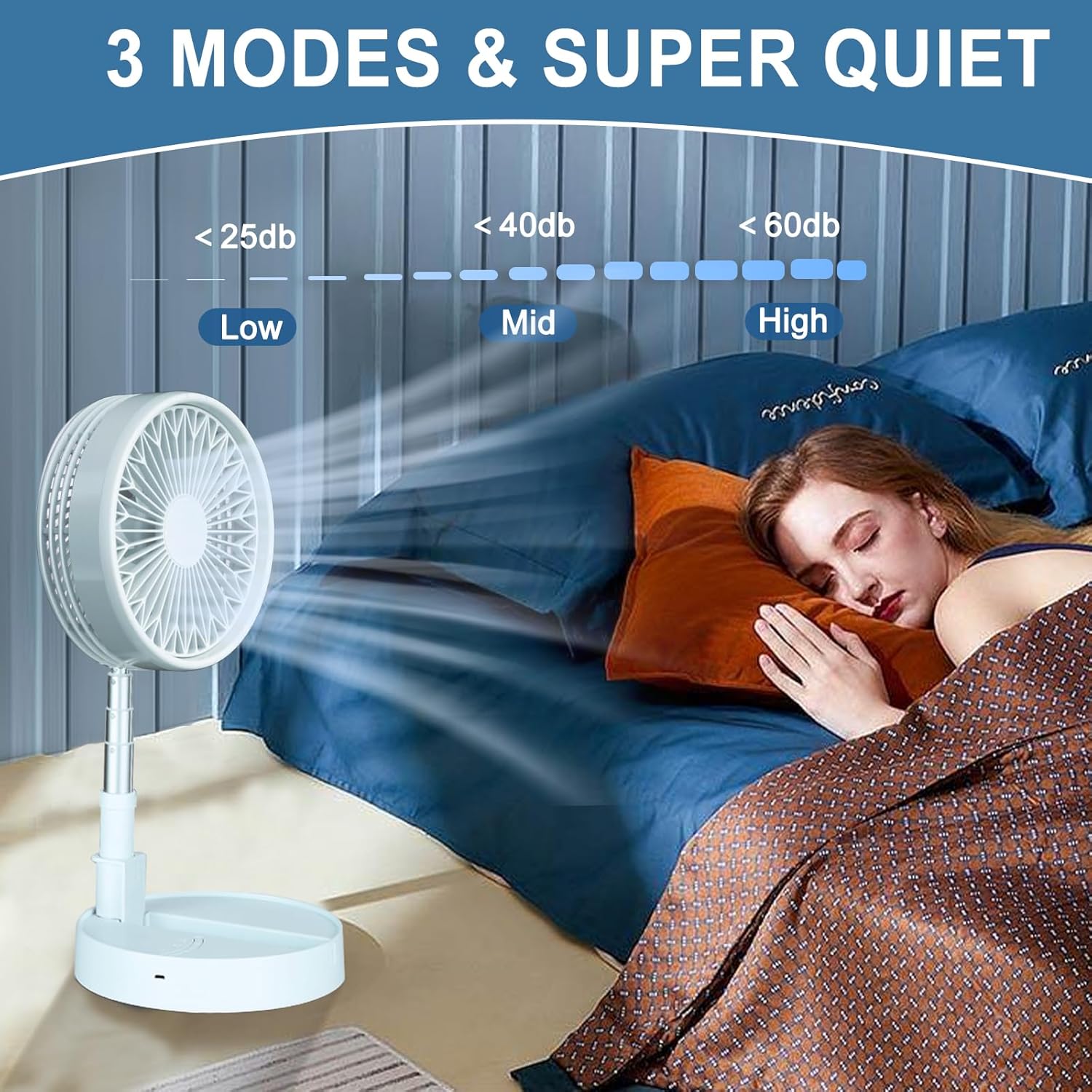
Image 4.1: Depiction of the fan's three speed modes and their corresponding quiet operation levels, suitable for undisturbed rest.
4.2 Charging the Battery
- Connect the included USB data cable to the charging port on the fan's base.
- Connect the other end of the USB cable to a compatible USB power source (e.g., wall adapter, computer USB port, power bank).
- The charging indicator light will illuminate. A full charge takes approximately four hours.
- The fan can be used while charging.

Image 4.2: Information on battery charging time and estimated usage duration for each fan speed setting.
5. Maintenance and Cleaning
Regular cleaning ensures optimal performance and extends the lifespan of your fan. Always ensure the fan is turned off and unplugged before cleaning.
- Removing the Front Grille: Gently rotate the front grille counter-clockwise until it unlocks. Carefully pull it off.
- Cleaning Fan Blades: Use a soft, dry cloth or a slightly damp cloth to wipe dust and debris from the fan blades. Do not use abrasive cleaners or immerse the fan in water.
- Cleaning Grille and Base: Wipe the front grille and the fan base with a soft, damp cloth. Ensure all parts are dry before reassembly.
- Reassembling: Align the front grille with the fan body and rotate it clockwise until it locks securely into place.
6. Troubleshooting
| Problem | Possible Cause | Solution |
|---|---|---|
| Fan does not turn on. | Battery is depleted. | Charge the fan using the provided USB cable. |
| Fan runs slowly or weakly. | Low battery charge. | Recharge the battery. |
| Unusual noise during operation. | Fan blades or grille are dirty or obstructed. | Turn off and unplug the fan. Clean the fan blades and grille as per maintenance instructions. |
| Fan does not hold charge. | Battery degradation or faulty charging cable/adapter. | Ensure the charging cable and adapter are functioning correctly. If the issue persists, contact customer support. |
7. Specifications
- Brand: tectake
- Model: B0C2GKQ6NN
- Color: White
- Power Source: Battery Powered (USB Rechargeable)
- Battery Capacity: 7200mAh
- Charging Time: Approximately 4 hours
- Usage Time: 5-24 hours (depending on speed setting)
- Product Dimensions (Folded): Approximately 8"D x 8"W x 3.9"H
- Product Dimensions (Desk Fan Height): Approximately 14.5"H
- Product Dimensions (Standing Fan Height): Up to 40"H
- Noise Level: 25-60 dB
- Wattage: 5 watts
- Special Features: Adjustable Height, Foldable, Portable, 180° Rotation, Removable Grille for Cleaning
8. Warranty and Support
This tectake Portable Standing Fan comes with a 1-year warranty service from the date of purchase, as stated by the manufacturer. This warranty covers manufacturing defects and issues arising from normal use.
For technical support, warranty claims, or any inquiries regarding your product, please contact tectake customer service. Refer to the product packaging or the official tectake website for the most current contact information.
Note: Please retain your proof of purchase for warranty validation.


