
1. Introduction
This manual provides essential information for the safe and efficient use of your Samsung QE65LS03B The Frame 2022 Television. This QLED HDR Smart TV is designed to function as both a high-quality television and a digital art display. Please read this manual thoroughly before operating the device and retain it for future reference.
2. Package Contents
Verify that all items listed below are included in your product package. If any items are missing or damaged, contact your retailer.
- Samsung QE65LS03B Television
- Solar Cell One Remote
- Standard Remote & Batteries (2 AAA batteries required)
- Power Cable
- User Manual (this document)
- One Connect Box
- 5m One Near-Invisible Cable
- Slim Fit Wall-Mount Kit
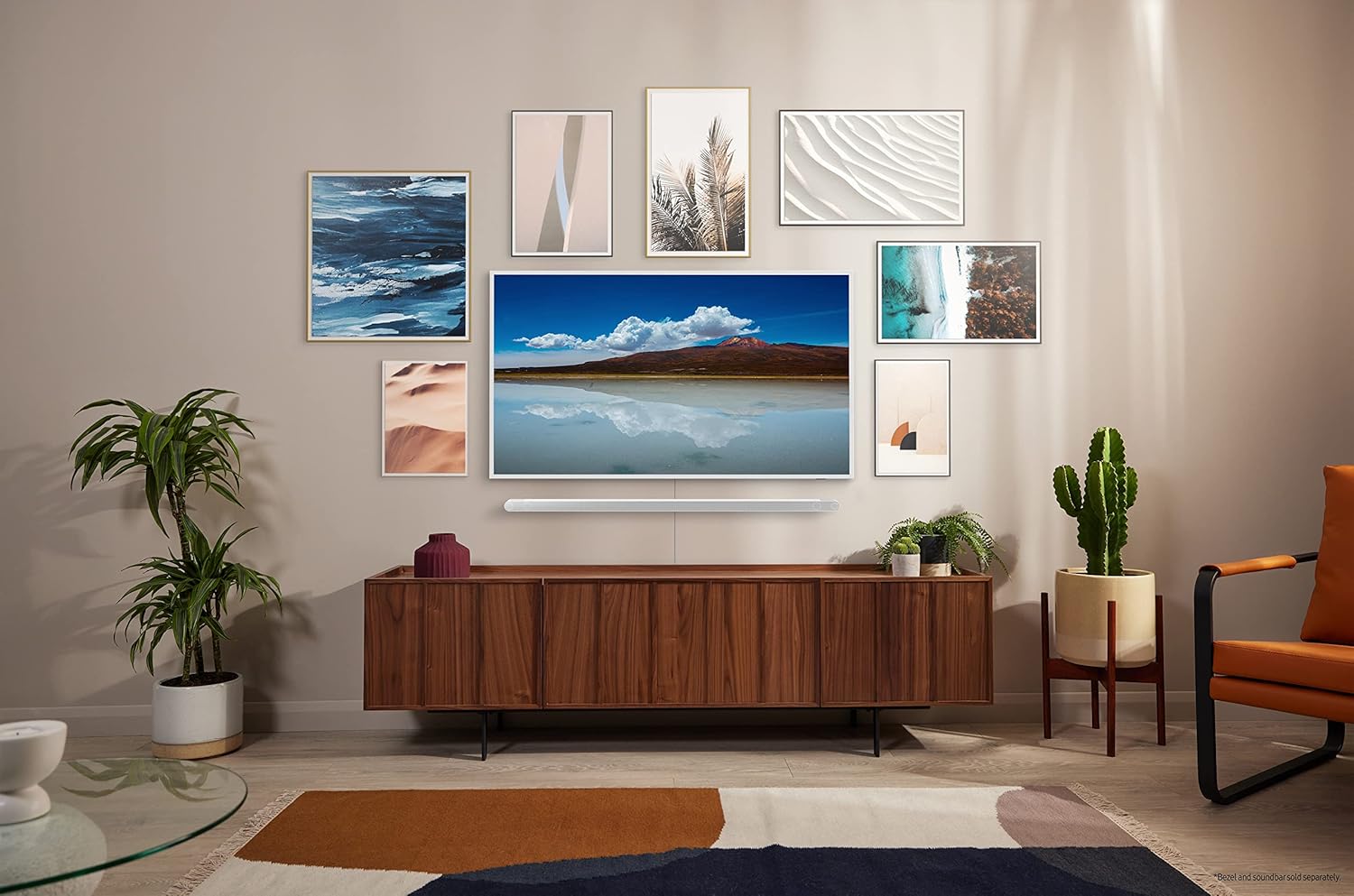
Figure 2.1: Included accessories for the Samsung QE65LS03B. The actual design may vary by region.
3. Setup
3.1 Unpacking
Carefully remove the television and all accessories from the packaging. It is recommended to keep the original packaging for potential future transport or service.
3.2 Mounting Options
Your Samsung The Frame TV offers flexible installation options:
- Stand Installation: Attach the included TV stands to the bottom of the television. Ensure they are securely fastened according to the separate stand installation guide.
- Slim Fit Wall-Mount: Use the provided Slim Fit Wall-Mount kit to mount the TV flush against a wall. Follow the detailed instructions in the wall-mount guide for proper and safe installation. Professional installation is recommended for wall mounting.

Figure 3.1: Side profile of the Samsung QE65LS03B on its stand.
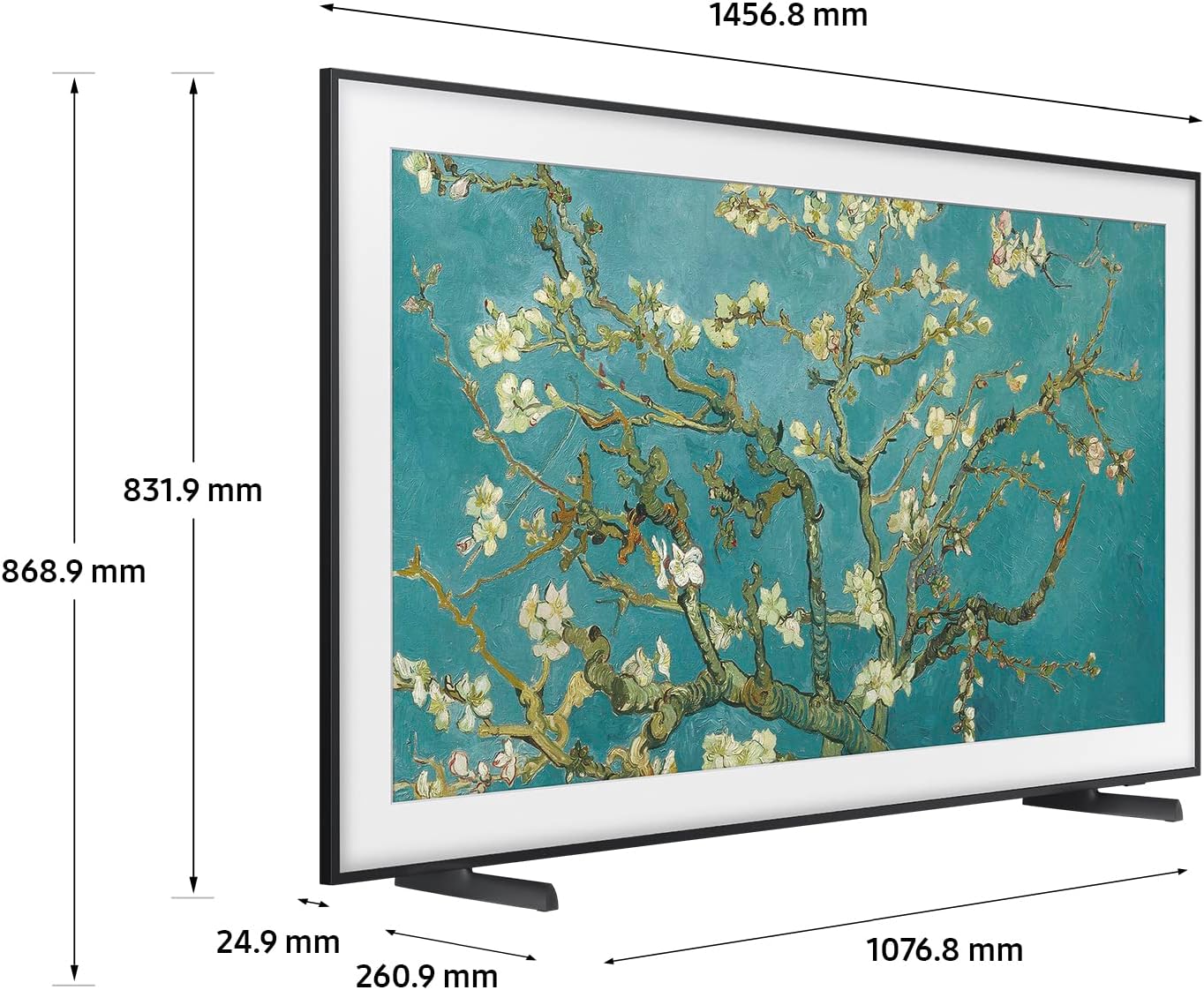
Figure 3.2: Dimensions of the Samsung QE65LS03B television.

Figure 3.3: Example of the Samsung QE65LS03B mounted on a wall in Art Mode.
3.3 Connections (One Connect Box)
The Samsung The Frame TV utilizes a One Connect Box to manage all external connections, allowing for a clean, minimalist setup with a single 'Near-Invisible Cable' running to the display. Connect all your devices to the One Connect Box.
- Power: Connect the power cable to the One Connect Box, then plug it into a wall outlet.
- TV to One Connect Box: Use the provided 5m One Near-Invisible Cable to connect the TV to the One Connect Box.
- HDMI Devices: Connect up to 4 HDMI devices (e.g., Blu-ray player, game console, soundbar) to the HDMI ports on the One Connect Box.
- USB Devices: Connect USB storage devices to the USB 2.0 or USB 3.0 ports for media playback.
- Network: For wired internet access, connect an Ethernet cable to the LAN port on the One Connect Box. Wireless connectivity is also available via Bluetooth 5.2.
4. Operating Instructions
4.1 Power On/Off
Press the Power button on the Solar Cell One Remote or the Standard Remote to turn the TV on or off.
4.2 Basic Navigation
Use the directional pad and the Select button on your remote to navigate menus and select options. The Back button returns to the previous screen, and the Home button accesses the Smart Hub.
4.3 Art Mode
When the TV is off, you can activate Art Mode to display digital art or personal photos. Press the Art Mode button on your remote to switch between TV mode and Art Mode. The matte display technology minimizes reflections, making the digital art appear more like a real painting.
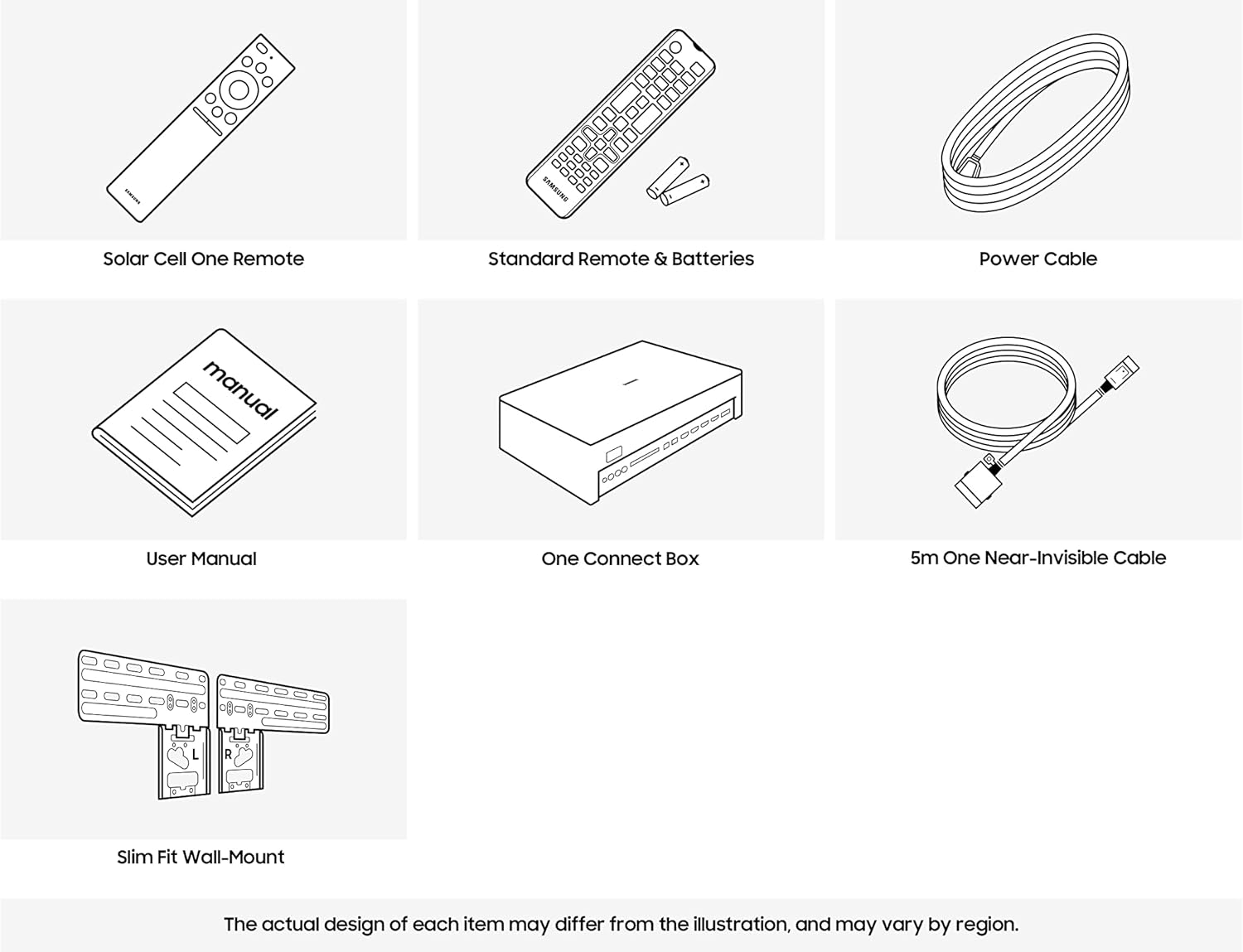
Figure 4.1: Matte Display technology reduces glare and reflections for a more realistic art viewing experience.
4.4 Smart Features
Access a variety of smart features through the Smart Hub. Supported internet services include Netflix, Hulu, and Amazon Prime Video. Ensure your TV is connected to the internet via Wi-Fi or Ethernet for full functionality.
4.5 Picture and Sound Settings
Navigate to the Settings menu to adjust picture and sound preferences. The QLED display technology provides vibrant colors and contrast. The TV supports HDR10, HDR10+, and HLG formats for enhanced dynamic range. Audio is delivered via Dolby Digital Plus with 5.1 channel support.
5. Maintenance
5.1 Cleaning the Screen and Frame
To clean the screen, gently wipe it with a soft, dry microfiber cloth. For stubborn smudges, lightly dampen the cloth with distilled water. Avoid using harsh chemicals, abrasive cleaners, or direct spraying of liquids onto the screen or frame. Clean the frame with a soft, dry cloth.
5.2 Software Updates
Your TV may receive software updates to improve performance and add new features. You can usually check for and install updates through the TV's settings menu (Settings > Support > Software Update). Please note that information regarding guaranteed software updates is not available.
6. Troubleshooting
If you encounter issues with your television, refer to the following common troubleshooting steps:
- No Power: Ensure the power cable is securely connected to both the One Connect Box and a working wall outlet. Check if the outlet is functional by plugging in another device.
- No Picture/Sound: Verify that the correct input source is selected. Check all cable connections between the One Connect Box and external devices. Restart the TV by unplugging it from the power outlet for a few minutes, then plugging it back in.
- Remote Control Not Working: Replace the batteries in the standard remote. For the Solar Cell One Remote, ensure it is exposed to light for charging. Point the remote directly at the TV's remote sensor.
- Smart Features Not Working: Check your internet connection. Ensure the Wi-Fi or Ethernet cable is properly connected and your router is functioning.
- Factory Reset: If problems persist, you may perform a factory reset through the TV's settings menu. This will erase all personalized settings and return the TV to its original state.
For more detailed troubleshooting, consult the e-Manual accessible through your TV's Smart Hub or visit the Samsung support website.
7. Specifications
| Feature | Specification |
|---|---|
| Brand | Samsung |
| Model Name | QE65LS03B |
| Model Number | QE65LS03BGUXXU |
| Screen Size | 65 inches |
| Display Technology | QLED |
| Resolution | FHD 1080p |
| Refresh Rate | 60 Hz |
| Aspect Ratio | 16:9 |
| HDR Format Support | HDR10, HDR10+, HLG |
| Connectivity Technology | HDMI, Bluetooth, Ethernet |
| Total HDMI Ports | 4 |
| Total USB Ports | 2 (USB 2.0 and USB 3.0) |
| Bluetooth Version | 5.2 |
| Supported Internet Services | Netflix, Hulu, Amazon Prime Video |
| Speaker Description | Dolby Digital Plus |
| Audio Channels | 5.1 |
| Max Audio Output Power | 30 Watts |
| Power Voltage | 220 Volts (AC) |
| Item Weight | 22 Kilograms |
| VESA Mounting Standard | 800 x 400 mm |
| Remote Control Battery Type | AAA (2 required) |
| Model Year | 2023 |
8. Warranty and Support
Your Samsung QE65LS03B Television is covered by a limited warranty. Please refer to the warranty card included in your package or visit the official Samsung website for detailed warranty terms and conditions specific to your region.
For technical support, service requests, or to inquire about replacement parts, please contact Samsung Customer Service. Information regarding the availability of spare parts is not available at this time. You can find contact details on the Samsung official website or through the support section of your TV's Smart Hub.