
Product Overview
The Spektrum SMART Avian 40-Amp Dual Smart Lite BL ESC (Electronic Speed Controller) is designed for use with 3S-4S LiPo batteries and features an IC3 connector. This ESC provides precise motor control and integrates with Spektrum Smart technology for enhanced telemetry data.
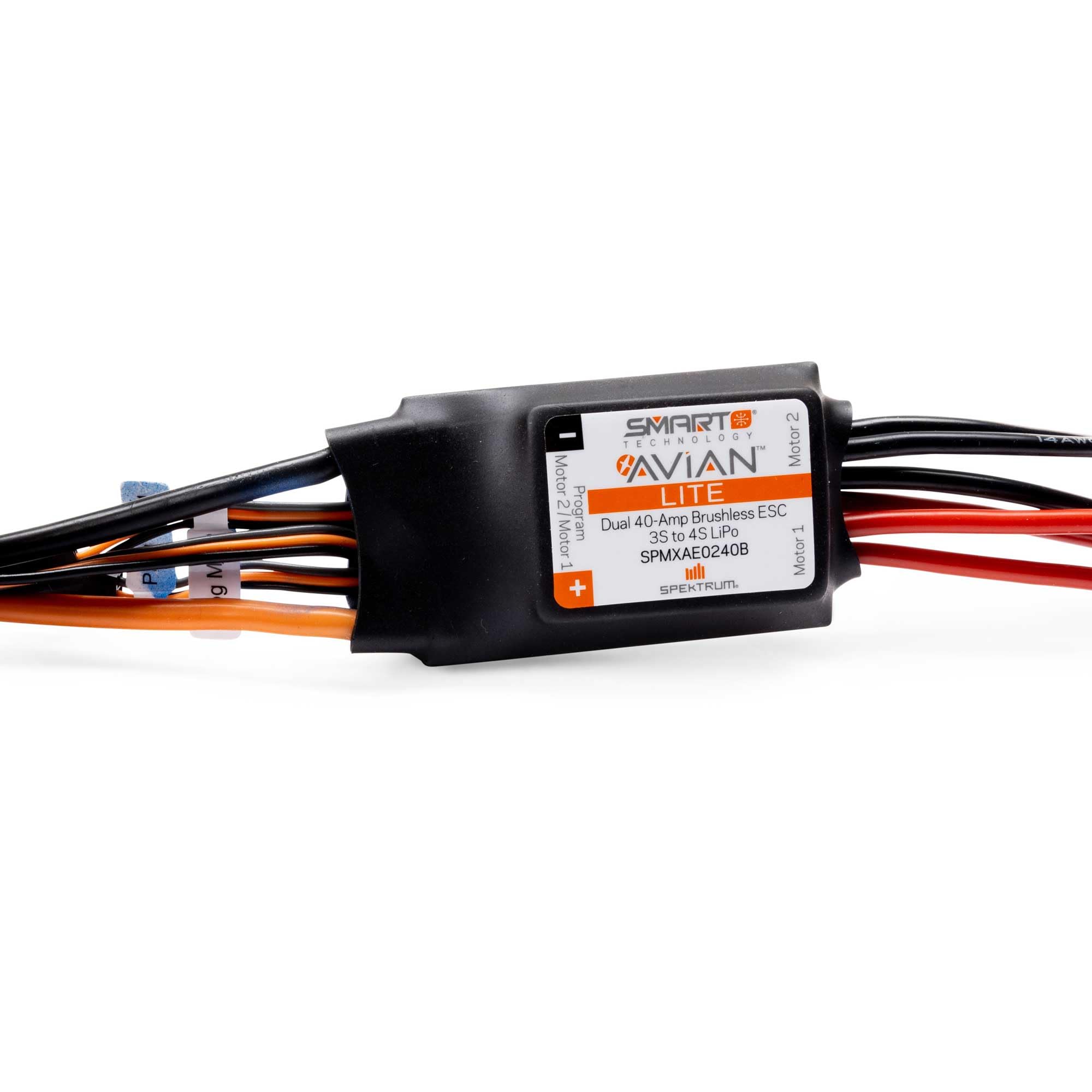
Image: The Spektrum SMART Avian 40-Amp Dual Smart Lite BL ESC, showing its compact design with various wires for motor, battery, and receiver connections. The main unit is black with orange accents.
Safety Information
WARNING: Read the ENTIRE instruction manual to become familiar with the features of the product before operating. Failure to operate the product correctly can result in damage to the product, personal property, and cause serious injury. This is a sophisticated hobby product. It must be operated with caution and common sense and requires some basic mechanical ability. Failure to operate this Product in a safe and responsible manner could result in injury or damage to the product or other property. This product is not intended for use by children without direct adult supervision. Do not use with incompatible components or alter this product in any way outside of the instructions provided by Horizon Hobby, LLC. The product manual contains instructions for safety, operation, and maintenance. It is essential to read and follow all the instructions and warnings in the manual, prior to assembly, setup, or use, in order to operate correctly and avoid damage or serious injury.
Setup Guide
Proper setup is crucial for the safe and efficient operation of your Spektrum SMART Avian ESC. Follow these steps carefully:
1. Motor Connection
Connect the three motor wires from the ESC to your brushless motor. The order of connection may affect motor rotation direction. If the motor spins in the wrong direction, swap any two of the three motor wires.
- Ensure all connections are secure and insulated to prevent short circuits.
- For optimal performance, use appropriate connectors that match the motor and ESC.
2. Receiver Connection
Connect the throttle lead from the ESC to the throttle channel (typically channel 1 or 3, depending on your radio system) on your receiver. Ensure the polarity is correct (signal, positive, negative).
- The ESC provides power to the receiver via the BEC (Battery Eliminator Circuit).
- Refer to your receiver's manual for specific channel assignments.
3. Battery Connection
Connect your 3S-4S LiPo battery with an IC3 connector to the ESC's battery input. Always connect the battery last, after all other connections are made and verified.
- Verify that the battery voltage is within the supported range (3S-4S LiPo).
- Ensure the IC3 connector is fully seated to prevent intermittent power loss.
4. ESC Calibration (Throttle Range)
Before first use, calibrate the ESC's throttle range to match your radio transmitter. This ensures proper throttle response and safety features.
- Turn on your transmitter and set the throttle trim to neutral.
- Connect the battery to the ESC while holding the throttle stick at full throttle.
- The ESC will emit a series of beeps. Once heard, move the throttle stick to the full brake/reverse position.
- Another series of beeps will confirm the throttle range has been learned.
- Return the throttle stick to neutral. The ESC is now calibrated.
Note: Specific calibration procedures may vary slightly. Always refer to the detailed manual provided by Spektrum for the most accurate steps.
Operating Instructions
Once the ESC is properly set up and calibrated, you can begin operation. Always prioritize safety during use.
Powering On and Off
- To Power On: Ensure your transmitter is turned on first. Then, connect the battery to the ESC. The ESC will initialize with a series of tones.
- To Power Off: Disconnect the battery from the ESC first. Then, turn off your transmitter.
Always follow the correct power-on/off sequence to prevent unexpected motor activation.
Smart Technology Features
The Spektrum SMART Avian ESC integrates with Spektrum Smart technology, providing real-time telemetry data to compatible Spektrum Smart receivers and transmitters. This includes:
- Battery voltage and current
- ESC temperature
- Motor RPM (if supported by motor and setup)
- Other diagnostic information
Consult your Spektrum Smart receiver and transmitter manuals for details on accessing and displaying this telemetry data.
Maintenance
Regular maintenance ensures the longevity and reliable performance of your ESC.
- Cleaning: Periodically clean the ESC to remove dust, dirt, and debris. Use a soft brush or compressed air. Avoid using liquids directly on the ESC.
- Inspections: Regularly inspect all wires and connectors for signs of wear, damage, or corrosion. Replace any damaged components immediately.
- Storage: Store the ESC in a cool, dry place away from direct sunlight and extreme temperatures. Disconnect all batteries before storage.
- Firmware Updates: Check the Spektrum website for any available firmware updates for your ESC. Updates can improve performance and add new features.
Troubleshooting
This section addresses common issues you might encounter with your Spektrum SMART Avian ESC.
| Problem | Possible Cause | Solution |
|---|---|---|
| Motor does not spin or stutters. |
|
|
| ESC beeps continuously or irregularly. |
|
|
| Motor spins in the wrong direction. | Incorrect motor wire phasing. | Swap any two of the three motor wires between the ESC and motor. |
| No power to receiver/servos. |
|
|
If you continue to experience issues, contact Spektrum product support for further assistance.
Specifications
Key technical specifications for the Spektrum SMART Avian 40-Amp Dual Smart Lite BL ESC (SPMXAE0240B):
| Feature | Detail |
|---|---|
| Model Number | SPMXAE0240B |
| Current Rating | 40 Amps |
| Battery Compatibility | 3S-4S LiPo |
| Battery Connector | IC3 |
| Product Dimensions | 5.7 x 5 x 0.89 inches |
| Item Weight | 4.6 ounces |
| Manufacturer Recommended Age | 14 years and up |
| Release Date | September 24, 2022 |
Warranty and Support
Spektrum products are backed by a manufacturer's warranty. For detailed warranty information, including terms and conditions, please refer to the official Spektrum website or the documentation included with your product.
For technical support, troubleshooting assistance, or service inquiries, please visit the Spektrum RC Support website or contact their customer service department directly. When contacting support, please have your product model number (SPMXAE0240B) and purchase information readily available.


