1. Introduction
This manual provides instructions for the Pawaii Wireless Cat Water Fountain Replacement Filters, Model WF03FU. These filters are designed to ensure clean and fresh drinking water for your pets by effectively removing impurities.
1.1 Product Compatibility
These replacement filters are specifically designed for use with the PAWAii Wireless Pet Water Fountain Pro and the PAWAii Wireless Pet Water Fountain (68oz/2L capacity).

Image 1.1: Compatibility overview for Pawaii Wireless Pet Water Fountains.
1.2 Key Features
- NSF-Certified Filtration: Collaborating with a global water purification brand, these filters are NSF-certified. They undergo a 7-stage filtration process to remove impurities, residual chlorine, and odors, enhancing water taste.
- Effective Purification: Tested and certified by NSF International against NSF/ANSI 42 for the reduction of chlorine, taste, and odor, and NSF/ANSI 372 for lead reduction (≤0.25% lead).
- Optimal Service Life: Each filter provides reliable filtration for up to 30 days. Regular replacement is recommended to maintain water freshness and quality.

Image 1.2: NSF Certification details for the replacement filter.
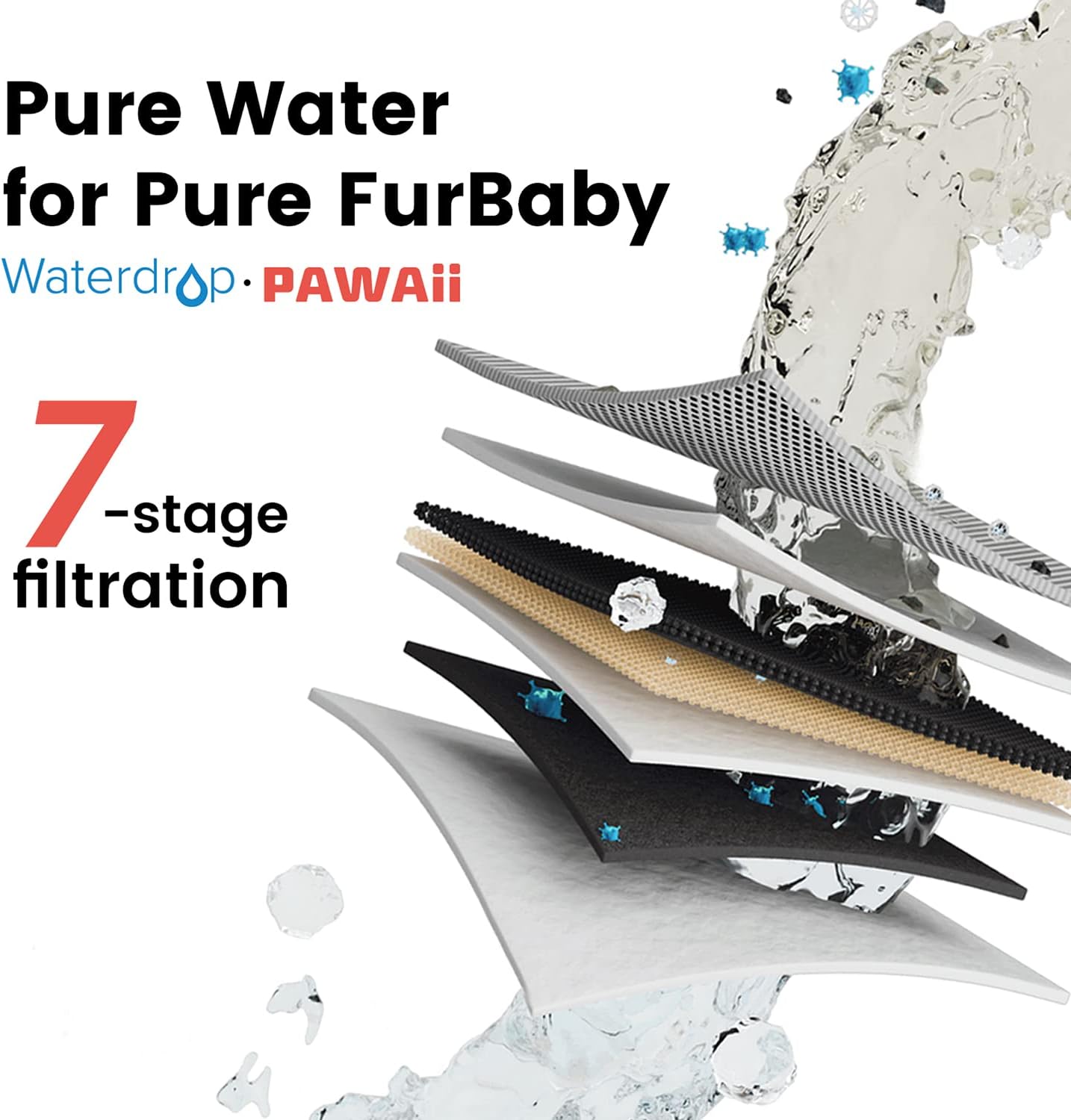
Image 1.3: Visual representation of the 7-stage filtration process.
2. Setup and Installation
2.1 Filter Preparation
Before installing a new filter, it is essential to prepare it to ensure optimal performance.
- Soak the Filter: Submerge the new filter completely in clean water for approximately 5 minutes. This helps to remove any carbon dust and ensures the filter is fully saturated before use.

Image 2.1: Soaking the filter before installation.
2.2 Filter Installation Steps
Follow these steps to replace the filter in your Pawaii Wireless Pet Water Fountain:
- Disassemble the Fountain: Carefully lift the top section of the fountain (containing the pump) away from the water reservoir. Then, remove the filter tray.
- Remove Old Filter: Locate the old filter within the filter tray and remove it. Dispose of the used filter responsibly.

Image 2.2: Removing the old filter.
- Insert New Filter: Place the prepared new filter into the designated slot in the filter tray. Ensure it is seated correctly and securely.

Image 2.3: Inserting the new filter.
- Reassemble Fountain: Place the filter tray back into the water reservoir, then reattach the top section of the fountain. Ensure all components are properly aligned.
- Reset Filter Indicator: After replacing the filter, press and hold the reset button on the fountain for a few seconds until the indicator light changes, signaling that the filter timer has been reset.

Image 2.4: Resetting the filter indicator.
3. Maintenance
3.1 Filter Replacement Schedule
For optimal water quality and fountain performance, it is recommended to replace the Pawaii Wireless Cat Water Fountain Replacement Filter every 30 days. The fountain may feature an indicator light to remind you when a replacement is due.

Image 3.1: Recommended 30-day filter replacement cycle.
Regular replacement ensures continuous removal of impurities, hair, debris, heavy metals, calcium ions, copper ions, odors, residual chlorine, dirt, and small-diameter impurities, providing clean and healthy water for your pet.
4. Specifications
| Feature | Detail |
|---|---|
| Brand | Pawaii |
| Model Name | WF03FU |
| Material | Carbon Fiber |
| External Testing Certification | NSF (NSF/ANSI 42 & 372) |
| Product Benefits | 7-stage filtration, removes impurities, residual chlorine, odors, improves water taste. |
| Unit Count | 1.0 Count (per filter) |
| Number of Items | 6 (in this pack) |
| Item Weight | 10.5 ounces (for the pack) |
| Item Dimensions (LxWxH) | 6.49 x 5.39 x 4.33 inches |
| Specific Uses for Product | Indoor pet water fountains |
| Age Range Description | All Life Stages |
5. Warranty and Support
5.1 Warranty Information
The Pawaii Wireless Cat Water Fountain Replacement Filters are covered by a 1-Year Manufacturer and Seller Combination Warranty. Please retain your proof of purchase for warranty claims.
5.2 Customer Support
For any questions, concerns, or assistance regarding your Pawaii product, our pet product experts are available to help. You may contact customer care via phone, e-mail, or chat through the official Pawaii support channels.


