1. Introduction
This manual provides essential information for the safe and effective use of your Helavo H1080 3-Wheel Walker. Please read all instructions carefully before assembly and operation. Retain this manual for future reference.

Image 1.1: The Helavo H1080 3-Wheel Walker in its assembled state.
2. Safety Information
Always prioritize safety when using any mobility aid. Failure to follow these instructions may result in injury.
- Weight Capacity: Do not exceed the maximum weight capacity of 300 lbs (136 kg).
- Brakes: Always engage the parking brakes when standing, sitting, or transferring to prevent the walker from moving. Regularly check brake functionality.
- Stability: The 3-wheel design offers excellent maneuverability but requires careful handling, especially on uneven surfaces or during sharp turns. Avoid leaning heavily on one side.
- Adjustments: Ensure all adjustable components, such as handles, are securely locked in place before use.
- Obstacles: Be aware of your surroundings. Avoid rugs, thresholds, and uneven terrain that could cause the walker to tip or snag.
- Maintenance: Regularly inspect wheels, brakes, and frame for wear or damage. Do not use if any part is damaged.
- Reflectors: The walker is equipped with frontal reflectors for increased visibility in low-light conditions. Ensure they are clean and unobstructed.

Image 2.1: Frontal reflector for enhanced visibility.
3. Package Contents
Upon opening the package, verify that all components are present and undamaged:
- Main Frame (pre-assembled with seat and storage bag)
- Left Rear Wheel Assembly
- Right Rear Wheel Assembly
- Front Wheel Assembly (double wheels)
- Adjustable Handles (2)
- Cup Holder
- Fasteners and Tools (if applicable)
- User Manual

Image 3.1: Helavo H1080 Walker as received in packaging.
4. Setup and Assembly
Follow these steps to assemble your Helavo H1080 3-Wheel Walker. For a visual guide, please refer to the assembly video below.
Video 4.1: Helavo H1080 3-Wheel Rollator Assembly Guide. This video demonstrates the step-by-step process of assembling the walker, including attaching wheels, adjusting handles, and securing accessories.
Assembly Steps:
- Unbox and Prepare Parts: Carefully remove all components from the packaging. Lay them out to ensure all parts are present as listed in Section 3.
- Attach the First Rear Wheel (LB): Insert the left rear wheel assembly into the designated slot on the main frame. Ensure the brake cable is not twisted.
- Secure the Rear Wheel: Use the provided knob to secure the rear wheel firmly in place. Turn clockwise until tight.
- Attach the Second Rear Wheel (RB): Repeat steps 2 and 3 for the right rear wheel assembly.
- Attach the Front Wheel: Insert the double front wheel assembly into the front receiver on the main frame. Secure it with the corresponding knob.
- Adjust the Handles: Press the adjustment buttons on the handles and slide them to your desired height. Release the buttons to lock the handles in position. Ensure both handles are at the same height.
- Attach the Cup Holder: Clip the cup holder onto one of the handle tubes. Ensure it is securely fastened.
- Unfold the Walker: Press down on the seat to fix the walker in the unfolded position. Ensure it clicks securely into place before use.
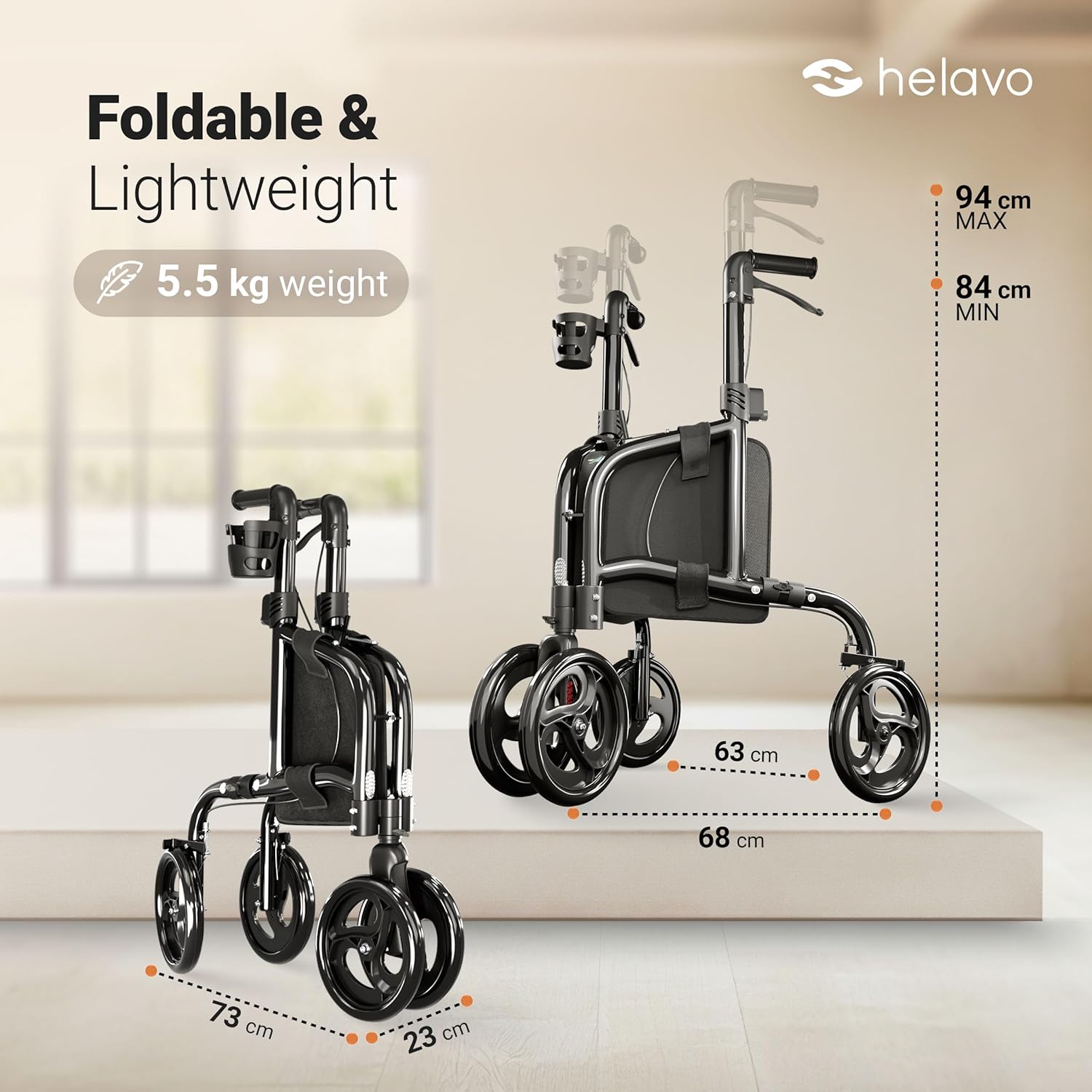
Image 4.2: The walker shown in both folded and unfolded states, highlighting its compact design and dimensions.
5. Operating Instructions
The Helavo H1080 walker is designed for ease of use and mobility. Familiarize yourself with its functions for optimal performance.
Video 5.1: Helavo H1080 3-Wheel Rollator Presentation. This video showcases the walker's features, including its stability, maneuverability, folding mechanism, and brake system.
5.1. Using the Brakes
- To Slow Down or Stop: Gently squeeze the brake levers located on the handles. Apply even pressure to both levers for controlled deceleration.
- To Engage Parking Brake: Press the brake levers downwards until they lock into place. This will prevent the walker from moving. Always engage the parking brake when stationary.
- To Release Parking Brake: Pull the brake levers upwards until they disengage.

Image 5.2: Brake levers for controlling speed and engaging the parking brake.
5.2. Adjusting Handle Height
The handles are height-adjustable to accommodate users from 4'8" to 7'4" (142 cm to 223 cm). To adjust, press the buttons on the handle shafts and slide the handles up or down to the desired height. Ensure the buttons fully re-engage in the adjustment holes to lock the handles securely. Both handles should be set to the same height for balanced support.

Image 5.3: Ergonomic handles designed for comfortable and secure grip.
5.3. Folding and Unfolding
- To Fold: Lift the seat upwards. The walker will collapse into a compact form.
- To Unfold: Push the handles apart and press down on the seat until it locks into the open position. Ensure the frame is fully extended and stable before use.

Image 5.4: The walker features an easy one-step folding mechanism for transport and storage.
5.4. Using Accessories
- Cup Holder: The attached cup holder provides a convenient place for beverages. Ensure items are securely placed to prevent spills.
- Transport Bag: The spacious transport bag located under the seat is suitable for carrying personal items. Do not overload the bag.
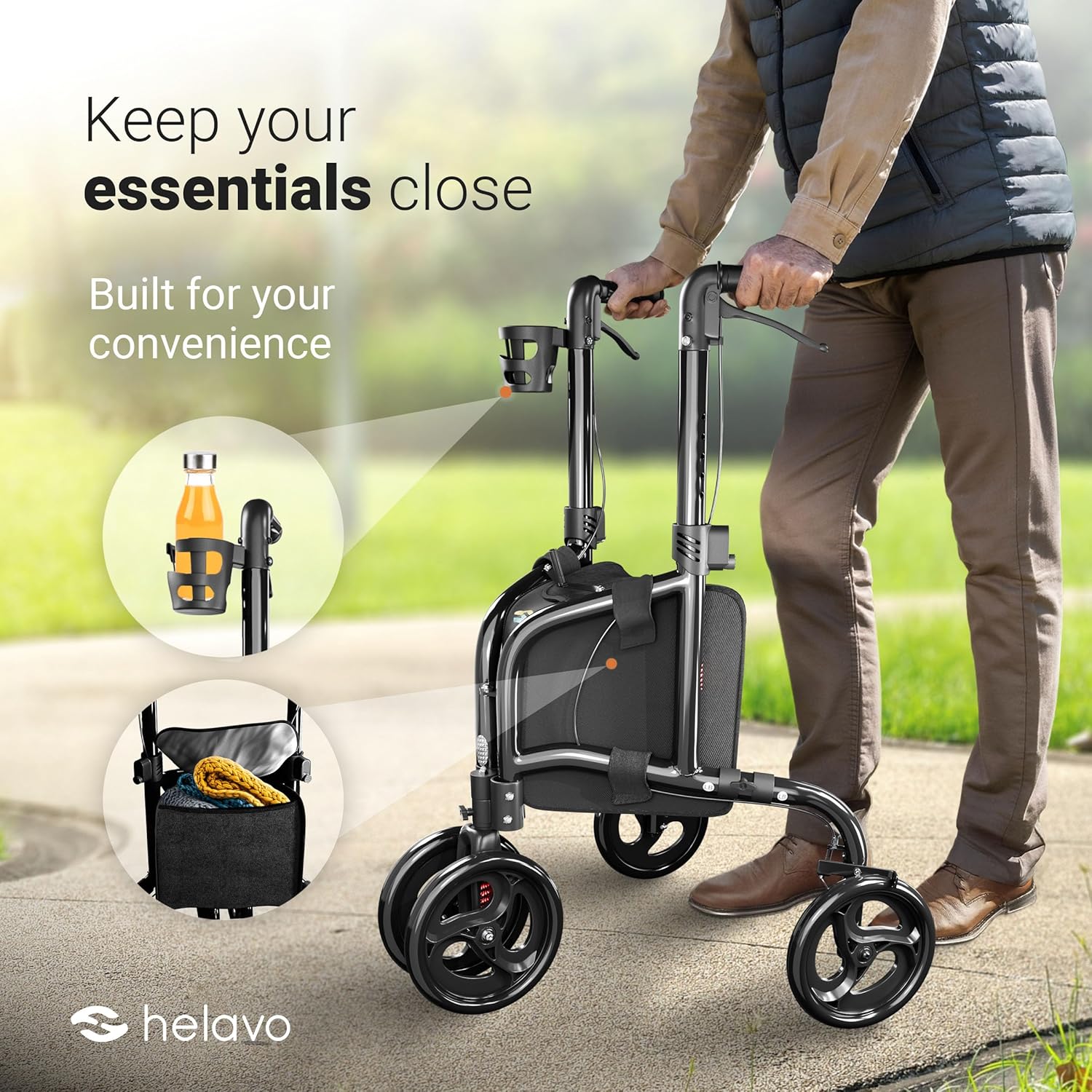
Image 5.5: The walker includes a cup holder and a spacious transport bag for convenience.
6. Maintenance
Regular maintenance ensures the longevity and safe operation of your Helavo H1080 walker.
- Cleaning: Wipe the frame and wheels with a damp cloth and mild detergent. Avoid abrasive cleaners.
- Wheel Inspection: Periodically check the wheels for wear, damage, or debris. Ensure they rotate freely.
- Brake Check: Test the brakes regularly to ensure they engage and disengage properly. If brakes feel loose or ineffective, consult customer support.
- Fasteners: Ensure all screws, knobs, and fasteners are tight. Do not overtighten.
- Storage: Store the walker in a dry, clean place away from extreme temperatures.
7. Troubleshooting
If you encounter issues with your Helavo H1080 walker, refer to the following common problems and solutions:
| Problem | Possible Cause | Solution |
|---|---|---|
| Walker feels unstable or wobbly. | Loose fasteners; uneven handle height; improper unfolding. | Check and tighten all knobs and screws. Ensure handles are at equal height. Confirm the walker is fully unfolded and locked. |
| Brakes are not engaging or are too loose. | Brake cable adjustment needed; worn brake pads. | Consult customer support for brake cable adjustment. If pads are worn, replacement may be necessary. |
| Wheels are not rolling smoothly. | Debris in wheels; damaged wheel. | Remove any debris from the wheels. If a wheel is damaged, contact customer support for replacement. |
| Walker does not fold or unfold easily. | Mechanism obstructed; not fully engaged. | Check for obstructions. Ensure the seat is fully lifted/pressed down to engage/disengage the folding mechanism. |
If these solutions do not resolve the issue, please contact Helavo customer support.
8. Specifications
| Feature | Specification |
|---|---|
| Model Number | H1080 |
| Product Dimensions (In Use) | 25" W x 27" L x 33"-37" H (63.5 cm W x 68.6 cm L x 83.8-94 cm H) |
| Product Dimensions (Folded) | 9" W x 29" L x 33" H (22.9 cm W x 73.7 cm L x 83.8 cm H) |
| Item Weight | 12.1 lbs (5.5 kg) |
| Weight Capacity | Up to 300 lbs (136 kg) |
| Material | Aluminum |
| Wheel Type | Double 8" Front Wheels, Single Rear Wheels |
| Handle Height Adjustment | 33" to 37" (83.8 cm to 94 cm) |
| Recommended User Height | 4'8" to 7'4" (142 cm to 223 cm) |

Image 8.1: Visual representation of the walker's dimensions and weight.
9. Warranty and Support
Your Helavo H1080 3-Wheel Walker comes with a standard two-year warranty. This warranty can be extended to three years upon registration. For any questions, concerns, or warranty claims, please contact Helavo customer support. Our team is available 24/7 to assist you.
For further assistance, visit the official Helavo store: Helavo Store on Amazon


