Blaupunkt SBW250 200W Soundbar System User Manual
Model: SBW250
Introduction
This manual provides detailed instructions for the setup, operation, and maintenance of your Blaupunkt SBW250 200W Soundbar System. Please read this manual thoroughly before using the product to ensure proper functionality and to maximize your audio experience. Keep this manual for future reference.
Important Safety Instructions
To reduce the risk of electric shock, fire, or damage to the unit, observe the following safety precautions:
- Do not expose this appliance to rain or moisture.
- Do not place objects filled with liquids, such as vases, on the apparatus.
- Do not block any ventilation openings. Install in accordance with the manufacturer's instructions.
- Do not install near any heat sources such as radiators, heat registers, stoves, or other apparatus (including amplifiers) that produce heat.
- Protect the power cord from being walked on or pinched, particularly at plugs, convenience receptacles, and the point where they exit from the apparatus.
- Only use attachments/accessories specified by the manufacturer.
- Unplug this apparatus during lightning storms or when unused for long periods of time.
- Refer all servicing to qualified service personnel. Servicing is required when the apparatus has been damaged in any way.
Package Contents
Verify that all components are present in the packaging:
- Blaupunkt SBW250 Soundbar
- Wireless Subwoofer
- Remote Control
- Power Adapter/Cables
- User Manual (this document)
- Wall Mount Kit (if included)
Product Overview
The Blaupunkt SBW250 system consists of a soundbar and a wireless subwoofer, designed to enhance your audio experience with powerful sound and deep bass.

Image: The Blaupunkt SBW250 soundbar, wireless subwoofer, and remote control, showcasing the complete audio system.
Soundbar Features
- Integrated full-range speakers for clear audio.
- Multiple connectivity options: HDMI (ARC), AUX, USB, Bluetooth.
- Front panel controls for basic functions.
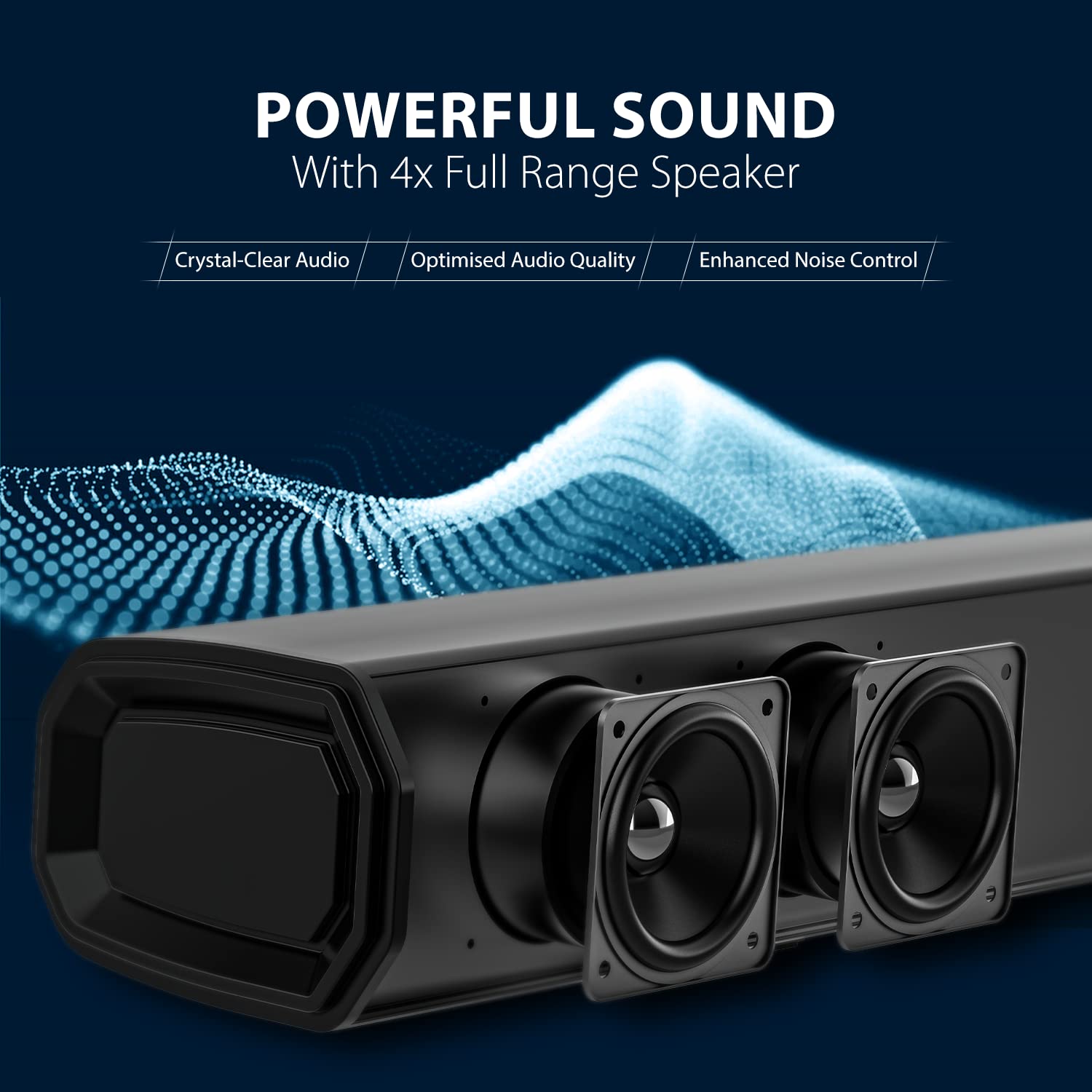
Image: A close-up view of the soundbar's internal speakers, highlighting the audio components.
Subwoofer Features
- 8-inch wireless subwoofer for deep bass.
- Automatic pairing with the soundbar.

Image: A detailed view of the 8-inch subwoofer, illustrating its design for powerful bass output.
Remote Control
The included remote control provides full functionality for managing your soundbar system, including power, volume, input selection, and equalizer modes.
Setup Guide
1. Placement
For optimal audio performance, consider the following placement guidelines:
- Soundbar: Place the soundbar centrally below your television. Ensure there are no obstructions in front of the soundbar.
- Subwoofer: The wireless subwoofer can be placed anywhere in the room, preferably on the floor, to achieve the best bass response. Avoid placing it in enclosed cabinets.

Image: The soundbar positioned below a television and the subwoofer placed next to a TV cabinet in a typical living room environment, demonstrating ideal placement for surround sound.
2. Connections
Connect the soundbar to your audio source using one of the available methods:
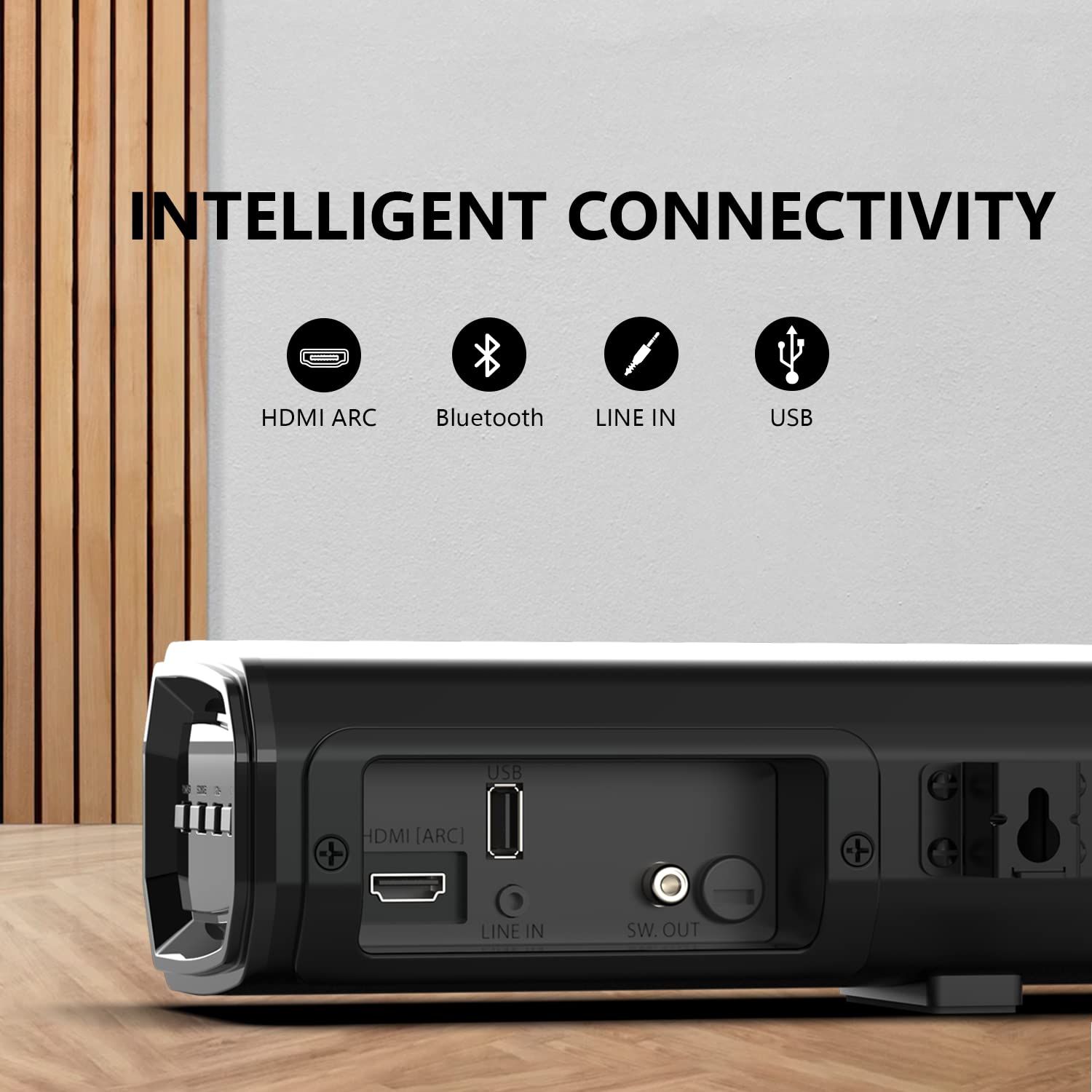
Image: A close-up of the soundbar's rear panel, showing the HDMI ARC, USB, Line In (AUX), and SW. OUT ports for various connectivity options.
- HDMI (ARC) Connection:
Connect an HDMI cable from the HDMI (ARC) port on the soundbar to the HDMI (ARC) port on your television. This allows audio to be sent from the TV to the soundbar and enables control of the soundbar with your TV remote (if supported by your TV).
- AUX (Line In) Connection:
Use a 3.5mm audio cable to connect the AUX (Line In) port on the soundbar to the audio output (headphone jack or AUX out) of your device (e.g., TV, smartphone, MP3 player).
- USB Connection:
Insert a USB flash drive containing audio files into the USB port on the soundbar for direct playback.
- Bluetooth Connection:
For wireless audio streaming, refer to the "Bluetooth Pairing" section under Operating Instructions.
3. Power Connection
Connect the power cable to the soundbar and the subwoofer, then plug them into a wall outlet. The soundbar and subwoofer will automatically attempt to pair.
Operating Instructions
1. Power On/Off
- Press the Power button on the soundbar or the remote control to turn the unit on or off.
2. Input Selection
- Press the Input or Source button on the soundbar or remote control repeatedly to cycle through available input sources: HDMI (ARC), AUX, USB, Bluetooth.
3. Volume Control
- Use the Volume + and Volume - buttons on the soundbar or remote control to adjust the volume level.
- Press the Mute button on the remote control to temporarily silence the audio. Press again to unmute.
4. Bluetooth Pairing
- Turn on the soundbar and select the Bluetooth input mode. The indicator light will flash, indicating it is in pairing mode.
- Enable Bluetooth on your mobile device (smartphone, tablet, etc.) and search for available devices.
- Select "Blaupunkt SBW250" from the list of devices.
- Once paired, the indicator light on the soundbar will stop flashing and remain solid. You can now stream audio wirelessly.
5. Equalizer Modes
The soundbar features multiple equalizer modes to optimize audio for different content types:

Image: A visual representation of the four equalizer modes (Song, Cinema, Dialog, 3D) available on the soundbar, designed to match various entertainment types.
- Press the EQ button on the remote control to cycle through the available modes: Song, Cinema, Dialog, and 3D.
Maintenance
Cleaning
- Always unplug the soundbar and subwoofer from the power outlet before cleaning.
- Use a soft, dry cloth to wipe the surfaces of the soundbar and subwoofer.
- Do not use liquid cleaners, abrasive cleaners, or sprays, as these may damage the finish or internal components.
Troubleshooting Guide
If you encounter issues with your Blaupunkt SBW250 Soundbar System, refer to the following common problems and solutions:
| Problem | Possible Cause | Solution |
|---|---|---|
| No power | Power cable not connected; Power outlet not active. | Ensure power cables are securely connected to the soundbar, subwoofer, and a working power outlet. |
| No sound | Incorrect input source selected; Volume too low; Cables not connected properly. | Select the correct input source. Increase the volume. Check all audio cables for secure connections. Ensure the soundbar is not muted. |
| Subwoofer not pairing | Subwoofer too far from soundbar; Interference; Pairing issue. | Ensure the subwoofer is within range of the soundbar. Power cycle both the soundbar and subwoofer. Refer to the manual for manual pairing instructions if automatic pairing fails. |
| Bluetooth connection issues | Device not in pairing mode; Interference; Device too far. | Ensure the soundbar is in Bluetooth pairing mode. Move your device closer to the soundbar. Disconnect and re-pair the device. Clear previous Bluetooth connections on your device. |
| Remote control not working | Batteries depleted; Obstruction; Remote not pointed correctly. | Replace the batteries in the remote control. Ensure there are no obstructions between the remote and the soundbar's sensor. Point the remote directly at the soundbar. |
Specifications
Technical specifications for the Blaupunkt SBW250 Soundbar System:
- Model Name: SBW250
- Brand: Blaupunkt
- Speaker Type: 3D, Soundbar, Surround Sound
- Wattage: 200 Watts
- Subwoofer Diameter: 8 Inches
- Tweeter Diameter: 1 Inches
- Connectivity Technology: Auxiliary, Bluetooth, HDMI (ARC), USB
- Wireless Communication Technology: Bluetooth
- Audio Output Mode: Surround
- Control Method: Remote
- Material: Metal
- Color: Black
- Compatible Devices: Smartphone, Tablet, Television
Warranty and Support
For warranty information and technical support, please refer to the warranty card included with your product or visit the official Blaupunkt website. Keep your purchase receipt as proof of purchase for warranty claims.
Manufacturer: Envent World Wide Pvt Ltd


