1. Introduction
This manual provides essential instructions for the safe and effective operation of your BEZGAR 1:14 All Terrain Remote Control Monster Truck, Model TC141. Please read this manual thoroughly before first use and retain it for future reference. This remote control truck is designed for all-terrain use, offering durability and responsive control for an engaging experience.
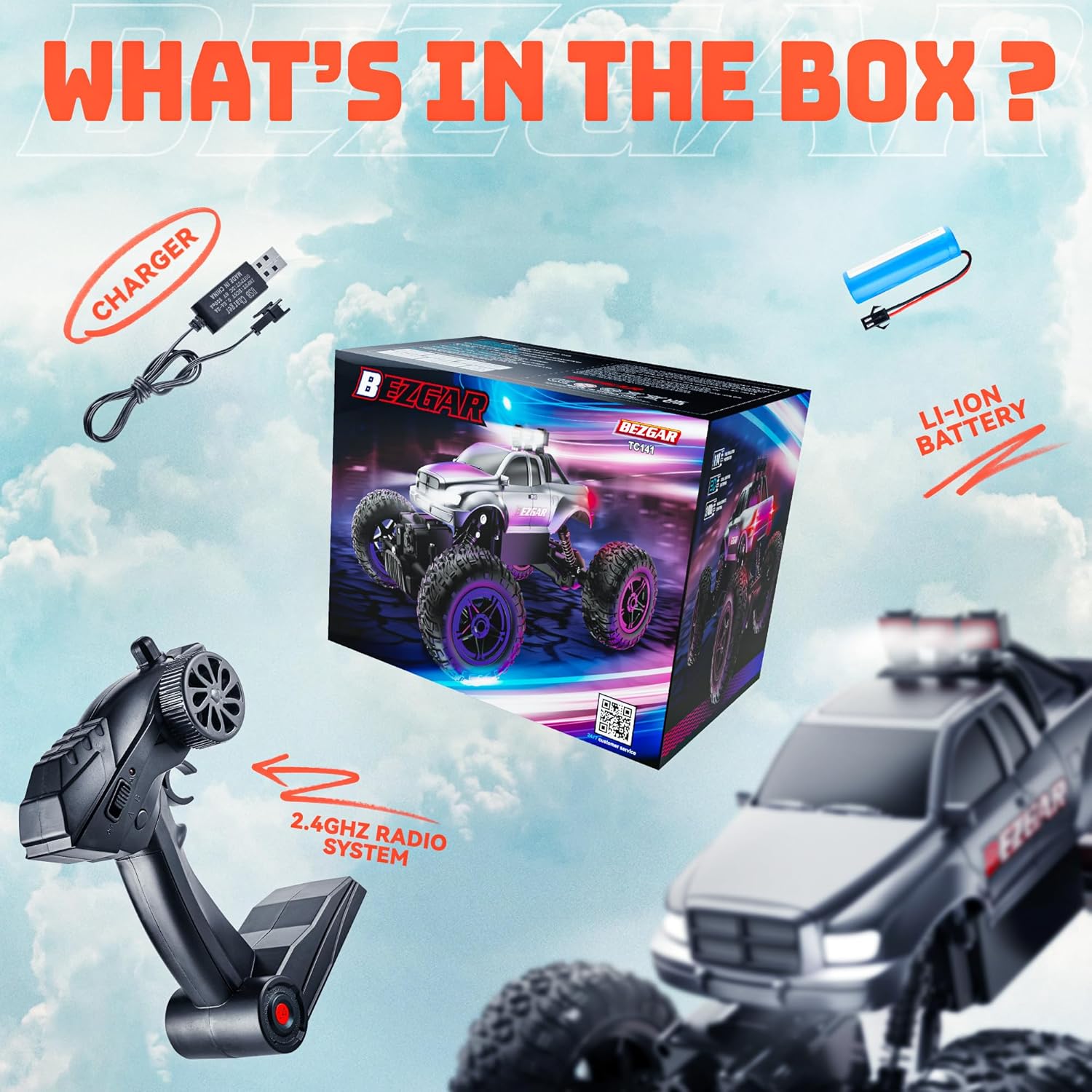
2. What's in the Box
- BEZGAR 1:14 Remote Control Monster Truck (TC141)
- 2.4GHz Remote Controller
- 3.7V 500mAh Rechargeable Lithium-Ion Battery (for truck)
- USB Charging Cable
- Small Screwdriver (for battery compartments)
3. Setup
3.1. Charging the Truck Battery
- Locate the battery compartment on the underside of the truck.
- Use the provided screwdriver to open the battery compartment cover.
- Connect the 3.7V 500mAh rechargeable Lithium-Ion battery to the truck's connector.
- Connect the USB charging cable to the battery.
- Plug the USB charging cable into a standard USB power adapter (not included) or a computer USB port.
- The indicator light on the USB cable will illuminate during charging and turn off when fully charged.
- Once charged, disconnect the battery, place it back into the compartment, and secure the cover with the screwdriver.
3.2. Installing Remote Controller Batteries
- Locate the battery compartment on the underside of the remote controller.
- Use the provided screwdriver to open the battery compartment cover.
- Insert 2 x AA batteries (not included) into the compartment, ensuring correct polarity (+/-).
- Replace the cover and secure it with the screwdriver.
3.3. Pairing the Truck and Remote Controller
- Ensure both the truck and the remote controller have charged batteries installed.
- Turn on the truck using the ON/OFF switch located on its underside.
- Turn on the remote controller using its ON/OFF switch. The indicator light on the remote will flash.
- Wait for a few seconds. The indicator light on the remote controller will become solid, indicating successful pairing.
- If pairing fails, turn off both devices and repeat the steps.
4. Operating Instructions
4.1. Basic Controls
- Forward/Backward: Use the trigger on the remote controller. Pull the trigger to move forward, push it to move backward.
- Steering: Use the steering wheel on the side of the remote controller to turn left or right.

4.2. Driving Tips
- Start by practicing in an open, flat area to get accustomed to the controls.
- The truck is designed for all-terrain use, including sand, mud, and concrete.
- Avoid driving in deep water or extreme conditions to prevent damage to electronic components.
- Adjust the steering trim on the underside of the truck if it pulls to one side when driving straight.
5. Features
- 1:14 All-Terrain Design: Built with sturdy ABS and a higher chassis to navigate various terrains like sand, mud, or concrete, both indoors and outdoors. Its rugged structure is collision-resistant.
- 2.4GHz Multi-Functional Remote: The non-interference 2.4GHz remote control allows multiple RC cars to race simultaneously within a 150ft range.
- Extended Playtime: Equipped with a high-capacity 3.7V 500mAh battery and a USB charging cable for longer racing sessions.
- Durable Construction: Features non-slipping rubber tires and dampers, providing a sturdy structure to withstand impacts and overturns.
- Integrated LED Lights: Front LED headlights enhance visibility and add to the driving experience in low-light conditions.


5.3. Product Video
6. Maintenance
- Regularly inspect the truck for any loose parts or damage.
- Clean the truck after each use, especially after driving in dirt or mud, to prevent accumulation that could affect performance. Use a soft, dry cloth.
- Store the truck and remote controller in a cool, dry place away from direct sunlight and moisture.
- Remove batteries from both the truck and remote controller if storing for extended periods to prevent leakage.
7. Troubleshooting
- Truck not responding: Ensure both the truck and remote controller are powered on and properly paired. Check battery levels in both devices.
- Poor control range: Ensure there are no obstructions between the remote and the truck. Avoid areas with strong electromagnetic interference.
- Truck pulls to one side: Adjust the steering trim dial on the underside of the truck until it drives straight.
- Reduced performance: Recharge the truck's battery. Ensure all moving parts are free from debris.
8. Specifications
| Feature | Detail |
|---|---|
| Product Dimensions | 11.2 x 7.3 x 6.1 inches (284 x 185 x 154 mm) |
| Item Weight | 2.01 pounds |
| Scale | 1:14 |
| Recommended Age | 12 - 12 years (Manufacturer recommended) |
| Batteries (Truck) | 1 Lithium Ion battery required (3.7V 500mAh included) |
| Batteries (Remote) | 2 AA batteries required (not included) |
| Radio Frequency | 2.4GHz |
| Manufacturer | BEZGAR |

9. Warranty and Support
For warranty information, technical support, or any inquiries regarding your BEZGAR Remote Control Monster Truck, please refer to the contact information provided in your product packaging or visit the official BEZGAR website: www.bezgar.com.


