
1. Introduction
Thank you for choosing the OMISOON Electric Dehumidifier. This appliance is designed to efficiently remove excess moisture from the air, creating a healthier and more comfortable environment in your home. Featuring dual-semiconductor technology, two operating modes, and smart functions like automatic defrost and timer settings, this dehumidifier is ideal for spaces up to 20 square meters.
Please read this manual thoroughly before operating the dehumidifier and keep it for future reference.

Figure 1: OMISOON Electric Dehumidifier (Model DH-CS08)
This image shows the compact, white OMISOON Electric Dehumidifier with its transparent water tank visible at the bottom, indicating collected water. A handle is integrated at the top for easy portability.
2. Safety Instructions
To ensure safe operation and prevent damage, please observe the following safety precautions:
- Always place the dehumidifier on a stable, level surface.
- Do not block the air inlets or outlets. Ensure at least 20 cm clearance around the unit.
- Do not use the appliance in extremely wet environments, such as directly in a shower or outdoors.
- Unplug the unit before cleaning, moving, or performing any maintenance.
- Keep out of reach of children and pets.
- Do not insert any objects into the air vents.
- Operate the unit within the recommended temperature range of 15°C to 40°C and humidity up to 90%.
- Do not use if the power cord or plug is damaged. Contact customer support for assistance.
3. Product Components
Familiarize yourself with the parts of your OMISOON Dehumidifier:
- Main Unit (with control panel and air outlets)
- Water Tank (1.8L capacity, removable)
- Integrated Handle
- Power Adapter

Figure 2: Control Panel Overview
This image displays the top control panel of the dehumidifier, showing touch-sensitive buttons for Defrost, Timer, Mode, Light, and Power On/Off. Green leaves are depicted floating, symbolizing fresh air.
4. Setup
- Unpacking: Carefully remove the dehumidifier from its packaging. Retain the packaging for future storage or transport.
- Placement: Place the dehumidifier on a firm, level surface in the desired room. Ensure there is sufficient space around the unit for proper airflow (at least 20 cm from walls or furniture). The recommended room size is 15-20 square meters.
- Power Connection: Plug the power adapter into the dehumidifier's power input, then plug the other end into a suitable electrical outlet (18V, 47W).
- Water Tank: Ensure the water tank is correctly inserted into the unit.
5. Operating Instructions
Power On/Off
Press the Power On/Off button on the control panel to turn the unit on or off.
Operating Modes
The dehumidifier offers two operating modes:
- Strong Mode: For rapid and powerful dehumidification. The fan operates at high speed.
- Sleep Mode: For quiet operation, ideal for bedrooms or during the night. The noise level is approximately 38 dB.
Press the Mode button to switch between Strong Mode and Sleep Mode.
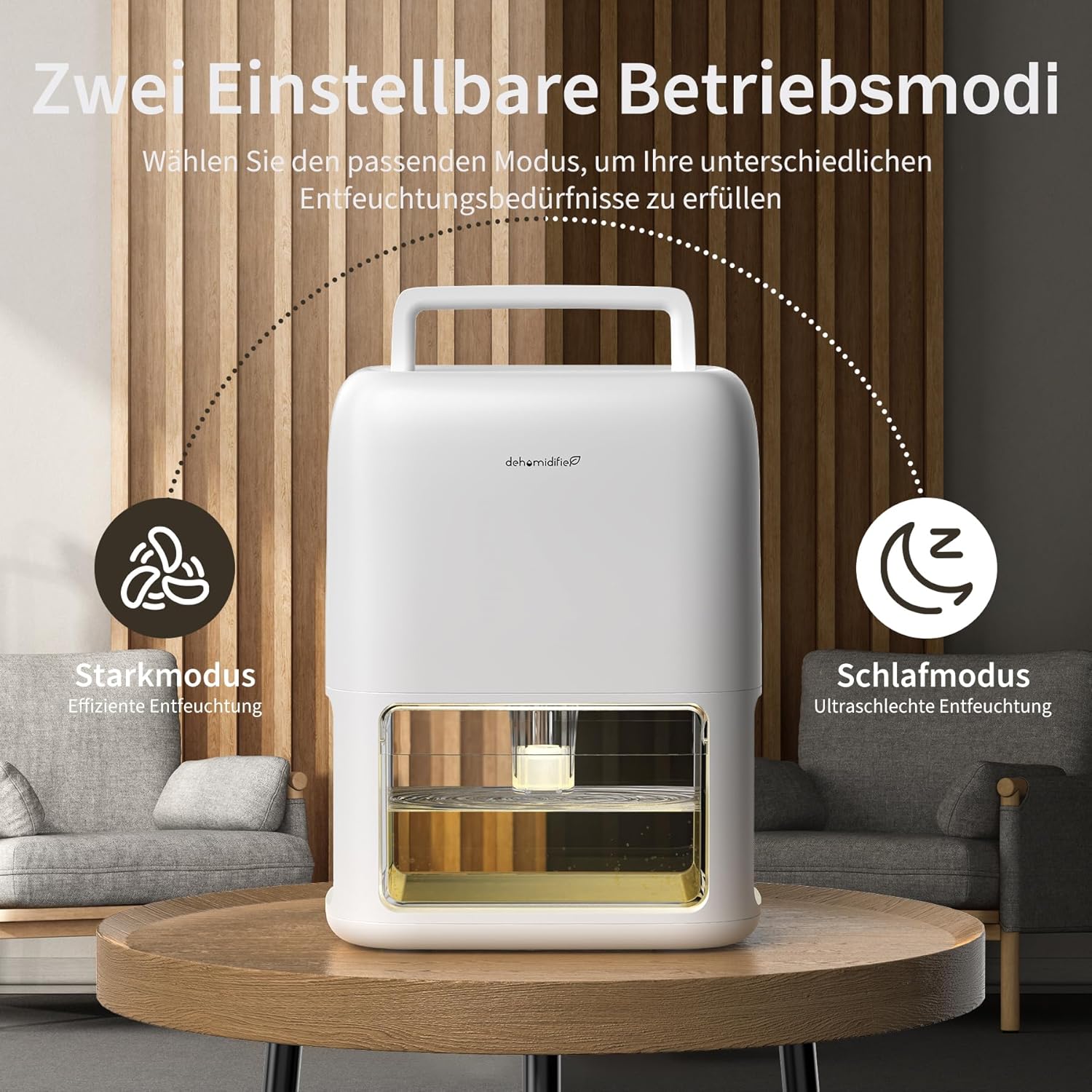
Figure 3: Strong Mode vs. Sleep Mode
This image illustrates the two operating modes: Strong Mode for efficient dehumidification (left icon with fan blades) and Sleep Mode for ultra-quiet dehumidification (right icon with moon and Zzz). The dehumidifier is shown on a table in a living room setting.
Timer Setting
You can set the dehumidifier to operate for a specific duration:
- Available timer settings: 12 hours, 24 hours, 36 hours, 48 hours.
Press the Timer button repeatedly to cycle through the available timer options. The unit will automatically turn off after the set time.
Automatic Shut-off (Full Water Tank)
The dehumidifier is equipped with an automatic shut-off feature. When the 1.8L water tank is full, the unit will automatically stop operating, and the indicator light will turn red to prevent overflow.

Figure 4: Automatic Shut-off Indication
This image shows the dehumidifier with its water tank. An inset diagram illustrates the water tank in normal operation (blue water) and when full (red light on, indicating automatic shut-off). The tank capacity is highlighted as 1.8L.
Frost Protection (Automatic Defrost)
The dehumidifier has an integrated NTC temperature sensor. If the temperature drops close to freezing, the unit will automatically enter defrost mode and pause dehumidification. Once defrosting is complete, it will resume normal operation. This ensures optimal performance and prevents ice buildup.

Figure 5: Internal Defrost Mechanism
This diagram illustrates the internal components of the dehumidifier, specifically highlighting the fan and the cooling fins covered in ice, with an arrow indicating the defrost process. This visual explains how the automatic defrost function works to prevent ice buildup.
7 Colorful LED Lights
The dehumidifier features seven colorful LED lights that can continuously cycle or be set to a single color. You can also use them as ambient lighting at night to create a cozy atmosphere.
Press the Light button to control the LED lights.
6. Maintenance
Emptying the Water Tank
- When the water tank is full, the unit will automatically stop, and the indicator light will turn red.
- Carefully pull out the water tank from the front of the unit.
- Pour out the collected water.
- Rinse the water tank with clean water if necessary. Do not use harsh detergents.
- Reinsert the empty water tank firmly into the dehumidifier until it clicks into place. The unit will resume operation if it was running before the tank became full.
Cleaning the Unit
- Always unplug the dehumidifier before cleaning.
- Wipe the exterior of the unit with a soft, damp cloth. Do not use abrasive cleaners or solvents.
- Clean the air inlets and outlets regularly with a soft brush or vacuum cleaner to prevent dust buildup, which can affect performance.
- The water tank is detachable for easy cleaning and offers a clear view of the dehumidification effect.
7. Troubleshooting
| Problem | Possible Cause | Solution |
|---|---|---|
| Dehumidifier not turning on. |
|
|
| No water collected or low dehumidification. |
|
|
| Unit is noisy. |
|
|
| Red indicator light is on. | Water tank is full. | Empty the water tank and reinsert it properly. |
8. Specifications
| Feature | Detail |
|---|---|
| Brand | OMISOON |
| Model Number | DH-CS08 |
| Dehumidification Technology | Dual Semiconductor Condensation |
| Water Tank Capacity | 1.8 Liters (1800 ml) |
| Daily Dehumidification Capacity | Up to 750 ml/day (at 30°C, 80% RH) |
| Recommended Room Size | 15-20 square meters |
| Operating Modes | Strong Mode, Sleep Mode |
| Noise Level (Sleep Mode) | Approx. 38 dB |
| Timer Settings | 12h, 24h, 36h, 48h |
| Special Features | Automatic Shut-off, Defrost Protection, 7 Colorful LED Lights, Portable Handle |
| Power Input | 18 Volts |
| Rated Power | 47 Watts |
| Product Dimensions (L x W x H) | 15.9 x 21.9 x 28.8 cm |
| Product Weight | 1.8 Kilograms |
| Material | Plastic |

Figure 6: Product Dimensions
This image provides a clear view of the dehumidifier with its key dimensions labeled: 15.9cm (depth), 21.89cm (width), and 28.8cm (height). This helps users understand the physical size of the unit.
9. Warranty and Support
OMISOON products are manufactured to high-quality standards. For any questions, issues, or warranty claims, please contact your retailer or OMISOON customer support. Please have your model number (DH-CS08) and purchase information ready when contacting support.
For optimal performance, please use the dehumidifier in an environment with temperatures between 15°C and 40°C and humidity ≤90%. It is designed for small, airtight spaces of 15-20 square meters and should be used continuously for 24 hours for best results.


