KOSCHEAL Q18 2-Axis Smartphone Stabilizer User Manual
Model: KOSQ18S
1. Introduction
This manual provides detailed instructions for the safe and effective use of your KOSCHEAL Q18 2-Axis Smartphone Stabilizer. Please read this manual thoroughly before operating the device and retain it for future reference.
The KOSCHEAL Q18 is designed to enhance your mobile video recording experience by providing stable footage, intelligent tracking, and versatile shooting options. It integrates a 2-axis stabilizer, a fill light, a remote control, and functions as a tripod and selfie stick.
2. Safety Information
- Do not disassemble, repair, or modify the device.
- Keep the device away from water and other liquids. It is not waterproof.
- Avoid exposing the device to extreme temperatures (high or low) or direct sunlight for extended periods.
- Use only the specified charging cable and power adapter.
- Keep out of reach of children.
- Ensure your smartphone is securely mounted before operation to prevent damage.
3. Package Contents
Verify that all items are present in your package:
- KOSCHEAL Q18 Smartphone Stabilizer
- Remote Control
- Charging Cable (USB)
- User Manual
4. Product Overview
Familiarize yourself with the components of your KOSCHEAL Q18 stabilizer.

Image 4.1: KOSCHEAL Q18 Stabilizer in handheld, selfie stick, and tripod configurations. The image highlights the device's versatility, showing it folded, extended, and with a smartphone attached, demonstrating its 2-axis stabilization and integrated fill light.
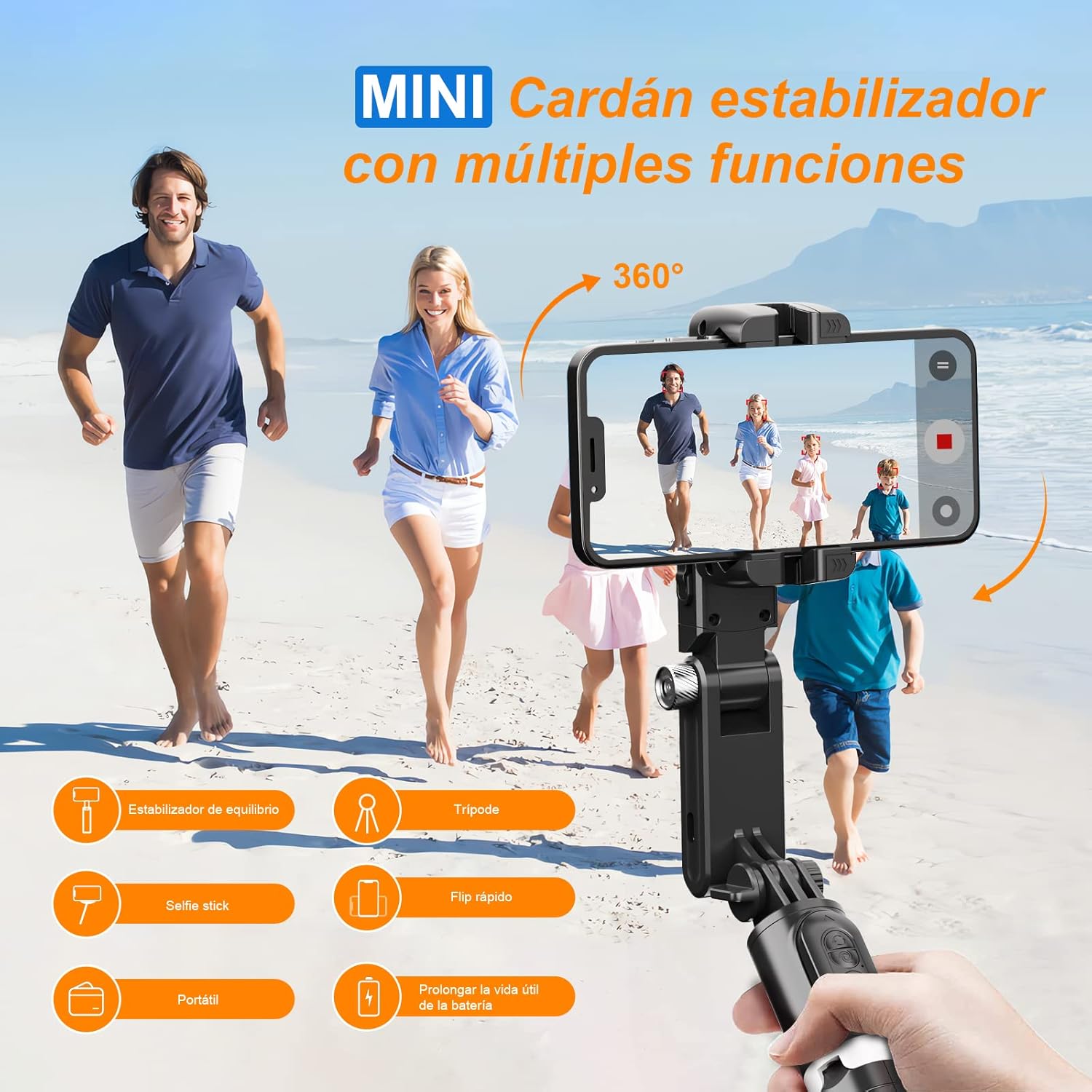
Image 4.2: Overview of the KOSCHEAL Q18's multi-functional design. This diagram illustrates its capabilities as a balance stabilizer, tripod, selfie stick, its quick flip feature, portability, and long battery life, emphasizing its 360-degree rotation.
Key Components:
- Smartphone Clamp: Secures your phone.
- Stabilizer Head: Provides 2-axis stabilization.
- Fill Light: Integrated LED light for illumination.
- Extension Rod: Extends for selfie stick functionality.
- Handle/Tripod Base: Serves as a grip or unfolds into a tripod.
- Control Panel: Buttons for power, mode, and fill light.
- Remote Control: Detachable Bluetooth remote for photo/video capture.
5. Setup
5.1 Charging the Stabilizer
- Connect the provided USB charging cable to the charging port on the stabilizer.
- Connect the other end of the cable to a USB power adapter (not included) or a computer USB port.
- The indicator light will show charging status. Charge fully before first use.
5.2 Attaching Your Smartphone
- Gently pull open the smartphone clamp.
- Insert your smartphone into the clamp, ensuring it is centered and securely held.
- Adjust the phone's position to achieve balance.
5.3 Bluetooth Pairing (Remote Control)
- Ensure the remote control is charged (if applicable) and powered on.
- On your smartphone, go to Bluetooth settings.
- Search for available devices and select "KOSCHEAL Q18" or a similar name.
- Once paired, the remote control can be used to trigger photo/video capture.
5.4 App Installation and Connection
For full functionality, including advanced tracking and shooting modes, download the dedicated KOSCHEAL app.
- Scan the QR code provided in the packaging or search for "KOSCHEAL" in your smartphone's app store (e.g., Google Play Store, Apple App Store).
- Install the application.
- Open the app and follow the on-screen instructions to connect to your Q18 stabilizer via Bluetooth.

Image 5.1: KOSCHEAL App Interface. This image displays the app's "Story Mode" and other creative features such as Time-lapse, Slow Motion, Dyna-zoom, and Panorama, indicating the enhanced capabilities available through the application.
6. Operating Instructions
6.1 Power On/Off
- Power On: Press and hold the power button for 3 seconds. The indicator light will illuminate.
- Power Off: Press and hold the power button for 3 seconds. The indicator light will turn off.
6.2 Stabilization Modes
The Q18 offers 2-axis stabilization to reduce shake in your videos.
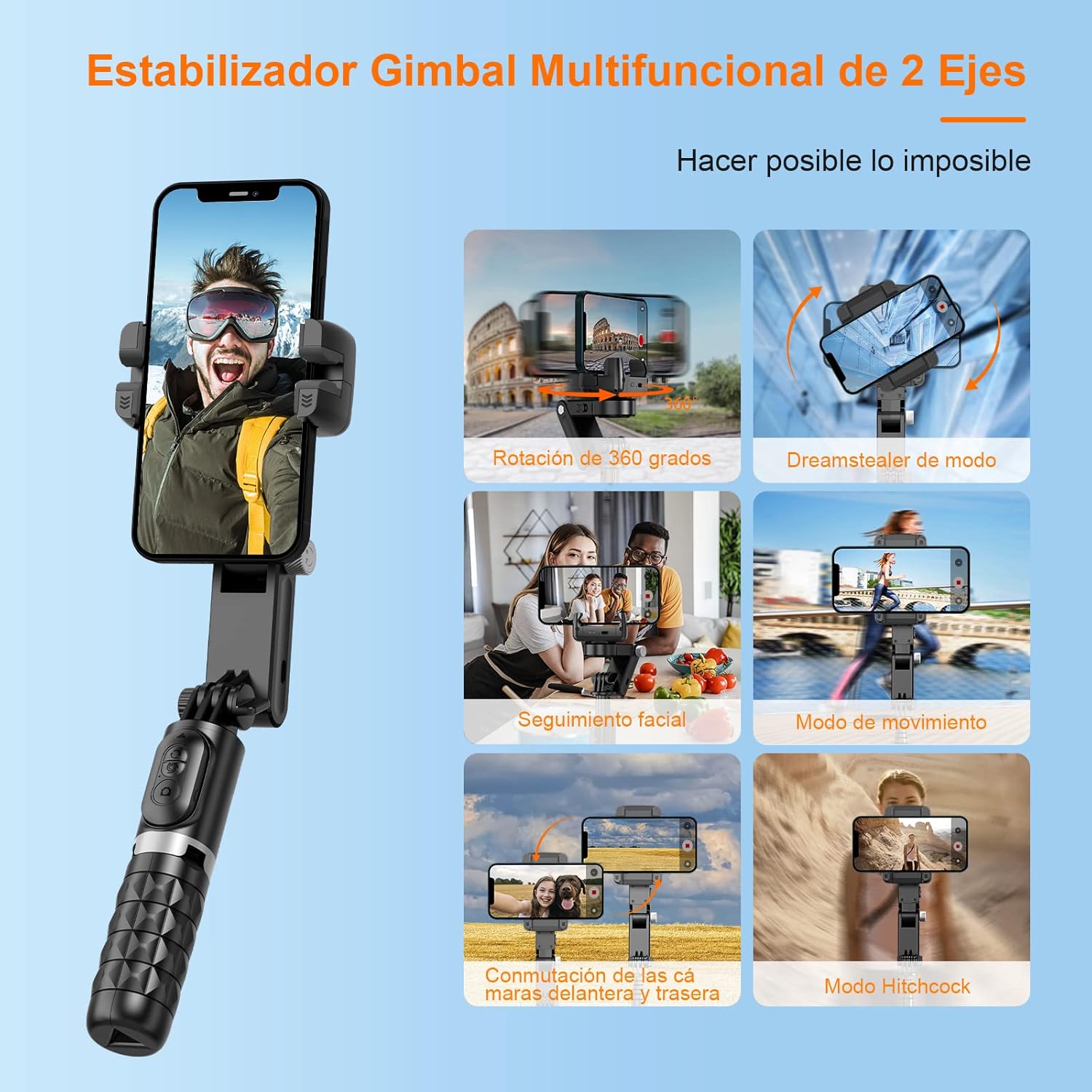
Image 6.1: Multifunctional Gimbal Modes. This image illustrates the diverse capabilities of the 2-axis stabilizer, including 360-degree rotation, a "Dreamstealer" mode, facial tracking, a movement mode, and the ability to switch between front and rear cameras.
- The stabilizer automatically activates upon power-on.
- The 2-axis design primarily stabilizes horizontal and vertical movements, ensuring smoother footage.
- Some modes, like 360-degree rotation, are accessible via the dedicated app.
6.3 Fill Light Operation
The integrated fill light provides adjustable illumination.

Image 6.2: Fill Light Features. This diagram demonstrates the fill light's three color modes (warm light, natural light, and white light) and its 9-level brightness adjustment, suitable for various lighting conditions.
- Turn On/Off: Press the fill light button (usually located on the control panel).
- Adjust Color Temperature: Short press the fill light button to cycle through 3 color modes (warm, natural, white).
- Adjust Brightness: Long press the fill light button to adjust brightness across 9 levels.
6.4 Remote Control Usage
The detachable remote control allows for convenient photo and video capture.
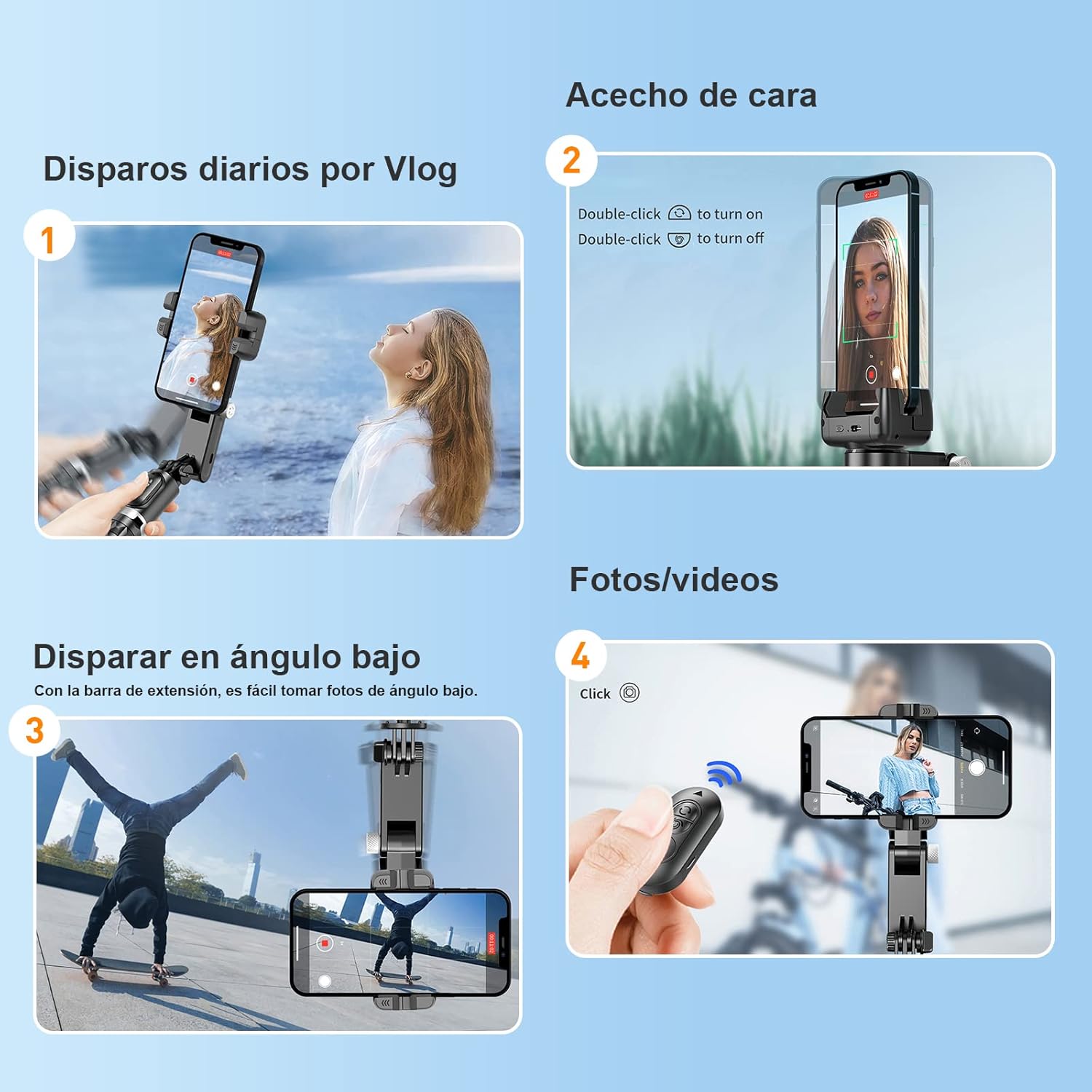
Image 6.3: Versatile Shooting Scenarios. This image presents four common usage scenarios: daily vlogging, activating face tracking (with double-click instructions), achieving low-angle shots using the extension bar, and capturing photos/videos with the remote control.
- Ensure the remote is paired via Bluetooth (see Section 5.3).
- Press the camera button on the remote to take a photo or start/stop video recording in your phone's camera app or the KOSCHEAL app.
6.5 Face Tracking and Gesture Control
Utilize the app for intelligent face tracking and gesture control features.

Image 6.4: Smart Follow and Gesture Control. This image depicts the stabilizer in use, demonstrating its smart follow and gesture control capabilities, with an inset highlighting its 180-degree rotation for flexible positioning.
- Open the KOSCHEAL app.
- Activate the "Smart Follow" function within the app.
- The stabilizer will automatically track your face or a selected subject.
- Gesture controls (e.g., hand gestures) can be configured in the app to initiate actions like photo capture or video recording.
- To activate/deactivate face tracking directly on the device, double-click the designated button (refer to Image 6.3, panel 2).
6.6 Using as a Tripod and Selfie Stick
- Tripod Mode: Unfold the base of the handle to form a stable tripod. Place it on a flat surface for stationary shots.
- Selfie Stick Mode: Extend the telescopic rod to increase the reach for wider selfie shots or group photos.
7. Maintenance
- Cleaning: Wipe the device with a soft, dry cloth. Do not use harsh chemicals or abrasive materials.
- Storage: Store the stabilizer in a cool, dry place, away from direct sunlight and extreme temperatures.
- Battery Care: If storing for an extended period, charge the battery to approximately 50% every three months to prolong its lifespan.
8. Troubleshooting
| Problem | Possible Cause | Solution |
|---|---|---|
| Stabilizer does not power on. | Low battery. | Charge the stabilizer fully. |
| Bluetooth remote not connecting. | Remote not powered on; not paired; interference. | Ensure remote is on. Re-pair via Bluetooth settings. Move away from other wireless devices. |
| Stabilization is not smooth. | Smartphone not balanced; excessive movement. | Ensure phone is centered in the clamp. Avoid sudden, jerky movements. |
| App features not working. | App not connected to stabilizer; outdated app version. | Ensure the app is connected via Bluetooth. Update the app to the latest version. |
9. Specifications
| Feature | Detail |
|---|---|
| Brand | KOSCHEAL |
| Model Number | KOSQ18S (Q18) |
| Stabilization | 2-Axis Mechanical Stabilization (Note: Product specifications also mention 'Optical Image Stabilization', which typically refers to phone camera features.) |
| Connectivity | Bluetooth |
| Compatible Devices | Smartphones |
| Fill Light | 3 Color Modes, 9 Brightness Levels |
| Battery Composition | Lithium Metal |
| Product Dimensions (L x W x H) | 18.7 x 8 x 7.6 cm |
| Folded Size | 155 mm (L) x 30 mm (W) x 30 mm (H) |
| Item Weight | 5 Grams |
| Water Resistance | Not waterproof |
10. Warranty and Support
KOSCHEAL provides an after-sales warranty for this product. If you encounter any issues with your KOSCHEAL Q18 Smartphone Stabilizer, please contact our customer support directly for assistance.
For support, please refer to the contact information provided with your purchase or visit the official KOSCHEAL website.

